
截图
介绍
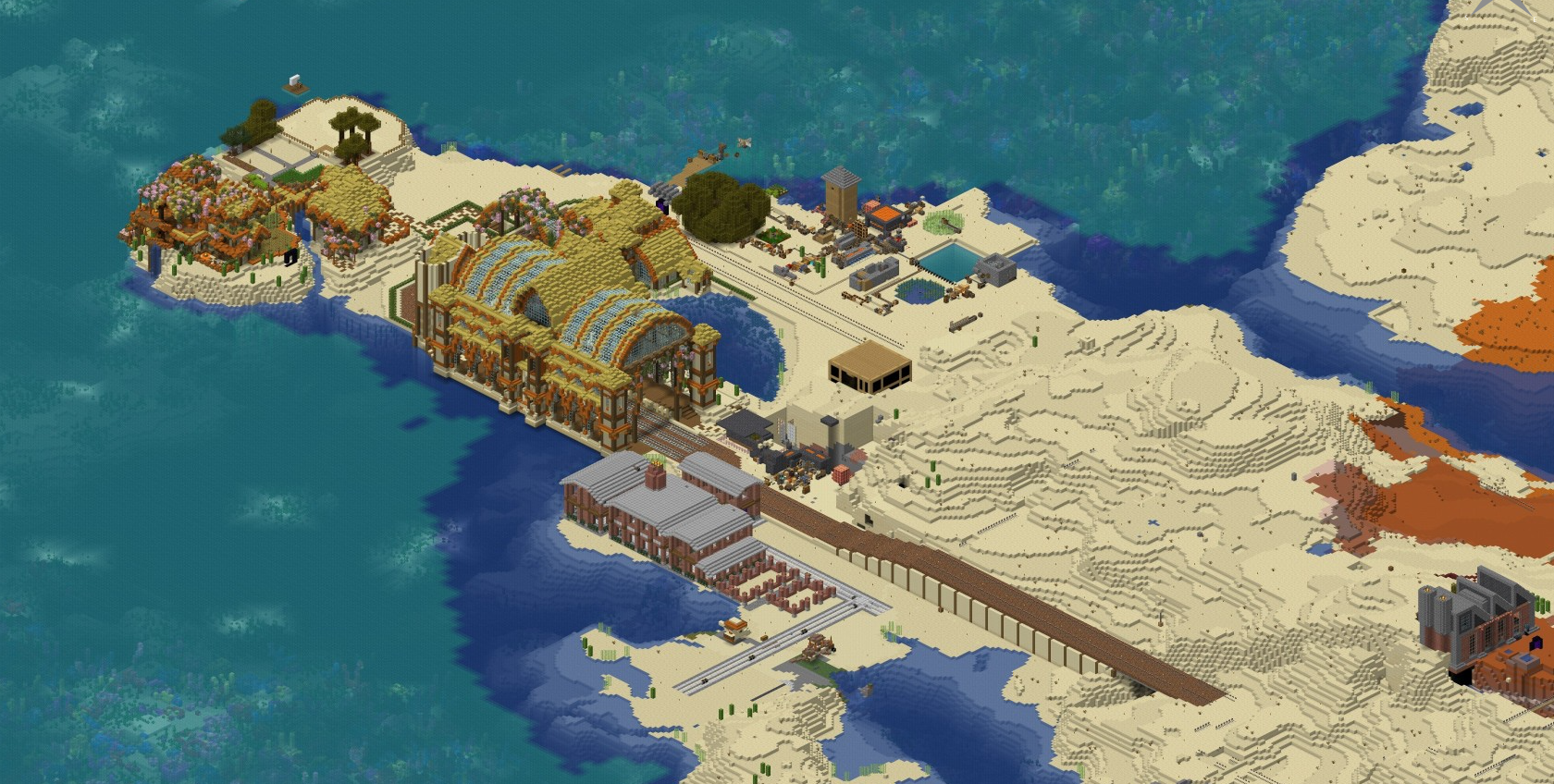
⚙️ Create Mod Harmony: Delve into the enchanting world of the Create mod, where ingenuity takes center stage. Design intricate machinery, build collaborative contraptions, and explore the endless possibilities that Cubeland offers.
🤝 Community Crafters: Join a community of friendly and like-minded crafters who share a passion for creating, collaborating, and exploring the wonders of minecraft. Whether you’re a technical player or a casual builder, everyone is welcome in Cubeland, fostering an environment where every contribution is valued.
🌟 Collaborative Projects: Engage in ambitious community projects that showcase the collective creativity of Cubeland’s players. There’s always an opportunity to join hands with fellow crafters and leave a lasting mark on the server.
🍵 Chill Atmosphere: Unwind in the laid-back and chill atmosphere of Cubeland. Whether you’re seeking a quiet spot to build, a cozy community gathering, or simply a place to relax and enjoy the game, Cubeland is the perfect haven for players who appreciate a stress-free and enjoyable gaming experience.
包含的模组 64 个
 Architectury API
 Ars Creo
 新生魔艺
 Botarium
 Chat Heads
 Cloth Config API
 Clumps
 Complementary Shaders - Reimagined
 CraftPresence
 机械动力
 Create Big Cannons
 Create Crafts & Additions
 Create Stuff 'N Additions
 Create Train Additions
 Create: Bells & Whistles
 Create: Copycats+
 Create: Enchantment Industry
 Create: Extended Cogwheels
 Create: Interiors
 Create: Misc and Things
 Create: New Age
 机械动力:蒸汽与铁路
 Create: Structures
 Create: The Factory Must Grow
 Curios API
 Enchanting Infuser
 实体剔除
 Eureka! Ships! for Valkyrien Skies (Forge/Fabric)
 农夫乐事
 FerriteCore
 Freecam
 Geophilic
 GraveStone Mod
 Iam Music Player
 Immersive Paintings
 Iris & Oculus Flywheel Compat
 Jade 🔍
 JEI物品管理器
 Just Enough Resources (JER)
 Kotlin for Forge
展开全部 64 个
 Lootr
 Memory Leak Fix
 Moonlight Lib
 Oculus
 开放派对与领地
 Otyacraft Engine
 帕秋莉手册
 Puzzles Lib
 精致存储
 Relics
 Resourceful Lib
 Rubidium
 ShatterLib | OctoLib
 Simple Discord RPC
 Simple Voice Chat
 Sound Physics Remastered
 锦致装饰
 Tidal Towns
 Traveler's Backpack
 Valkyrien Skies
 Vampires Need Umbrellas
 Vampirism
 Xaero的小地图
 Xaero的世界地图
绿色边框的模组本站有收录,点进去看中文介绍;其余跳转到 Modrinth。
常见问题
Cubeland 支持哪些 Minecraft 版本?
Cubeland 基于 Minecraft Java 版 1.19.2,使用 Forge 加载器。
Cubeland 怎么安装?
点本页「前往下载」拿到整合包文件(Modrinth 的是 .mrpack,CurseForge 的是 .zip),在 PCL2 或 HMCL 启动器里选择「导入整合包」,启动器会自动装好 Minecraft、加载器和全部模组。这个整合包有 64 个模组,建议在启动器里给游戏分配 4–6 GB 内存。
Cubeland 开服需要多大内存?
推荐服务器内存 12 GB。在线人数多、或者建了大量机器和区块加载器时,可以再加 2–4 GB。
怎么和朋友一起玩 Cubeland?
点本页的「一键开服」,选好配置后会自动安装 Cubeland 的服务端,几分钟就能开好。把服务器地址发给朋友,大家用同一个版本的整合包连进去就行。
评论
登录后评论和评分