
截图


介绍
The Cobblemon World Cup Modpack for Fabric

About This Modpack:
Battle your friends on the Cobblemon World Cup Island!
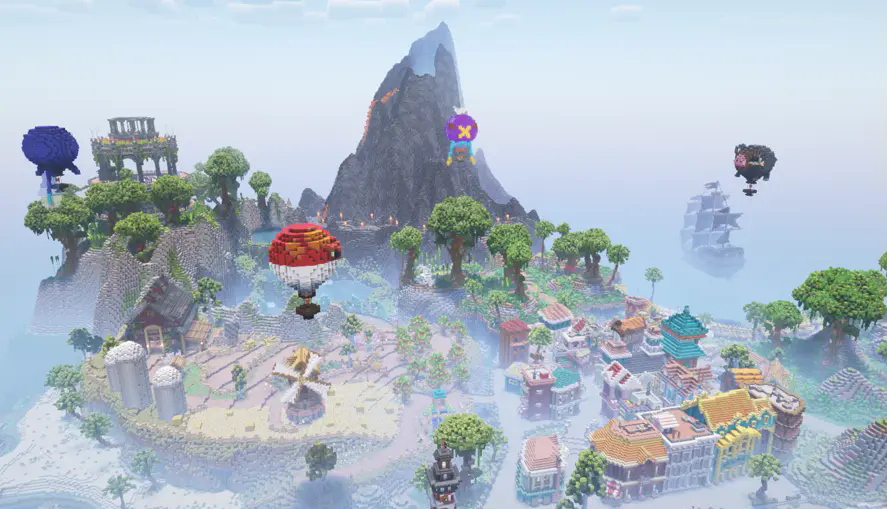
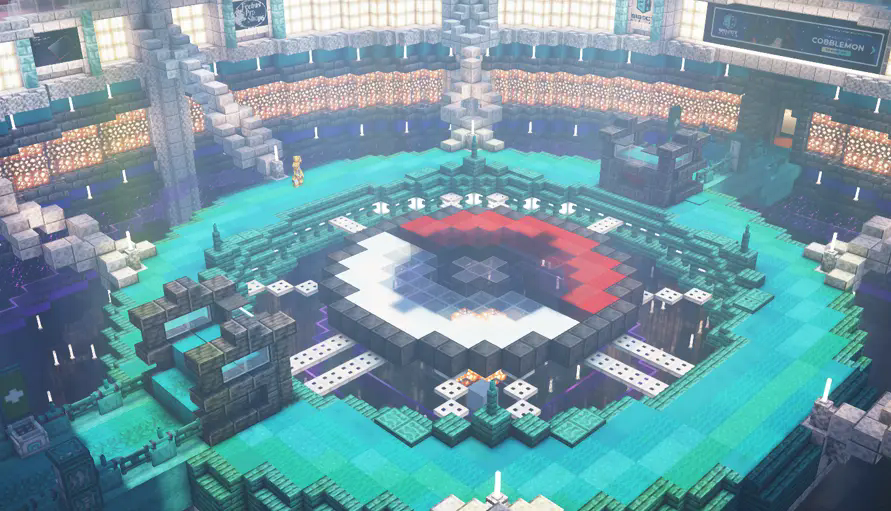
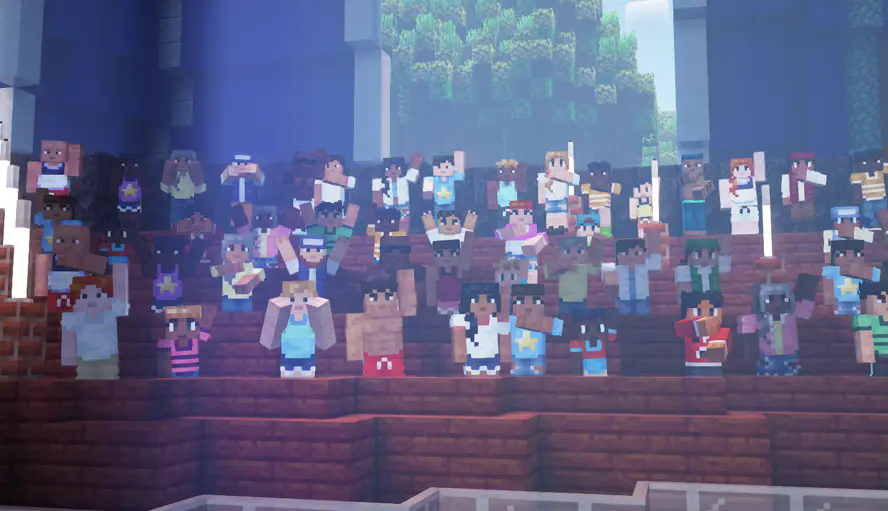
The CWC Island comes pre-installed in your singleplayer worlds. Explore the island, battle in the Fire, Water, Grass, or Champion’s arenas, and experience Cobblemon’s NPCs as cheering crowds, referee Gholdengos, fast-travel portals, animated builds and more!
The Cobblemon World Cup modpack is designed to make your Minecraft experience immersive with improved visuals and audio while running better than vanilla Cobblemon by using many optimization mods. Included are optional extras such a recommended resource pack and shader pack, disabled by default.
Alternatively, you can download the official Cobblemon modpack on Modrinth or CurseForge! We recommend downloading the modpack with the Modrinth App, but Prism Launcher is also a good alternative launcher that can download modpacks from any of these sites.
Notice: Cobblemon does NOT have an official server. You can find a list of public servers on our website, or in the #server-listings channel in our Discord, and add them to the multiplayer menu. Alternatively, you can buy your own server from hosts such as BisectHosting.

Note: The Cobblemon mod is still in development and is being actively updated. There are many features that are work-in-progress or placeholders until things are finished. There are also some existing features that will be getting more polish as we keep moving. Many more features are planned, including but not limited to things like NPCs, riding Pokémon, breeding, and structures.
Join our Discord to follow development progress, chat with the team, ask questions, and get sneak peeks into upcoming features!

Explore the Cobblemon World Cup Island!
Battle Your Friends on the Island’s 4 Arenas!
Discover Unique NPCs Around the Map!
Modpack Contents:
If you want to get any of these mods for personal use, please download them from their original pages to support their authors.
Mods:
Dependencies:
Resourcepacks:
Shaderpacks:
Cobblemon is not affiliated with Pokémon nor Minecraft.
Minecraft is a trademark of Mojang Synergies AB | Pokémon is a trademark of Nintendo, Creatures Inc. and GAME FREAK inc.
包含的模组 43 个,另有 1 个其他文件
 Ambient Environment
 Better Ping Display [Fabric]
 Better Third Person
 BisectHosting Server Integration Menu
 Cloth Config API
 Cobblemon
 Complementary Shaders - Reimagined
 CraftPresence
 实体剔除
 Entity View Distance
 Fabric API
 Falling Leaves
 FancyMenu
 FerriteCore
 ImmediatelyFast
 InvMove
 Iris Shaders
 Konkrete
 Krypton
 LambDynamicLights - Dynamic Lights
 Language Reload
 锂
 Make Bubbles Pop
 Melody
 模组菜单
 Motschen's Better Leaves
 oωo (owo-lib)
 Particle Rain
 Particular ✨
 Presence Footsteps
 Reese's Sodium Options
 Satin Free Wakes
 钠
 Sodium Extra
 Sodium Extras
 Sodium Leaf Culling
 Sodium Options API
 Sodium Shadowy Path Blocks (SSPB)
 ToolTipFix
 UniLib



绿色边框的模组本站有收录,点进去看中文介绍;其余跳转到 Modrinth。
常见问题
Cobblemon World Cup 支持哪些 Minecraft 版本?
Cobblemon World Cup 基于 Minecraft Java 版 1.21.1,使用 Fabric 加载器。
Cobblemon World Cup 怎么安装?
点本页「前往下载」拿到整合包文件(Modrinth 的是 .mrpack,CurseForge 的是 .zip),在 PCL2 或 HMCL 启动器里选择「导入整合包」,启动器会自动装好 Minecraft、加载器和全部模组。这个整合包有 43 个模组,建议在启动器里给游戏分配 4–6 GB 内存。
Cobblemon World Cup 开服需要多大内存?
推荐服务器内存 12 GB。在线人数多、或者建了大量机器和区块加载器时,可以再加 2–4 GB。
怎么和朋友一起玩 Cobblemon World Cup?
点本页的「一键开服」,选好配置后会自动安装 Cobblemon World Cup 的服务端,几分钟就能开好。把服务器地址发给朋友,大家用同一个版本的整合包连进去就行。
Cobbled Studios 的其他作品
查看全部 →
Cobblemon
一个支持 Fabric 和 NeoForge 的 Pokémon 模组

Cobblemon Official Modpack [Fabric]
Cobblemon 模组的官方整合包,适用于 Fabric!

Cobblemon Official Modpack [NeoForge]
Cobblemon 模组的官方 NeoForge 整合包!

Vivillon Pride Patterns [Cobblemon]
包含14种骄傲主题的彩粉蝶翅膀图案。骄傲月快乐!
评论
登录后评论和评分