
Teleportals Are Here
Use our beautiful Teleportals to travel across your world, See your destination before you leave. Take your Pet too!
截图
介绍
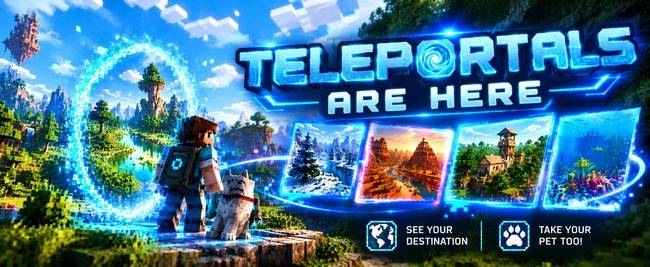
Teleportals are Here
Step onto a glowing quartz pad, see where you’re going before you leave, and take your pet with you.
Teleportals are Here is a fast-travel mod built to be easy to use. Each pad has a shimmering portal above it, and inside that portal you can see pictures of the place it leads to. You can find every portal in the world from one searchable list, with no flicking through pages. And it’s cheap to make: no ender pearls needed!
✨ What You Get
🌀 A Real Portal You Can See
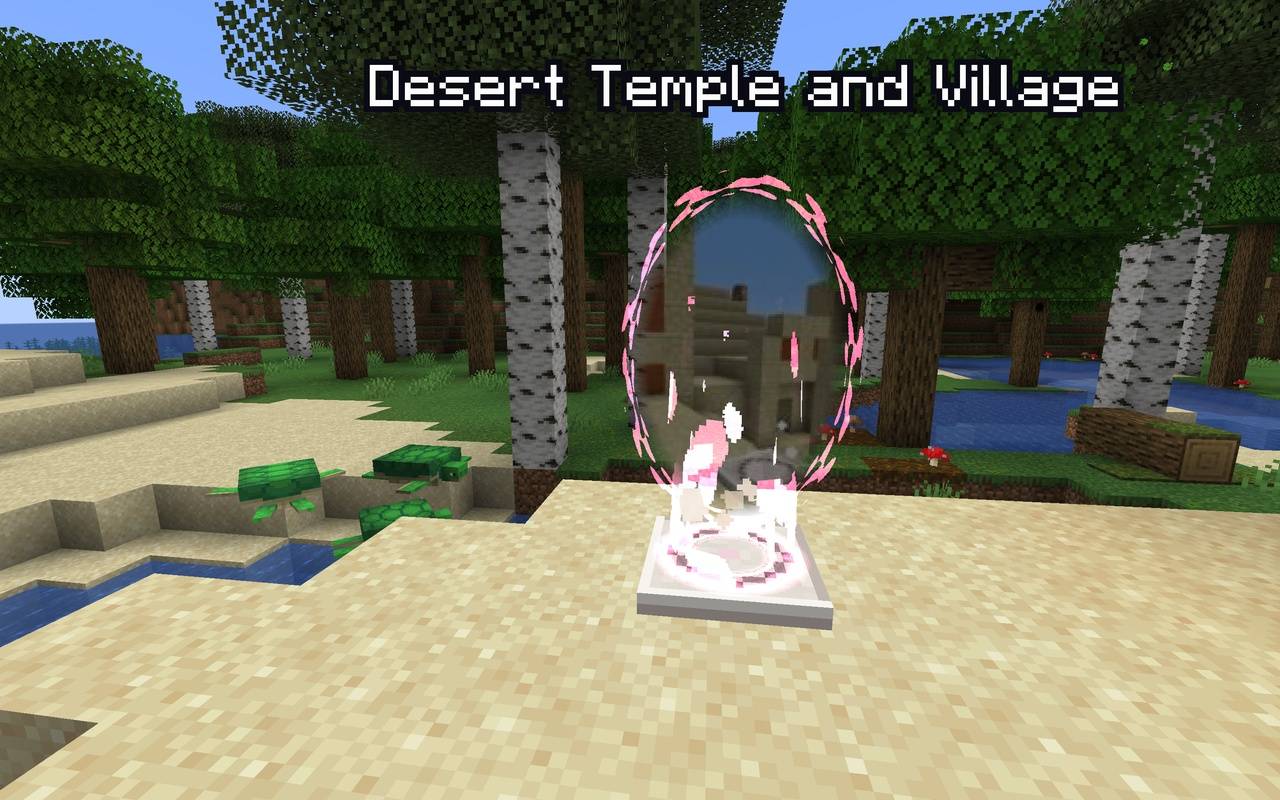
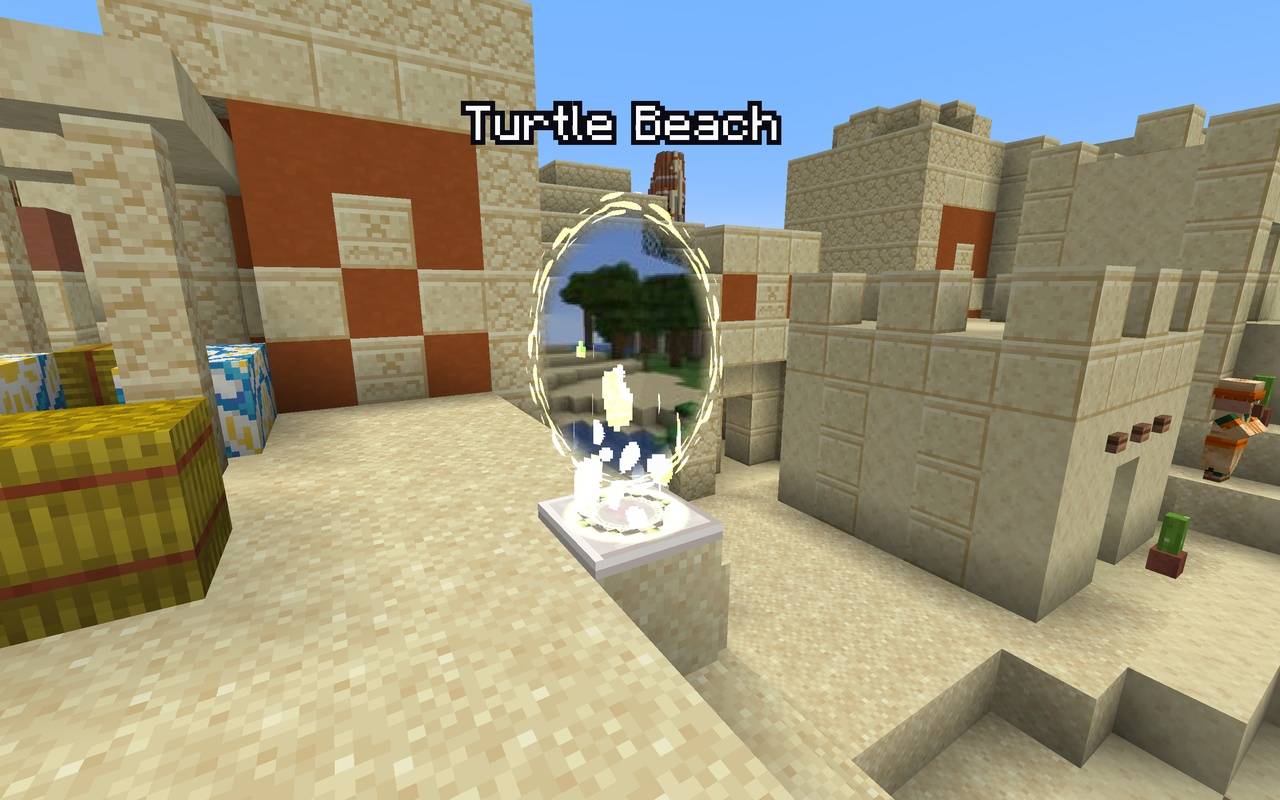
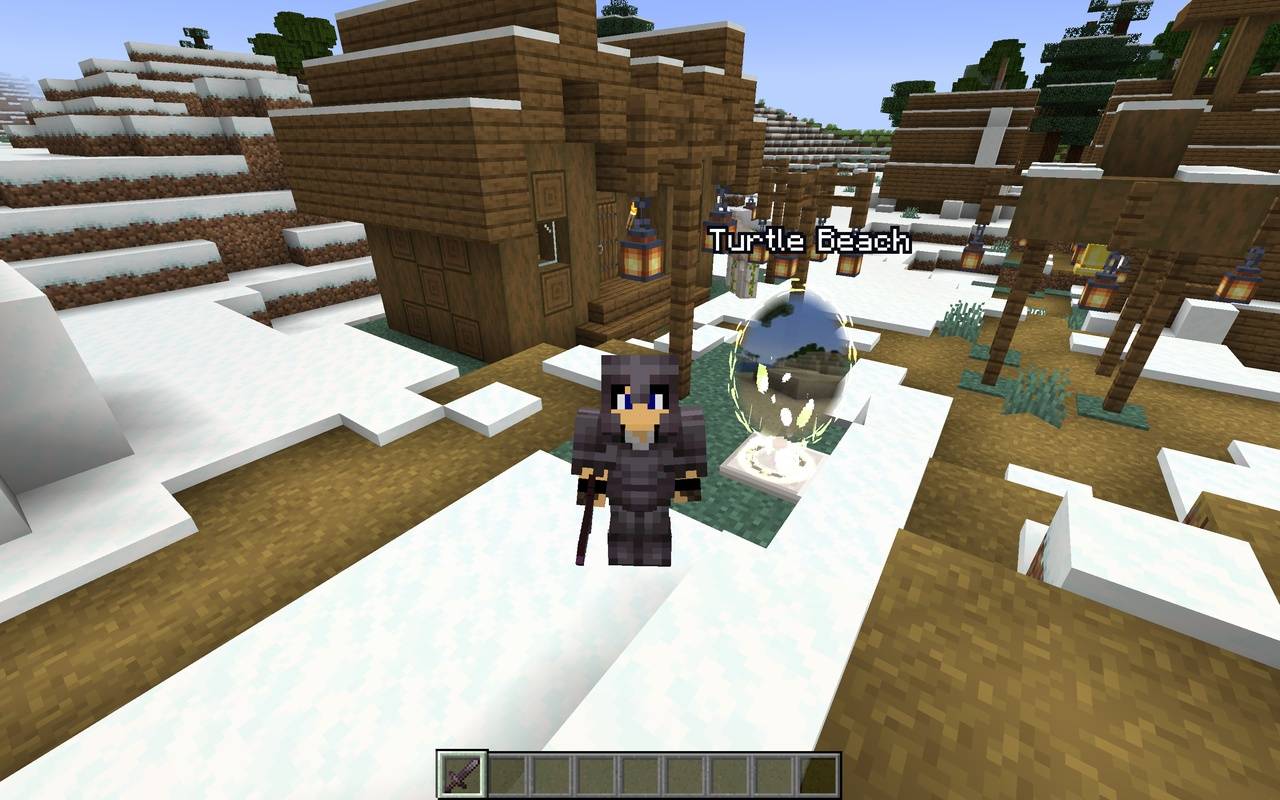
Every Teleportal is a nether quartz pad with a glowing portal window floating above it.
- Each portal glows in its own colour, picked for its destination, so it’s easy to tell portals apart.
- The destination name floats above the portal in outlined text that stays readable against the sky.
- A quiet, eerie tune plays when you’re near a portal, so you can find it by sound.
🖼️ See Your Destination
Each portal shows pictures of the place it takes you to, fading slowly from one to the next every few seconds. You can see what’s waiting on the other side before you step through.
- Pictures are taken automatically when a Teleportal is placed down.
- Click Refresh pictures on the portal screen to take a new set whenever you like (handy after you’ve built something new next to the portal!).
- Teleportals never show up in the pictures, so the view stays clean.
- Prefer something magical instead? Switch the portal window to a swirling glow effect tinted in the portal’s colour.
🐾 Take Your Pet Too!
Animals on a lead travel with you and are still on the lead when you arrive, even between dimensions. Your dog, horse or llama can come along for the adventure.
Mobs never use Teleportals on their own, so no creepers will follow you home.
📜 Find Any Portal Fast
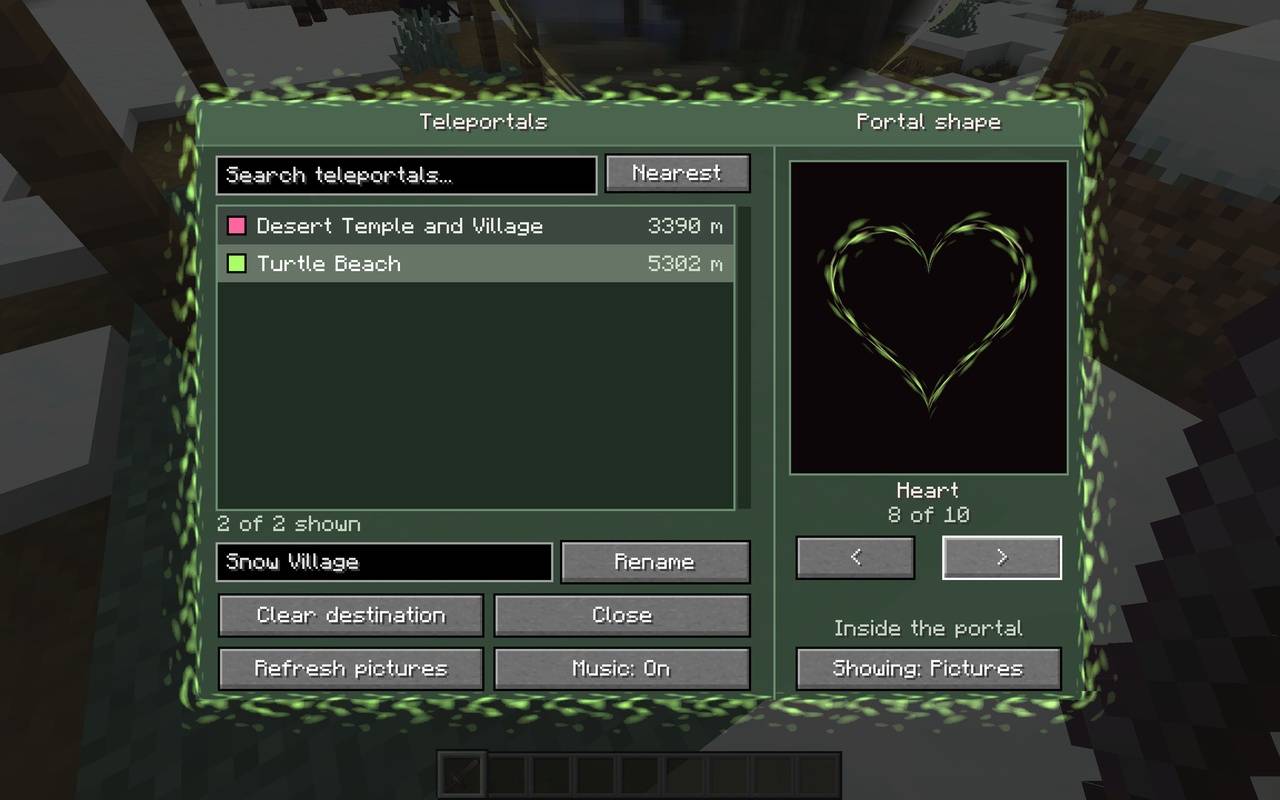
Right-click a Teleportal to open its screen:
- One scrollable list of every Teleportal in the world, with no “next page” buttons.
- Search by portal name, owner or dimension. Press Enter to pick the top match.
- Sort by Nearest or A to Z.
- Click a destination to link the portal, then step on the pad and wait a moment. Whoosh!
- Rename your Teleportals from the same screen.
🔷 Pick Your Portal Shape
Choose from 10 portal window shapes, each with a live preview on the portal screen:
Oval · Circle · Arch · Window · Diamond · Hexagon · Shield · Heart · Keyhole · Star
The pictures fill the shape neatly like a photo in a frame, and the glowing rim follows the outline. Your choice is just for you: on a server, every player picks the shape they like without changing what anyone else sees.
🗺️ Xaero’s Minimap & World Map Support
If you have Xaero’s Minimap or Xaero’s World Map installed, every Teleportal automatically shows up as a waypoint in the right dimension and in a colour close to its glow. Waypoints follow renames and disappear when a portal is broken, and they never clutter your own waypoint lists.
Xaero’s is optional: Teleportals works fine without it.
🔨 Crafting
Makes 2 x Teleportals, which is enough for one there-and-back link:
| Nether Quartz | Glowstone Dust | Nether Quartz |
| Stone Bricks | Stone Bricks | Stone Bricks |
🧭 How to Use
- Craft two Teleportals and place them wherever you want to travel between.
- Right-click one to open the destination list.
- Click the other Teleportal in the list to link them.
- Step onto the pad and wait about a second and a half.
- You arrive on the other pad. It won’t send you straight back, so step off when you’re ready. Don’t forget to set which portal you want to return to afterwards. Don’t worry, you don’t have to keep setting that as it remembers what portal you have chosen. You can change destinations later if you wish.
💚 Comfortable for Everyone
- No flashing effects anywhere. Glows and shimmers are slow and gentle, and taking pictures uses a smooth half-second fade instead of a flash.
- Turn the music off just for yourself with the Music button on the portal screen, or turn it down with the Ambient volume slider.
- Portal shape and pictures/effect choices are saved per player on your own computer.
❓ FAQ
Does it need to be on the server? Yes. Install it on the server and on every player’s game.
Does it use ender pearls? No! Just nether quartz, glowstone dust and stone bricks.
Can I travel to the Nether or the End? Yes, as long as allowCrossDimension is left on (it is by default).
Does breaking a Teleportal cause problems? No. It’s removed from the list, any portals linked to it clear themselves, and its pictures are deleted.
Can I use it in a modpack? Of course! Feel free to include it in your modpacks.
Made by AndyMFA (C) Many Fun Adventures
常见问题
Teleportals Are Here 支持哪些 Minecraft 版本?
Teleportals Are Here 支持 Minecraft Java 版 1.16.5–26.3,共 8 个版本,可用的加载器:Fabric / Forge / NeoForge。下载时注意选择和你游戏版本一致的文件。
Teleportals Are Here 怎么安装?
先用 PCL2 或 HMCL 启动器安装对应版本的 Fabric / Forge / NeoForge,再把下载的 .jar 文件放进游戏目录的 mods 文件夹,重新启动游戏即可。开启了版本隔离的,mods 文件夹在 versions/版本名 下面。
AndyMFAMinecraft 的其他作品
查看全部 →
Abandoned Tunnels
Climbing those hills are such a grind, what don't you take a shortcut through an abandoned tunnel? What could possibly go wrong?

Far Flung Forests
70 new biomes and 22 rare real-world wood types, each with a full set of blocks, signs, boats, bookshelves and crafting tables. Built on TerraBlender.
Enchantment Transference
Ever wanted a way of moving your enchants onto a book? Time to get overpowered!

Neon Signs Unlimited
Building a futuristic city? Or do you just love Neon signs? This is all you need!
评论
登录后评论和评分