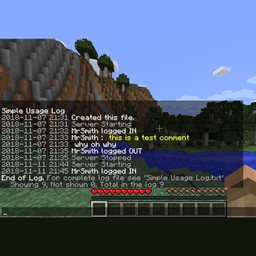
Simple Usage Log
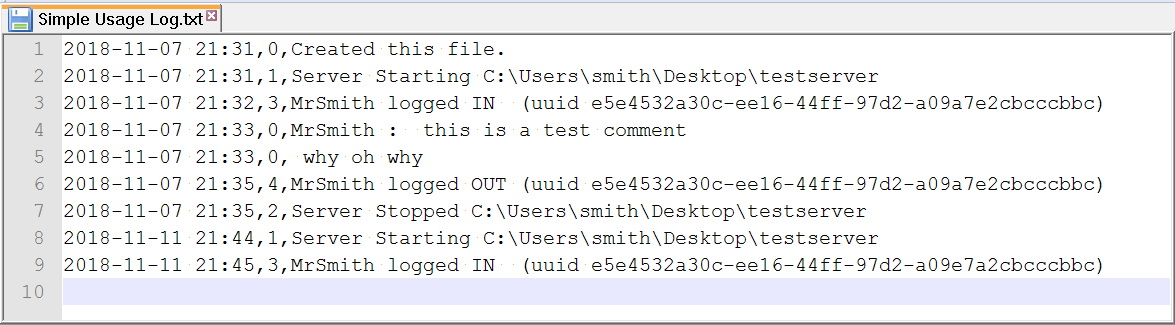
Log server usage simply and independently. Logs server start and stop, and player login and out. The log file Simple Usage Log.txt is located in the server main folder.
截图
介绍
WHAT DOES IT DO
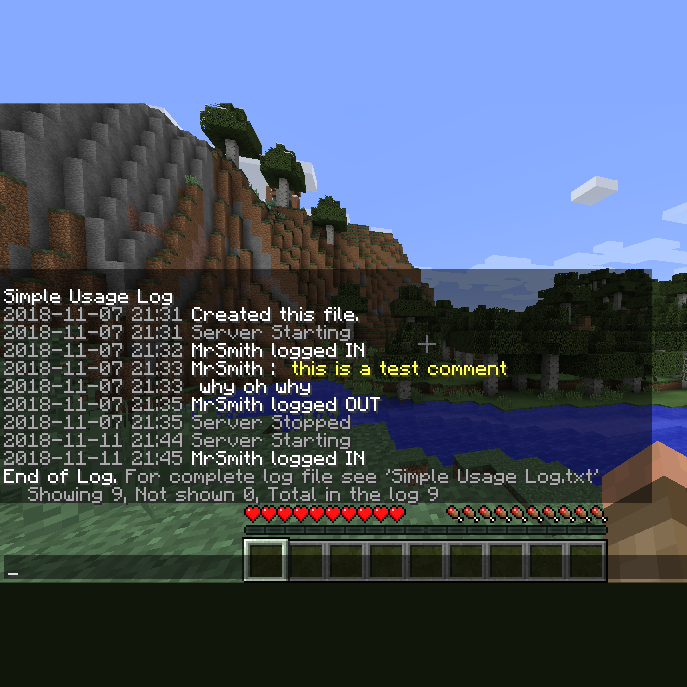
Logs server start and stop, and player login and out.
The log file Simple Usage Log.txt is located in the server main folder.
or just type the chat command to see recent entries /log
commands for operators (ops)
/log – displays up to 90 of the last log entries in chat
/log <number of lines> – displays that many lines of the log in chat
/log <player name> – displays up to 90 last lines of the log that are about that player
/log <any text comment longer than 1 word> – adds this comment into the log file
(commands are for Minecraft versions 1.9.4 & up)
What if?
Have you ever wondered if anyone has been on your server? /log
How about if a specific player has been on? /log playername
What if you want to make a note in the log file about something that recently happened such as a server glitch? /log the server seems to have crashed several times when larry logs in
Who was it that just now logged in then out? /log 10
Has a friend of mine even been on the server yet? /log friendsname
Overly huge log file size? Nope. This mod detects a large(5MB) log file size and moves it to Simple Usage Log old file.txt and removes any previous old file at the same time. It will never grow past the size of these two files. When it automatically archives to the old file it also starts a new current file.
Using this in the server console does work. If your console display can be wide enough it will look good. Normally forge adds the time and modid to the beginning of every line. Not so pretty when trying to read the log in the console. I found that in single player the MultiMC Minecaft launcher can be widened to look good.
The old versions of this mod for Minecraft 1.7.10 and 1.8 did not get the update and are usable but is not as friendly and the /log command does not exist for it.
INSTALLATION
Put this in the mods folder with your other Forge mods and restart the server. Thats it.
Be sure you get the correct jar file for your version of minecraft. (official downloads)
The good version of this (2.0.1) is available for Minecraft 1.9.4 through 1.12.2
NOTES
This is open source.
Source code is included.
You may modify or redistribute this if you wish.
You may use this for anything.
🙂
Link to the page on Minecraft Forum.
I officially make this page the official page for this mod as of Today (November 11, 2018).
PS: If you write a nice report program for this log file I would be happy to post it here. Ideas: perhaps an in-game command that publishes a report with graphs to a web page by ftp or even http upload, on a timer ofcourse.
常见问题
Simple Usage Log 支持哪些 Minecraft 版本?
Simple Usage Log 支持 Minecraft Java 版 1.7.10–1.12.2,共 10 个版本,可用的加载器:Forge。下载时注意选择和你游戏版本一致的文件。
Simple Usage Log 怎么安装?
先用 PCL2 或 HMCL 启动器安装对应版本的 Forge,再把下载的 .jar 文件放进游戏目录的 mods 文件夹,重新启动游戏即可。开启了版本隔离的,mods 文件夹在 versions/版本名 下面。
AndreNoel 的其他作品
查看全部 →
Entity LagFix / Lag Fix
通过清理过多实体来减少卡顿,例如掉落物、箭矢、爆炸等产生的实体。为管理员提供的工具,可统计或清除一定范围内的所有物品、生物、实体、方块实体或方块。兼容命令方块。

SpawnCommands / Spawn Commands Teleport
在聊天中使用传送指令,可传送至出生点、家、指定地点,也可发送传送请求。支持多项可配置功能。
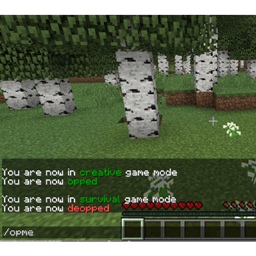
OpMe Mod
I like to play as a normal player but be easily opped when needed. A command to toggle operator status and creative game mode for players you preauthorize in a config file. For security, nothing can add anyone to the list from in-game.

Exact Spawn Simple / exactspawnsimple.
Simplest possible mod for making main spawn always at the exact same location instead of the Minecraft default of randomizing your main spawn location a few blocks or landing you on the roof of the main building. No configs. No complications. It works.
评论
登录后评论和评分