
Item Sticker Album
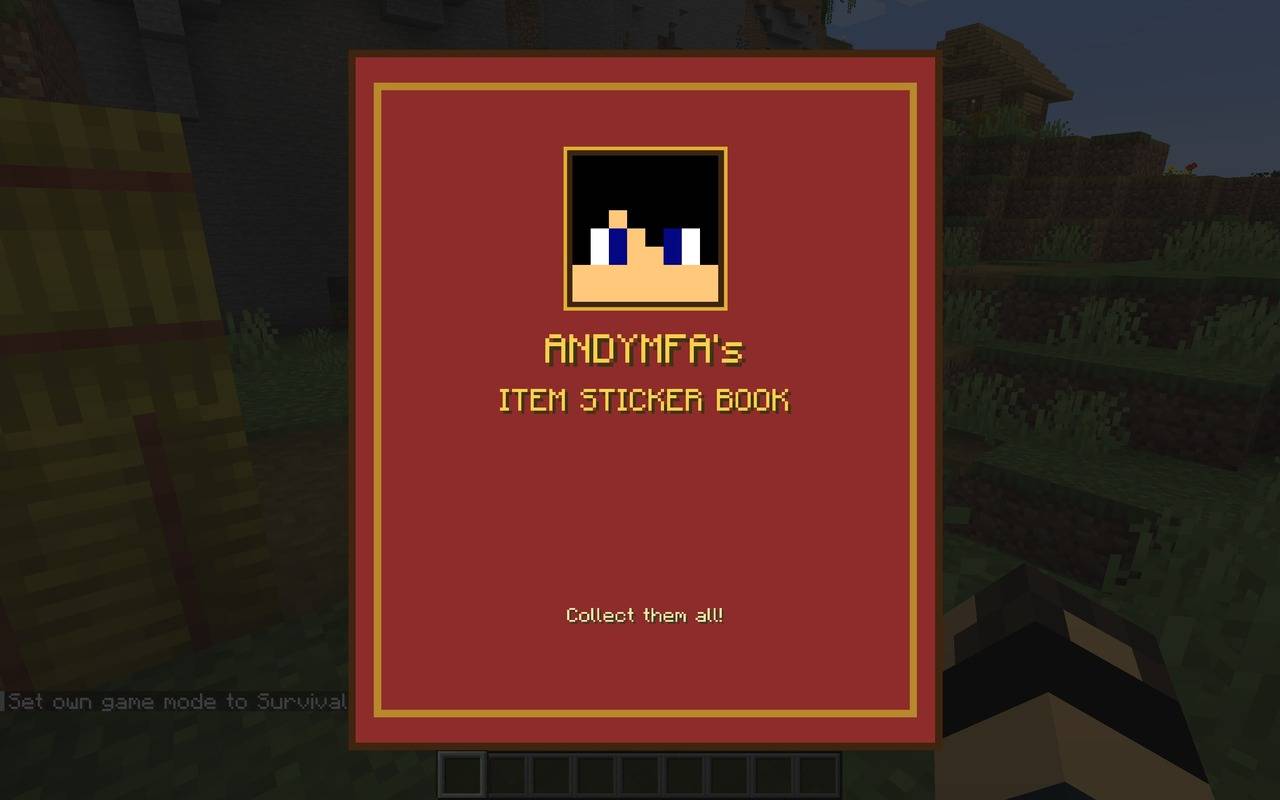
Add to your sticker collection as you collect items and blocks from around your World! VERY ADDICTIVE!
截图
介绍

📖 Item Sticker Album
Remember those sticker albums you collected as a kid? Now Minecraft has one!
Item Sticker Album gives you a beautiful sticker book with a space for every single item in the game, including items from your other mods. Every time a new item lands in your inventory, its sticker is stuck into your album. Fill a page, finish a collection, and one day… complete the whole album!
Just press B to open your album and start collecting.
✨ What You Get
📚 A Proper Sticker Book
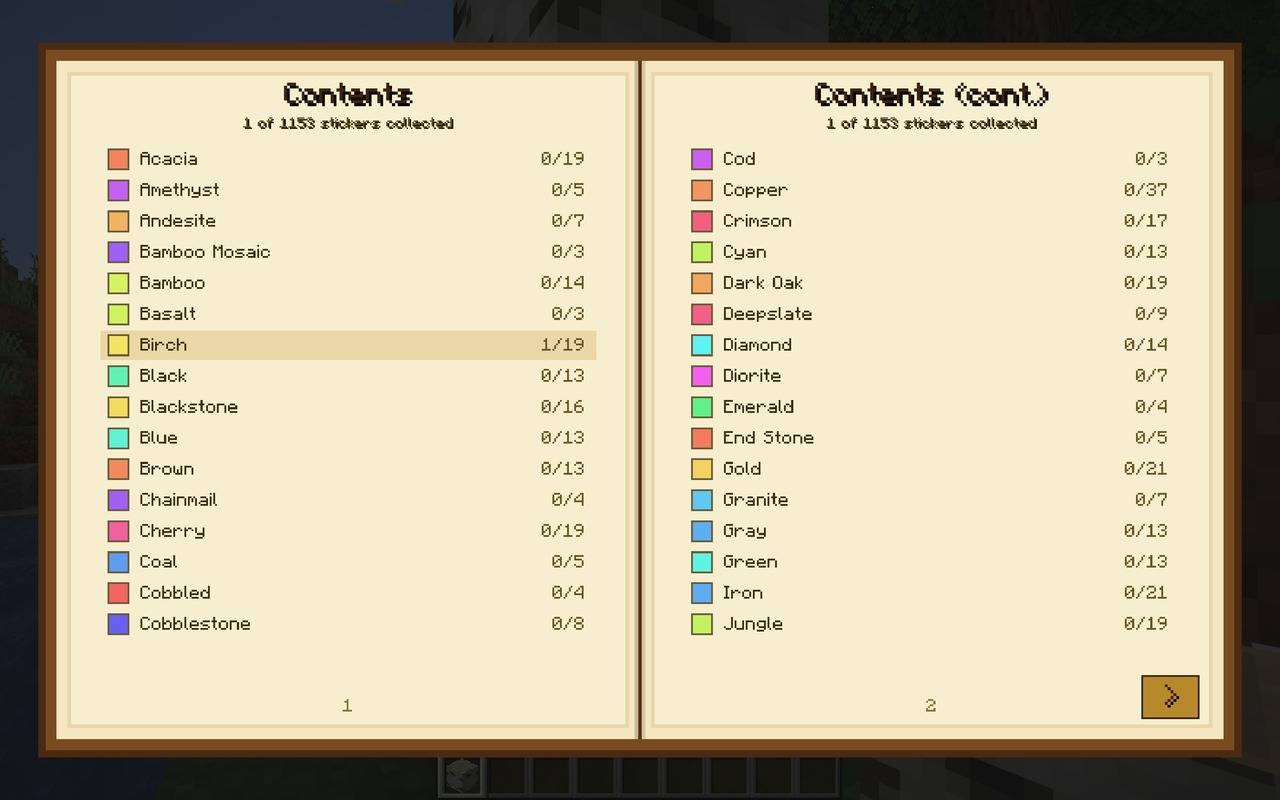
- Press B and a big book opens on your screen across two pages, with a page-turning animation and sound.
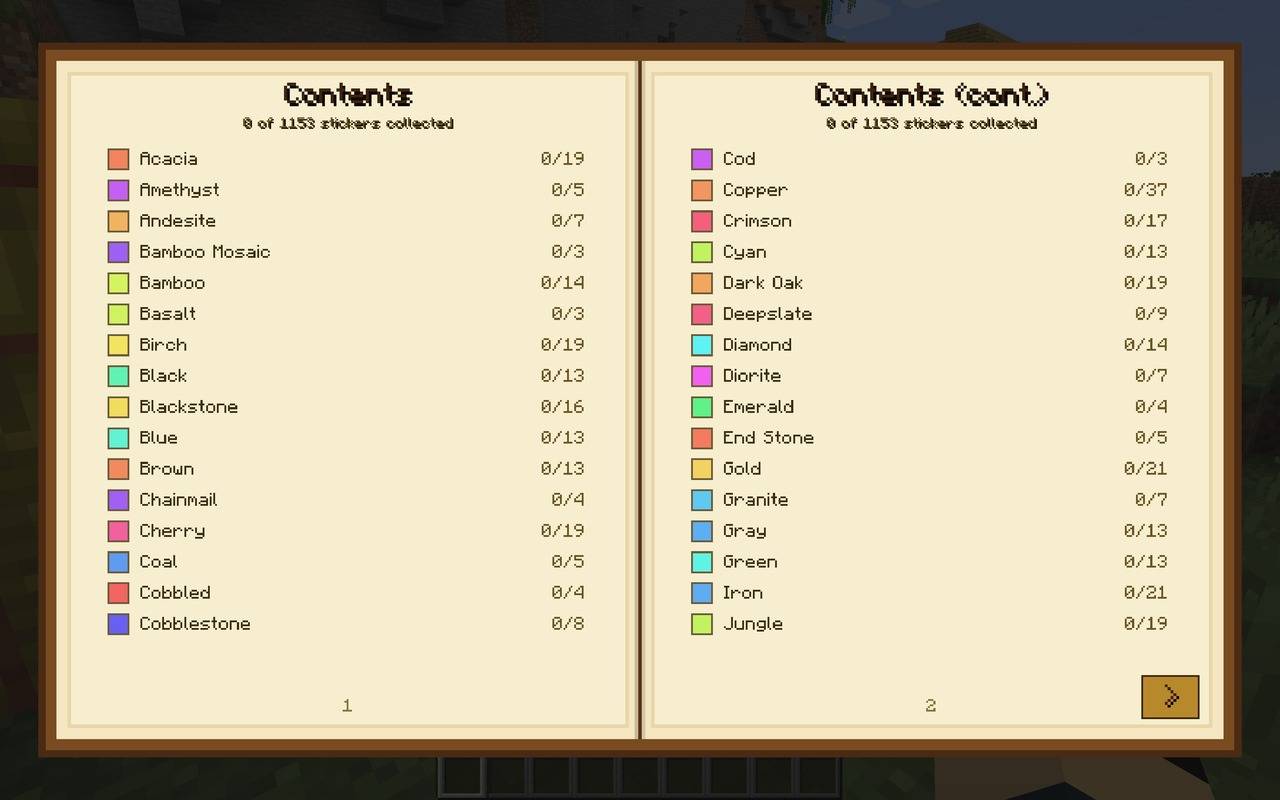
- A Contents section at the front lists every collection and how many stickers you have in each. Click one to jump straight to it.
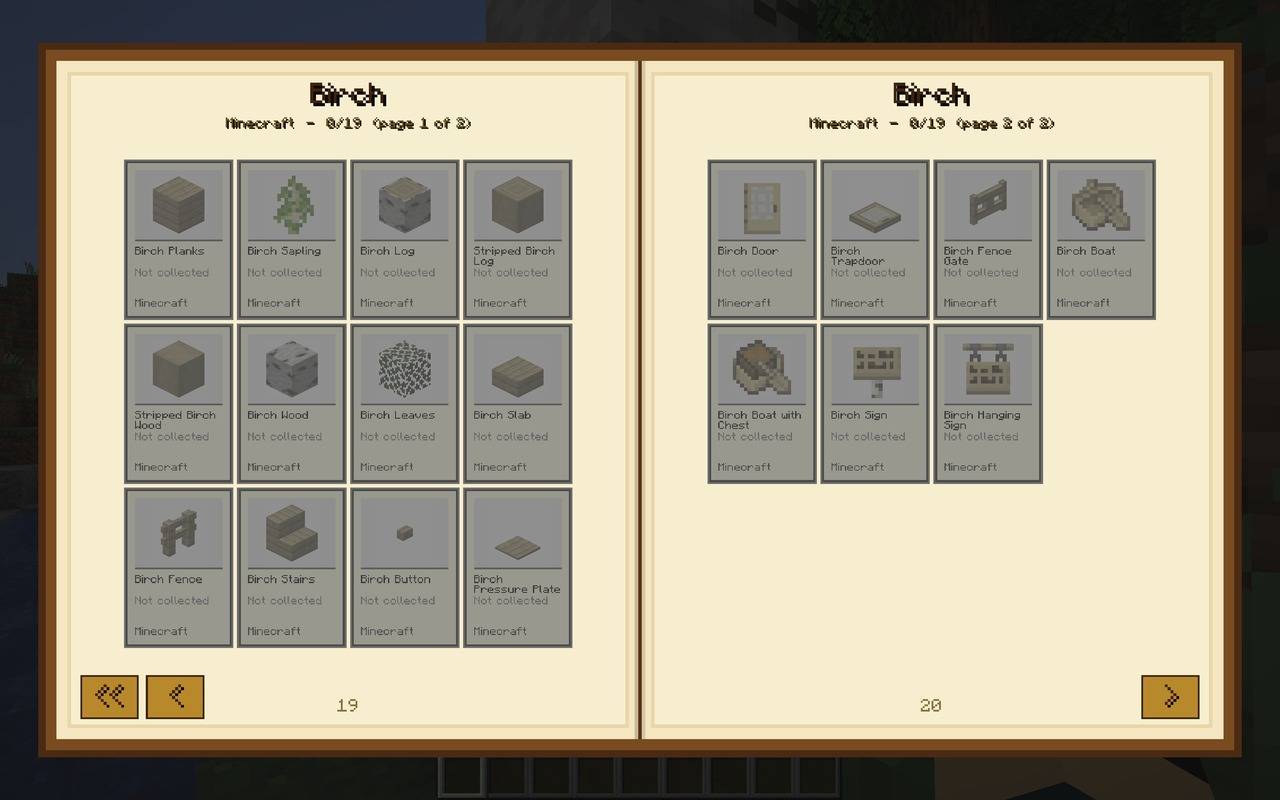
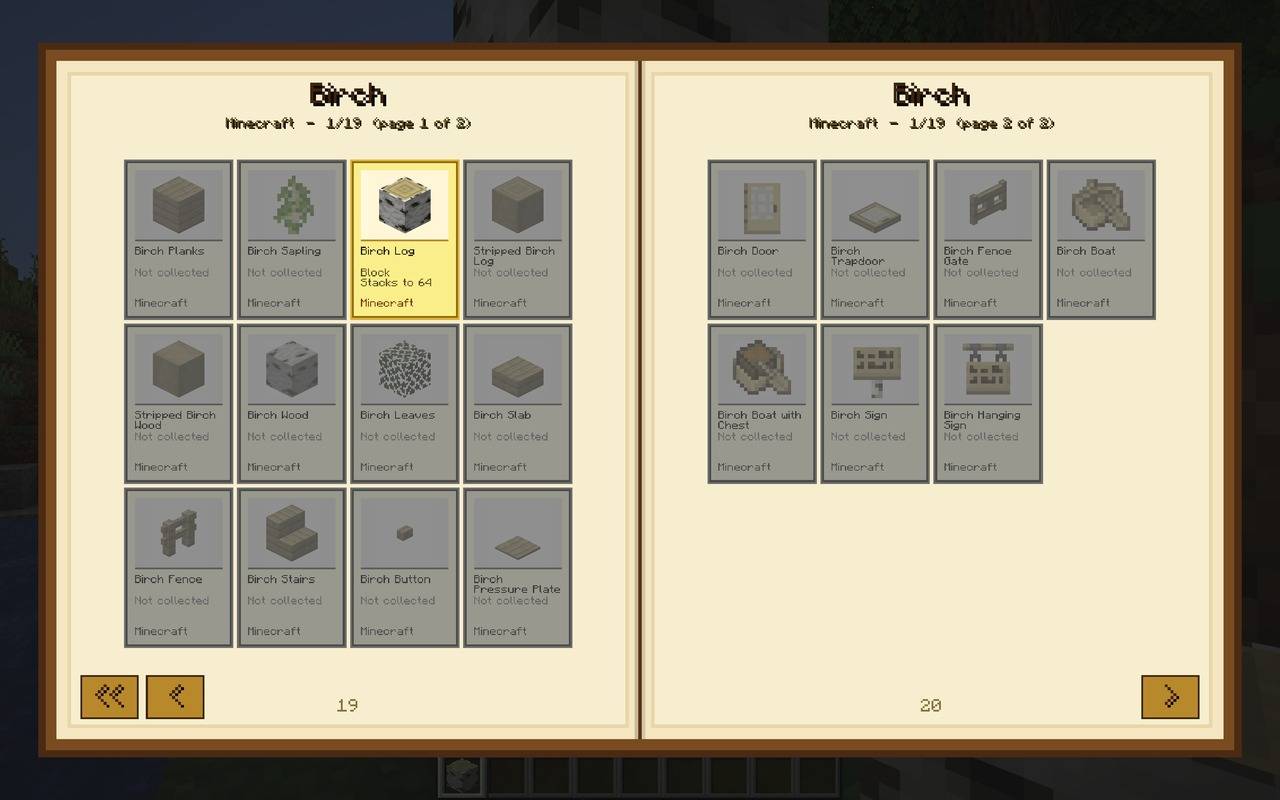
- Each sticker is tall, just like the real thing: the item picture on the top half and its info on the bottom half (name, mod, and handy details like defence, durability, hunger or stack size).
- Stickers you haven’t found yet are dull and dark. Collected ones are bright and in full colour.
🗂️ Smart Collections
Items are sorted into collections automatically, so related things sit together:
- All the Copper items on one page, all the Birch items on another, all the Red items together, and so on.
- Smaller groups are tidied into shared pages like Food & Drink, Music Discs, Banner Patterns, Pottery Sherds, Smithing Templates, Transport and Odds & Ends.
- Works with other mods! Modded items get their own collections, shown after the vanilla ones, and every sticker shows which mod it comes from.
🔍 Click a Sticker to Learn About It
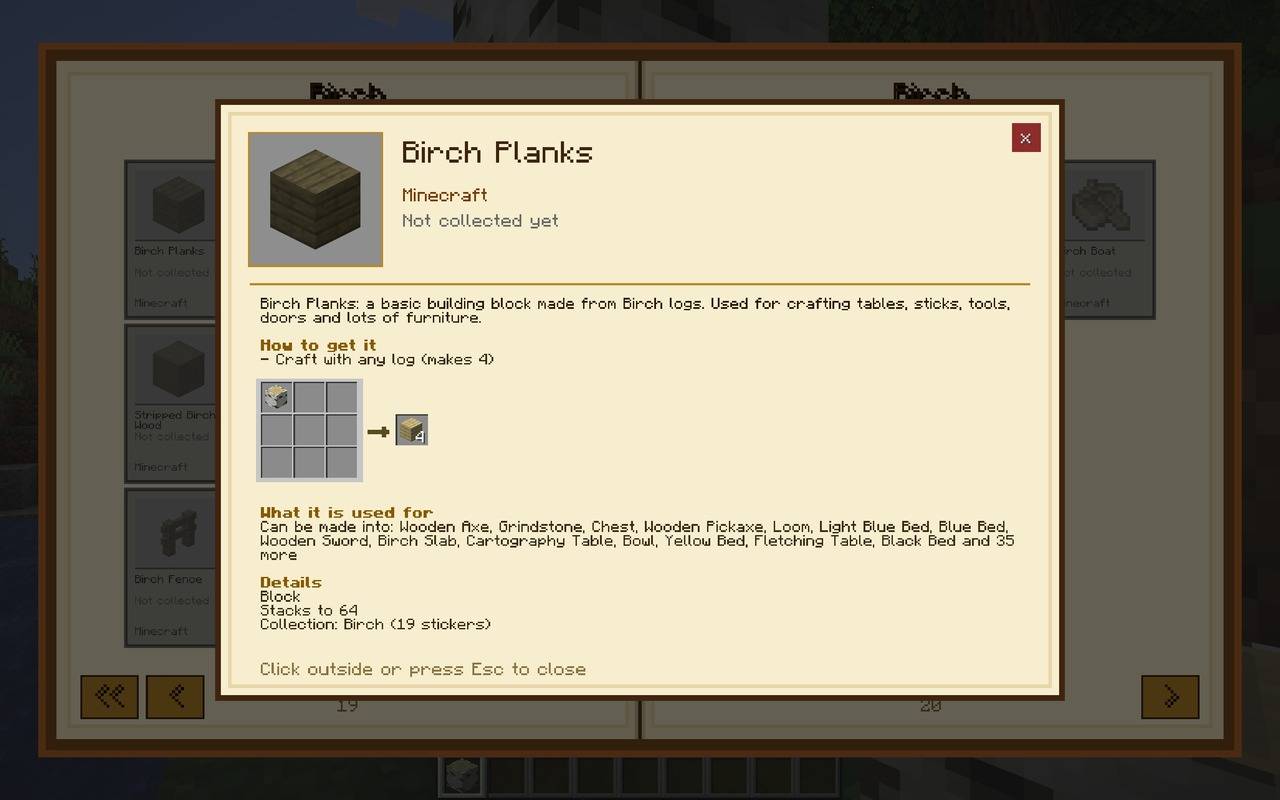
Click any sticker (or the location where the sticker will be) to open an info window with:
- A written description for every vanilla item (over 1,200 of them!)
- How to get it, with crafting grid pictures plus furnace, smoker, campfire, stonecutter and smithing table recipes
- What it’s used for, so you know what you can make with it
- The collection it belongs to and the date you collected it
🎉 Rewards for Collecting
- New sticker: a tiny sticker book with a green + pops up beside your hotbar for a second. Quiet and tidy, so it never gets in the way.
- Collection complete: a short tune plays, confetti falls and a “COLLECTION COMPLETE!” banner appears.
- Album complete: collect every sticker in the game for the grand finale: a longer fanfare, loads of confetti, golden sparkles, and your album’s cover turns gold. You are a true collector! 🏆
💾 Saved Per World
- Your progress is saved separately for each world, so a brand-new world always starts with an empty album, even if it has the same name as an old one.
- Multiplayer servers get their own album too.
🎮 Controls
| Action | Key |
|---|---|
| Open / close the album | B (can be changed in Controls) |
| Turn pages | Arrow buttons, mouse wheel, Left / Right, A / D, Page Up / Page Down |
| Back to Contents | << button or Home |
| Read a sticker’s info | Click the sticker |
| Close | Esc or B |
📦 Good to Know
- Client-side mod: it only needs to be installed on your own game. You can use it in single player and on servers that don’t have it installed.
- Works alongside other mods, and their items are added to the album automatically.
❓ FAQ
Do I need to install it on the server? No. It runs on your own game only.
Will my stickers carry over to a new world? No. Every world has its own album, so each new world is a fresh collecting adventure.
Does it work with modded items? Yes! Items from your other mods get their own collections and stickers.
Can I use this in my modpack? Yes, feel free to include it in your modpack.
Made by AndyMFA – (C) Many Fun Adventures
Happy collecting! Got them, got them, need them! 📖✨
常见问题
Item Sticker Album 支持哪些 Minecraft 版本?
Item Sticker Album 支持 Minecraft Java 版 1.20.1–1.21.1,共 2 个版本,可用的加载器:Forge / NeoForge。下载时注意选择和你游戏版本一致的文件。
Item Sticker Album 怎么安装?
先用 PCL2 或 HMCL 启动器安装对应版本的 Forge / NeoForge,再把下载的 .jar 文件放进游戏目录的 mods 文件夹,重新启动游戏即可。开启了版本隔离的,mods 文件夹在 versions/版本名 下面。
AndyMFAMinecraft 的其他作品
查看全部 →
Abandoned Tunnels
翻山越岭太折磨了,何不抄近道穿过废弃隧道?能出什么事呢?
Far Flung Forests
70 个新生物群系和 22 种稀有的真实世界木材类型,每种都有一套完整的方块、告示牌、船、书架和工作台。基于 TerraBlender 构建。

Teleportals Are Here
使用我们美丽的传送门穿越你的世界,出发前就能看到目的地。还可以带上你的宠物!
Enchantment Transference
一直想找个方法把你的附魔转移到书上?是时候变得超强了!
评论
登录后评论和评分