截图
介绍
This mod requires the Cyclops Core library!
Come talk to us in #iconexporter on the Cyclops Discord server!
This mod exports all item and block icons to PNG files.
This is a client-side mod, and should only be used a single time if you want to create an export of all icons in the game.
Notable features:
- Iterates over all items in the item registry, and will consider all possible item variants.
- Processes both vanilla and modded items.
- Outputs PNG images with transparent backgrounds.
- Can output images in any size.
- Metadata of items and fluids can be optionally exported via /iconexporter exportmetadata
- Filter exports by mod (id or regex)
How to use:
- Start the game with IconExporter installed client-side.
- Run the
/iconexporter exportcommand. (Optionally, the image size can be passed, defaults to64) - Wait until all icons are rendered. (can be stopped by pressing Escape)
- Find all icons in
icon-exports-x64in your Minecraft directory. (Next to yourscreenshotsdirectory.)
File structure: <modid>__<itemid>__<metadata>[__<NBT>].png
For example:
integrateddynamics__cable__0.pngminecraft__dropper__0.pngminecraft__lingering_potion__0__{Potion__"minecraft__strong_leaping"}.png
Optionally, NBT tags can be hashed (MD5) in file names when the fileNameHashTag config option is enabled.
This is useful when you have items with large NBT tags that result in very long file names.
If enabled, an auxiliary txt file will be created with the same base name containing the full tag contents.
For example:
minecraft__potion__0__d4272645c61d50de18ce399e7093de8f.pngminecraft__potion__0__d4272645c61d50de18ce399e7093de8f.txt
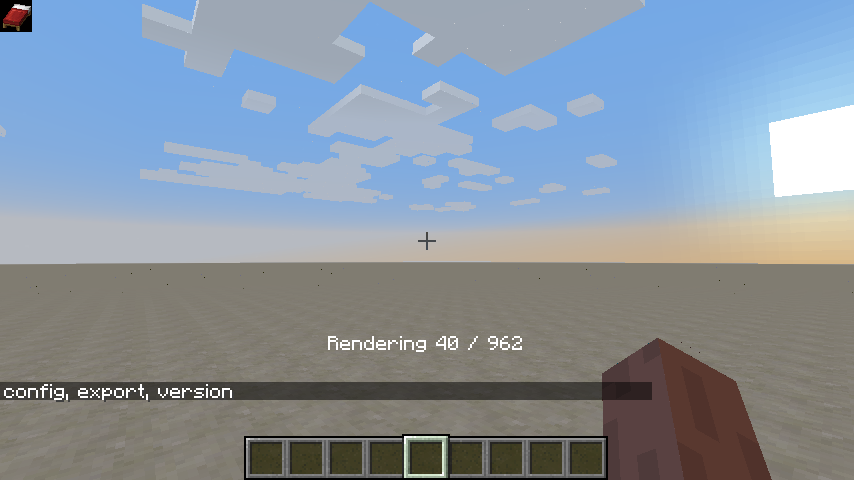
Progress is shown while rendering icons:

Support us via the referral code cyclops when renting a server at Bisect Hosting, and get 25% off your first month!

If you like this mod, consider supporting me on Patreon!
常见问题
IconExporter 支持哪些 Minecraft 版本?
IconExporter 支持 Minecraft Java 版 1.12.2–26.3,共 24 个版本,可用的加载器:Fabric / Forge / NeoForge / Quilt。下载时注意选择和你游戏版本一致的文件。
IconExporter 怎么安装?
先用 PCL2 或 HMCL 启动器安装对应版本的 Fabric / Forge / NeoForge / Quilt,再把下载的 .jar 文件放进游戏目录的 mods 文件夹,重新启动游戏即可。开启了版本隔离的,mods 文件夹在 versions/版本名 下面。
kroeser 的其他作品
查看全部 →
Cyclops Core
EvilCraft、Integrated Dynamics 等模组的前置库。

Common Capabilities
可被多个模组共享的 Forge 能力

Integrated Dynamics
一个可全面自动化控制家电的模组。

Integrated Tunnels
通过 Integrated Dynamics 网络传输其他物品
评论
登录后评论和评分