
截图
介绍
中文介绍正在准备中,下面暂时显示原文。
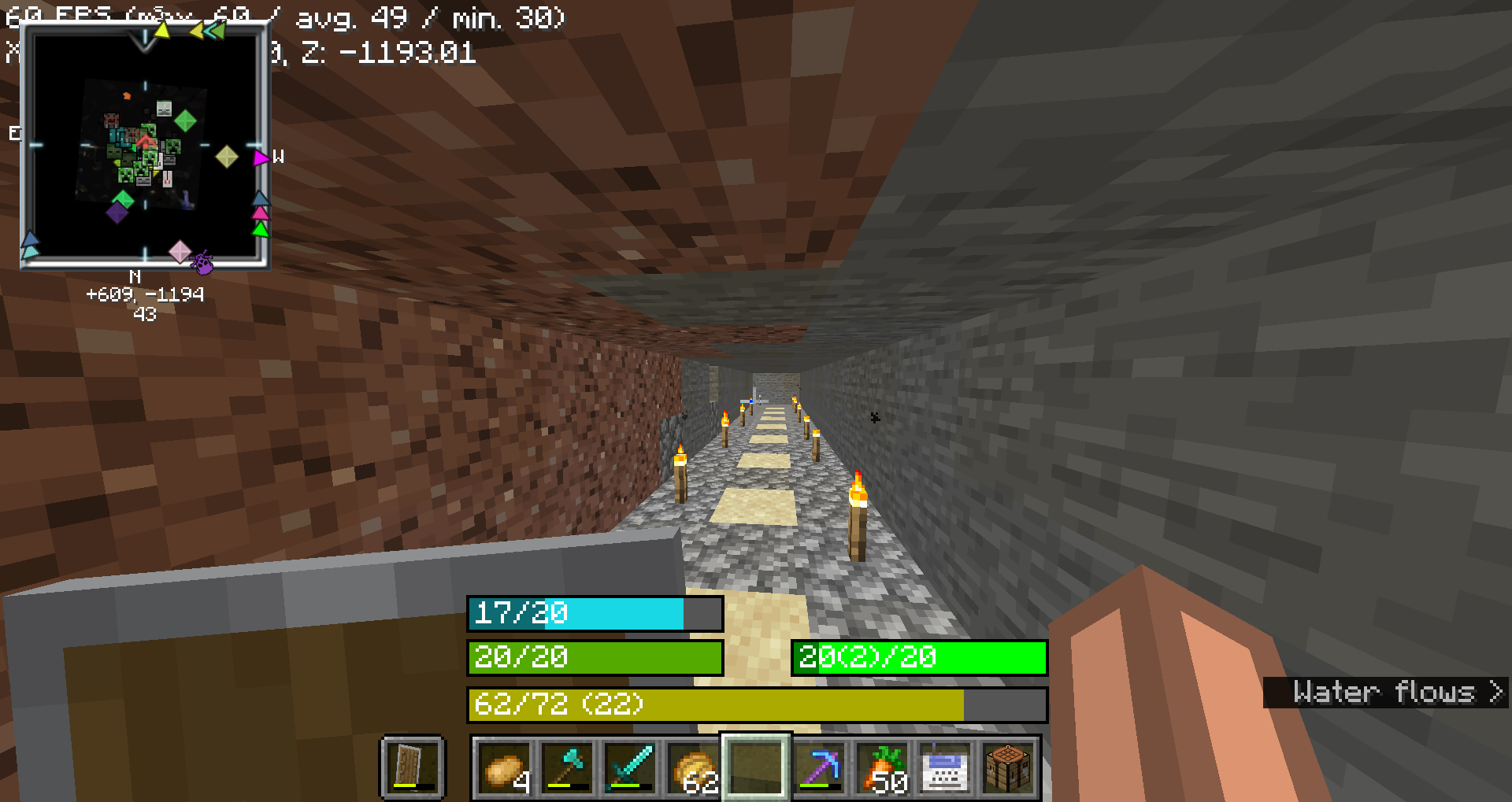
This mod replaces the
- health bar
- hunger bar
- armor bar
- xp bar
with actual bars with numbers
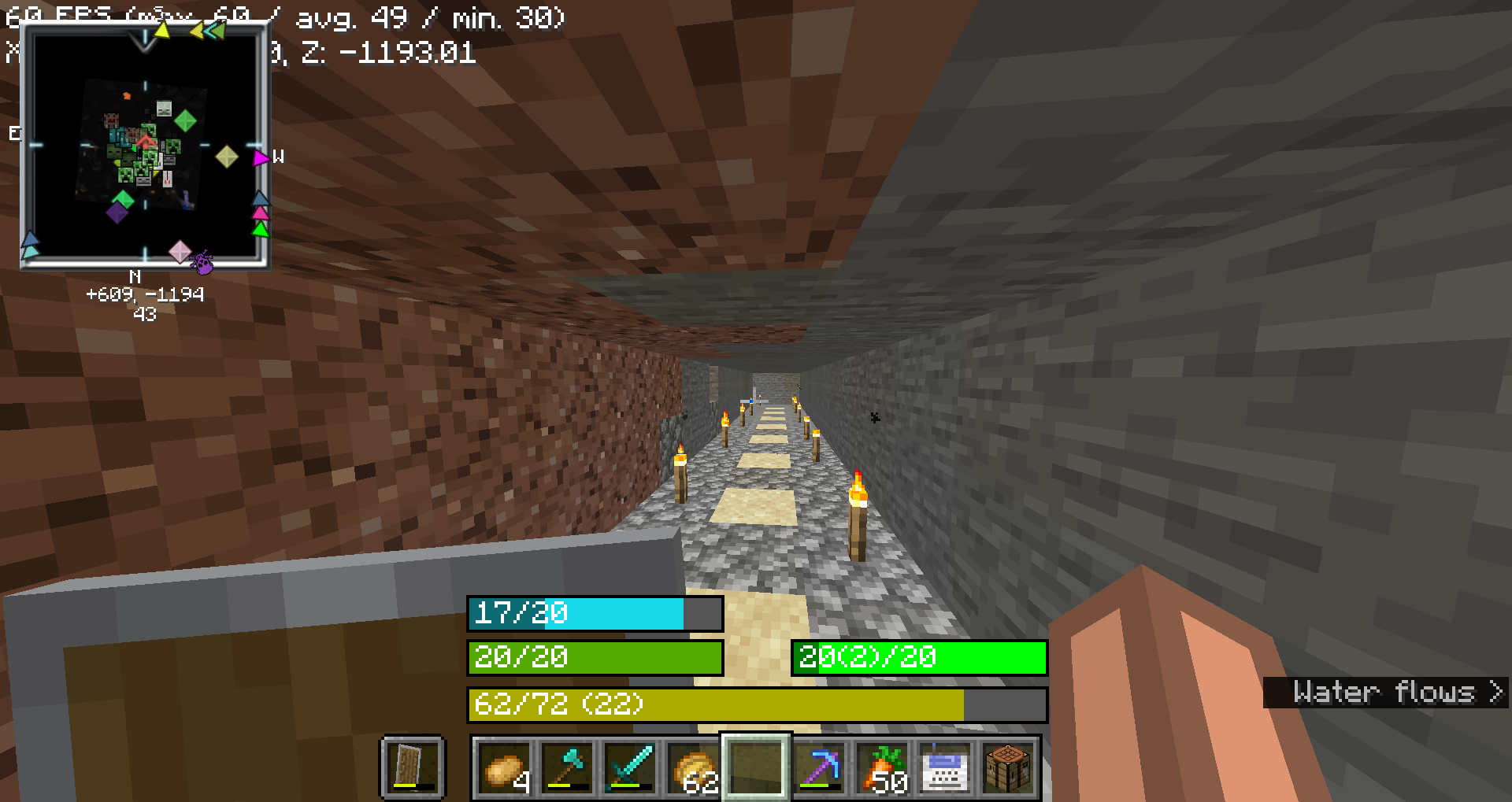
Health Bar
- Format: Displays as
"current/maximum", wherecurrentis the player’s current health (including absorption), andmaximumis the total health capacity. - Example:
20/20 - Color:
- Normal:
#55AA00(green) - With Absorption:
#AAAA00(yellow) - Poison Effect:
#004400(dark green) - Wither Effect:
#000000(black) - Frozen State:
#00FFFF(cyan) - Border Color:
- Blinking and Health Changed:
#FFFFFF(white) - Blinking without Health Change:
#FF0000(red) - Health Changed without Blinking:
#FF80FF(light purple) - No Change:
#000000(black)
Food Bar
- Format: Displays as
"current(saturation)/maximum", wherecurrentis the player’s current food level andsaturationis the saturation level. - Example:
15(5)/20 - Color:
- Hunger Effect:
#AA55AA(purple) - Saturation Effect:
#00FF00(green) - Full (20 food levels):
#00FF00(green) - High (18-19 food levels):
#33FF00(bright green) - Moderate (7-17 food levels):
#66FF00(lime green) - Low (1-6 food levels):
#FFFF00(yellow) - Empty:
#FF0000(red) - Saturation Overlay:
- Color: A darker shade of the food bar color, indicating the saturation level within the food bar.
- Example: If the food bar is
#00FF00(green) and saturation is high, the overlay might be#007F00(darker green).
Armor Bar
- Format: Displays as
"current/maximum", wherecurrentis the player’s current armor level. - Example:
10/20 - Color:
- Transitions from
#AAto#FFin red-green-blue channels as armor level increases, creating a gradient from grey to green: - Low Armor: More red, less green
- High Armor: More green, less red
- Example: At low armor, you might see
#AA5555(greyish-red) and at high armor, you might see#55FF55(green). - Toughness Overlay:
- Color: A darker shade of the armor bar color, indicating the armor toughness level within the armor bar.
- Example: If the armor bar is
#55FF55(green) and toughness is high, the overlay might be#2A7F2A(darker green).
Experience Bar
- Format: Displays as
"current/required (level)", wherecurrentis the amount of experience gained towards the next level,requiredis the total experience needed for the next level, andlevelis the current experience level. - Example:
150/300 (10) - Color:
- Experience Bar:
#AAAA00(yellow)
常见问题
HUD bars 支持哪些 Minecraft 版本?
HUD bars 支持 Minecraft Java 版 1.21.1–1.21.11,共 6 个版本,可用的加载器:Fabric。下载时注意选择和你游戏版本一致的文件。
HUD bars 怎么安装?
先用 PCL2 或 HMCL 启动器安装对应版本的 Fabric,再把下载的 .jar 文件放进游戏目录的 mods 文件夹,重新启动游戏即可。开启了版本隔离的,mods 文件夹在 versions/版本名 下面。运行环境:仅客户端。
BRNSystems 的其他作品
查看全部 →
Televator
by BRNSystems
A server-side elevator mod for Fabric using Polymer library
1.8万
10 个月前
Modrinth

ServerShop
by BRNSystems
A simple mod to add a shop to your server
1.6万
1 年前
Modrinth

PlasticGun
by BRNSystems
A gun mod - fully server side with Polymer
9,430
1 年前
Modrinth
Server Storage
by BRNSystems
This mod adds an AE2 inspired storage system that works completely server side
7,122
1 年前
Modrinth
评论
登录后评论和评分