
截图

介绍
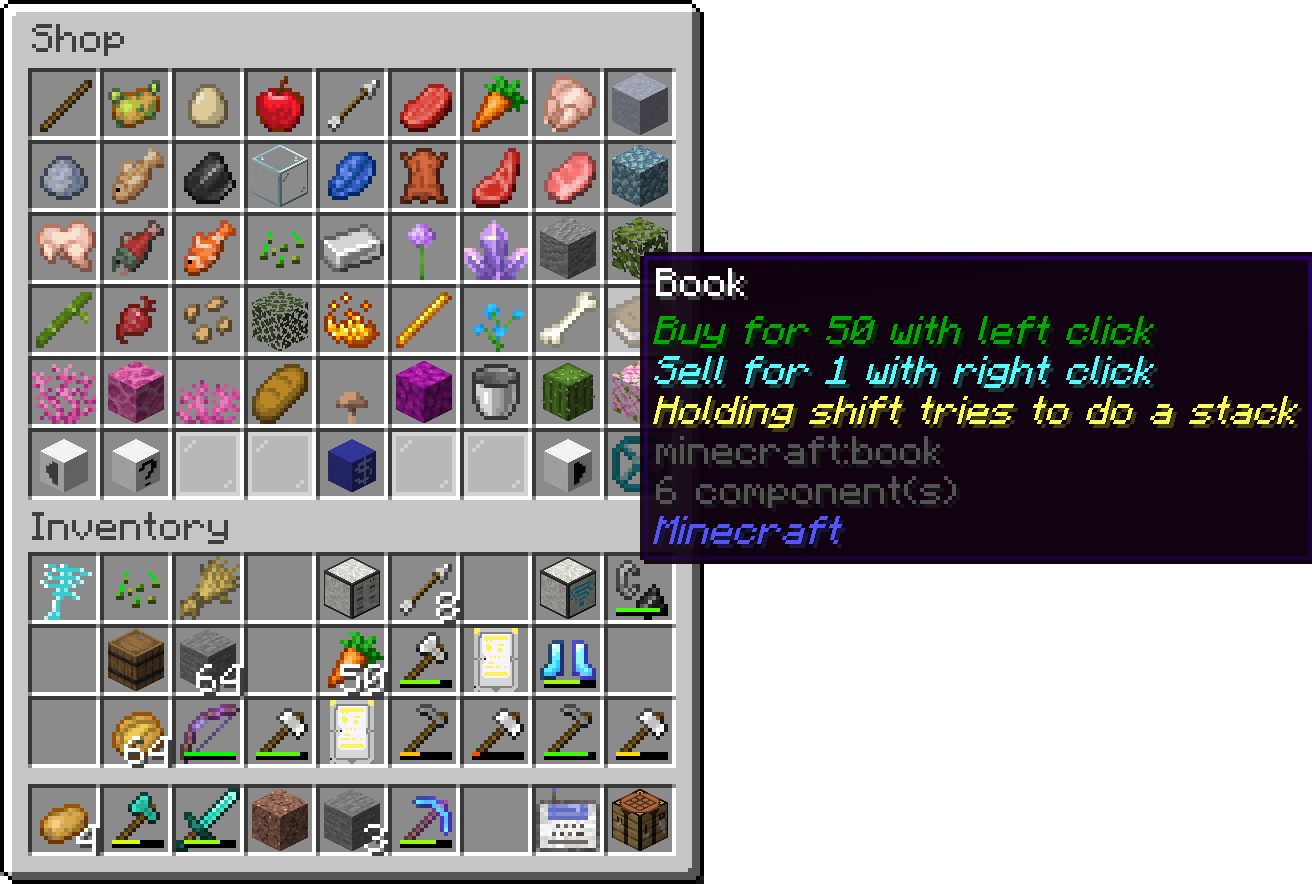
This mod adds a simple shop for selling and buying items. It can be accessed by using the /shop command. The shop system includes several functionalities that can be managed through different subcommands:
- /shop: The main command to access the shop interface. Users can browse available items or interact with the shop in various ways depending on their permissions.
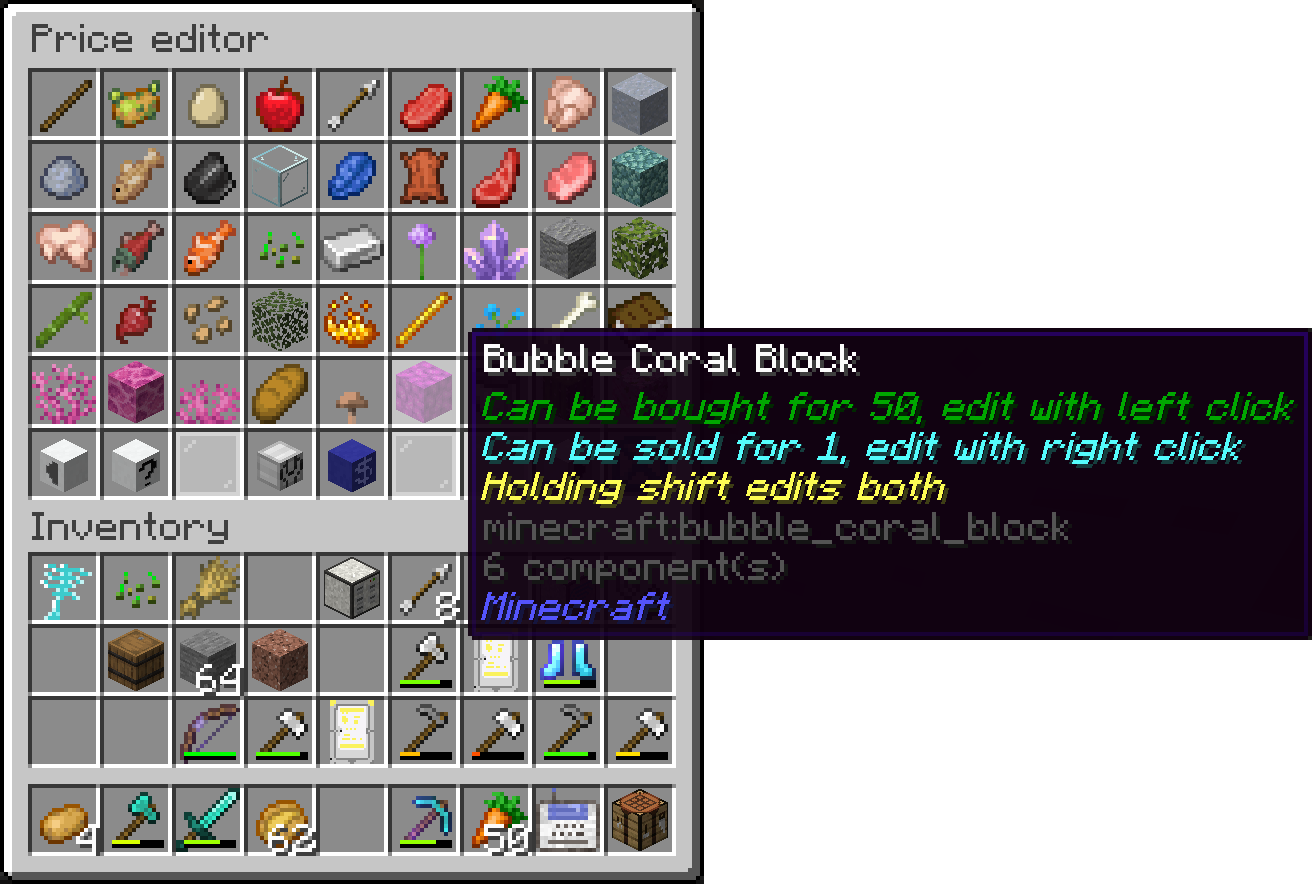
- /shop edit: Allows admins (users with permission level 2 or higher) to edit the shop’s inventory. This includes adding or removing items from the shop.
- /shop load: Admins can load the shop’s configuration from a file, making it easy to reset or update the shop’s content.
- /shop save: This command saves the current state of the shop to a file, preserving any changes made during the session.
- /shop set: This command allows admins to set the prices for items in the shop. By using
/shop set, you can specify the item, buy price, and sell price to adjust how the shop will trade that item.
Example: /shop set <item> <buyprice> <sellprice>
Here, <item> represents the item to be sold, <buyprice> is the price players must pay to buy the item, and <sellprice> is the amount players will receive when selling the item to the shop.
- /shop setHand: Sets the price for the item currently held in the player’s hand. This is a quicker alternative to using
/shop set.
- /price: Players can check the price of an item using
/price <item>or/priceto check the price of the item in their hand.
- /buy: Lets players purchase items from the shop. Players can specify the quantity they want to buy.
- /sell: Allows players to sell items back to the shop, specifying the quantity if needed.
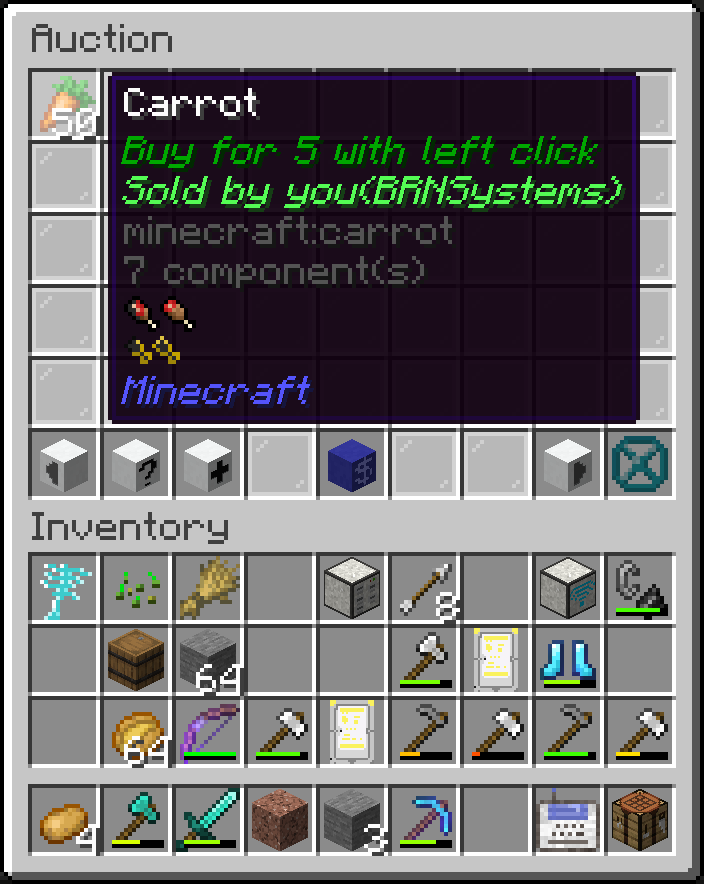
Additionally, the mod includes an auctionhouse:
- /auction: A command for browsing item auctions
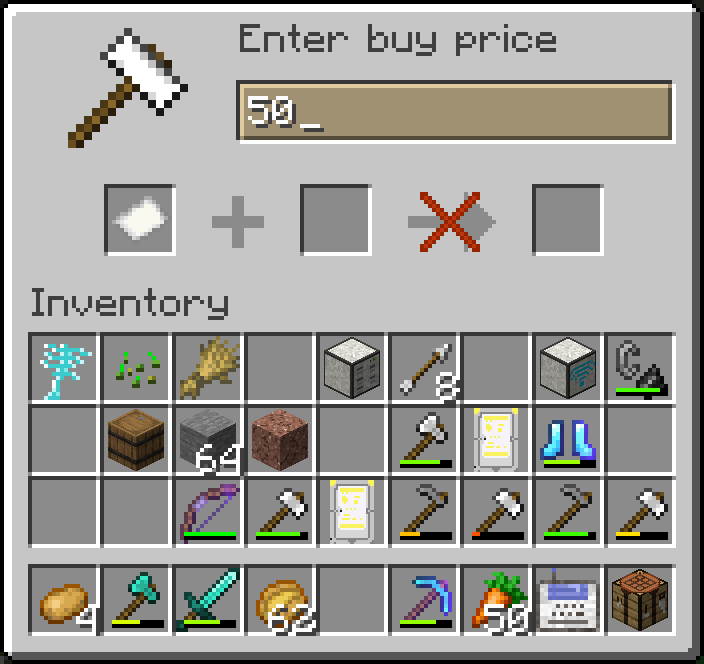
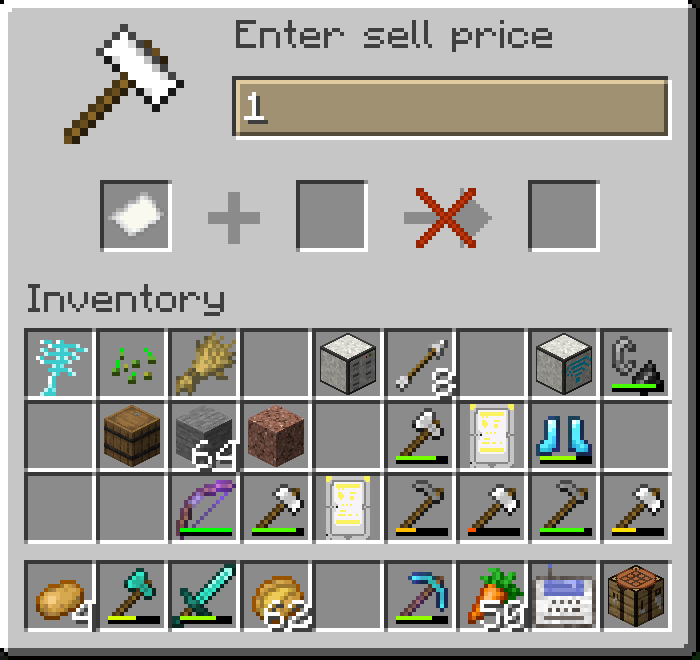
- /auction create : A command to start an auction for an item in hand when specifying the price in the command, if the price is not specified, a dialog appears which needs a price and item insertion
For managing the account of the players you can use these commands:
- /pay: Allows players to transfer money to others using
/pay <recipient> <amount>.
- /balance: This command lets players check their balance, or for admins to check and modify other players’ balances. It includes subcommands like
/balance load,/balance save, and/balance set.
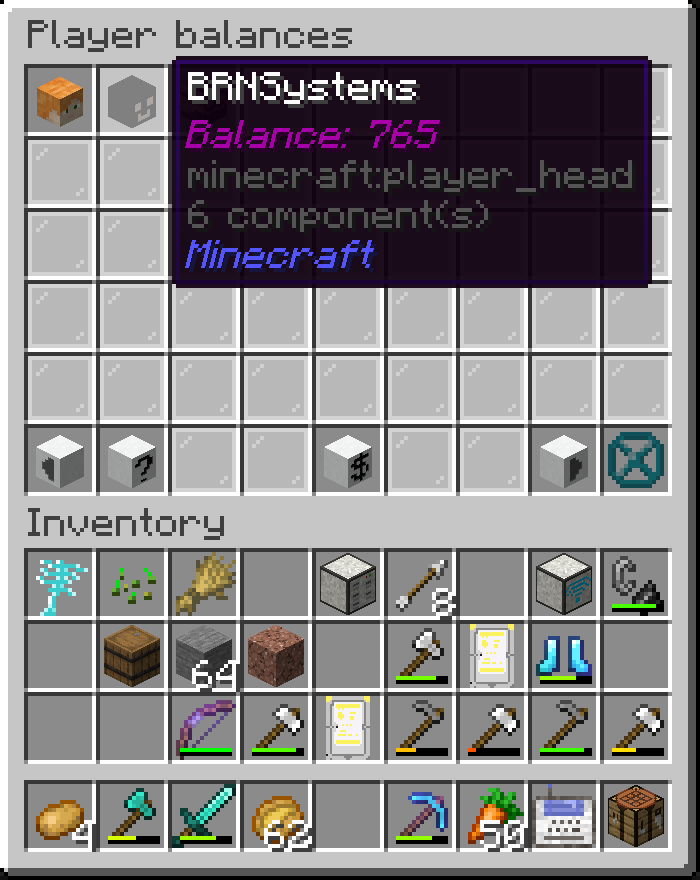
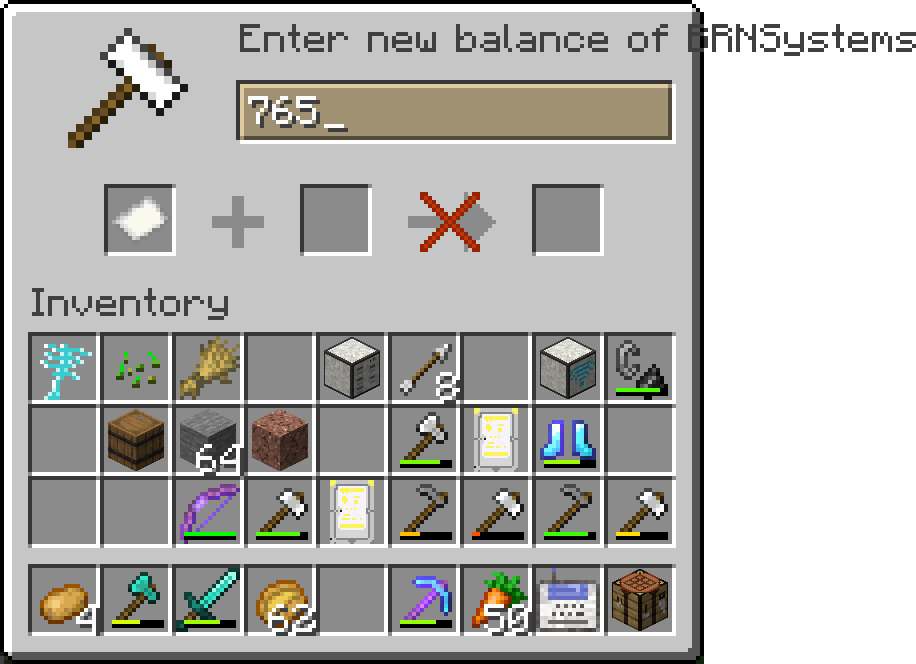
- /balance list: Opens a gui with a list of players and their balances. If you click on a player, you can set their balance.
This shop and auction system is designed to be simple yet flexible, providing both players and admins with the tools they need to manage in-game economies efficiently.
常见问题
ServerShop 支持哪些 Minecraft 版本?
ServerShop 支持 Minecraft Java 版 1.21.1–1.21.8,共 5 个版本,可用的加载器:Fabric。下载时注意选择和你游戏版本一致的文件。
ServerShop 怎么安装?
先用 PCL2 或 HMCL 启动器安装对应版本的 Fabric,再把下载的 .jar 文件放进游戏目录的 mods 文件夹,重新启动游戏即可。开启了版本隔离的,mods 文件夹在 versions/版本名 下面。运行环境:仅服务端。
BRNSystems 的其他作品
查看全部 →
Televator
A server-side elevator mod for Fabric using Polymer library

PlasticGun
A gun mod - fully server side with Polymer
Server Storage
This mod adds an AE2 inspired storage system that works completely server side

Wise elytra
A server side mod to stop wasting rockets
评论
登录后评论和评分