介绍
📺 DesktopBlock 📺
Access your desktop directly inside your Minecraft world.
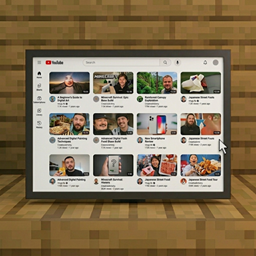
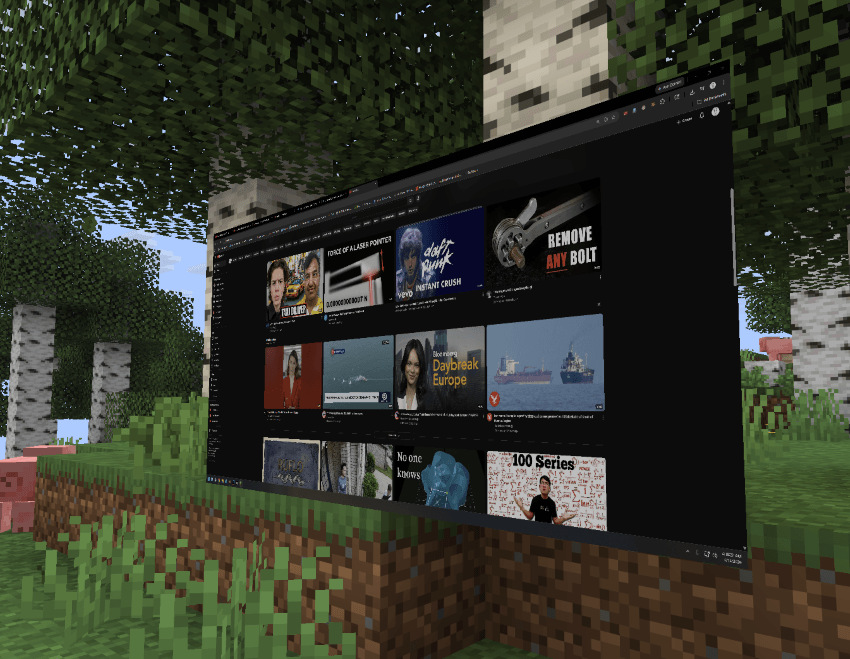
Tired of having to alt-tab out of Minecraft to watch a tutorial or catch your favorite streamer? Vanilla Minecraft has no way to view external content. DesktopBlock introduces functional “flat-screen TV” blocks that allow you to access your desktop. You can watch YouTube videos directly in-game. Keep working on your build while you watch — no external browser required. DesktopBlock gives you full access to your pc. It’s literally YOUR computer inside the game.
🖱️ USAGE🖱️
- Block name: monitor
- Find in creative inventory
- Place block, right click on block, esc to exit.
✨ Planned Features ✨
- Fully functional flat-screen TV blocks, rendered with realistic bezels and screen glow
- In-game browser interface specifically optimized for the YouTube layout (browse, search, play, pause, volume)
- In-game sound output synced with the video
- Synced viewing for multiplayer — all players in the area watch the same video at the same time
- Basic Redstone integration (turn TVs on/off with redstone signals)
- Simple crafting recipes using glass panes, redstone dust, and glowstone blocks
- Minimal performance impact using efficient web-rendering technology
- Adjustable screen scaling options in the mod config
🔧 Installation 🔧
- Install Forge or NeoForge for Minecraft 1.20.1
- Drop MineTube Core API (and WebRender MC Library if required) into your mods/ folder
- Drop MineTube into your mods/ folder
- Launch the game — craft a ‘Flat Screen TV’ block and place it down to begin watching.
⚠ Must be installed on both client and server for multiplayer syncing to function correctly.
⚙️ Compatibility ⚙️
| Mod / Loader / Setting | Status |
|---|---|
| NeoForge | ✅ Fully supported |
| Fabric | ✅ Fully supported |
| Shaders (OptiFine/Iris) | ⚠ Supported, but performance may vary; toggle the ‘Shader Compatibility Mode’ in the MineTube config if screen flickering occurs. |
| Performance Mods (Sodium/Rubidium) | ✅ Supported |
❓ FAQ ❓
Will there be Fabric or Quilt support? We only support Fabric and NeoForge at this time.
Can I watch Twitch or other streaming sites? DesktopBlock gives you full access to your pc. Its literally YOUR computer inside the game.
Does this mod cause lag? Video decoding occurs externally, but rendering the screen in-game uses resources. It may impact performance on lower-end systems. Use performance mods (Sodium/Rubidium) for best results.
Can I add this to my modpack? Yes — freely, without needing special permission. Attribution is appreciated.
🐛 Bugs & Support 🐛
Report issues on the GitHub issue tracker. Please include your Minecraft version, Forge/NeoForge version, a list of other mods installed, and a full latest.log.
📄 License 📄
MIT — source available on GitHub. Made by CreepyOoze
常见问题
Desktop Block 支持哪些 Minecraft 版本?
Desktop Block 支持 Minecraft Java 版 1.21.1–26.1.2,共 2 个版本,可用的加载器:Fabric / NeoForge。下载时注意选择和你游戏版本一致的文件。
Desktop Block 怎么安装?
先用 PCL2 或 HMCL 启动器安装对应版本的 Fabric / NeoForge,再把下载的 .jar 文件放进游戏目录的 mods 文件夹,重新启动游戏即可。开启了版本隔离的,mods 文件夹在 versions/版本名 下面。
hooneybAdgers 的其他作品
查看全部 →
Elytra Slot!
新增一个槽位,可同时穿戴鞘翅和胸甲。

Full Brightness (NIGHT VISION)
夜视切换按钮

Immersive Portal
将传送门变成连绵不断的通路。

Armor Durability HUD Display
原版风格的小组件,可显示盔甲并在耐久度较低时发出警告。
评论
登录后评论和评分