
CC:DirectGPU
DirectGPU is a high-resolution monitor and GUI add-on for CC: Tweaked; the Fabric and Forge versions have been discontinued due to maintenance difficulties, and development is now exclusive to NeoForge 1.21.1.
截图


介绍
CC:DirectGPU , VS Compatible “1.20.1 “abandoned”, Sable/Create Aeronautics Compat “1.21.1 Neoforge”
Next-gen graphics for ComputerCraft.
Unlock true 24-bit colour, GPU-level performance, and real-time interactivity on your ComputerCraft monitors — all inside Minecraft.
💬 Join the Discord • 📦 GitHub Repository
[Reddit Community] (https://www.reddit.com/r/CCDirectGPU/)
Recommended Version of CC:T for this mod is: 1.116.1 “forge 1.20.1”
Recommended Version of CC:T for this mod is: 1.117.1+ “Neoforge 1.21.1”
What It Adds
Bring your ComputerCraft displays to life with hardware-accelerated rendering, full RGB graphics, and interactive UIs — all plug-and-play.
– **True RGB pixel graphics: Up to 164×164 pixels per block, or 656×656 with 4× scaling. “as of 1.0.21 neforge”
- Auto monitor detection: Works with any monitor array or orientation — no manual setup.
- Fast drawing primitives: Draw pixels, lines, and shapes at GPU-like speeds.
- JPEG + PNG + GIF image support: Decode and render images in milliseconds (≈5–15 ms typical).
- Smart compression: 90%+ bandwidth savings for streamed or repeating frames.
- Interactive input: Detect clicks, drags, and keyboard input directly on monitors.
- Massive displays: Supports up to 16×16 monitor arrays and 50+ total displays.
- Thread-safe design: Multiple computers can safely update the same screen for smooth visuals.
Why You’ll Want It
Turn basic text monitors into vibrant, dynamic displays.
- Create real-time dashboards, control rooms, or media walls.
- Display pixel art, animations, or live webcam feeds.
- Perfect for builders, modpack creators, and creative coders.
Highlights
- Supports Forge & Neoforge (requires latest CC:Tweaked).
- Orientation-independent arrays: Works in any direction.
- Resolution scaling: Choose between 0.1×–4× detail depending on performance.
Code Examples
View Example Scripts on GitHub
Interactive Input
Detect mouse clicks, drags, and keyboard events directly on the monitor surface to build custom UIs, dashboards, or drawing boards.
Setup
- Minecraft Java Edition
- Forge or Neoforge
- Latest CC:Tweaked
Supports monitor arrays up to 16×16 blocks with optional 0.1×–4× resolution scaling.
Larger setups increase pixel count and bandwidth use — plan accordingly.
CC:DirectGPU — because your ComputerCraft screens deserve more than text.
常见问题
CC:DirectGPU 支持哪些 Minecraft 版本?
CC:DirectGPU 支持 Minecraft Java 版 1.20.1–1.21.1,共 2 个版本,可用的加载器:Fabric / Forge / NeoForge。下载时注意选择和你游戏版本一致的文件。
CC:DirectGPU 怎么安装?
先用 PCL2 或 HMCL 启动器安装对应版本的 Fabric / Forge / NeoForge,再把下载的 .jar 文件放进游戏目录的 mods 文件夹,重新启动游戏即可。开启了版本隔离的,mods 文件夹在 versions/版本名 下面。运行环境:客户端和服务端都要装。
tiktop101 的其他作品
查看全部 →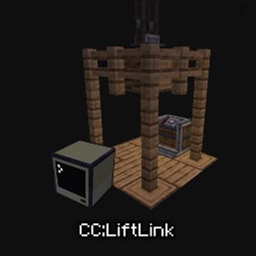
CC:LiftLink
CC:LiftLink: Create & ComputerCraft integration for elevators. Manage floor calls, track real-time movement, and query states via a simple Lua API—all through one redstone contact. No complex wiring required. Designed for Minecraft 1.20.1 and 1.21.1.
CC:DirectGPU
DirectGPU is a high-resolution monitor and GUI add-on for CC: Tweaked; the Fabric and Forge versions have been discontinued due to maintenance difficulties, and development is now exclusive to NeoForge 1.21.1.

CC:HQ Speakers
CC HQ Speakers A mod for Minecraft CC Tweaked Speaker's uses cc tweakeds speakers and adds higher quality support and most importantly mp3s

CC:LiftLink
CC:LiftLink provides ComputerCraft integration for Create elevators, allowing full control through a single redstone contact. Instead of wiring every floor or connecting to the pulley, you can manage floor calls, track real-time movement, and query elevato
评论
登录后评论和评分