
BubbleSeekOut
A Server Utility data pack, that adds logging and inventory seeking features.
截图
介绍
BubbleSeekOut Data Pack
A Server Utility data pack, that adds logging and inventory seeking features.
Setting up
Before letting players join your server, it is recommended to tweak it first, to avoid further problems.
/function gamerule:bubbleseekout/enable_logging/...– Sets whether logging is enabled. Default:false/function gamerule:bubbleseekout/logs_limit/...– Sets how many logs per-player will be stored/function gamerule:bubbleseekout/silent_seeking/...– Sets whether players won’t get notified when their inventory is modified
Permissions
This data pack has a build-in permission system, that lets administrators/console specify players who will be able to use specific commands
To grant/revoke a permission use: /execute as <Player Name> run function permission:bubbleseekout/<grant/revoke>/<Permission name>
- Checking logs (In-Game name:
check_logs) - Getting player info (In-Game name:
player_info) - Seeking items (In-Game name:
seek_items)
Check logs
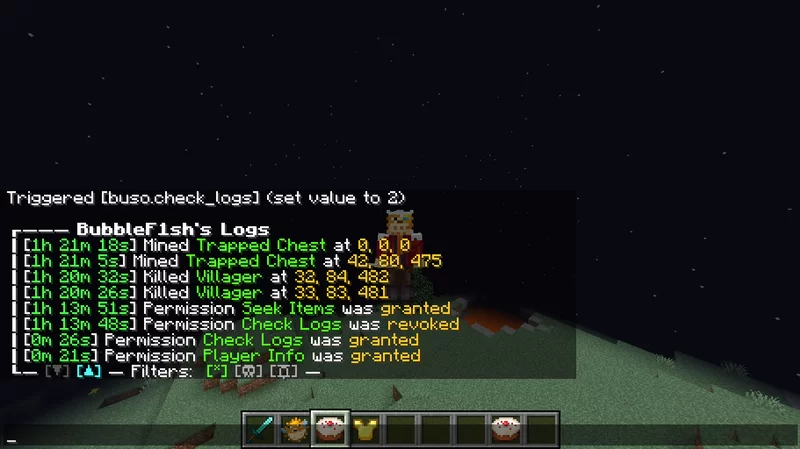
This data pack logs some events, that could be useful in catching rule breakers. It uses a database, so player’s logs can be accessed even when they are offline!
Command: /trigger buso.check_logs.
List of logging events:
(You can suggest any logging even you would need and I might add it)
- Mined any type of chests, shulker box or barrel
- Killed ender dragon, wither or villager
- Changed dimension
- Ignited TNT
- Permission granted/revoked
- Took/Give an item from/to a player
Player info
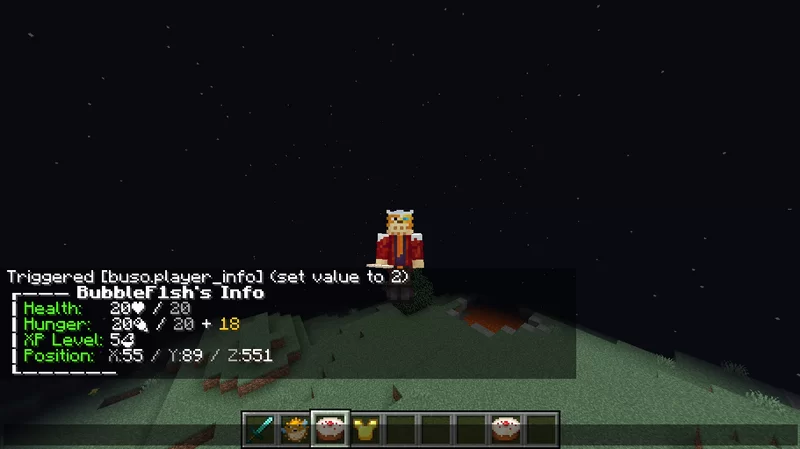
You can get player’s health, hunger, saturation, xp & position
Command: /trigger buso.player_info.
Seek items
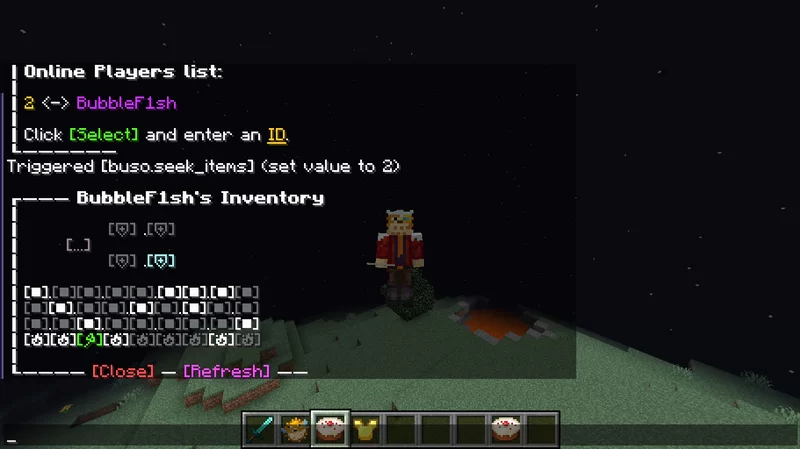
You can see and modify player’s inventory in real time. You can give an item to a specific slot, or take item from a slot.
Command: /trigger buso.seek_items
常见问题
BubbleSeekOut 支持哪些 Minecraft 版本?
BubbleSeekOut 支持 Minecraft Java 版 1.17–1.18.2,共 5 个版本。下载时注意选择和你游戏版本一致的文件。
BubbleSeekOut 怎么安装?
新建世界时在「数据包」里把下载的 .zip 拖进去;已有的存档,把文件放进存档目录下的 datapacks 文件夹,进游戏输入 /reload 即可生效。服务器同样放在世界目录的 datapacks 里。
BubbleFish 的其他作品
查看全部 →
Bubblellaneous
Adds Furniture, Technology, Food & Miscellaneous blocks and items.

BubbleVehicles
This Data Pack adds fabulous server side vehicles such as cars, helicopters, and more

Bubbleconomy
(Bubble + Economy) - A data pack, that adds simple economy: new currency - Bubbles (β), bank accounts, transferring money & shops.

Recipe Tweaks
QoL data pack to selectively improve recipes
评论
登录后评论和评分