
截图
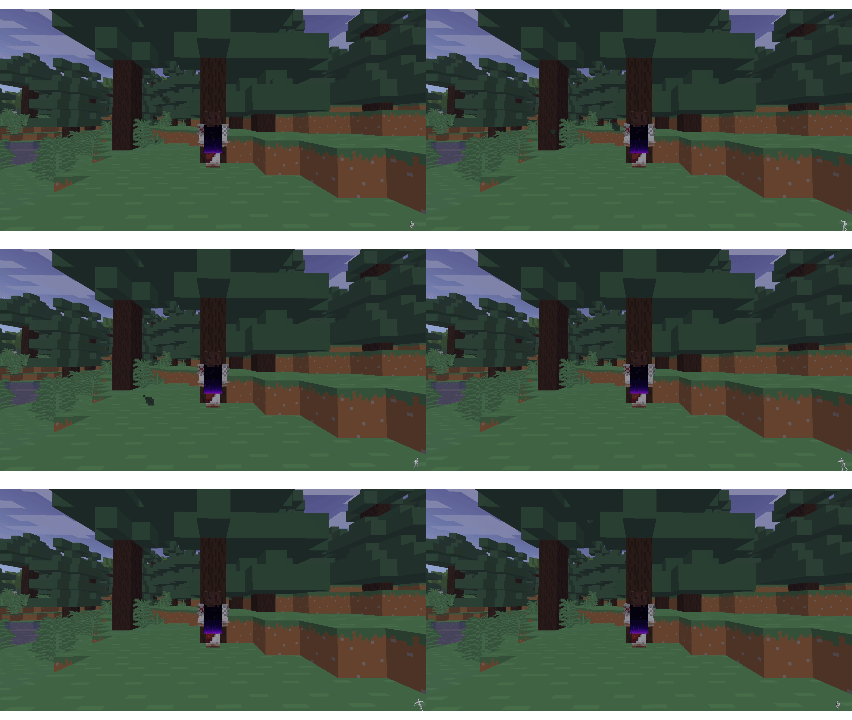

介绍
Features
PNG and animated GIF capes — static images and frame-by-frame animations both work
Any 2:1 resolution — 64×32, 128×64, 256×128 and higher all supported, no forced downscaling
Adjustable animation speed — multiplier from 0.25× to 4× over the native GIF speed
Enable/disable toggle — turn the cape off without losing your selection
ModMenu integration — open settings directly from the mod list
How to use
Put your .png or .gif file into .minecraft/config/custom_capes/
Open ModMenu → CustomCapes → pick your cape from the list
Done
The cape must have a 2:1 aspect ratio (width = 2 × height). Recommended size: 64×32 or 128×64.
Notes
Only you can see your own cape — this mod is client-side only and does not sync capes between players
GIF frames are composited correctly, including delta-frame animations
常见问题
ClientCapes 支持哪些 Minecraft 版本?
ClientCapes 支持 Minecraft Java 版 1.21.11,可用的加载器:Fabric。下载时注意选择和你游戏版本一致的文件。
ClientCapes 怎么安装?
先用 PCL2 或 HMCL 启动器安装对应版本的 Fabric,再把下载的 .jar 文件放进游戏目录的 mods 文件夹,重新启动游戏即可。开启了版本隔离的,mods 文件夹在 versions/版本名 下面。运行环境:仅客户端。
LD1InThisWorld 的其他作品
查看全部 →
CustomOverlay
CustomOverlay allows placing images over your Minecraft screen. Access the menu with I, edit with O, and use Shift for grid snapping. Supports many formats like PNG and GIF.
ItemKeybind
Quickly select any item from your hotbar by pressing a configured key
LD’s ServerInfo
A lightweight client-side Fabric mod that displays detailed information about the server you're connected to.
评论
登录后评论和评分