
CustomOverlay
CustomOverlay allows placing images over your Minecraft screen. Access the menu with I, edit with O, and use Shift for grid snapping. Supports many formats like PNG and GIF.
截图


介绍
Overview
CustomOverlay is a lightweight yet powerful Minecraft mod that allows you to place custom images directly onto your screen. Whether you want to add a unique aesthetic touch, display helpful reference charts, or keep your favorite memes in sight while playing, this mod gives you full control over your in-game visuals.
Keybindings:
- I: Opens the Image Menu. Browse and select the images you want to display.
- O: Opens the Overlay Editor. Move, scale, and reposition your images anywhere on the screen.
- Shift (while in Editor): Activates the Grid System to help you align your overlays with pixel-perfect precision.
How to Add Images
- Navigate to your Minecraft directory: .minecraft\config\CustomOverlay\images.
- Drop your desired image files into this folder.
- Back in the game, open the Image Menu (I) and click the Reload button to refresh your library.
Supported Formats
CustomOverlay supports a wide range of file types to ensure compatibility with almost any image:
- Standard: .png, .jpg, .jpeg, .bmp
- Animated: .gif
- Advanced/Design: .webp, .tga, .tiff, .tif, .ico
Tip: Use transparent .png or .webp files for the cleanest look, allowing your images to blend seamlessly with the Minecraft UI!
常见问题
CustomOverlay 支持哪些 Minecraft 版本?
CustomOverlay 支持 Minecraft Java 版 1.21.1–1.21.11,共 3 个版本,可用的加载器:Fabric。下载时注意选择和你游戏版本一致的文件。
CustomOverlay 怎么安装?
先用 PCL2 或 HMCL 启动器安装对应版本的 Fabric,再把下载的 .jar 文件放进游戏目录的 mods 文件夹,重新启动游戏即可。开启了版本隔离的,mods 文件夹在 versions/版本名 下面。运行环境:仅客户端。
LD1InThisWorld 的其他作品
查看全部 →
ClientCapes
Add your own custom cape to your Minecraft character
ItemKeybind
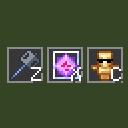
Quickly select any item from your hotbar by pressing a configured key
LD’s ServerInfo
A lightweight client-side Fabric mod that displays detailed information about the server you're connected to.
评论
登录后评论和评分