
Light Level Overlay
Renders light level overlays directly on block surfaces. Instantly identify mob-spawn areas.
截图
介绍
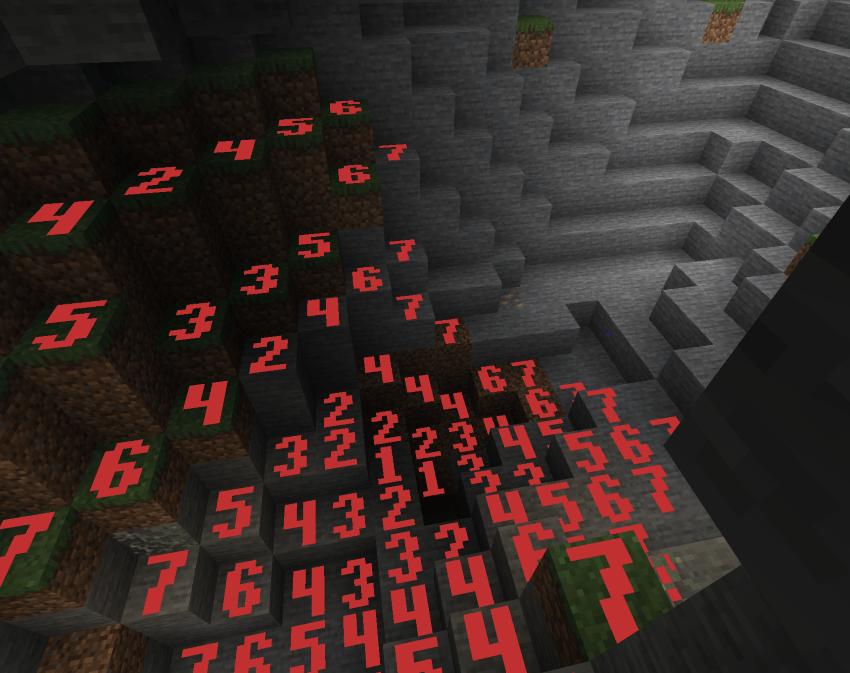
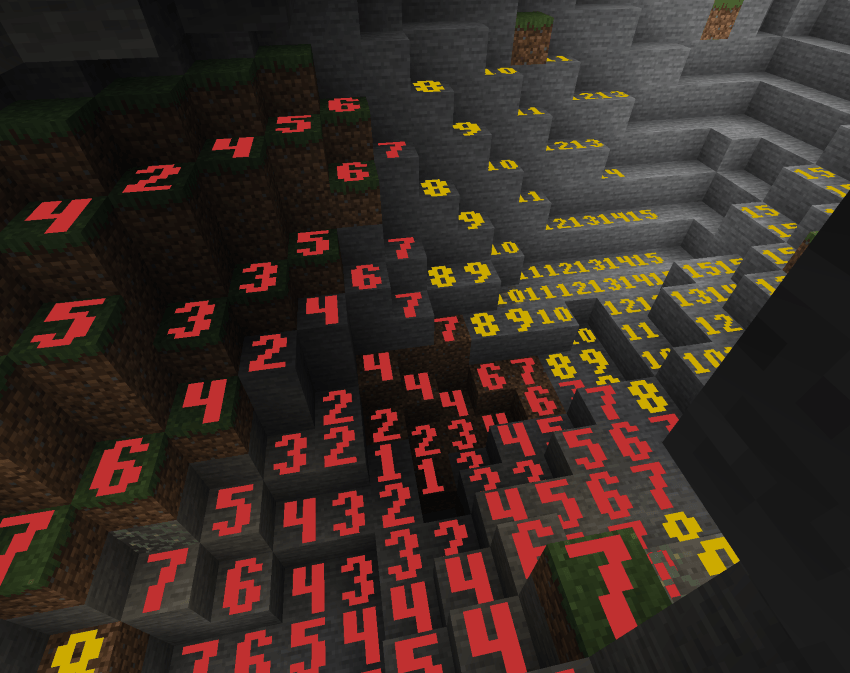
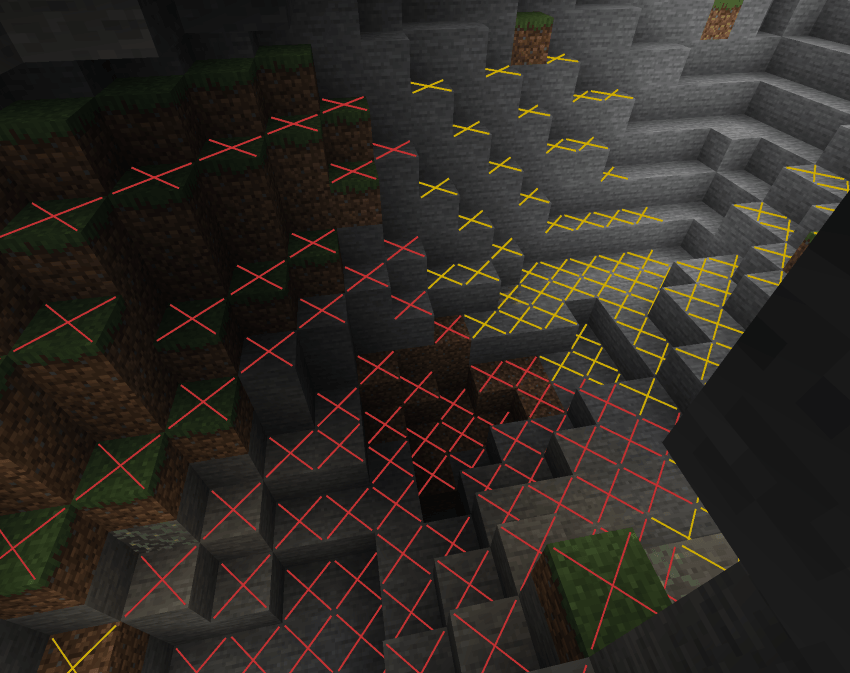
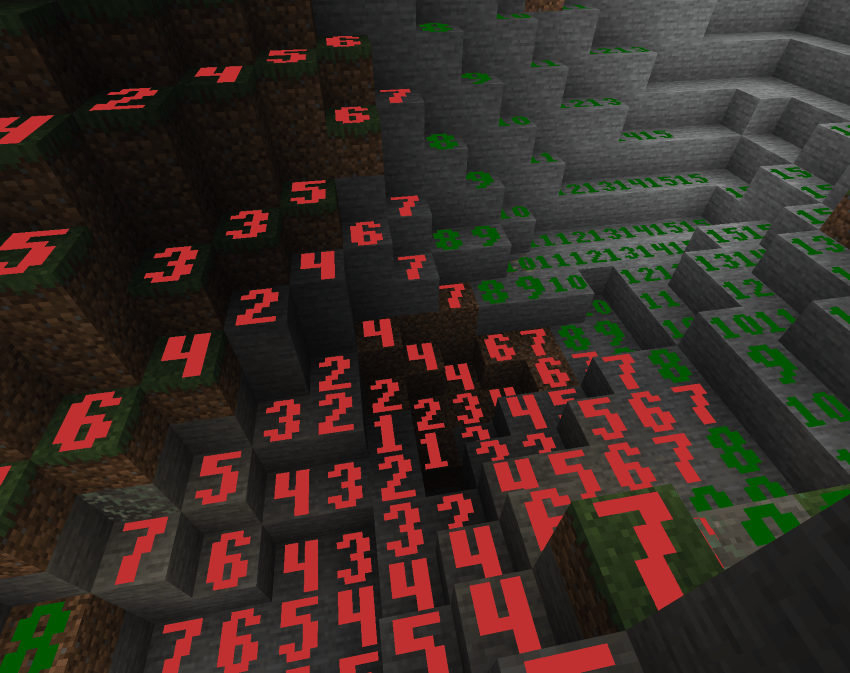
✨ Display Modes (cycle with Shift+F7) ✨
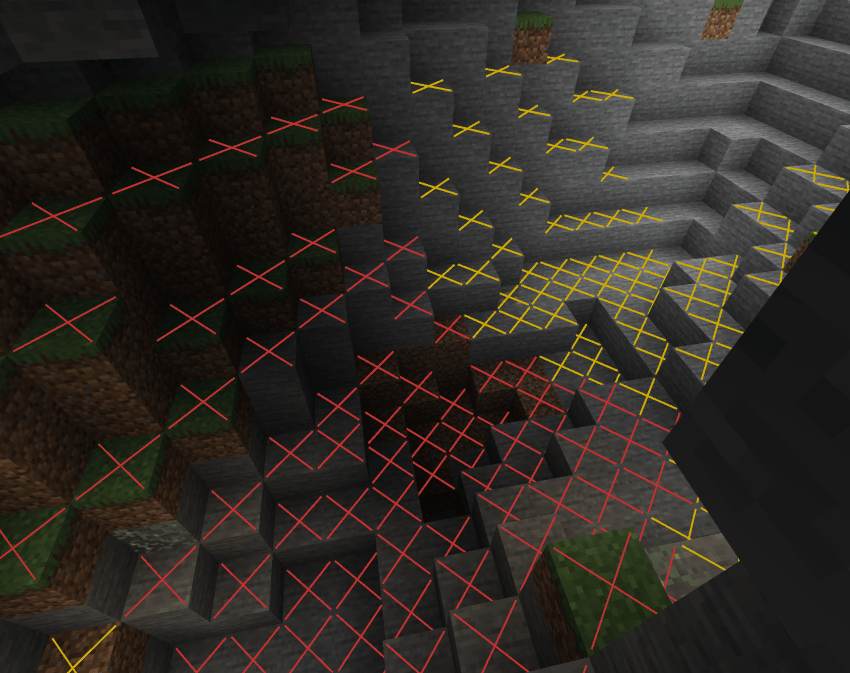
✖ Cross Mode
Red X on dangerous blocks, yellow X on blocks only safe during daytime, nothing on always-safe blocks. Clean and minimal.
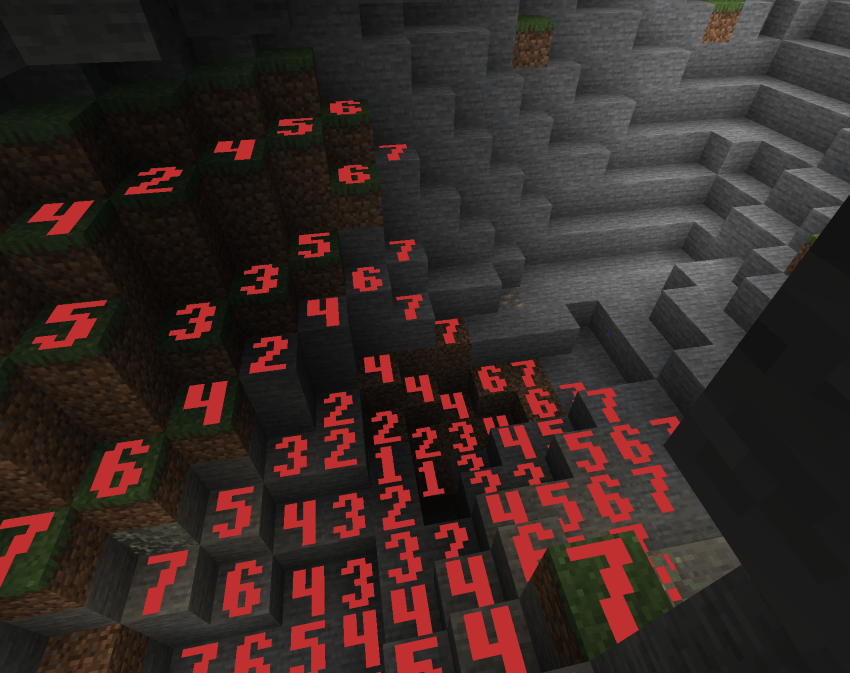
🔴 Minimal Mode
Red numbers 0–7 on every block in that range. Quick danger-zone check with no extra noise.
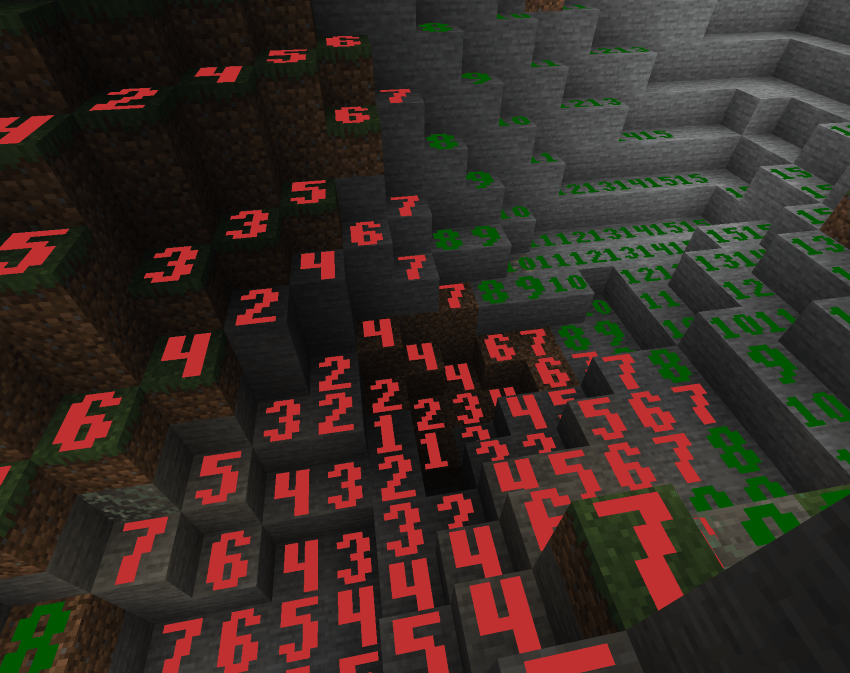
🟢 Standard Mode
Numbers 0–15 on all blocks. Red for 0–7, green for 8–15. Full light level readout colored by value.
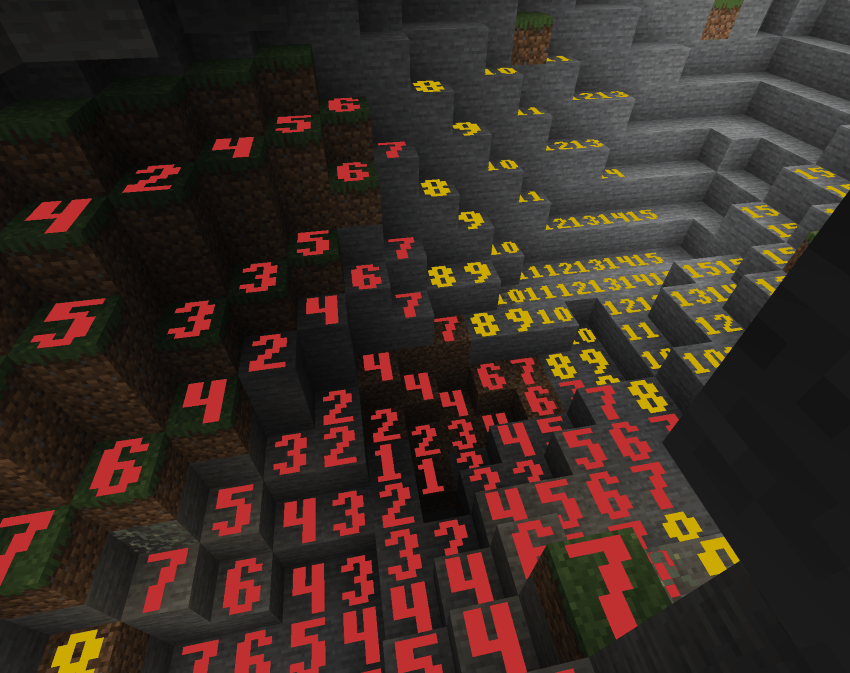
🟡 Advanced Mode
Numbers 0–15 on all blocks, but color is based on spawn danger: red for always-dangerous, yellow for daytime-only safe, green for always safe. Distinguishes block light vs sky light sources.
Custom Pixel-Art Numbers
Chunky, hand-crafted 5×7 bitmap digits rendered as colored quads directly on block faces. Bold, readable, and stylish — not blurry vanilla font text.
🎮 Controls 🎮
F7 — Toggle overlay on/off
Shift+F7 — Cycle through the 4 display modes
Settings screen — Accessible from NeoForge mod list for render distance and other options
❓ FAQ ❓
Does this need to be installed on the server?
No — purely client-side. Install on your client and join any server.
How is this different from other light overlay mods?
Custom pixel-art number rendering, 4 distinct modes including danger-aware coloring, time-of-day-accurate sky light, and a render distance slider up to 512 blocks.
Can I include this in my modpack?
Yes.
Where do I report bugs?
Open an issue on the GitHub repository. Please include your loader, MC version, and a latest.log.
常见问题
Light Level Overlay 支持哪些 Minecraft 版本?
Light Level Overlay 支持 Minecraft Java 版 1.21.11–26.2,共 3 个版本,可用的加载器:Fabric / NeoForge。下载时注意选择和你游戏版本一致的文件。
Light Level Overlay 怎么安装?
先用 PCL2 或 HMCL 启动器安装对应版本的 Fabric / NeoForge,再把下载的 .jar 文件放进游戏目录的 mods 文件夹,重新启动游戏即可。开启了版本隔离的,mods 文件夹在 versions/版本名 下面。运行环境:仅客户端。
hooneybAdgers 的其他作品
查看全部 →
Elytra Slot!
Adds a slot to wear the elytra with chest armor

Full Brightness (NIGHT VISION)
Night vision toggle button

Immersive Portal
Turn portals into CONTINUOUS pathways.

Armor Durability HUD Display
Vanilla style widget showing your armor and a low durability warning.
评论
登录后评论和评分