
Ainforge
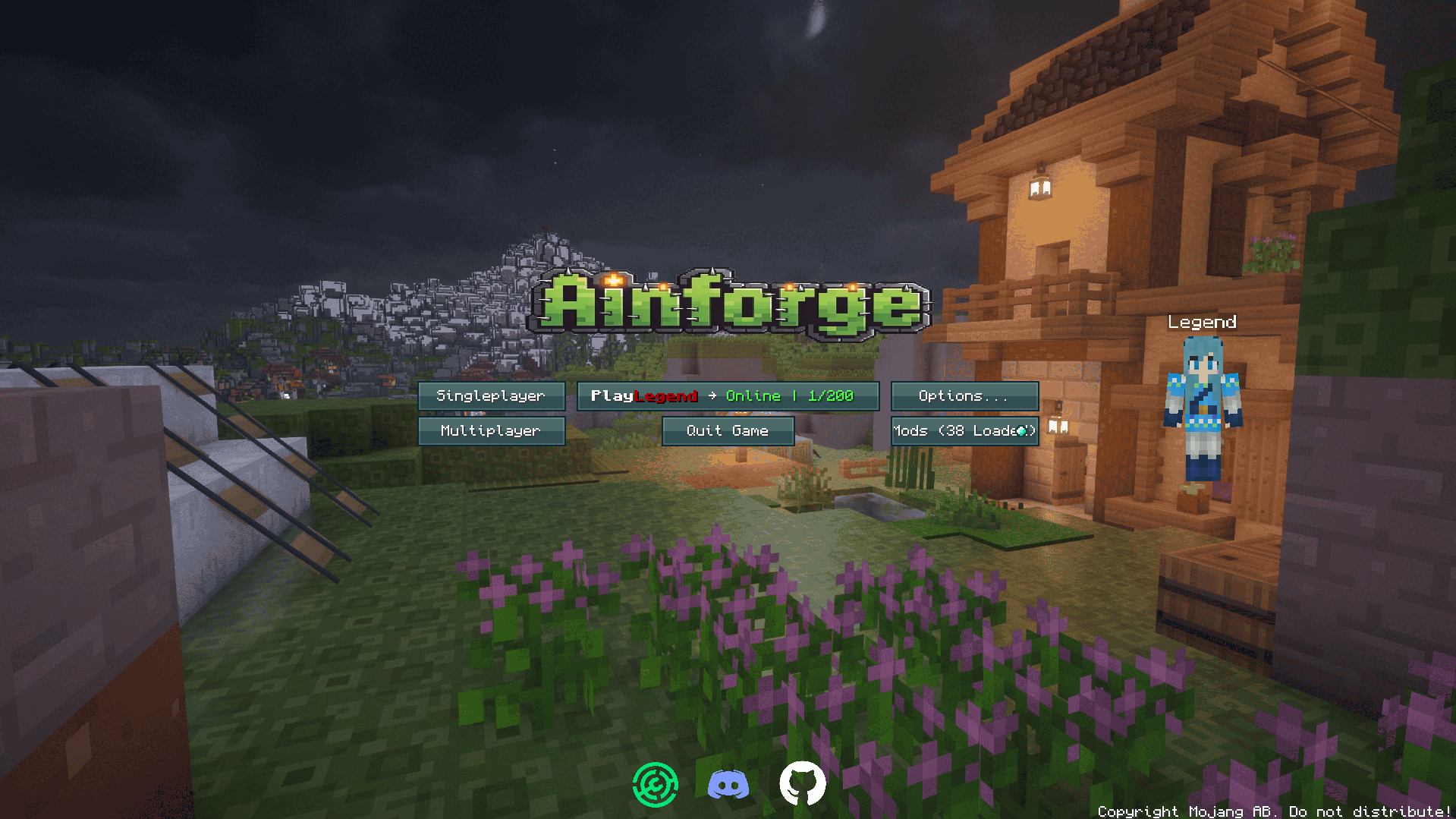
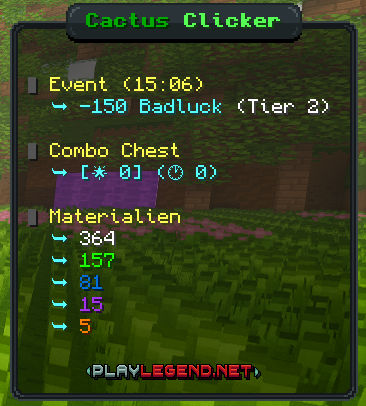
Ainforge contains pre-configured mods, aiming to provide an improved and seamless experience while playing Cactus Clicker on the PlayLegend (playlegend.net) server network.
截图





介绍


Ainforge
Ainforge is a Minecraft Fabric modpack for Minecraft 1.21.8 (Fabric Loader 0.18.2) tailored for playing Cactus Clicker on the PlayLegend server network (playlegend.net).
It bundles pre-configured client-side mods to improve performance and provide a more seamless, PlayLegend-themed experience.
Download
- Modrinth: https://modrinth.com/modpack/ainforge
- Source / pack maintenance repo: https://github.com/Trojan-V/Ainforge
Goals
- Smooth, stable gameplay on PlayLegend (playlegend.net), especially for the Cactus Clicker mode.
- A seamless look & feel (including a custom title screen).
- Convenience features and client-side improvements that make the Cactus Clicker experience better.
What’s inside
This modpack focuses on:
- Performance/optimization mods (FPS improvements, reduced stutter, faster loading).
- A custom title screen themed after PlayLegend.
- Cactus-Clicker-specific helper mods that add/enable features relevant to that mode.
Installation
- Install the Prism Launcher (recommended) or a launcher that supports Modrinth modpacks.
- Create a new instance, select Modrinth and install the pack by searching for “Ainforge”.
- Start Minecraft and join
playlegend.net.
Compatibility
- Minecraft: 1.21.8
- Mod loader: Fabric (Loader 0.18.2)
- Intended usage: Client-side on the PlayLegend network (playlegend.net).
Keybindings
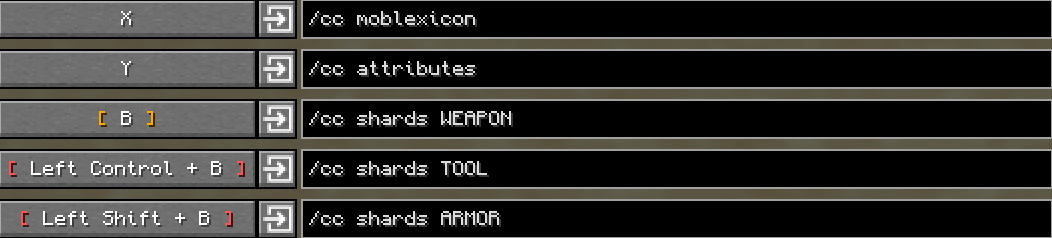
Below are all keybindings that are pre-configured in Ainforge and differ from Minecraft defaults, grouped by mod.
CCLive-Utilities
- F6: Open Overlay Editor
- F7: Toggle Material Tracker
- F8: Toggle Cards & Statues
- F9: Toggle Kill Tracker
- F10: Toggle Blueprint Tracker
- F12: Toggle Smithing State Frames
Fabrishot
- CTRL + SHIFT + F2: Take large screenshot
GammaUtils
- Down Arrow: Decrease Gamma
- Up Arrow: Increase Gamma
- G: Toggle Gamma
Iris
- K: Toggle Shaders
- O: Shaderpack Selection Screen
ModMenu
- Right Shift (RSHIFT): Open Mod Menu
Notes
- N: Open Notes
Other (CommandKeys)
- B: Execute command
/cc shards WEAPON - CTRL + B: Execute command
/cc shards TOOL - SHIFT + B: Execute command
/cc shards ARMOR - X: Execute command
/cc moblexicon - Y: Execute command
/cc attributes
Xaero’s Minimap
- +: Zoom In Minimap
- –: Zoom Out Minimap
- R: Enlarge Minimap
- U: Open Waypoint Screen
- ALT + U: Toggle On-Map Waypoints
- CTRL + M: Toggle Minimap
- CTRL + U: Toggle In-World Waypoints
Xaero’s World Map
- M: Open World Map
Zoomify
- C: Zoom (Hold)
Performance notes
The “Entity Radar” feature is disabled by default because it caused strong framerate drops on some devices.
If you want to enable it manually, open: Mod Menu -> Xaero's Minimap -> Entity Radar Settings -> Display Radar.
When enabled, players and NPCs will be shown on the minimap.
Issues / Support
If something breaks (e.g., after a server update), please open an issue in the GitHub repository and include:
- Minecraft version, loader version, launcher
- Latest log (
latest.log) and crash report (if any) - Steps to reproduce
GitHub: https://github.com/Trojan-V/Ainforge/issues
License / Disclaimer
No license is granted for this repository unless explicitly stated otherwise. All rights reserved.
“Minecraft” is a trademark of Mojang Synergies AB and/or Microsoft. This modpack is a third-party project and is not an official Minecraft product.
包含的模组 50 个
 Amecs
 Armor Hud
 BetterF3
 BetterGrassify
 CCLive-Utilities
 Centered Crosshair
 Chat Notify
 Chat Patches
 Cloth Config API
 Command Keys
 Complementary Shaders - Reimagined
 Complementary Shaders - Unbound
 Cubes Without Borders
 遥远的地平线
 实体剔除
 Euphoria Patches
 Extreme sound muffler
 Fabric API
 Fabric Language Kotlin
 Fabrishot
 Fancy Entity Renderer
 FancyMenu
 FerriteCore
 Forge Config API Port
 Fzzy Config
 Gamma Utils (Fullbright)
 ImmediatelyFast
 Iris Shaders
 Konkrete
 锂
 Melody
 模组菜单
 Model Gap Fix
 ModernFix-mVUS
 Monocraft
 More Culling
 Notes
 Particle Core
 Photon Shaders
 Reese's Sodium Options
展开全部 50 个




绿色边框的模组本站有收录,点进去看中文介绍;其余跳转到 Modrinth。
常见问题
Ainforge 支持哪些 Minecraft 版本?
Ainforge 基于 Minecraft Java 版 1.21.8,使用 Fabric 加载器。
Ainforge 怎么安装?
点本页「前往下载」拿到整合包文件(Modrinth 的是 .mrpack,CurseForge 的是 .zip),在 PCL2 或 HMCL 启动器里选择「导入整合包」,启动器会自动装好 Minecraft、加载器和全部模组。这个整合包有 50 个模组,建议在启动器里给游戏分配 4–6 GB 内存。
Ainforge 开服需要多大内存?
推荐服务器内存 12 GB。在线人数多、或者建了大量机器和区块加载器时,可以再加 2–4 GB。
怎么和朋友一起玩 Ainforge?
点本页的「一键开服」,选好配置后会自动安装 Ainforge 的服务端,几分钟就能开好。把服务器地址发给朋友,大家用同一个版本的整合包连进去就行。
评论
登录后评论和评分