
DUATAR: Minimap & Map
A clean minimap and full-screen explored-world map with cave layers, coordinates, and map-only marks—without waypoints, radar, or navigation clutter.
截图
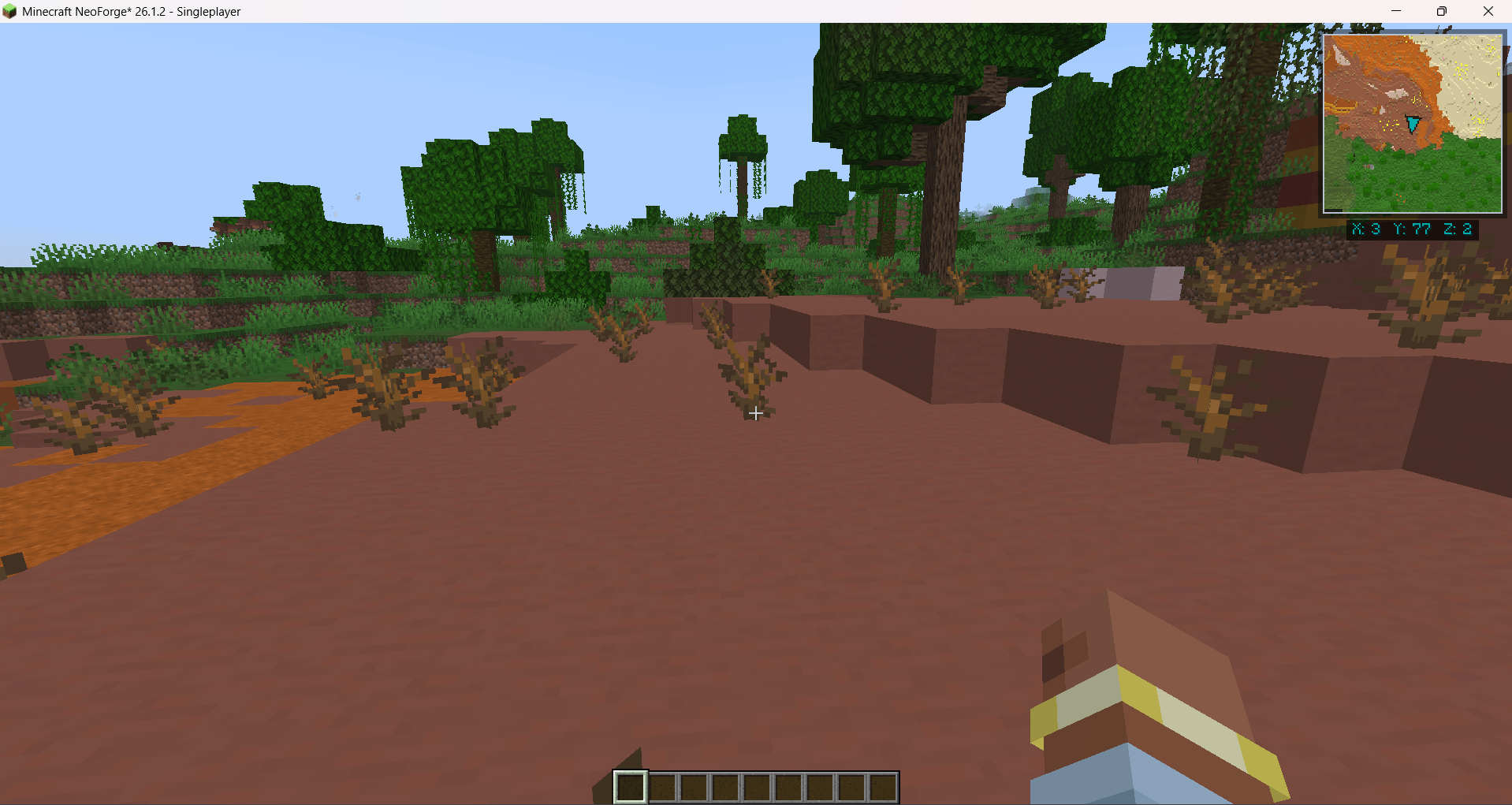
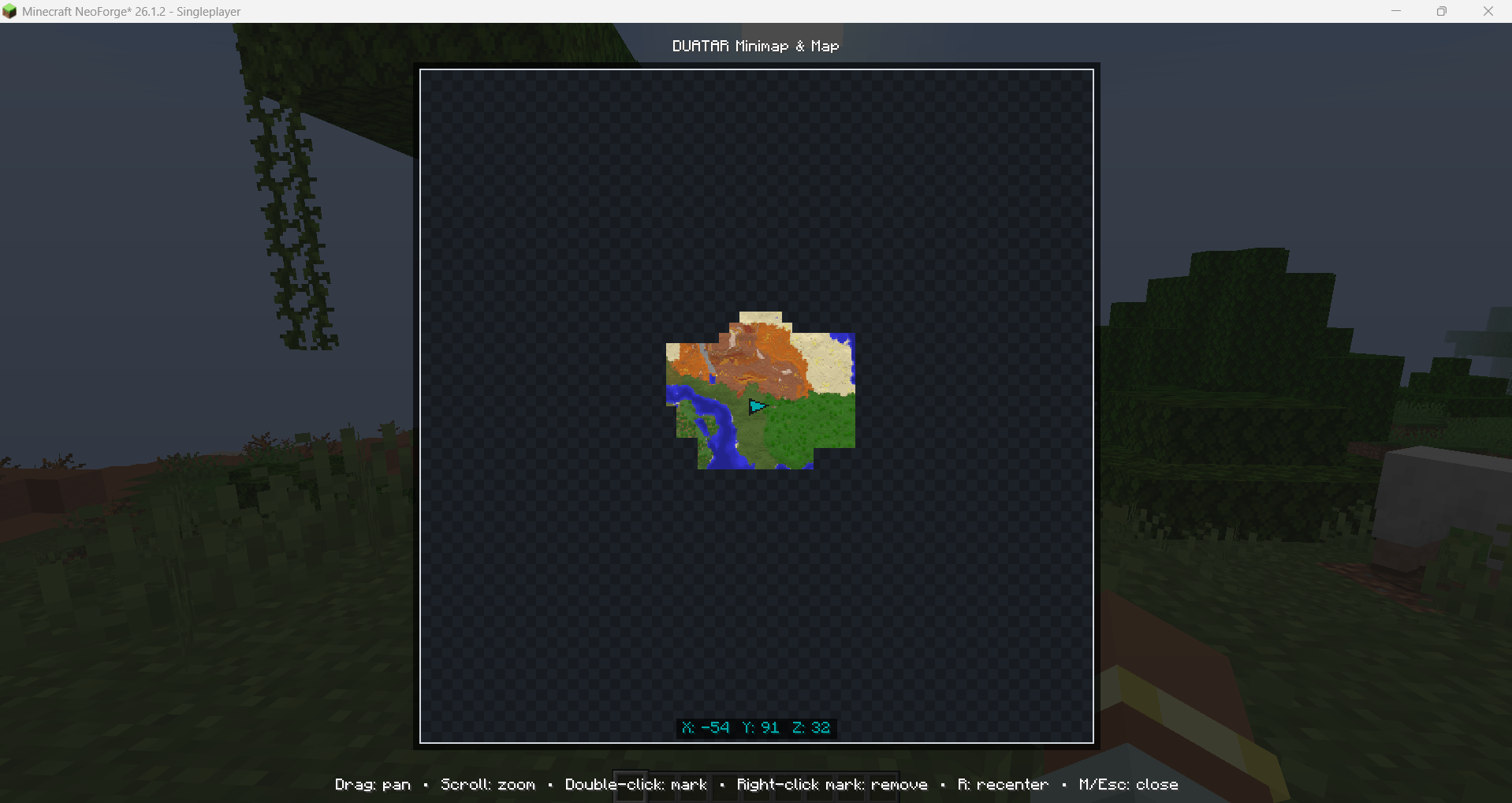
介绍
DUATAR: Minimap & Map provides a clean and straightforward mapping experience while preserving Minecraft’s exploration-focused gameplay.
It includes a minimap, a full-screen map, coordinates, cave mapping, and simple map annotations—without adding a complex waypoint or navigation system.
Features
– A fixed north-up minimap in the top-right corner
– A large map opened with the **M** key
– A dark aqua player arrow that follows your viewing direction
– Live **X, Y, and Z coordinates**
– Detailed terrain rendering based on blocks and biome colors
– Improved grass, leaves, water, shoreline, and terrain-height details
– Automatic cave mapping when exploring underground
– Separate saved map data for each world, server, and dimension
– Persistent explored terrain between game sessions
– Simple annotations placed directly on the full map
– No entity, mob, or player radar
A Simple Map System
This mod is intentionally designed as a simple map rather than a complete navigation system.
There is “no waypoint system”:
– No waypoint icons displayed in the game world
– No waypoint beams
– No distance indicators
– No waypoint teleportation
– No deathpoints
– No entity, mob, or player tracking
The full map supports manual “map-only marks”. These are simple visual annotations that remain inside the map interface.
They are “not waypoints” and do not create any icon, target, beacon, distance tracker, or navigation element in the Minecraft world.
“Cave Mapping
When the player enters an underground area, the map automatically switches to a cave layer.
Cave floors, walls, tunnels, and nearby underground structures are rendered separately from the surface map. Returning to the surface automatically restores the normal terrain map.
“Map Controls
– “M:” Open or close the full map
– “Mouse drag:” Move around the map
– “Mouse wheel:” Zoom in or out
– “Double-click:” Add a map-only mark
– “Right-click a mark:” Remove it
– “R:” Recenter the map on the player
– “M or Esc:” Close the map
Exploration-Based Mapping
The map is created from terrain loaded while you explore.
Unexplored areas remain empty until they are visited. The mod does not turn marks into navigation targets or reveal distant unexplored terrain.
Map information is saved locally so previously explored terrain remains available after restarting the game.
Philosophy
DUATAR: Minimap & Map is made for players who want a useful map without waypoint beams, teleportation, radar, or excessive navigation features.
Explore the world yourself—the map simply helps you remember what you have already discovered.
常见问题
DUATAR: Minimap & Map 支持哪些 Minecraft 版本?
DUATAR: Minimap & Map 支持 Minecraft Java 版 26.1.2,可用的加载器:Forge / NeoForge。下载时注意选择和你游戏版本一致的文件。
DUATAR: Minimap & Map 怎么安装?
先用 PCL2 或 HMCL 启动器安装对应版本的 Forge / NeoForge,再把下载的 .jar 文件放进游戏目录的 mods 文件夹,重新启动游戏即可。开启了版本隔离的,mods 文件夹在 versions/版本名 下面。
Toxsin54 的其他作品
查看全部 →
DUATAR: Optimization
More FPS with async occlusion culling and faster vertex writes.

DUATAR: Private Trade
A secure, server-authoritative private trading system for Minecraft. Players can send timed trade requests and safely exchange items with each other.

DUATAR: Safeguard
Keep your inventory after death, prevent zero-durability items from breaking, and display exact durability values for vanilla and modded equipment.

DUATAR: Weight
A configurable carrying-weight system with item tooltips, a color-coded HUD, container-aware calculations, and progressive overload penalties.
评论
登录后评论和评分