
DUATAR: Weight
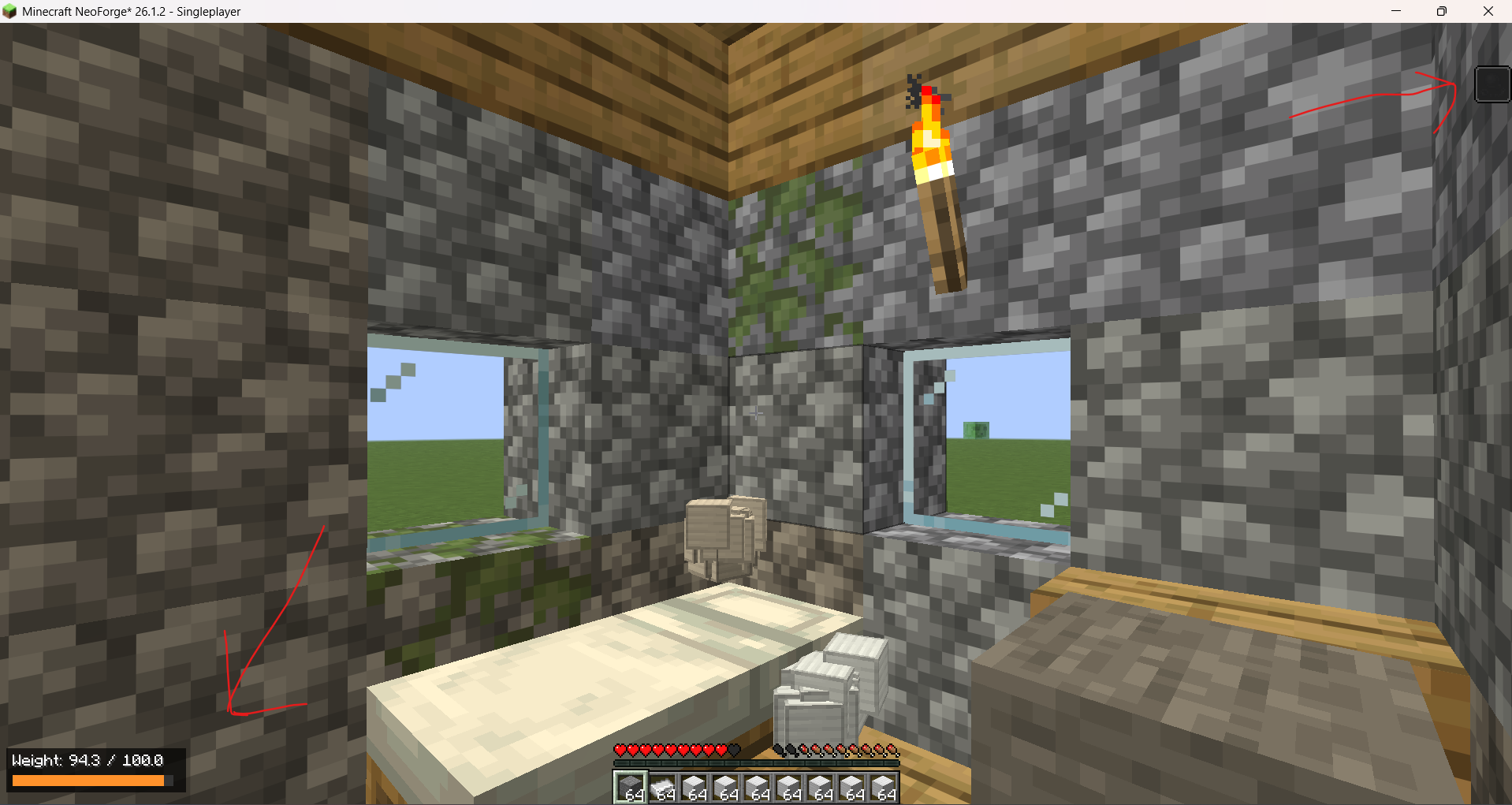
A configurable carrying-weight system with item tooltips, a color-coded HUD, container-aware calculations, and progressive overload penalties.
截图
介绍
DUATAR: Weight adds a configurable carrying-capacity system to Minecraft. Every carried item contributes to the player’s total weight, including stacked items, equipped armor, the offhand slot, and items stored inside supported containers.
Features
- Server-authoritative weight calculation
- Compact, color-coded HUD in the bottom-left corner
- Individual and total stack weight in item tooltips
- Main inventory, hotbar, armor, and offhand support
- Shulker Box and Bundle content calculation
- Progressive exhaustion and overload penalties
- Vanilla Slowness I, II, and III effects
- Reduced jumping and disabled sprinting when overloaded
- Configurable item and item-tag weights
- English and Turkish language support
- No external mod dependencies
Item Tooltips
Individual items display their unit weight:
Weight: 0.27
Stacked items display both the unit and total weight:
Weight: 0.27 × 10 = 2.7
Container items include the weight of their stored contents.
Weight Levels
- 0–70%: No penalty
- 70–90%: Additional exhaustion
- 90–100%: Slowness I with a net 10% movement reduction
- 100–120%: Slowness II, 25% movement reduction, 15% jump reduction, and sprinting disabled
- Above 120%: Slowness III, 50% movement reduction, 35% jump reduction, and sprinting disabled
Items are never deleted or automatically dropped when the player becomes overloaded.
Weight Calculation
Weight values represent individual items and are multiplied by stack size.
1 Stone = 0.01
64 Stone = 0.64
The default configuration divides raw item weights by 100, making the system suitable for inventories containing multiple full stacks.
常见问题
DUATAR: Weight 支持哪些 Minecraft 版本?
DUATAR: Weight 支持 Minecraft Java 版 26.1.2,可用的加载器:NeoForge。下载时注意选择和你游戏版本一致的文件。
DUATAR: Weight 怎么安装?
先用 PCL2 或 HMCL 启动器安装对应版本的 NeoForge,再把下载的 .jar 文件放进游戏目录的 mods 文件夹,重新启动游戏即可。开启了版本隔离的,mods 文件夹在 versions/版本名 下面。运行环境:客户端和服务端都要装。
Toxsin54 的其他作品
查看全部 →
DUATAR: Private Trade
A secure, server-authoritative private trading system for Minecraft. Players can send timed trade requests and safely exchange items with each other.

DUATAR: Safeguard
Keep your inventory after death, prevent zero-durability items from breaking, and display exact durability values for vanilla and modded equipment.
评论
登录后评论和评分