介绍
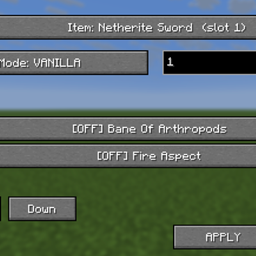
Enchantment Lab is a utility for configuring enchantments directly through a control panel.
How to use:
1. Press F1 + F2 together to open the panel.
2. Select the item slot to edit.
3. Switch between VANILLA and MERGED compatibility modes.
4. Enter a level from 1 to 255.
5. Scroll the enchantment list, then select the wanted entries.
6. Click APPLY to commit the changes, or Cancel to exit without applying.
VANILLA follows normal compatibility restrictions. MERGED permits combinations of otherwise conflicting enchantments. No enchanting table or chat command is required.
常见问题
God Authority · Enchantment Lab 支持哪些 Minecraft 版本?
God Authority · Enchantment Lab 支持 Minecraft Java 版 1.21.11,可用的加载器:Fabric。下载时注意选择和你游戏版本一致的文件。
God Authority · Enchantment Lab 怎么安装?
先用 PCL2 或 HMCL 启动器安装对应版本的 Fabric,再把下载的 .jar 文件放进游戏目录的 mods 文件夹,重新启动游戏即可。开启了版本隔离的,mods 文件夹在 versions/版本名 下面。
Ruochen_Liu 的其他作品
查看全部 →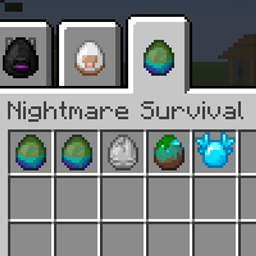
Nightmare Survival — Enhanced Mobs 🌟
噩梦生存——强化生物 🌟 I(系列 M 标签:M2):穿戴盔甲并附魔的敌对生物、毁灭性的苦力怕、白天生成敌人,以及扩展的村民交易,带来更艰难的生存体验。
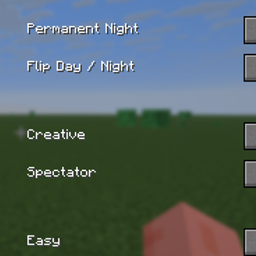
GOD AUTHORITY · WORLD CONTROL
一个无需命令的 Fabric 1.21.11 世界控制面板,可通过游戏内 GUI 即时管理时间、游戏模式、难度、天气和特殊测试工具。
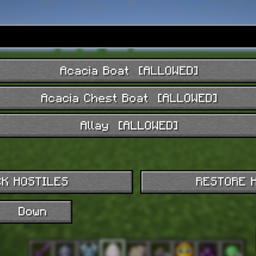
GOD AUTHORITY · ENTITY LOCK
搜索并阻止已注册的实体类型,带有可逆的敌对限制和 F7 控制面板。
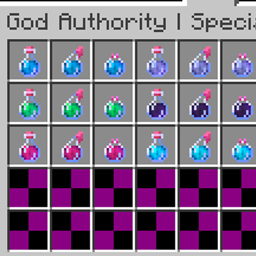
God Authority · Special Effects Potions
独立的状态效果测试瓶、两种净化选项,并自动支持已注册的第三方效果。
评论
登录后评论和评分