介绍
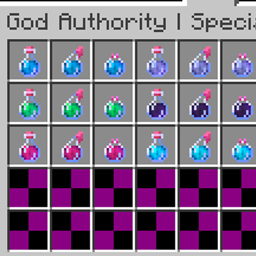
God Authority · Special Effects Potions provides an individual potion entry for each selected status effect rather than combining many effects into one bottle. It also adds Poison Antidote and Wither Cure. The catalog is organized in the “God Authority | Special Potions” creative inventory group.
HOW TO USE
1. Open the “God Authority | Special Potions” creative group.
2. Select the desired effect by name. Each available effect has three delivery forms: Drink, Splash and Lingering.
3. Drink: hold and consume it to apply the selected effect directly.
4. Splash: throw the bottle to apply its effect around the impact area.
5. Lingering: throw the bottle to create a cloud that can affect targets in its area.
6. For cleansing, choose Poison Antidote to remove Poison or Wither Cure to remove Wither, and select the preferred delivery form.
No keybinding, command entry, brewing procedure or separate Apply action is needed.
AVAILABLE EFFECT CATEGORIES
Effect-specific entries are constructed from the active status-effect registry. The project includes English names and visual resources for many standard effect types, including:
Speed, Slowness, Haste, Mining Fatigue, Strength, Instant Health, Instant Damage, Jump Boost, Nausea, Regeneration, Resistance, Fire Resistance, Water Breathing, Invisibility, Blindness, Night Vision, Hunger, Weakness, Poison, Wither, Health Boost, Absorption, Saturation, Glowing, Levitation, Luck, Unluck, Slow Falling, Conduit Power, Dolphin’s Grace, Bad Omen, Hero of the Village, Darkness, Trial Omen, Raid Omen, Wind Charged, Weaving, Oozing, Infested and Breath of the Nautilus.
The registry checks whether an effect is already represented by a standard potion before generating an additional effect-specific entry. Consequently, the exact number of new entries may vary. This avoids declaring a fixed catalog size for all installations.
THIRD-PARTY EFFECT SUPPORT AND ICON STYLE
When compatible third-party modules register additional status effects, their eligible effects are detected through the same registry scan. Their available Drink, Splash and Lingering variants use a shared black liquid presentation with an enchanted glint. Each keeps the familiar bottle silhouette of its delivery form. This common model avoids requiring a separate texture for every third-party effect.
Standard built-in entries retain their existing potion colors and appearance. Poison Antidote and Wither Cure also retain their existing distinct presentation. The universal black-and-glint fallback is only for externally registered effect entries.
EFFECT BEHAVIOUR
Most sustained effects use 12,000 ticks (10 minutes at the normal tick rate); instant effects follow their immediate logic. The tooltip identifies the selected effect and may show a counterpart or cleansing note. Because different third-party effects can implement unusual behaviour, actual outcomes follow each registered effect’s implementation.
INSTALLATION
Use version 1.21.11 with Fabric Loader, Fabric API and Java 21. Install the supplied JAR in mods and open “God Authority | Special Potions” to choose effect-specific bottles. This module works independently of the combined positive-effect potion tool.
常见问题
God Authority · Special Effects Potions 支持哪些 Minecraft 版本?
God Authority · Special Effects Potions 支持 Minecraft Java 版 1.21.11,可用的加载器:Fabric。下载时注意选择和你游戏版本一致的文件。
God Authority · Special Effects Potions 怎么安装?
先用 PCL2 或 HMCL 启动器安装对应版本的 Fabric,再把下载的 .jar 文件放进游戏目录的 mods 文件夹,重新启动游戏即可。开启了版本隔离的,mods 文件夹在 versions/版本名 下面。
Ruochen_Liu 的其他作品
查看全部 →
Nightmare Survival — Enhanced Mobs 🌟
噩梦生存——强化生物 🌟 I(系列 M 标签:M2):穿戴盔甲并附魔的敌对生物、毁灭性的苦力怕、白天生成敌人,以及扩展的村民交易,带来更艰难的生存体验。

GOD AUTHORITY · WORLD CONTROL
一个无需命令的 Fabric 1.21.11 世界控制面板,可通过游戏内 GUI 即时管理时间、游戏模式、难度、天气和特殊测试工具。
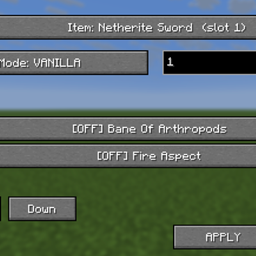
God Authority · Enchantment Lab
通过紧凑的 F1 + F2 面板编辑物品附魔,支持原版和合并模式以及 1–255 等级。
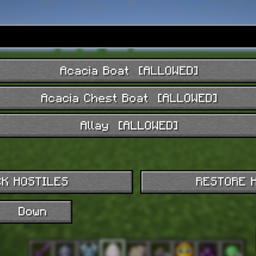
GOD AUTHORITY · ENTITY LOCK
搜索并阻止已注册的实体类型,带有可逆的敌对限制和 F7 控制面板。
评论
登录后评论和评分