
Alliance Client Pack
This modpack adds additional functionality to the Alliance Minecraft server. Full of optimizations, QOL changes, and fixes.
截图


介绍
About
This modpack is for the Alliance at GSU Minecraft server. It adds additional functionality for clients that wish to use mods. This modpack works completely on its own for signleplayer and includes many optimization mods to make Minecraft run more smoothly. In addition to optimizations this pack has a number of GUI mods that give the player additional information.
Gameplay Changes
Essential Mod
This mod adds support for emotes, additional player customization, and social features like friends lists and hosting a world without a server.
JourneyMap
Adds a minimap and fullscreen map to the game along with options to create waypoints and see other players on the server.
Ping Wheel
Allows players to “ping” or mark a location for other players to see.
Autoswitch
Automatically selects the best tool and places it in your hand.
Bridging Mod
Adds the bridging functionality from Bedrock to Java along with a few added QOL changes.
Controlify
Adds full controller support to the game. Remappable buttons, vibration support, on screen button guides, and more are included.
All other mods are linked in the changelog
Performance
This pack includes a variety of performance-focused mods. The modpack will run BETTER than vanilla so if you have older hardware or if you’d like to use a higher quality resource pack it’s highly encourage you use this pack. Please note that computers from over 8 years ago may run into issues running this pack due to hardware compatibility.
Resource Packs
The following resource packs are included in the modpack. Enable them in this order!
Essential UI
Changes Minecraft’s UI to match the Essential Mod.
Vanilla Tweaks
Includes extra tweaks and changes that the server resource pack leaves out.
Pack Compatibility
OS
✅Windows 10/11 | ✅MacOS | ☢️Windows 7/8 | ☢️Linux | ⛔Mobile/Console
Game Versions
✅Minecraft Java 1.21 | ⛔Minecraft Java 1.0.0-1.20.6 | ⛔Minecraft Bedrock
Java Versions
✅Java 21 | ⛔Java 1-20
Key
✅ = Compatible | ☢️ = Untested | ⛔️ = Uncompatible
How to Install Modpack
Modrinth)(Recommended)
- Click the search icon on the left sidebar
- Search “Alliance Client Pack” and click install
- Click the library icon on the left sidebar
- Hover over the Alliance modpack and click the play button
Prism Launcher/MultiMC/ATLauncher
- Click “add instance” or “packs”
- Select the Modrinth tab from the left
- Search “Alliance Client Pack” and select the pack
- Click OK
包含的模组 37 个
 AutoSwitch
 bad packets
 Balm
 Better Advancements
 Better Statistics Screen
 Bridging Mod
 Cloth Config API
 Collective
 Controlify (Controller support)
 Debugify
 Default Options
 Durability Plus
 Eating Animation
 Essential Mod
 Fabric API
 Fabric Language Kotlin
 FerriteCore
 Idwtialsimmoedm
 ImmediatelyFast
 Indium
 Inventory Sorting
 旅行地图
 模组菜单
 More Culling
 Ping Wheel
 Pride Fishing Line
 QuickShulker
 Reese's Sodium Options
 Shulker Box Tooltip
 钠
 Sodium Extra
 Stack Refill
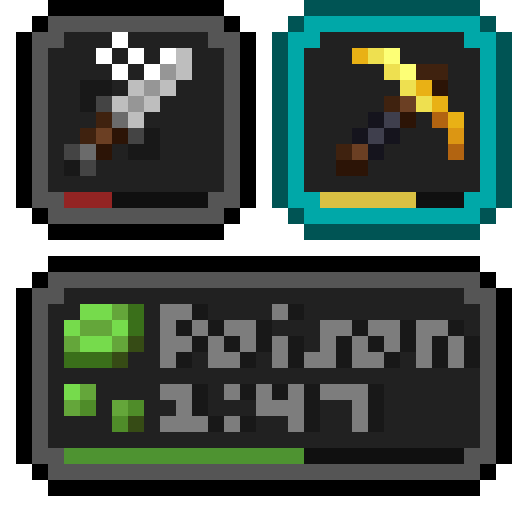 Status Effect Bars
 TrashSlot
 Wavey Capes
 WTHIT
 YetAnotherConfigLib (YACL)
绿色边框的模组本站有收录,点进去看中文介绍;其余跳转到 Modrinth。
常见问题
Alliance Client Pack 支持哪些 Minecraft 版本?
Alliance Client Pack 基于 Minecraft Java 版 1.20.1、1.19.4,使用 Fabric / Quilt 加载器。
Alliance Client Pack 怎么安装?
点本页「前往下载」拿到整合包文件(Modrinth 的是 .mrpack,CurseForge 的是 .zip),在 PCL2 或 HMCL 启动器里选择「导入整合包」,启动器会自动装好 Minecraft、加载器和全部模组。这个整合包有 37 个模组,建议在启动器里给游戏分配 4–6 GB 内存。
Alliance Client Pack 开服需要多大内存?
推荐服务器内存 12 GB。在线人数多、或者建了大量机器和区块加载器时,可以再加 2–4 GB。
怎么和朋友一起玩 Alliance Client Pack?
点本页的「一键开服」,选好配置后会自动安装 Alliance Client Pack 的服务端,几分钟就能开好。把服务器地址发给朋友,大家用同一个版本的整合包连进去就行。
评论
登录后评论和评分