
截图

介绍


_This is NOT spark the profiler. They do a great job check them out!_
⚡- Description
SPARK is a performance-focused modpack designed to take the multiplayer and PvP experience to the next level, regardless of your system configuration.
This modpack is monetized through the Modrinth Rewards Program. The mods included in SPARK are covered by licenses that explicitly permit commercial use or follows Modrinth ToS. The mods (overrides) recommended below are subject to stricter licensing terms, and I strongly recommend that you use them with this modpack.
I am NOT responsible for any sanctions you may face on multiplayer servers. Installing these mods is GENERALLY NOT CONSIDERED a bannable offense by most servers.
🎯- Versions supported
Forge 1.8.9 Recommended with : [Optifine 1.8.9 HD U M5]
Forge 1.9.4 Recommended with : [Optifine 1.9.4 HD U I5]
Forge 1.10.2 Recommended with : [Optifine 1.10.2 HD U I5]
Forge 1.11.2 Recommended with : [Optifine 1.11.2 HD U G5]
Forge 1.12.2 [Recommended with : nothing more]
Forge 1.13.2 [Recommended with : nothing more]
Fabric 1.14.4 [Recommended with : nothing more]
Fabric 1.15.2 [Recommended with : nothing more]
Fabric 1.16.5 [Iris is deactivated by default, you can enable it in “Content” in Modrinth launcher, or remove the “.disabled” at the end of the jar file in \mods]
Fabric 1.17.1 [Recommended with : nothing more]
Fabric 1.18.2 [Iris is deactivated by default, you can enable it in “Content” in Modrinth launcher, or remove the “.disabled” at the end of the jar file in \mods]
Fabric 1.19.4 [Iris is deactivated by default, you can enable it in “Content” in Modrinth launcher, or remove the “.disabled” at the end of the jar file in \mods]
Fabric 1.20.6 [Iris is deactivated by default, you can enable it in “Content” in Modrinth launcher, or remove the “.disabled” at the end of the jar file in \mods]
Fabric 1.21.11 [Iris (Shaders) and Mercurizer (Optimizations for low-end PC) are deactivated by default, you can enable them in “Content” in Modrinth launcher, or remove the “.disabled” at the end of the jar file in \mods]
Fabric 26.1.2 [Iris (Shaders) and Mercurizer (Optimizations for low-end PC) are deactivated by default, you can enable them in “Content” in Modrinth launcher, or remove the “.disabled” at the end of the jar file in \mods]
Fabric 26.2 [Iris (Shaders) and Mercurizer (Optimizations for low-end PC) are deactivated by default, you can enable them in “Content” in Modrinth launcher, or remove the “.disabled” at the end of the jar file in \mods]
📝- Feedback
We welcome all your comments!
If you would like to share your positive feedback as well as any criticism, please fill out this simple form
📊- Benchmarks
1.8.9
||Forge 1.8.9 w/o Optifine|Forge 1.8.9 + Optifine|Optimized FPS + Optifine|BetterPvP + Optifine|Rapid Optimization + Optifine|SPARK + Optifine|
|-|:-:|:-:|:-:|:-:|:-:|:-:|
|Test1|370-380 FPS|520-530 FPS|350-360 FPS|410-420 FPS|540-550 FPS|710-730 FPS|
|Test2|160-170 FPS|190-200 FPS|150-160 FPS|200-215 FPS|185-200 FPS|360-375 FPS|
1.9.4
||Forge 1.9.4 w/o Optifine|Forge 1.9.4 + Optifine|Optimized FPS Simple + Optifine|Photon Optimization + Optifine|SPARK + Optifine|
|-|:-:|:-:|:-:|:-:|:-:|
|Test1|340-350 FPS|385-395 FPS|395-405 FPS|420-435 FPS|415-435 FPS|
1.10.2
||Forge 1.10.2 w/o Optifine|Forge 1.10.2 + Optifine|Optimized FPS Simple + Optifine|Photon Optimization + Optifine|SPARK + Optifine|
|-|:-:|:-:|:-:|:-:|:-:|
|Test1|390-400 FPS|480-495 FPS|500-515 FPS|510-525 FPS|500-520 FPS|
1.11.2
||Forge 1.11.2 w/o Optifine|Forge 1.11.2 + Optifine|Optimized FPS Simple + Optifine|Photon Optimization + Optifine|SPARK + Optifine|
|-|:-:|:-:|:-:|:-:|:-:|
|Test1|385-395 FPS|475-490 FPS|470-480 FPS|505-520 FPS|490-505 FPS|
1.12.2
||Forge 1.12.2 w/o Optifine|Forge 1.12.2 + Optifine|Optimized FPS|MAX FPS: Optimized|SPARK|
|-|:-:|:-:|:-:|:-:|:-:|
|Test1|450-470 FPS|470-490 FPS|605-615 FPS|530-560 FPS|680-700 FPS|
1.13.2
||Forge 1.13.2|SPARK|
|-|:-:|:-:|
|Test1|440-450 FPS|430-450 FPS|
1.14.4
||Forge 1.14.4 w/o Optifine|Forge 1.14.4 + Optifine|Fabric 1.14.4|Heavy Optimized|Photon Optimization|SPARK|
|-|:-:|:-:|:-:|:-:|:-:|:-:|
|Test1|395-405 FPS|350-360 FPS|430-440 FPS|420-430 FPS|425-435 FPS|480-495 FPS|
1.15.2
||Fabric 1.15.2|Heavy Optimized|Photon Optimization|SPARK|
|-|:-:|:-:|:-:|:-:|
|Test1|340-360 FPS|360-375 FPS|560-570 FPS|610-620 FPS|
1.16.5
||Fabric 1.16.5|Fabulously Optimized|Optifabric|Remarkably Optimized|SPARK|
|-|:-:|:-:|:-:|:-:|:-:|
|Test1|360-395 FPS|430-450 FPS|445-465 FPS|695-705 FPS|930-965 FPS|
1.17.1
||Fabric 1.17.1|Fabulously Optimized|Optifine for Fabric|Remarkably Optimized|SPARK|
|-|:-:|:-:|:-:|:-:|:-:|
|Test1|290-300 FPS|385-395 FPS|500-520 FPS|465-485 FPS|530-550 FPS|
1.18.2
||Fabric 1.18.2|Fabulously Optimized|Sodium Plus|Optifabric|SPARK|
|-|:-:|:-:|:-:|:-:|:-:|
|Test1|280-290 FPS|370-390 FPS|310-320 FPS|530-550 FPS|1110-1175 FPS|
1.19.4
||Fabric 1.19.4|Fabulously Optimized|Sodium Plus|Optifabric|SPARK|
|-|:-:|:-:|:-:|:-:|:-:|
|Test1|285-305 FPS|910-940 FPS|565-580 FPS|740-775 FPS|970-1015 FPS|
1.20.6
||Fabric 1.19.4|Fabulously Optimized|Remarkably Optimized|Optifabric|SPARK|
|-|:-:|:-:|:-:|:-:|:-:|
|Test1|360-370 FPS|940-980 FPS|850-865 FPS|830-845 FPS|1240-1280 FPS|
1.21.11
||Fabric 1.21.11|Fabulously Optimized|Sodium Plus|Optifabric|SPARK|
|-|:-:|:-:|:-:|:-:|:-:|
|Test1|435-445 FPS|645-670 FPS|455-480 FPS|630-660 FPS|970-1015 FPS|
|Test2|235-245 FPS|280-305 FPS|210-230 FPS|230-255 FPS|325-355 FPS|
26.1.2
||Fabric 26.1.2|Fabulously Optimized|Sodium Plus|Optifabric|SPARK|
|-|:-:|:-:|:-:|:-:|:-:|
|Test1|425-450 FPS|670-690 FPS|555-580 FPS|670-710 FPS|990-1020 FPS|
|Test2|235-260 FPS|280-325 FPS|230-260 FPS|220-280 FPS|400-440 FPS|
26.2
TBD
Setup used :
- CPU : AMD Ryzen 9 7900X3D ;
- GPU : nVidia RTX 4070 Ti SUPER ;
- RAM : 64 GB DDR5 @ 6000 MHz ;
- New instance with 4 GB allocated, render distance of 16 chunks, shadow distance of 16 chunks, simulation distance of 16 chunks, unlimited FPS, Normal size GUI, no sound and VBOs enabled ;
- Test1 : Overcast Community’s (oc.tc) lobby, looking straight ahead from the spawn point, with no players in sight ;
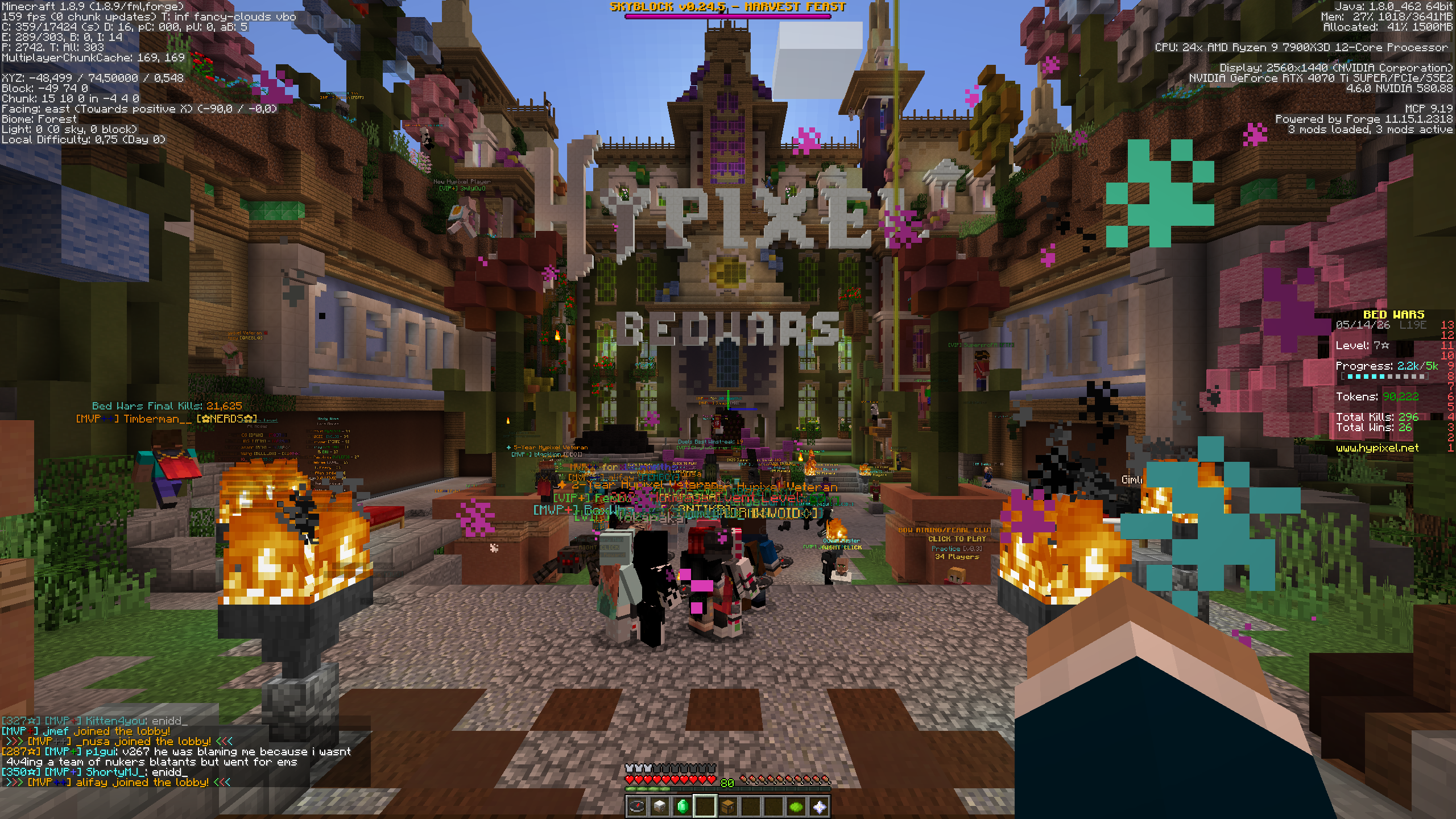
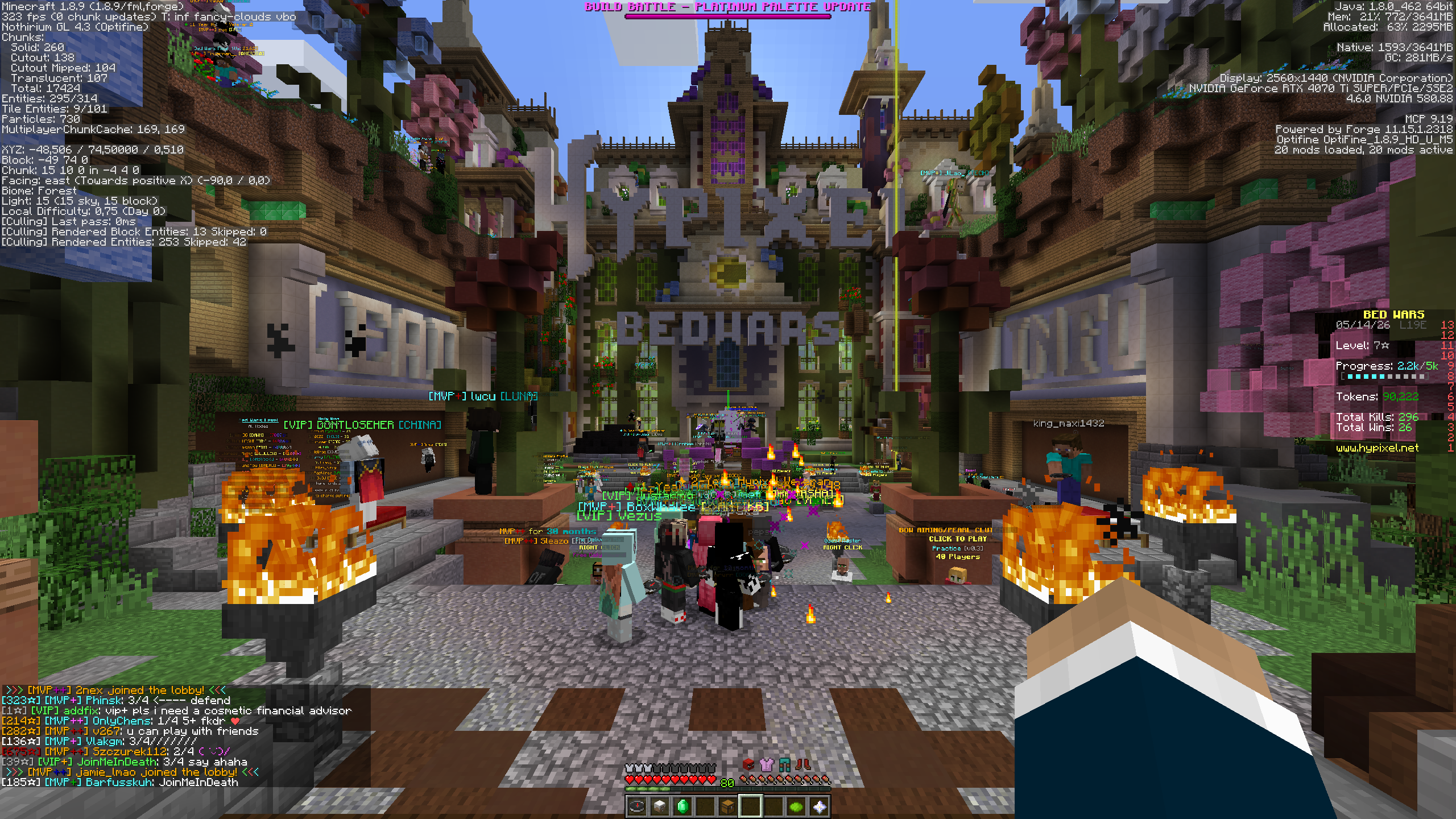
- Test2 : Hypixel’s Bedwars lobby, facing forward, behind the spawn point (right in front of the portal), with the players on (~ 60 people).
⚙️- Modlist
1.8.9 (1.1.0)
ArmorHUD – 1.1
BehindYouV3 – v3.2.2
ConfigurationBackport – 1.1
Controlling – 7.0.0.1
Entity Culling – 1.5.0
FIX MY PINGGGGG – 3.0.0
MixinBooter – 10.7
Model Fix – 0.1.0
Nothirium 1.8.9 port – 0.4.9-beta-1
ParticleCulling 1.8.9 port – 1.4.3.1
PolyPatcher – 1.10.3
PolySprint – 1.0.2
Raw Input – 0.1.8
RenderLib 1.8.9 port – 1.4.5.5
ReplayMod – 2.6.24
1.10.2 (0.2.0)
Apple Skin – 1.0.14
Better Sprinting – 1.1.7
Controlling – 1.0.5
Ping! – 3.0.9
ReplayMod – 2.6.24
1.11.2 (0.1.0)
Apple Skin – 1.0.14
Better Sprinting – 2.3.0
Controlling – 2.0.6
Ping! – 3.0.9
ReplayMod – 2.6.24
1.12.2 (1.0.0)
Apple Skin – 1.0.14
ArmorHUD – 1.1
BehindYouV3 – v3.2.2
Better Biome Blend Continued – V1
Borderless Mining – 0.0.0-1.6.0
Controlling – 3.0
Dypsis – 1.0.0
FIX MY PINGGGGG – 3.2.1
Graphene – 0.2.0
MixinBooter – 10.7
PolyPatcher – 1.10.3
PolySprint – 1.0.2
Raw Input – 0.1.8
Relictium – 1.2.0
ReplayMod – 2.6.24
Surge – 2.0.79
WI Zoom – 1.1
1.13.2 (0.1.0)
Apple Skin – 1.0.14
Better Sprinting – 3.0.0
Controlling – 4.0.1
Modern Mixins – 1.0.1
Tritium – 0.1.0
1.14.4 (0.2.0)
Apple Skin – 1.0.11
Controlling – 1.0.1
Fabric API – 0.28.5
Fast IP Ping – 1.0.11
Gamma Utils (Fullbright) – 1.1.1
LazyDFU – 0.1.2
Mipmaplevel and Language Fix – 1.0.0
Mod Menu – 1.7.17
ReplayMod – 2.6.20
Starlight Legacy – 1.0.1
WI Zoom – 1.2
1.15.2 (0.1.0)
Apple Skin – 1.0.11
Controlling – 1.0.1
Fabric API – 0.28.5
Fast IP Ping – 1.0.11
FastChest – 1.2
Gamma Utils (Fullbright) – 1.2.1
LazyDFU – 0.1.2
Mipmaplevel and Language Fix – 1.0.0
Mod Menu – 1.10.7
ReplayMod – 2.6.20
Sodium 1.15.2 backport (License) – 0.1.1-SNAPSHOT 2020-12-10
Starlight Legacy – 1.0.1
WI Zoom – 1.2
1.16.5 (0.2.1)
Apple Skin – 2.5.1
Better Biome Blend – 1.2.9
Borderless Mining – 1.0.6
Controlling – 1.1.2
Enhanced Block Entities – 0.4
Fabric API – 0.42.0
Fast IP Ping – 1.0.11
FerriteCore – 2.1.1
Gamma Utils (Fullbright) – 1.3.8
ImmediatelyFast Backport – backport
Iris Shaders (deactivated by default) – 1.4.5
Ixeris – 4.4.0
LazyDFU – 0.1.2
Lithium – 0.6.6
Mod Menu – 1.16.23
Phosphor – 0.8.0
Remove Reloading Screen – 1.5.1
ReplayMod – 2.6.20
Smart Particles – 0.65.10
Sodium – 0.2.0
WI Zoom – 1.3
1.17.1 (0.1.0)
Apple Skin – 2.5.1
Better Biome Blend – 1.2.9
Borderless Mining – 1.1.1
Controlling – 8.0.12
Fabric API – 0.46.1
Fast IP Ping – 1.0.11
Gamma Utils (Fullbright) – 1.4.8
Iris Shaders – 1.2.7
Language Reload – 1.2
LazyDFU – 0.1.2
Lithium – 0.7.5
Mod Menu – 2.0.17
ReplayMod – 2.6.20
Sodium – 0.3.4
Starlight (Fabric) – 1.0.0
WI Zoom – 1.3
1.18.2 (0.1.1)
Apple Skin – 2.5.1
Bedrodium – 0.2
Better Mound HUD – 1.1.4
Borderless Mining – 1.1.2
Capes – 1.3.1
Cloth Config API – 6.5.102
Controlling – 9.0+23
Exordium – 1.0.1
Fabric API – 0.77.0
Fabric Language Kotlin – 1.13.11+kotlin.2.3.21
Fast IP Ping – 1.0.11
Fastload – 3.4.0
Gamma Utils (Fullbright) – 1.5.8
ImmediatelyFast – 1.1.12
Iris Shaders (deactivated by default) – 1.6.11
Ixeris – 4.4.0
Language Reload – 1.5.4
LazyDFU – 0.1.2
Mod Menu – 3.2.5
Remove Reloading Screen – 3.1.0
ReplayMod – 2.6.20
Skip Transitions – 1.3.2
Sodium – 0.4.1
Starlight (Fabric) – 1.0.2
Zoomify – 1.6.0+build.2
1.19.4 (0.1.1)
Apple Skin – 2.5.1
AudioShutdown – 2.0
BadOptimizations – 2.1.4
Better Mound HUD – 1.2.1
Borderless Mining – 1.1.7
Capes – 1.5.3
Cloth Config API – 10.1.135
Controlling – 11.1.5
Fabric API – 0.87.2
Fabric Language Kotlin – 1.13.11+kotlin.2.3.21
Fast IP Ping – 1.0.11
Fastload – 3.4.0
Gamma Utils (Fullbright) – 1.6.15
ImmediatelyFast – 1.2.11
Iris Shaders (deactivated by default) – 1.6.11
Ixeris – 4.3.0
Language Reload – 1.6.1
LazyDFU – 0.1.3
Marlow’s Crystal Optimizer – 1.1.0
Mod Menu – 6.3.1
OptiPainting – 1.0.0
Remove Reloading Screen – 3.1.0
ReplayMod – 2.6.20
Searchables – 1.0.3
Sodium – 0.4.10
Sodium/Rubidium Occlusion Culling Fix – 1.2.0
Starlight (Fabric) – 1.1.1
YetAnotherConfigLib (YACL) – 3.1.1
Zoomify – 2.9.4
1.20.6 (0.1.0)
Apple Skin – 3.0.5
Async Logger – 1.1.2
BadOptimizations – 2.4.1
Better Mound HUD – 1.2.3
Better Tab – 2.1.2
Capes – 1.5.4
[Chat Animation [Smooth Chat]](https://modrinth.com/mod/chatanimation) – 1.0.6
Cloth Config API – 14.0.139
Cubes Without Borders – 3.0.0
Delete Narrator – 1.2
Exordium – 1.4.2
Fabric API – 0.100.8
Fabric Language Kotlin – 1.13.11+kotlin.2.3.21
Fast IP Ping – 1.0.11
FerriteCore – 6.1.1
Gamma Utils (Fullbright) – 2.0.1
HCsCR – 2.1.4
ImmediatelyFast – 1.3.0
Iris Shaders (deactivated by default) – 1.7.2
kennytvs-epic-force-close-loading-screen-mod-for-fabric – 2.2.3
Language Reload – 1.7.5
LazyDFU – 0.1.3
Mod Menu – 10.0.0
OptiPainting – 1.0.0
Put A Plus In It! (PAPI) – 1.20.10
Remove Reloading Screen – 4.1.0
ReplayMod – 2.6.23
Signs Faster – 1.0.0
Skip Transitions – 1.4.0
Smart Particles – 00.96.10
Sodium – 0.5.11
YetAnotherConfigLib (YACL) – 3.6.6
Zoomify – 2.15.2
1.21.11 (0.2.0)
Aleskonium – 1.0.3
Apple Skin – 3.0.8
Async Logger – 1.1.2
BadOptimizations – 2.4.1
Better Mound HUD – 1.2.6
Better Tab – 2.1.5
Capes – 1.5.10
Cloth Config API – 21.11.153
Cubes Without Borders – 3.0.0
Exordium – 2.1.1
Fabric API – 0.141.4
Fabric Language Kotlin – 1.13.11+kotlin.2.3.21
Fast IP Ping – 1.0.11
Forge Config API Port – 21.11.1
Gamma Utils (Fullbright) – 2.5.10
ImmediatelyFast – 1.14.2
Iris Shaders (deactivated by default) – 1.10.7
kennytvs-epic-force-close-loading-screen-mod-for-fabric – 2.3.4
Language Reload – 1.7.6
Lomka – 0.2.1
Mercurizer (deactivated by default) – 0.8.12-SNAPSHOT
Mod Menu – 17.0.0
ModernFix-mVUS – 5.26.2
OptiCores – 1.0.8
OptiFrames – 3.1.0
Remove Reloading Screen – 5.1.15
Smart Particles – 1.11.10
Sodium – 0.8.12
ToadLib – 1.4.4
YetAnotherConfigLib (YACL) – 3.8.2
Zoomify – 2.15.2
26.1.2 (0.1.0)
AppleSkin – 3.0.9
Better Block Entities – 1.3.4
Better Mount HUD – 1.3.0
Better Tab – 2.2.1
Capes – 1.5.10
[Chat Animation [Smooth Chat]](https://modrinth.com/mod/chatanimation) – 1.1.3
Cloth Config API – 26.1.154
Disable Narrator – 1.0.0
Exordium – 2.1.1
Fabric API – 0.150.0
Fabric Language Kotlin – 1.13.12
Fast IP Ping – 1.0.11
Gamma Utils (Fullbright) – 3.0.0
ImmediatelyFast – 1.15.2
Iris Shaders (deactivated by default) – 1.10.9
Language Reload – 1.7.6
Lomka – 0.2.1
Mercurizer (deactivated by default) – 0.8.12-SNAPSHOT
Mod Menu – 18.0.0-beta.1
SignalLoss – 1.2.1
Smart Particles – 1.14.10
Sodium – 0.8.12
TxFastLoad – 1.0.0
Windowed Fullscreen – 1.4.1
YetAnotherConfigLib (YACL) – 3.9.3
Zoomify (Zoom) – 2.16.0
26.2 Zenavia (0.1.0)
TBD
包含的模组 27 个
 苹果皮
 Better Block Entities
 Better Mount HUD
 Better Tab
 Capes
 Chat Animation [Smooth Chat]
 Cloth Config API
 Disable Narrator
 Fabric API
 Fabric Language Kotlin
 Fast IP Ping
 Gamma Utils (Fullbright)
 ImmediatelyFast
 Iris Shaders
 kennytvs-epic-force-close-loading-screen-mod-for-fabric
 Language Reload
 Lomka
 Mercurizer
 模组菜单
 Remove Reloading Screen
 SignalLoss
 Smart Particles
 钠
 Windowed Fullscreen
 YetAnotherConfigLib (YACL)
 ZenaviaQoL
 Zoomify (Zoom)
绿色边框的模组本站有收录,点进去看中文介绍;其余跳转到 Modrinth。
常见问题
SPARK – Performance Modpack 支持哪些 Minecraft 版本?
SPARK – Performance Modpack 支持 Minecraft Java 版 1.8.9–26.2,共 16 个版本,可用的加载器:Fabric / Forge。下载时注意选择和你游戏版本一致的文件。
SPARK – Performance Modpack 怎么安装?
点本页「前往下载」拿到整合包文件(Modrinth 的是 .mrpack,CurseForge 的是 .zip),在 PCL2 或 HMCL 启动器里选择「导入整合包」,启动器会自动装好 Minecraft、加载器和全部模组。这个整合包有 27 个模组,建议在启动器里给游戏分配 4–6 GB 内存。
SPARK – Performance Modpack 开服需要多大内存?
推荐服务器内存 12 GB。在线人数多、或者建了大量机器和区块加载器时,可以再加 2–4 GB。
怎么和朋友一起玩 SPARK – Performance Modpack?
点本页的「一键开服」,选好配置后会自动安装 SPARK – Performance Modpack 的服务端,几分钟就能开好。把服务器地址发给朋友,大家用同一个版本的整合包连进去就行。
评论
登录后评论和评分