
截图
介绍
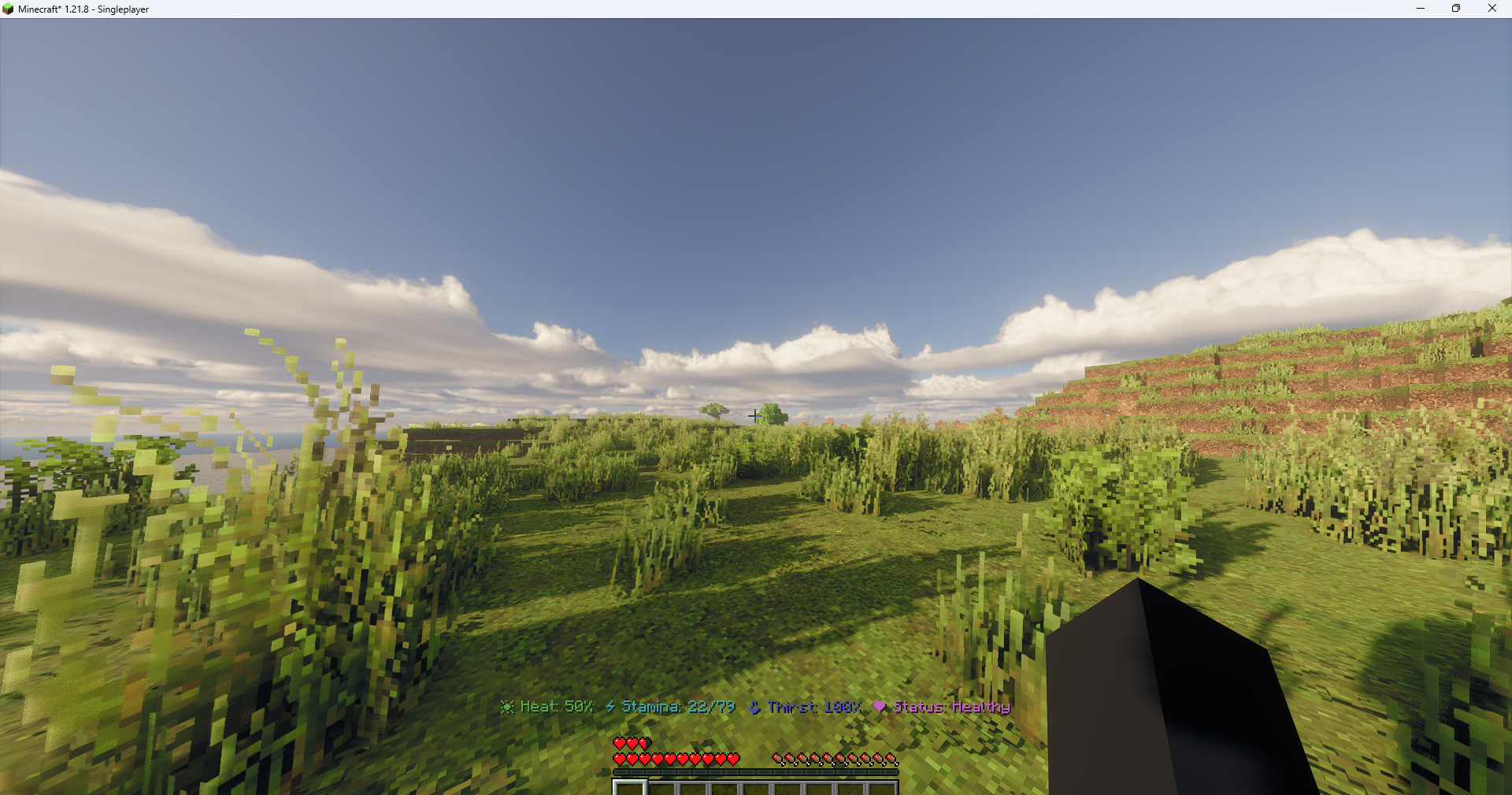
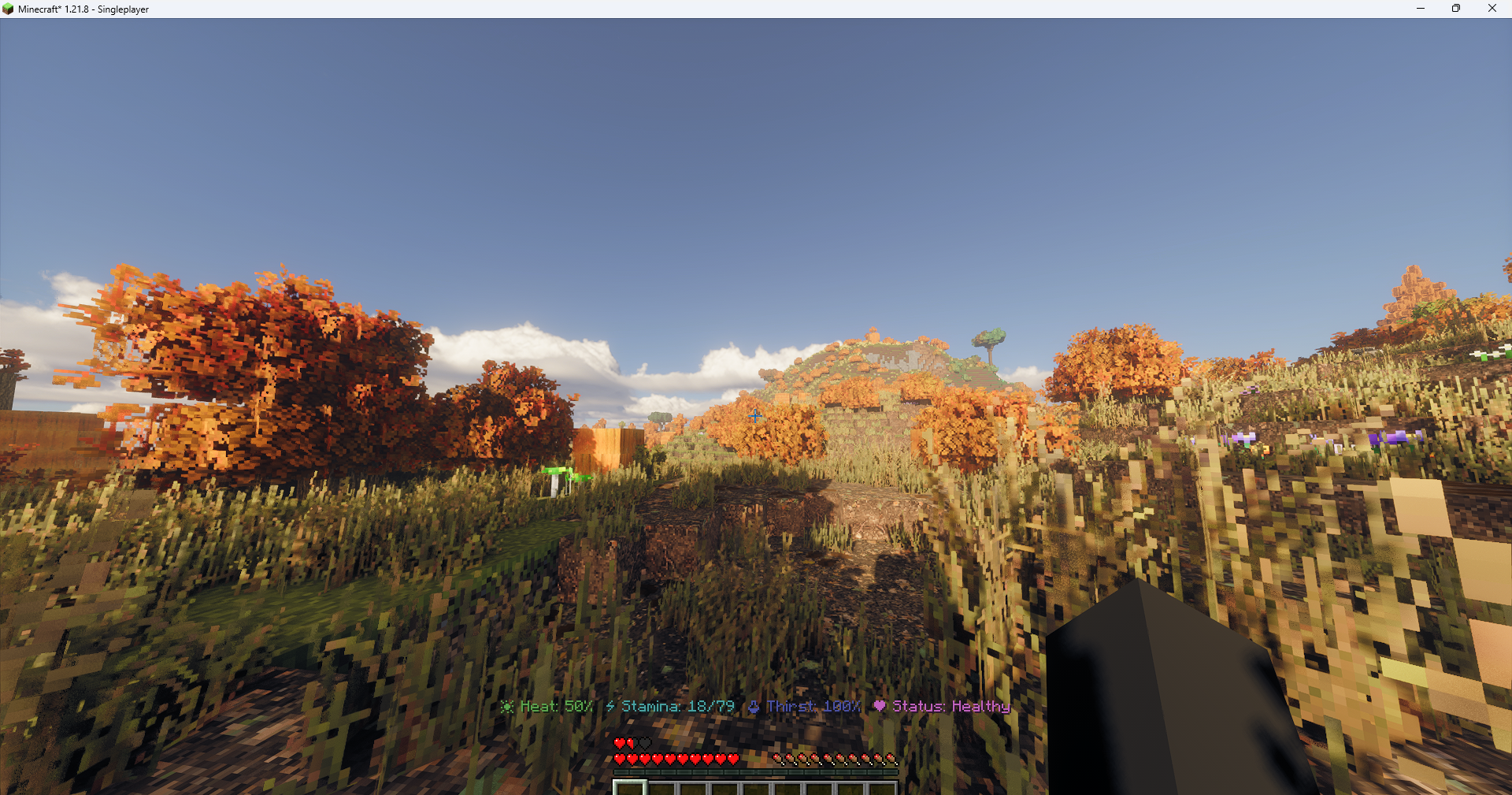
just turn on the shader and every thing in the recource packs, and you have the most realistic expiernce with optimisation mods if your pc isnt the most stronJust turn on the shader and enable all the resource packs, and you’ll instantly unlock the most realistic Minecraft experience possible. Everything is already there — textures, environmental details, sky enhancements, and block improvements — they just need the shader and resource packs active to come alive. Once you do, lighting, shadows, and reflections are fully immersive: water glimmers naturally, leaves sway with realistic shading, and the world feels vibrant and alive in every corner.
Even if your PC isn’t the most powerful, optimisation mods like Sodium, Iris, Lithium, and Entity Culling make sure everything runs smoothly. These mods balance high-end visuals with stable performance, so you can enjoy the fully upgraded world without lag. You won’t need to tweak settings endlessly — just having the shader on and the resource packs enabled transforms the game.
包含的模组 49 个
 [EMF] Entity Model Features
 [ETF] Entity Texture Features
BadOptimizations
 Blur+
 Cloth Config API
 Collective
 Concurrent Chunk Management Engine (Fabric)
 Continuity
 CorgiLib
 Detailed Animations
 Dramatic Skys
 Dynamic FPS
 实体剔除
 Fabric API
 Fabric Language Kotlin
 Falling Leaves
 FerriteCore
 Geckolib
 Icons
 Ignited
 Iris Shaders
 KryptonReno's Fabric Patcher
 锂
 模组菜单
 Oh The Biomes We've Gone
 Oh The Trees You'll Grow
 Overly Realistic
 oωo (owo-lib)
 Patrix 32x
 Pride!
 Real Camera
 Realistic Bees
 Realistic Clocks 3D
 Realistic Farmland
 Realistic Health
 Realistic Mace 3D
 Realistic Rowing
 Realistic Sun & Moon
 Realistic Sun and Moon
 Realistic Weight
展开全部 49 个







绿色边框的模组本站有收录,点进去看中文介绍;其余跳转到 Modrinth。
常见问题
ultra realism 支持哪些 Minecraft 版本?
ultra realism 基于 Minecraft Java 版 1.21.8,使用 Fabric 加载器。
ultra realism 怎么安装?
点本页「前往下载」拿到整合包文件(Modrinth 的是 .mrpack,CurseForge 的是 .zip),在 PCL2 或 HMCL 启动器里选择「导入整合包」,启动器会自动装好 Minecraft、加载器和全部模组。这个整合包有 49 个模组,建议在启动器里给游戏分配 4–6 GB 内存。
ultra realism 开服需要多大内存?
推荐服务器内存 12 GB。在线人数多、或者建了大量机器和区块加载器时,可以再加 2–4 GB。
怎么和朋友一起玩 ultra realism?
点本页的「一键开服」,选好配置后会自动安装 ultra realism 的服务端,几分钟就能开好。把服务器地址发给朋友,大家用同一个版本的整合包连进去就行。
Edotzip 的其他作品
查看全部 →
every shader possible
every shader on modrinth, with the iris shader addon

among us in mc
modpack that adds among us to mc

gambling and casino
brings gambling and a casino to minecraft
gambling and casino
brings gambling and a casino to minecraft
评论
登录后评论和评分