
Client Enhancements
More FPS, fewer vanilla bugs, optional shaders. A light Fabric pack for 26.3 that only changes your client, so it works on any server, vanilla ones too.
截图


介绍
Client Enhancements
More FPS, fewer bugs, same Minecraft. Works on any server.
Client Enhancements is a small Fabric modpack for Minecraft 26.3 that makes the game run faster and smoother. Every mod
runs on your side only, so you can join any server with it, vanilla servers included, and play singleplayer as normal.
Nothing changes how the game plays.
Faster
- Sodium: a much faster renderer, the biggest FPS boost in the pack.
- Lithium: faster game logic in singleplayer worlds.
- FerriteCore: uses less memory.
- Entity Culling and More Culling: skip drawing mobs, chests, block faces and leaves you cannot see.
- ImmediatelyFast: faster menus, text, maps and items.
- BadOptimizations: lots of small speedups.
- Dynamic FPS: drops to 15 FPS while the game is in the background, so your PC stays cool and quiet.
- Language Reload: a faster start and instant language switching.
Fixes
- Debugify: fixes many vanilla bugs.
- Packet Fixer: no more “packet too big” or timeout kicks on busy servers.
- No Chat Reports: no chat signing or report prompts. On a server that needs signing, it asks you first.
Looks (all optional)
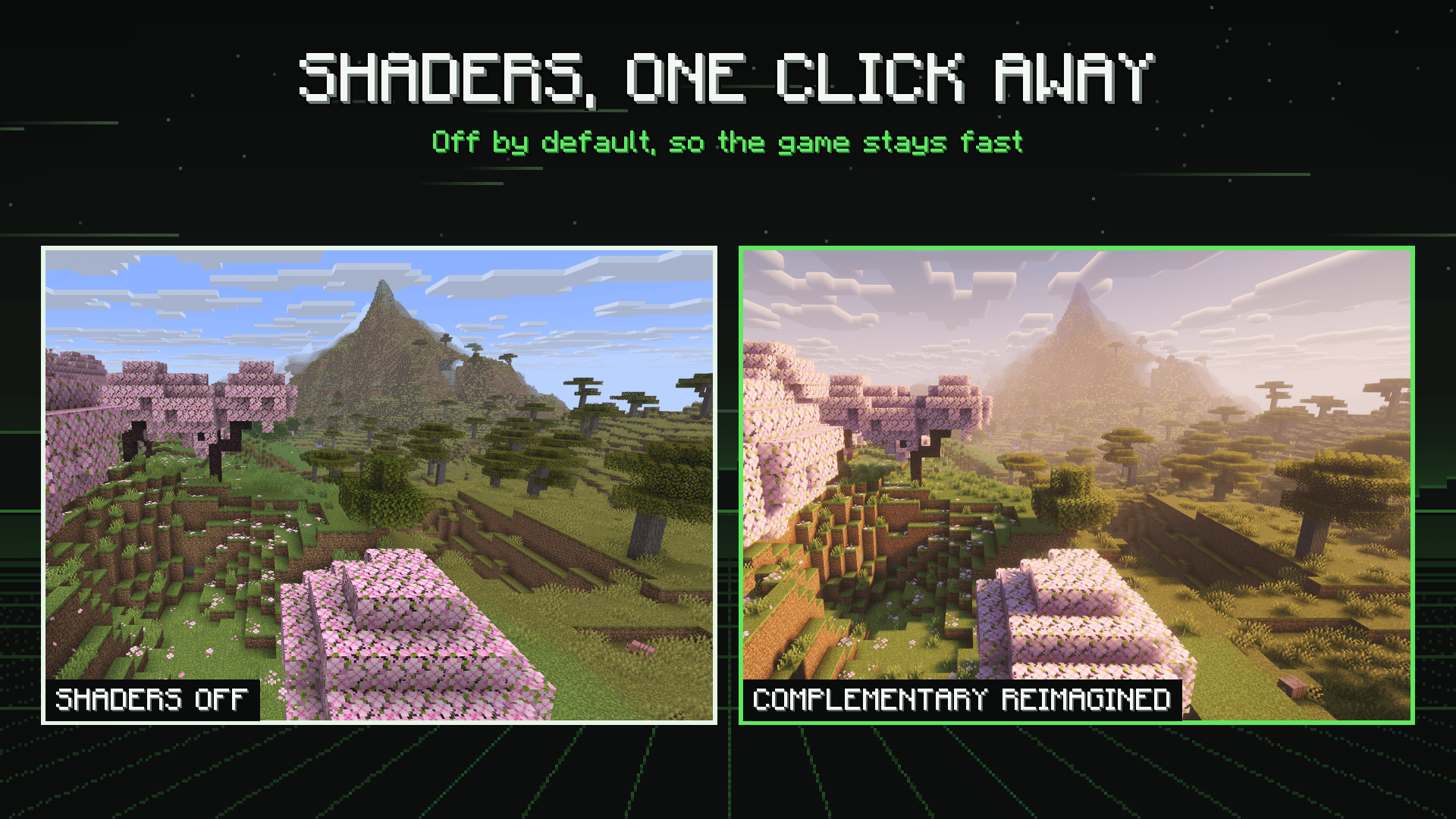
- Iris Shaders with Complementary Reimagined and Complementary Unbound ready to pick. Off until you turn
them on: Options, Video Settings, Shader Packs. - Low On Fire (on): the fire on your screen sits lower, so you can still see while burning.
- Faithful 32x and Better Leaves (off): sharper textures and bushier leaves, one click away in Resource Packs.
- 3D Skin Layers: the outer layer of player skins in 3D.
- Chat Heads: player faces next to their chat messages.
- Screenshot Compression: smaller screenshot files, same picture.
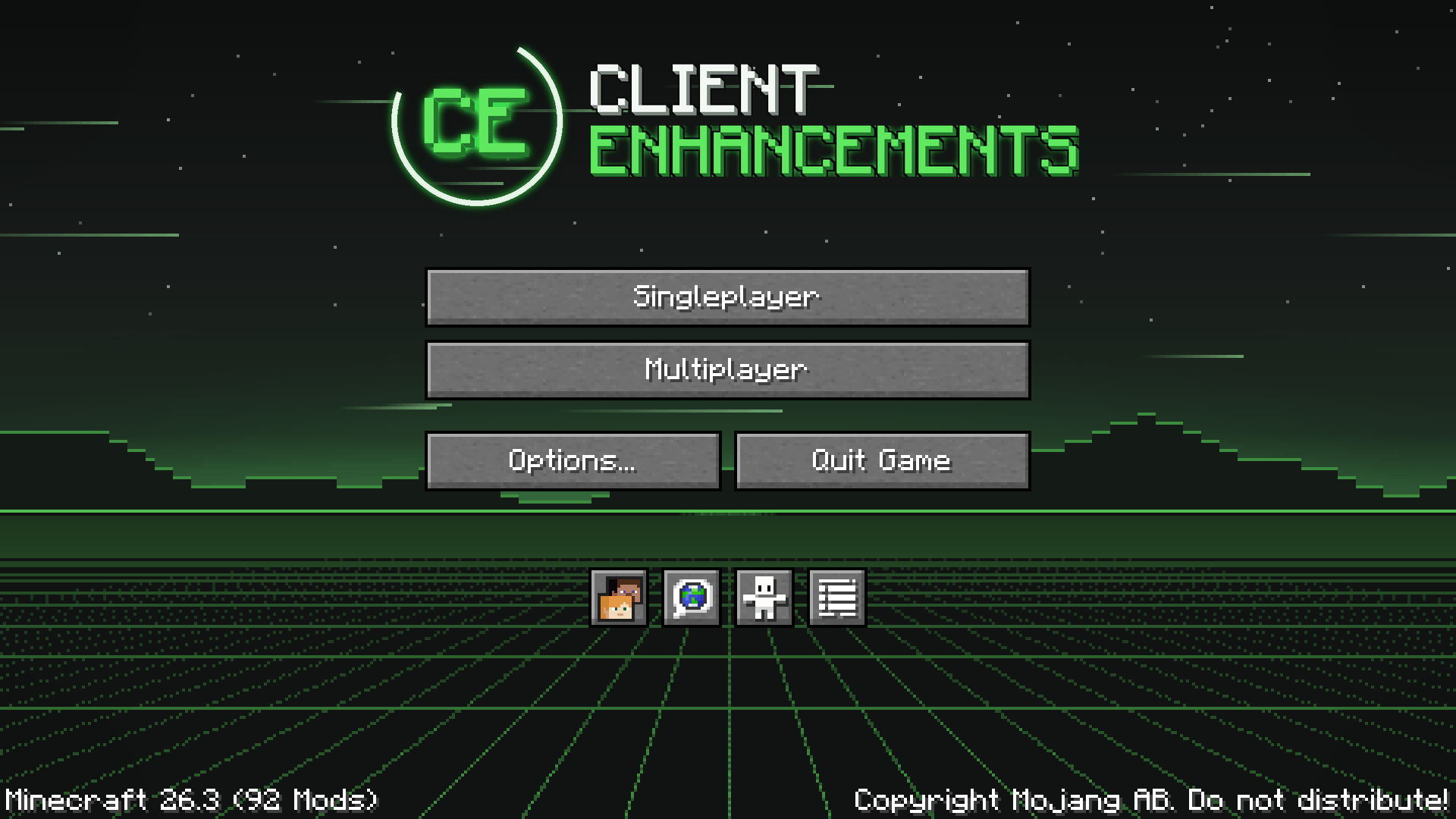
A clean main menu
- The pack has its own main menu: a dark green night scene with the CE logo and tidy buttons.
- It is two still pictures, so it opens as fast as the vanilla one.
Settings
- Sodium Extra and Reese’s Sodium Options: a tidy video settings screen with extra switches for fog,
animations, particles and weather. - Mod Menu: a Mods button to see and change each mod’s settings.
- New installs start with balanced settings: render distance 10, VSync on, clouds fast. After that the pack never
resets your settings, not even when it updates.
Safe on any server
- Every mod is client-side. The server does not need anything installed.
- No full bright, no minimap radar, no x-ray, no auto clickers: nothing that gives you an edge over other players.
- Servers still have their own rules. If a server lists allowed mods, check it before you join.
How to install
- Install the CurseForge app.
- Search for Client Enhancements in the Minecraft modpacks and click Install.
- Press Play. The app sets up Minecraft 26.3, Fabric and Java 25 for you.
Needs Minecraft: Java Edition 26.3. 4 GB of memory is plenty (the app’s default is fine).
FAQ
Where did JEI, JourneyMap, Jade and the other helpers go?
Version 2.0.0 made this pack about speed and fixes only. The helpers now live in my other pack,
Needed Essentials, which also runs on any server.
Can I add my own mods?
Yes. Fabric mods for 26.3 drop straight in. Avoid other renderers (like Embeddium or OptiFine), they clash with Sodium.
My shader looks dark or slow.
Shaders need a good graphics card. Turn them off with the K key, or pick Complementary Reimagined, which is the lighter one.
Does it work on NeoForge or older Minecraft versions?
2.0.0 is for Minecraft 26.3 with Fabric. Older files (1.0.7 for 1.21.10) are still in the Files tab.
Feedback and bugs
Found a bug, a crash or something that looks wrong? Leave a comment on this page with the version you play and what happened. A crash log or screenshot helps a lot. Ideas and feedback are welcome too.
Permissions
- You can use the pack’s configs and layout as a starting point for your own free pack, as long as you credit Client
Enhancements and link to this page. - Videos, streams and reviews are welcome.
- Every mod, shader and texture pack belongs to its author and is downloaded from their own CurseForge page. Their own
licences apply. - Please don’t re-upload this pack or make money from it without asking first.
Advert
This is an ad. JustJosh99 makes this modpack and also runs Swift Web Design.

Your game just got faster. Is your website keeping up? Swift Web Design builds websites that load fast, look clean and work on any screen. Visit Swift Web Design
常见问题
Client Enhancements 支持哪些 Minecraft 版本?
Client Enhancements 支持 Minecraft Java 版 1.19.3–26.3,共 6 个版本,可用的加载器:Fabric。下载时注意选择和你游戏版本一致的文件。
Client Enhancements 怎么安装?
点本页「前往下载」拿到整合包文件(Modrinth 的是 .mrpack,CurseForge 的是 .zip),在 PCL2 或 HMCL 启动器里选择「导入整合包」,启动器会自动装好 Minecraft、加载器和全部模组。建议在启动器里给游戏分配 4–6 GB 内存。
Client Enhancements 开服需要多大内存?
推荐服务器内存 12 GB。在线人数多、或者建了大量机器和区块加载器时,可以再加 2–4 GB。
怎么和朋友一起玩 Client Enhancements?
点本页的「一键开服」,选好配置后会自动安装 Client Enhancements 的服务端,几分钟就能开好。把服务器地址发给朋友,大家用同一个版本的整合包连进去就行。
JustJosh99 的其他作品
查看全部 →
! 0verHaul !
面向 1.21.1 的大型全家桶整合包:340 个科技、魔法、地牢和维度模组,并配有引导你了解大型模组的任务。

Needed Essentials
The mods I always install: minimap, recipe viewer, zoom, inventory sorting, tooltips and performance. Client side only, works on any server.

Village Standing
Villagers remember you. Earn ranks, take bounty board jobs, and see villagers and iron golems react to your standing.

WorldLedger
A survival journal that writes itself and keeps a picture of each big moment: new places, firsts, deaths and builds.
评论
登录后评论和评分