
介绍
Access your abilities
This modpack was made with mostly mobility and visual accessibility in mind, as it’s designed around the problems I personally encounter, lol
Mods
- AMECS: Adds more keybind options
- Apple skin: Gives a visualization of what foods give what saturation. Removes the constant need to remember saturation levels
- Augmented autojump: Makes autojump go a full jump, and makes it generally more useful
- Autofish: Re-Casts fishing rod when a fish is caught
- Autotools: Configurable automatic tool switching
- Betteradvancements Fabric: Larger advancements UI
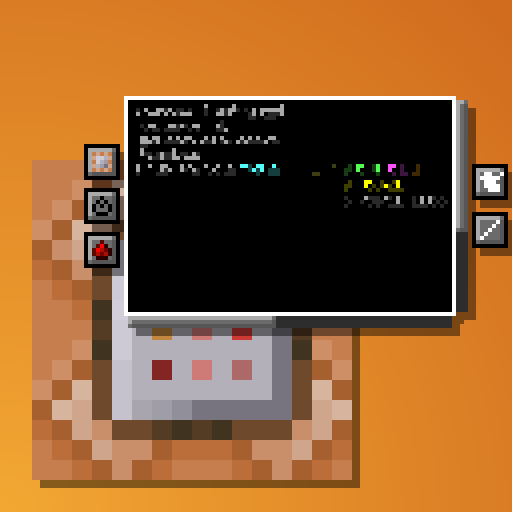
- Bettercommandblockui: Easier to use and read user interface for command blocks
- Betterf3: Configurable debug screen information
- Betterhandbobbing: Ability to allow hand bobbing without head bobbing
- Better Sign Edit: Changes editing signs to require crouch-interact instead of just interacting
- Better stats: Options for sorting stats and easier navigation through statistics
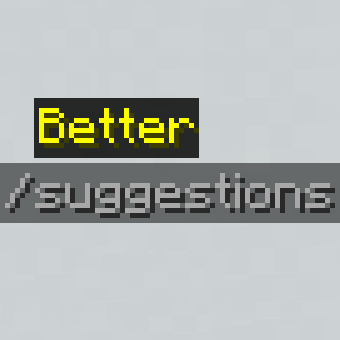
- Better Suggestions: Shows suggestions if they contain the word typed, not just if they start with the word typed
- Caxton: Makes text sharper and easier to read
- Chat heads: Puts an icon of someone’s head next to their chat, makes it easier to tell who is talking
- Clickthrough: Allows opening containers through item frames and signs
- Containersearcher: Search and locate items from containers
- Craftingtweaks: Spread items, compact items, similar quality of life crafting tweaks
- Deathlog: Detailed logs on where you died, what you had
- Distinguishedpotions: Makes potions more distinguishable, adding icons for time and intensity
- Don’t mine it: Allows you to make a blacklist of blocks you do not want to mine, and put requirements on what tools you want to be able to mine a block with
- Draggable Lists: Allows resource packs and datapacks to be dragged instead of needing to click the arrow button
- Dynamic crosshair: Extremely configurable crosshair
- Dynamic FPS: Caps FPS when you’re tabbed out of the game
- Emi: Viewer of all items and crafting recipes
- Emi Loot: Viewer of loot tables
- Emoji Type: Ability to type emojis in game
- Gamma utils: Configurable gamma levels, allows for changing the brightness past the highest vanilla setting, but still having control below going to fullbright levels
- Hithoverbox:
- Idwtialsimmoedm: Explanations on what different enchantments do
- Jade: Information on the block or entity you’re looking at
- Lighty: Light information overlay
- Model fix: Fixes gap on the edge of models
- More Chat History: Allows for scrolling back in chat history way farther
- More mouse keybinds: Gives the ability to hold right/left click, or periodically use/attack
- Mouse wheelie: Sorting and item movement options
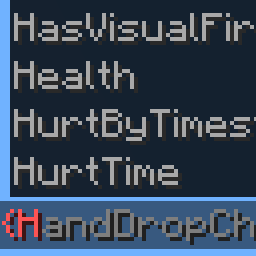
- Nbtac Fabric: Autocomplete nbt in commands
- Nbttooltips: Show information about an item’s nbt
- Nmuk: Allow more things to be rebound, like the escape key
- Nostrip: Ability to stop yourself from stripping logs when you don’t want to
- Notifmod: Configurable notifications for in-game or chat events
- Pickupnotifications: Notifications for items that are picked up
- Random block placement: Allows placing blocks randomly
- Screenshot To Clipboard: Screenshots are automatically added to the clipboard
- Shulker box tooltip: Gives a visual display of what’s in a shulker box instead of a written one
- Smooth swapping: Makes the animation for items being removed from/placed into containers – smoother
- Sodium: More visual options, optimization
- Sodium extra: Particle options, disabling specific particles
- Soundsbegone: Ability to silence very specific sounds
- Spark: Performance profiler
- Stackdeobfuscator: Makes log errors make more sense for developers
- Stack To Nearby Chests: Allows stacking items that will fit in a stack to nearby chests
- Stats search: Lets you search your statistics
- Subtitle Highlight: Different subtitles types have different colors
- Visibletogglesprint: Configurable visual notification on toggle setting
- Vt Downloader: Downloader for Vanilla Tweaks resource packs
- World Edit CUI: Gives a visual display of your world edit selection
- Zoomify: Configurable zoom options
包含的模组 68 个,另有 1 个其他文件
 Amecs
 苹果皮
 Augmented Autojump
 Auto-Run
 AutoTools
 Balm
 Better Advancements
 Better Command Block UI
 Better Sign Edit
 Better Statistics Screen
 Better Suggestions
 BetterF3
 BetterHandBobbing
 Caxton
 Chat Heads
 ClickThrough
 Cloth Config API
 ContainerSearcher
 Crafting Tweaks
 DeathLog
 Distinct Potions
 Don't Mine It
 Draggable Lists
 Dynamic Crosshair
 Dynamic FPS
 EMI
 EMI Loot
 Emoji Type
 Fabric API
 Fabric Language Kotlin
 Forge Config API Port
 Gamma Utils (Fullbright)
 HitHoverBox
 Idwtialsimmoedm
 Jade 🔍
 Lighty
 MidnightLib
 模组菜单
 Model Gap Fix
 More Chat History
展开全部 68 个
 MoreMouseKeybinds
 Mouse Wheelie
 NBT Autocomplete
 NBTtooltips
 No More Useless Keys - NMUK
 No Strip
 NotifMod
 oωo (owo-lib)
 Pickup Notifications
 Puzzles Lib
 RandomBlockPlacement
 Reese's Sodium Options
 Screenshot to Clipboard
 Shulker Box Tooltip
 Smooth Swapping
 钠
 Sodium Extra
 Sounds Be Gone!
 spark
 Stack to Nearby Chests
 StackDeobfuscator
StatsSearch
 Visible Toggle Sprint
 VTDownloader
 XPlus Autofish (Fabric / Forge / NeoForge)
 YetAnotherConfigLib (YACL)
 Zoomify (Zoom)
 字幕高亮
绿色边框的模组本站有收录,点进去看中文介绍;其余跳转到 Modrinth。
常见问题
Access your abilities 支持哪些 Minecraft 版本?
Access your abilities 支持 Minecraft Java 版 1.19.2–1.20.1,共 4 个版本,可用的加载器:Fabric / Quilt。下载时注意选择和你游戏版本一致的文件。
Access your abilities 怎么安装?
点本页「前往下载」拿到整合包文件(Modrinth 的是 .mrpack,CurseForge 的是 .zip),在 PCL2 或 HMCL 启动器里选择「导入整合包」,启动器会自动装好 Minecraft、加载器和全部模组。这个整合包有 68 个模组,建议在启动器里给游戏分配 4–6 GB 内存。
Access your abilities 开服需要多大内存?
推荐服务器内存 12 GB。在线人数多、或者建了大量机器和区块加载器时,可以再加 2–4 GB。
怎么和朋友一起玩 Access your abilities?
点本页的「一键开服」,选好配置后会自动安装 Access your abilities 的服务端,几分钟就能开好。把服务器地址发给朋友,大家用同一个版本的整合包连进去就行。
Simplexity 的其他作品
查看全部 →
Sus Sand
Gives Suspicious sand and Gravel a more 'sus' look
LocalizedFishingTables
Biome specific fishing loot

Piglins Guard Everything
Piglins guard everything. You better be ready to fight them off.

High Contrast Extended
An extension of the new high contrast pack that Mojang has started to add to the recent snapshots
评论
登录后评论和评分