
截图



介绍
中文介绍正在准备中,下面暂时显示原文。
SansrusMod
A client-side Minecraft mod that adds various quality-of-life improvements to enhance your gameplay experience.
Features
Death Management
- Death Waypoints – Automatically creates a clickable message in chat with death coordinates. Click to create a waypoint in Xaero’s Minimap
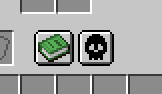
- Death History – Saves a snapshot of your inventory at the moment of death, including date and time
Inventory & Items
- Shift Drag Items – Hold Shift and drag your mouse over slots to quickly transfer items
- Ctrl Drop All – Hold Ctrl while dropping an item to drop all items of that type from your inventory
- Stack Highlighting – Highlights inventory slots containing the same items
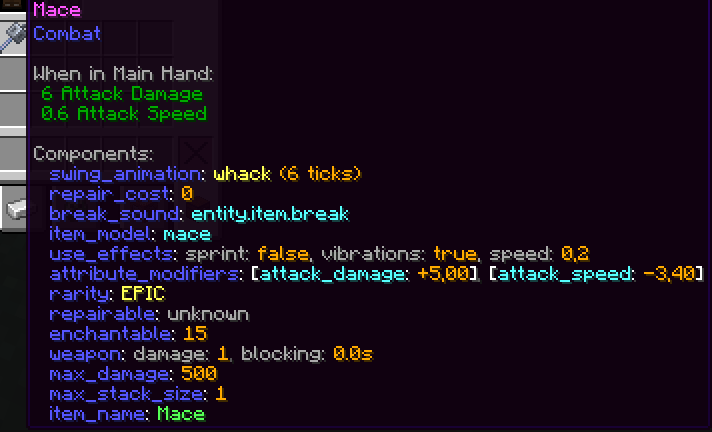
- Item Tooltip Components – Displays item components in tooltips for debugging
Chat Features
- Copy Chat Messages – Shift + click on a chat message to copy it to clipboard
- Cyrillic Commands – Type commands in Russian layout – they automatically convert to Latin
- Coordinate Parser – Parses coordinates from chat and creates Xaero waypoints on click
- Anti-spam – Groups identical chat messages together
Books
- Book Page Hold – Hold the page turn button to automatically flip through pages
- Book Scroll Speed – Adjustable speed for automatic page turning (1-40)
UI & Display
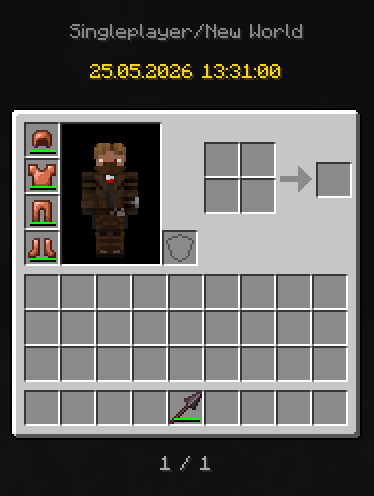
- Armor Bar Display – Shows armor slots in hotbar (configurable: off, timed, or always)
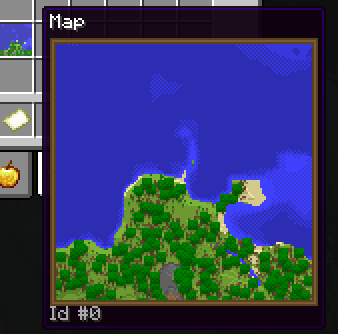
- Map Tooltip – Preview maps in their tooltip without needing to hold them
Gameplay
- Disable RMB Cooldown – Removes the internal right-click cooldown when holding for more than 20 ticks
- Protect Villagers – Prevents accidentally attacking villagers
- Elytra Feature – Renders elytra on chestplates that have the
glidertag - Disable Nausea Vignette – Removes the nausea vignette effect (use if experiencing black screen with nausea effect)
Configuration
Access the configuration menu through ModMenu in-game. All features can be individually enabled or disabled.
License
All Rights Reserved
常见问题
SansrusMod 支持哪些 Minecraft 版本?
SansrusMod 支持 Minecraft Java 版 26.1–26.3,共 5 个版本,可用的加载器:Fabric。下载时注意选择和你游戏版本一致的文件。
SansrusMod 怎么安装?
先用 PCL2 或 HMCL 启动器安装对应版本的 Fabric,再把下载的 .jar 文件放进游戏目录的 mods 文件夹,重新启动游戏即可。开启了版本隔离的,mods 文件夹在 versions/版本名 下面。运行环境:仅客户端。
Sansrus 的其他作品
查看全部 →
BetterHead Chat
by Sansrus
Displays chat messages above players' heads. Supports vanilla chat, whispers, and configurable /tellraw patterns.
2,289
1 个月前
Modrinth

Shadow Items Mod
by Sansrus
This mod returns shadow items to the game
362
9 个月前
Modrinth

Bigger Every Kill
by Sansrus
+0.05 size to all mobs for every mob killed by a player
50
1 个月前
Modrinth

Everything Clings
by Sansrus
Everything within 40 blocks is pulled toward the nearest player
35
1 个月前
Modrinth
评论
登录后评论和评分