
Entity Hover Information
Shows hovered entity name, health, and armor in the top-left HUD with vanilla-style icons and configurable range.
截图


介绍
Entity Hover Information
Entity Hover Information is a lightweight client-side NeoForge mod for Minecraft 1.21.1 that shows useful details about the living entity.
Features
- Shows the hovered entity or mob name in the top-left corner.
- Shows current and max health using Minecraft’s vanilla heart HUD icon.
- Shows armor only when the entity has armor greater than 0.
- Hides health and armor values when they are not greater than 0.
- Keeps the last hovered entity information visible for 3 seconds after looking away.
- Uses a clean HUD layout with no background panel.
- Respects blocks between you and the entity, so information is not shown through walls.
- Uses a configurable default range of 64 blocks.
Configuration
The hover range can be changed in the client config file:
config/entity_hover_information-client.toml
Default Config
hoverRange = 64.0
常见问题
Entity Hover Information 支持哪些 Minecraft 版本?
Entity Hover Information 支持 Minecraft Java 版 1.20.1–1.21.11,共 17 个版本,可用的加载器:Forge / NeoForge。下载时注意选择和你游戏版本一致的文件。
Entity Hover Information 怎么安装?
先用 PCL2 或 HMCL 启动器安装对应版本的 Forge / NeoForge,再把下载的 .jar 文件放进游戏目录的 mods 文件夹,重新启动游戏即可。开启了版本隔离的,mods 文件夹在 versions/版本名 下面。运行环境:仅客户端。
Luc1fer1o 的其他作品
查看全部 →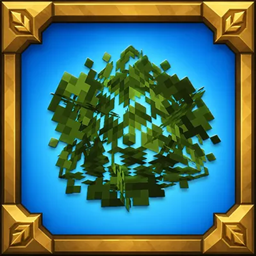
Way Better Leaves
Way Better Leaves is a client-side mod. It automatically gives vanilla and modded leaf blocks external X-shaped leaf panels using each block model's own leaf texture.

Crosshair Damage Indicator
Client-side NeoForge QoL mod that shows clean white damage numbers below your crosshair when your attacks, projectiles, or abilities damage nearby targets.

Accurate Fast Block Placement
Client-side NeoForge 1.21.1 mod that makes held right-click block placement faster and more accurate by timing placement attempts as your crosshair moves.
Accurate Fast Block Placement
Client-side NeoForge 1.21.1 mod that makes held right-click block placement faster and more accurate by timing placement attempts as your crosshair moves.
评论
登录后评论和评分