Ethereal Reborn
Ethereal Reborn is a fantasy shader pack for Minecraft Java Edition
截图
介绍
Ethereal Reborn
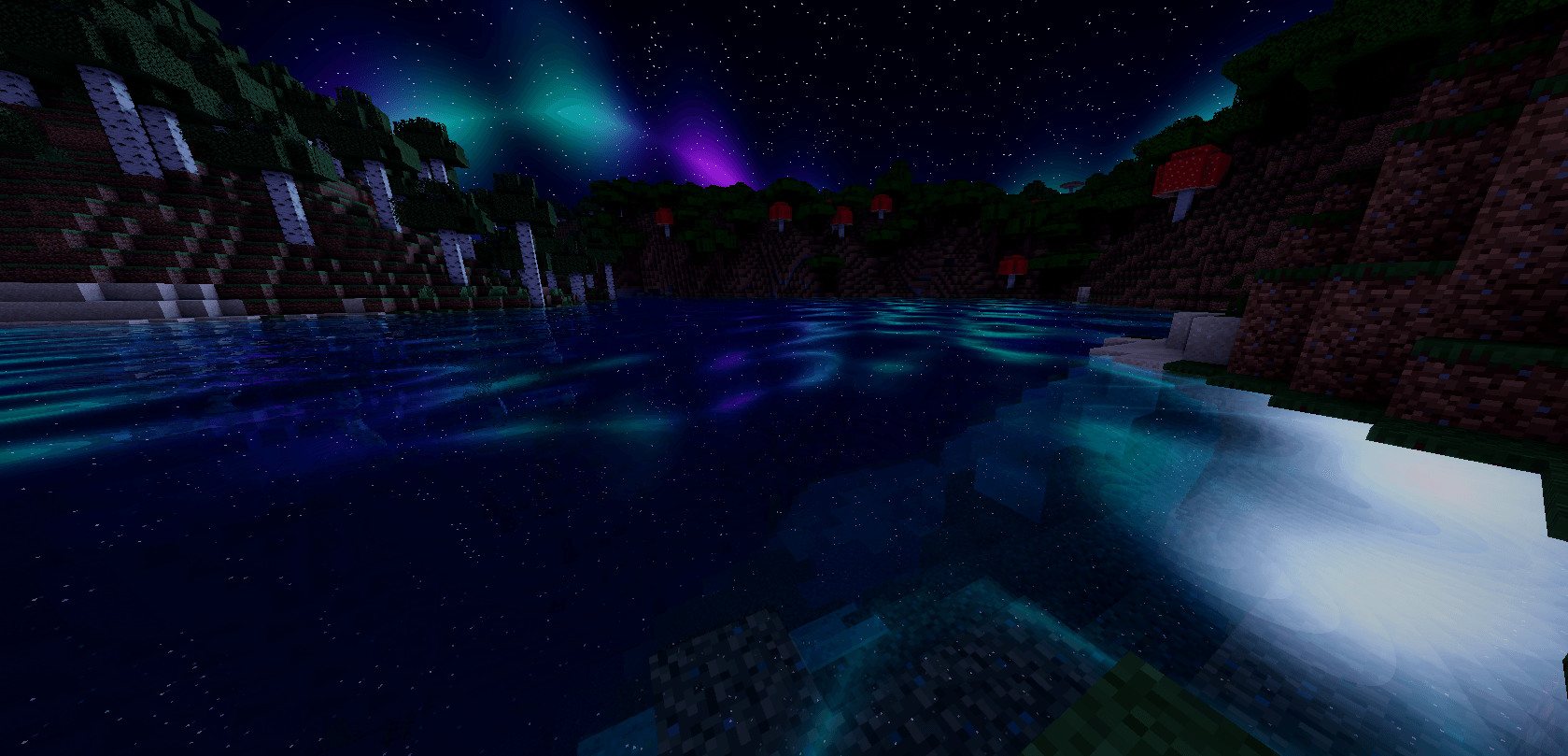
Ethereal Reborn is a fantasy shader pack for Minecraft Java Edition, with animated water, reflective lakes, stars, nebulae, and aurora. This is the full edition, including shadows, ambient occlusion, bloom, and foliage animation.
Features
- Sun and moon shadows with soft shadow filtering.
- Water with procedural waves, refraction, depth absorption, and shallow-water light patterns.
- Fresnel and screen-space water reflections. Reflections use visible geometry; scenery outside the screen is supplemented by sky reflections.
- A fantasy night sky with stars, nebulae, and moving aurora.
- Screen-space ambient occlusion, bloom, cinematic tone mapping, color grading, and vignette.
- Waving grass and leaves. Bamboo and sugar cane stay still.
- Japanese and English shader option labels.
Profiles
- BALANCED: 24-step water reflections and reduced post-processing strengths.
- CINEMATIC: the default profile, with 48-step reflections and stronger fantasy effects.
- EXTREME: 64-step reflections and stronger ambient occlusion, bloom, and aurora.
This full edition prioritizes visual effects. Performance depends on GPU, resolution, render distance, and selected profile.
Installation
- Install a compatible Iris or OptiFine setup for your Minecraft version.
- Place Ethereal-Reborn-1.0.0.zip in that Minecraft instance’s shaderpacks folder. Keep the ZIP compressed.
- Select the pack in the shader settings. Start with CINEMATIC, or use BALANCED to reduce effect costs.
The full shader programs were run on Minecraft 1.20.4 with OptiFine HD U I7. The pack uses the Iris/OptiFine shader format; other Minecraft versions and Iris setups have not been independently verified for this listing. It is for Java Edition.
Links and license
MIT license.
常见问题
Ethereal Reborn 支持哪些 Minecraft 版本?
Ethereal Reborn 支持 Minecraft Java 版 1.20.1–1.21,共 2 个版本,可用的加载器:Canvas / Iris / OptiFine。下载时注意选择和你游戏版本一致的文件。
Ethereal Reborn 怎么安装?
光影需要先装 Canvas / Iris / OptiFine。把下载的 .zip 文件(不用解压)放进游戏目录的 shaderpacks 文件夹,进游戏后在「选项 → 视频设置 → 光影包」里选中它。光影对显卡要求较高,卡顿可以调低光影设置或渲染距离。
评论
登录后评论和评分