Enchant Upgrades
Choose enchantments and upgrade them one level at a time using materials and experience instead of random table rolls.
介绍
Enchant Upgrades
Choose your enchantments and build them up one level at a time. Enchant Upgrades replaces the enchanting table’s random rolls with upgrades paid for using materials and experience levels.
Requirements
- Minecraft Java Edition 1.20.1
- Forge 47.4.10 or newer within the 47.x series
- Java 17
- Install on both the server and every client for multiplayer
No additional library mods are required. This release is for Forge; Fabric, NeoForge, and Bedrock Edition are not supported.
Using the table
Right-click an enchanting table. Put equipment or a book in the gear slot and the required material in the material slot. Choose an enchantment from the list and click Upgrade.
The screen shows the current and next levels, material quantity, XP level cost, and required bookshelf power. Inserting a material selects a matching enchantment automatically. Use the page arrows or scroll over the list to see more options, and Shift-click to transfer items.
If an upgrade is blocked, hover over its row or the Upgrade button to see the reason. Hover over the material icon to see the required material’s name.
Features
- All 37 non-curse vanilla enchantments, including Mending, Soul Speed, and Swift Sneak.
- Equipment, regular books, and enchanted books can be upgraded.
- Upgrades preserve damage, names, and other enchantments.
- Vanilla enchantment incompatibilities and maximum levels are enforced.
- Each higher level costs more materials and experience. Higher tiers also need bookshelves.
- Every upgrade is checked on the server. Failed upgrades consume nothing.
- Closing the screen returns equipment and unused materials; items that do not fit are dropped.
- Japanese and English interfaces. Vanilla item and enchantment names follow your game’s language.
- Creative mode waives material and XP costs; bookshelf, compatibility, and maximum-level requirements remain.
Villager trades, loot, anvils, and grindstones continue to work normally. The replacement applies to the enchanting table.
Example: Sharpness
XP costs are experience levels, not individual experience points. Each row is the cost paid for that step.
| Upgrade | Blaze rods | XP levels | Bookshelf power |
|---|---|---|---|
| None to I | 1 | 3 | 0 |
| I to II | 2 | 6 | 3 |
| II to III | 3 | 12 | 6 |
| III to IV | 4 | 21 | 9 |
| IV to V | 5 | 33 | 12 |
Mending requires two echo shards, 30 experience levels, and 15 bookshelf power. Bookshelves need the normal enchanting-table arrangement and a clear gap to the table. Modded bookshelf power is also counted, up to 15.
Data-pack customization
Recipes define each enchantment’s material and costs. You can override files such as data/enchant_upgrades/recipes/sharpness.json with a data pack using pack format 15.
{
  "type": "enchant_upgrades:upgrade",
  "enchantment": "minecraft:sharpness",
  "material": { "item": "minecraft:blaze_rod" },
  "base_material": 1,
  "material_step": 1,
  "base_levels": 3,
  "level_step": 3,
  "base_shelves": 0,
  "shelf_step": 3
}
For target level L, the material cost is base_material + material_step * (L - 1), the XP level cost is base_levels + level_step * L * (L - 1) / 2, and the bookshelf requirement is min(15, base_shelves + shelf_step * (L - 1)).
Material costs must fit in one stack. Recipes may use item tags. To support another mod’s enchantment, add a recipe referencing its registered enchantment ID. Extra enchantments are not added automatically. Use /reload or reopen the world to apply changes.
Installation and support
Place enchant_upgrades-1.0.0.jar in your Forge profile’s mods folder, then launch the game. Install the same version on the server and clients.
- English documentation
- Japanese documentation and full material list
- Source code
- Issue tracker
- Actual in-game screenshot, Japanese interface
Original mod code is licensed under MIT. Version 1.0.0 passed eight Minecraft GameTests and an actual Japanese client/server upgrade test on Forge 47.4.10 / Java 17. Other mod combinations have not been tested.
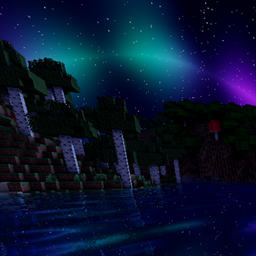
Development disclosure: the implementation, translations, and listing copy were created with generative AI from the author’s requested design. The preview is an actual Minecraft screenshot, not a generated depiction. The project icon uses Minecraft’s vanilla enchanted-book texture with the mod name; the game texture belongs to Mojang/Microsoft. The mod does not call an AI service during gameplay.
常见问题
Enchant Upgrades 支持哪些 Minecraft 版本?
Enchant Upgrades 支持 Minecraft Java 版 1.20.1–1.21.4,共 3 个版本,可用的加载器:Fabric / Forge / NeoForge。下载时注意选择和你游戏版本一致的文件。
Enchant Upgrades 怎么安装?
先用 PCL2 或 HMCL 启动器安装对应版本的 Fabric / Forge / NeoForge,再把下载的 .jar 文件放进游戏目录的 mods 文件夹,重新启动游戏即可。开启了版本隔离的,mods 文件夹在 versions/版本名 下面。

评论
登录后评论和评分