
Emberlight Shaders
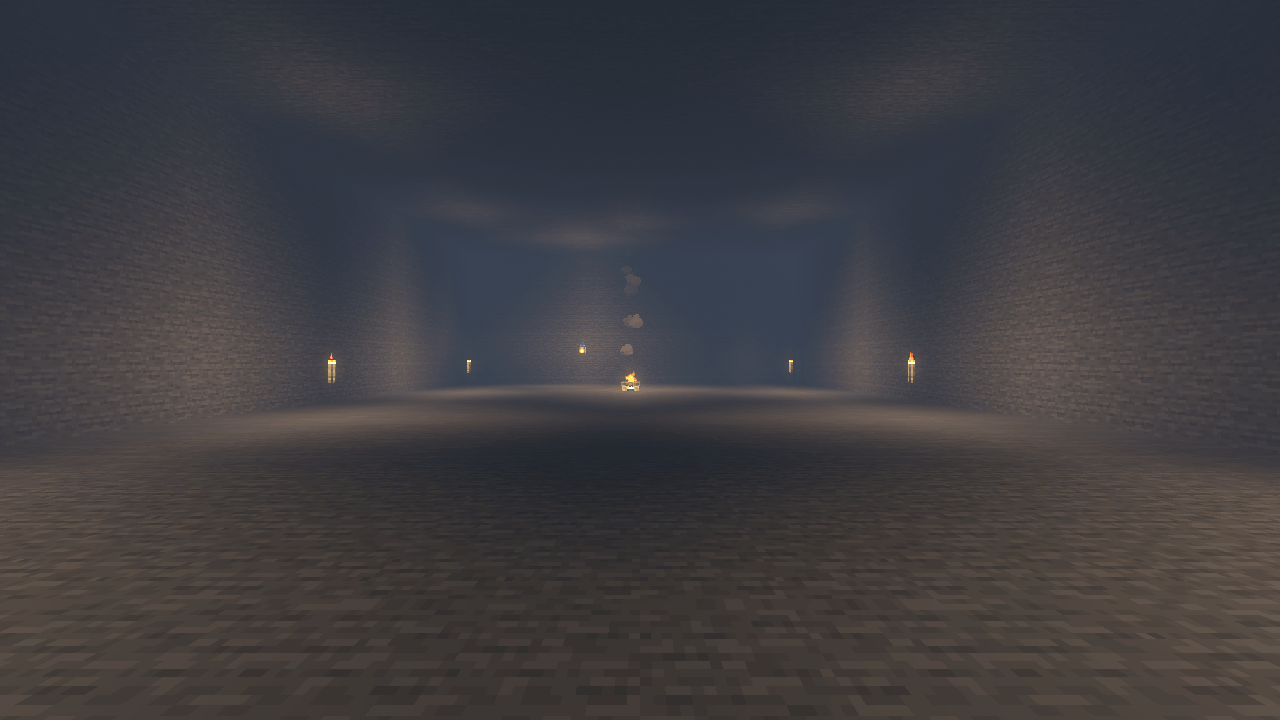
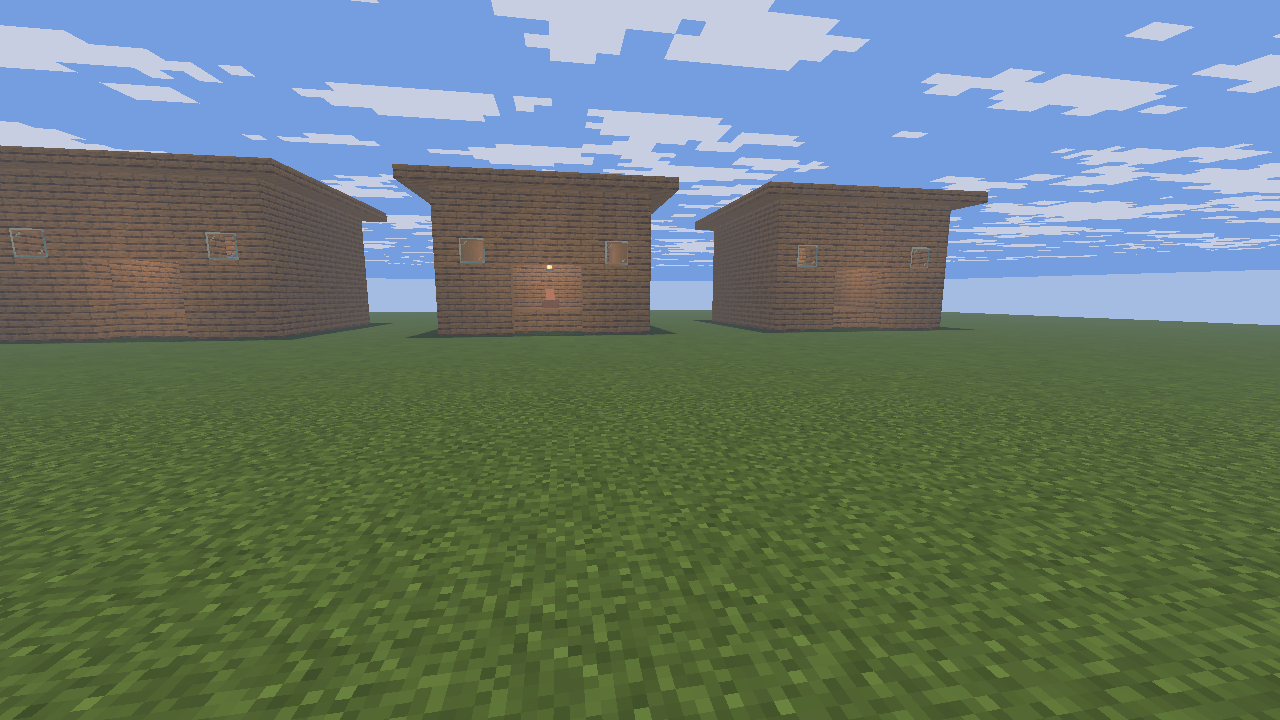
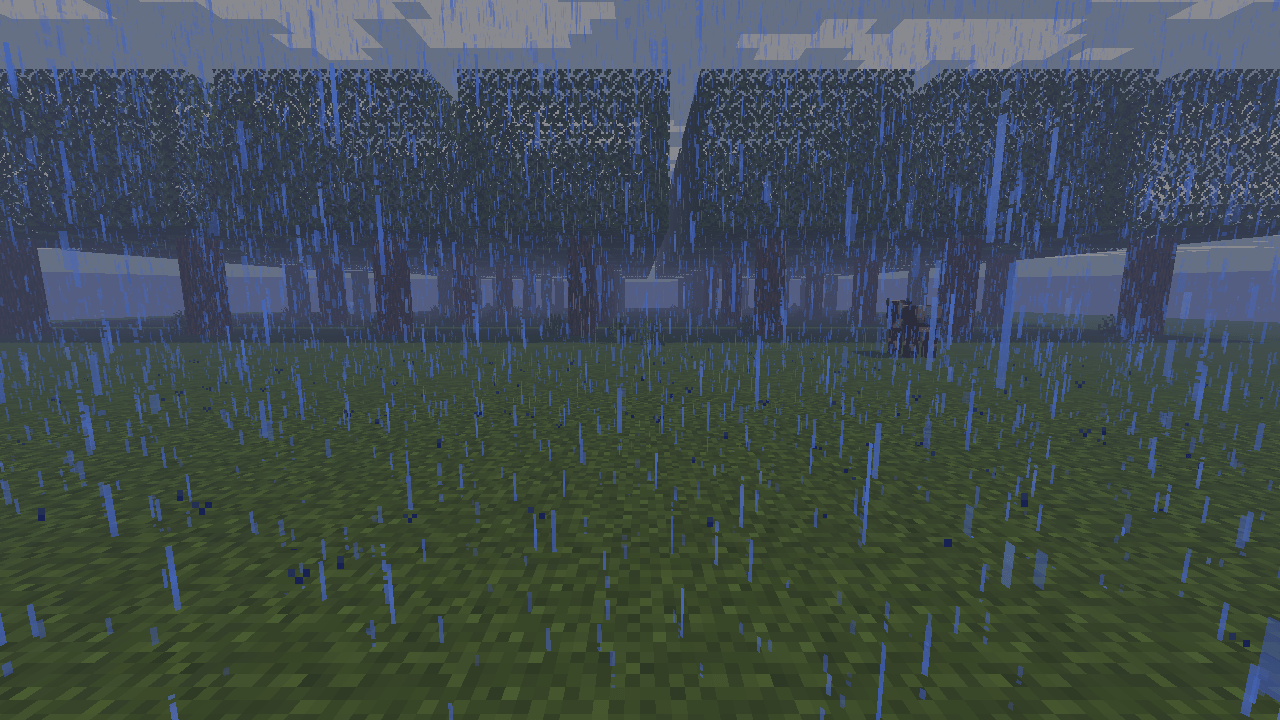
Cozy golden lantern light, warm interiors and cool rainy nights, with selective glow and three carefully scaled quality presets.
截图
介绍
Emberlight Shaders
Bring warmth to every Minecraft night.
Emberlight gives existing torch and lantern lighting a golden character while keeping outdoor moonlight cool. Wooden rooms, underground bases and evening villages gain gentle contrast and readable shadows.
Warmth with restraint
- Warm light follows the game’s existing block-light information.
- Luminous surfaces seed a small, controlled glow; ordinary white walls do not.
- Rain brings cooler distance haze and a subtle sheen on exposed upward-facing surfaces.
- Filtered directional shadows add depth without tracing individual light sources.
Three quality presets
Lite preserves the warm lighting with smaller shadow maps and fewer glow samples. Balanced adds softer shadows and rain glints. Ultra refines shadow filtering, glow and atmospheric depth.
The lighting is an efficient artistic approximation. It does not simulate colored light propagation or add moving light sources. Glow can soften the edges of nearby objects, and rain highlights are not scene reflections.
常见问题
Emberlight Shaders 支持哪些 Minecraft 版本?
Emberlight Shaders 支持 Minecraft Java 版 26.3,可用的加载器:Iris。下载时注意选择和你游戏版本一致的文件。
Emberlight Shaders 怎么安装?
光影需要先装 Iris。把下载的 .zip 文件(不用解压)放进游戏目录的 shaderpacks 文件夹,进游戏后在「选项 → 视频设置 → 光影包」里选中它。光影对显卡要求较高,卡顿可以调低光影设置或渲染距离。
Fox_Studios_by_teolm30 的其他作品
查看全部 →
Ultra Shaders
The best optimized shaders

AquaReal
Transform oceans, rivers and lakes with animated waves, angle-dependent reflections, depth-rich water and a calm underwater atmosphere.

Eden Shaders
Lush landscapes, warm sunlight, swaying foliage and pastel skies. Enjoy turquoise waters and three carefully scaled quality profiles.
Solstice Shaders
Natural cinematic lighting, golden sunsets, filtered shadows and atmospheric distance, with three carefully scaled quality presets.
评论
登录后评论和评分