介绍
中文介绍正在准备中,下面暂时显示原文。
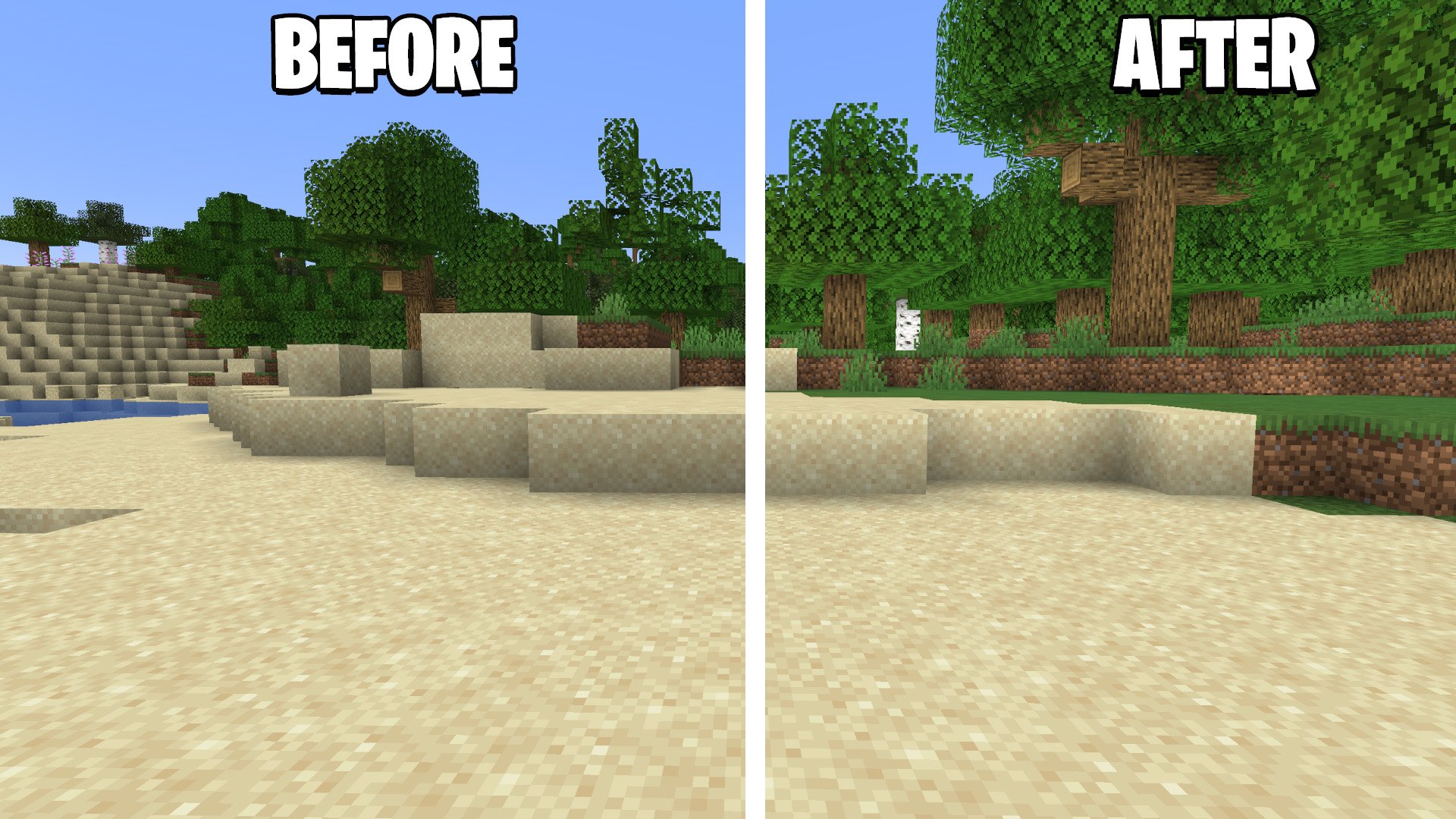
Shadify is a Minecraft resource pack designed to remove the dull block shading and **make your world look bright and more alive If you’ve ever used the Simply No Shading mod, you’ll instantly recognize the effect — but here, it’s done purely with a resource pack, meaning no mods required.
🌟 Features
- Removes block shading – Say goodbye to those dark corners and flat shadows.
- Brighter lighting – The game feels more alive
- Lightweight – Works smoothly without affecting performance.
- Compatible with all shaders – Can be used alongside visual shaders for unique effects.
- Download the latest version of Shadify.
- Move the
.zipfile into your Minecraftresourcepacksfolder. - Launch Minecraft → Options → Resource Packs → Select “Shadify”
- Enjoy your new, vibrant world! 🌍
常见问题
Shadify 支持哪些 Minecraft 版本?
Shadify 支持 Minecraft Java 版 1.15–26.2,共 42 个版本。下载时注意选择和你游戏版本一致的文件。
Shadify 怎么安装?
把下载的 .zip 文件(不用解压)放进游戏目录的 resourcepacks 文件夹,进游戏后在「选项 → 资源包」里把它移到右边启用。
spunkyinsaan 的其他作品
查看全部 →
Spunky PVP Texture Pack
by spunkyinsaan
Spunky Insaan 制作的自定义 PvP 材质包,旨在提升你的 Minecraft PvP 与 SMP 游戏体验。
224.8万
1 年前
Modrinth

Brightness Plus
by spunkyinsaan
允许你通过增强控制将亮度设置到超过默认水平。
93.8万
今天
Modrinth

Spunky Boost
by spunkyinsaan
优化 PojavLauncher 性能的最佳整合包!全版本可用
79.3万
21 天前
Modrinth · CurseForge

Armour Durablity Hud
by spunkyinsaan
Display the durability of all wearable equipment directly on the HUD with customizable positioning and scaling
68.5万
1 天前
Modrinth
评论
登录后评论和评分