
Dark Mode Vanilla
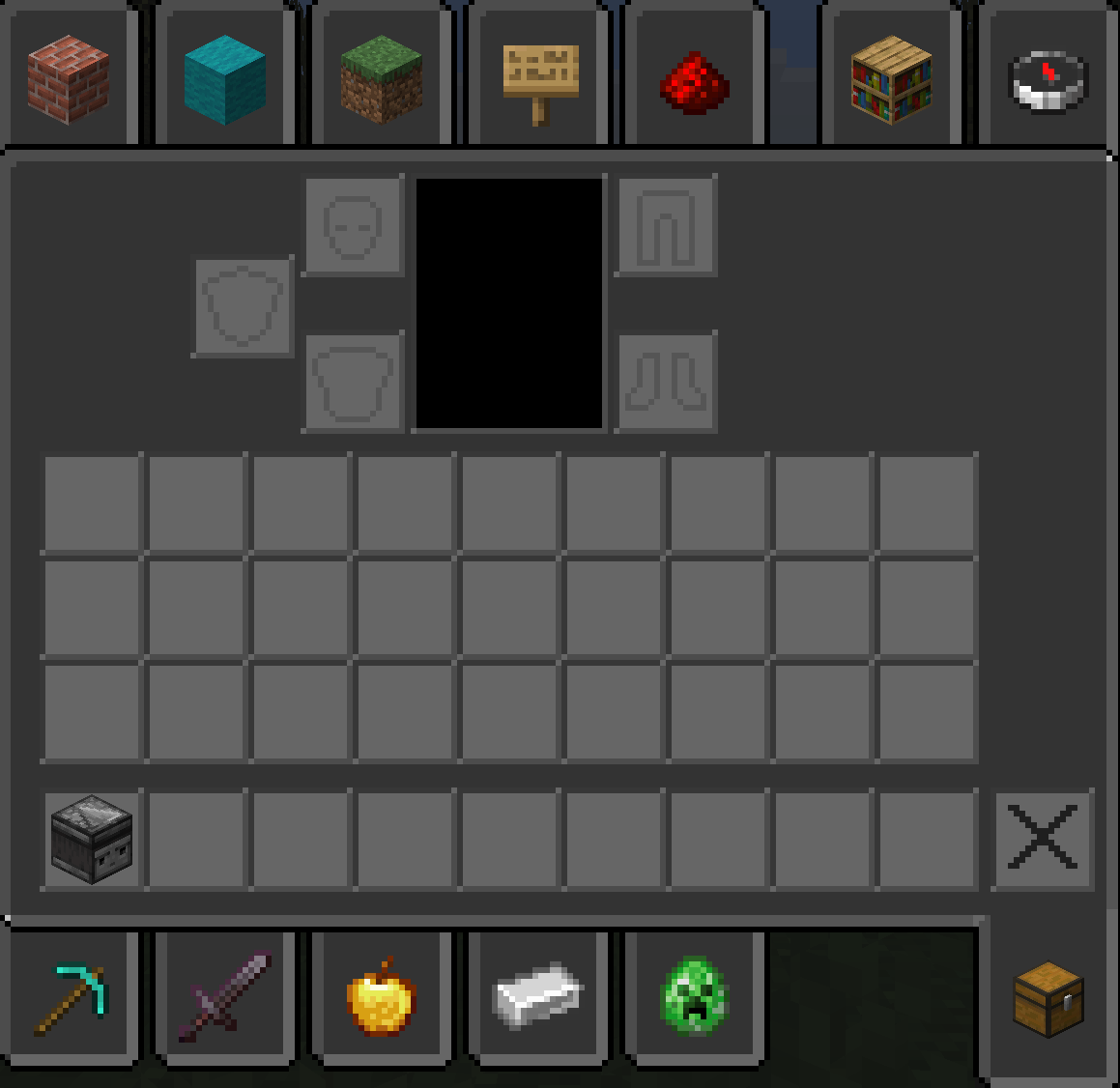
Dark Mode Vanilla is a clean, fully dark‑themed vanilla GUI resource pack that makes every menu and inventory easier on the eyes
截图

介绍
Dark Mode Vanilla
_transforms Minecraft’s user interface into a cohesive, low‑glare dark theme while preserving the original vanilla look and feel. Every GUI element — menus, inventories, tooltips, HUD elements, and creative‑mode tab backgrounds — has been retinted and redesigned for improved contrast and readability in low‑light play sessions. The pack keeps block and item textures unchanged so gameplay remains familiar; only interface elements are adjusted to deliver a modern, comfortable dark‑mode experience._
Features
- Full dark GUI: All menus, inventories, and HUD elements are converted to a consistent dark palette.
–
- Vanilla faithful: UI shapes, spacing, and icons remain true to vanilla Minecraft for minimal disruption.
–
- Improved readability: Text contrast and icon clarity optimized for night play and long sessions.
–
- Creative tab backgrounds: Darkened tab panels and item‑slot surfaces for a unified look.
–
- Light accents: Subtle cool blue and gray highlights preserve visual hierarchy without bright colors.
–
- Low performance impact: Only GUI textures are modified; no heavy assets or shaders required.
–
- Version support: Compatible with Minecraft Java Edition 1.20 through 1.21.8 and later.
常见问题
Dark Mode Vanilla 支持哪些 Minecraft 版本?
Dark Mode Vanilla 支持 Minecraft Java 版 1.20–1.21.11,共 19 个版本。下载时注意选择和你游戏版本一致的文件。
Dark Mode Vanilla 怎么安装?
把下载的 .zip 文件(不用解压)放进游戏目录的 resourcepacks 文件夹,进游戏后在「选项 → 资源包」里把它移到右边启用。
RedJ21 的其他作品
查看全部 →
Miku Pack
A Vanilla+ resource pack inspired by the Miku style, featuring a clean light-blue aesthetic and improved ore visibility.

Break Countdown
Block breaking with clear progress
Dark Mode Vanilla
Dark Mode Vanilla is a clean, fully dark‑themed vanilla GUI resource pack that makes every menu and inventory easier on the eyes

Duck Buddy
Duck Buddy adds a small customizable duck companion. The duck follows players around the world, shows up for other players on Fabric servers when they also have the mod installed, and can be customized from the Minecraft options menu.
评论
登录后评论和评分