
截图

介绍
Dark Mode Vanilla
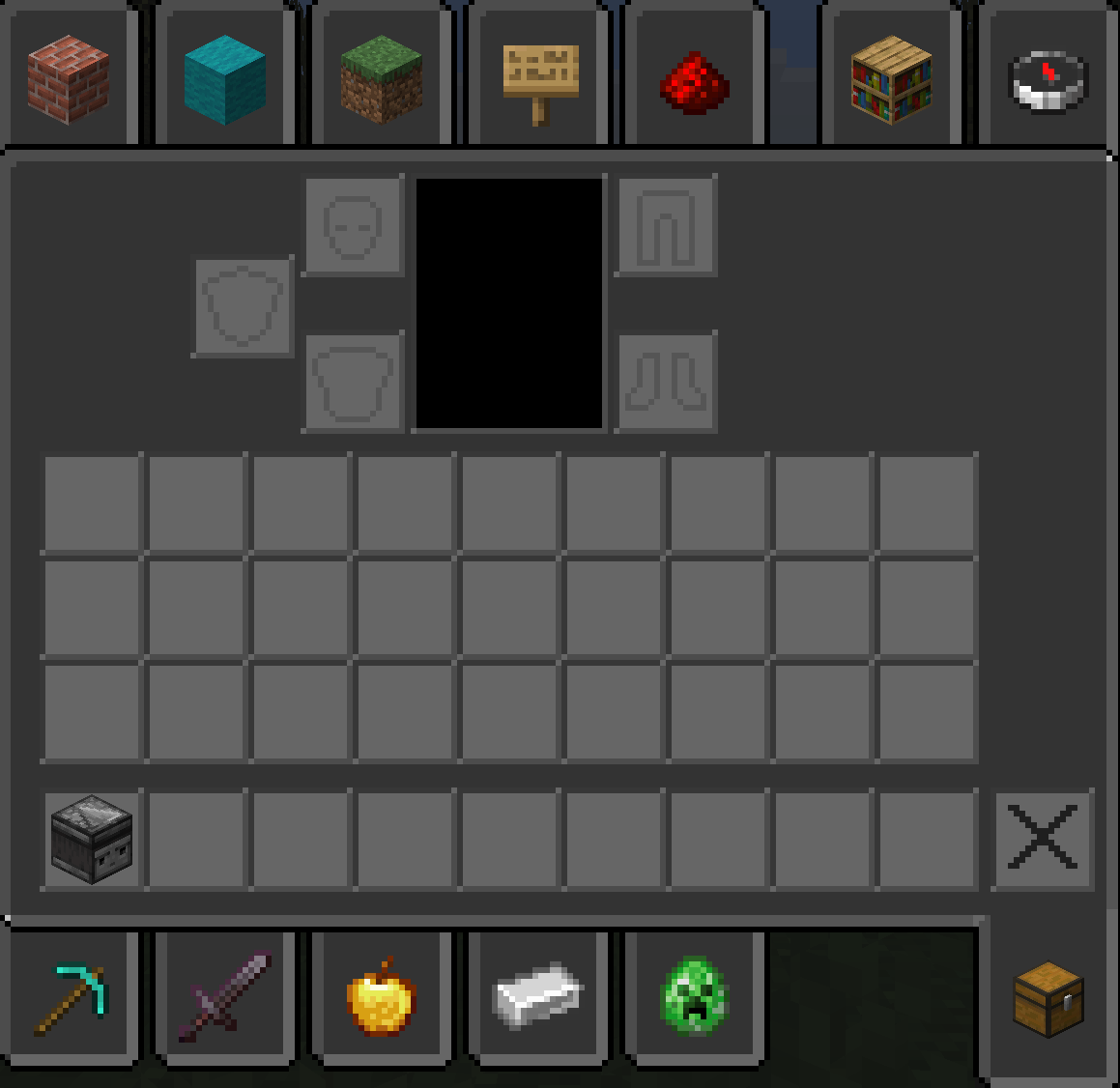
_transforms Minecraft’s user interface into a cohesive, low‑glare dark theme while preserving the original vanilla look and feel. Every GUI element — menus, inventories, tooltips, HUD elements, and creative‑mode tab backgrounds — has been retinted and redesigned for improved contrast and readability in low‑light play sessions. The pack keeps block and item textures unchanged so gameplay remains familiar; only interface elements are adjusted to deliver a modern, comfortable dark‑mode experience._
Features
- Full dark GUI: All menus, inventories, and HUD elements are converted to a consistent dark palette.
–
- Vanilla faithful: UI shapes, spacing, and icons remain true to vanilla Minecraft for minimal disruption.
–
- Improved readability: Text contrast and icon clarity optimized for night play and long sessions.
–
- Creative tab backgrounds: Darkened tab panels and item‑slot surfaces for a unified look.
–
- Light accents: Subtle cool blue and gray highlights preserve visual hierarchy without bright colors.
–
- Low performance impact: Only GUI textures are modified; no heavy assets or shaders required.
–
- Version support: Compatible with Minecraft Java Edition 1.20 through 1.21.8 and later.
常见问题
Dark Mode Vanilla 支持哪些 Minecraft 版本?
Dark Mode Vanilla 支持 Minecraft Java 版 1.20–1.21.11,共 19 个版本。下载时注意选择和你游戏版本一致的文件。
Dark Mode Vanilla 怎么安装?
把下载的 .zip 文件(不用解压)放进游戏目录的 resourcepacks 文件夹,进游戏后在「选项 → 资源包」里把它移到右边启用。
RedJ21 的其他作品
查看全部 →
Miku Pack
受初音未来风格启发的 Vanilla+ 资源包,采用清爽的浅蓝色美学设计,并提升矿石的可见度。

Break Countdown
带有清晰进度的方块破坏
Dark Mode Vanilla
Dark Mode Vanilla 是一个干净、全暗色主题的原版 GUI 资源包,让每个菜单和物品栏都更护眼

Duck Buddy
Duck Buddy 添加了一只可自定义的小鸭子伙伴。鸭子会跟随玩家在世界中活动,在 Fabric 服务器上其他玩家安装该模组时也会显示,并可从 Minecraft 选项菜单中进行自定义。
评论
登录后评论和评分