
截图
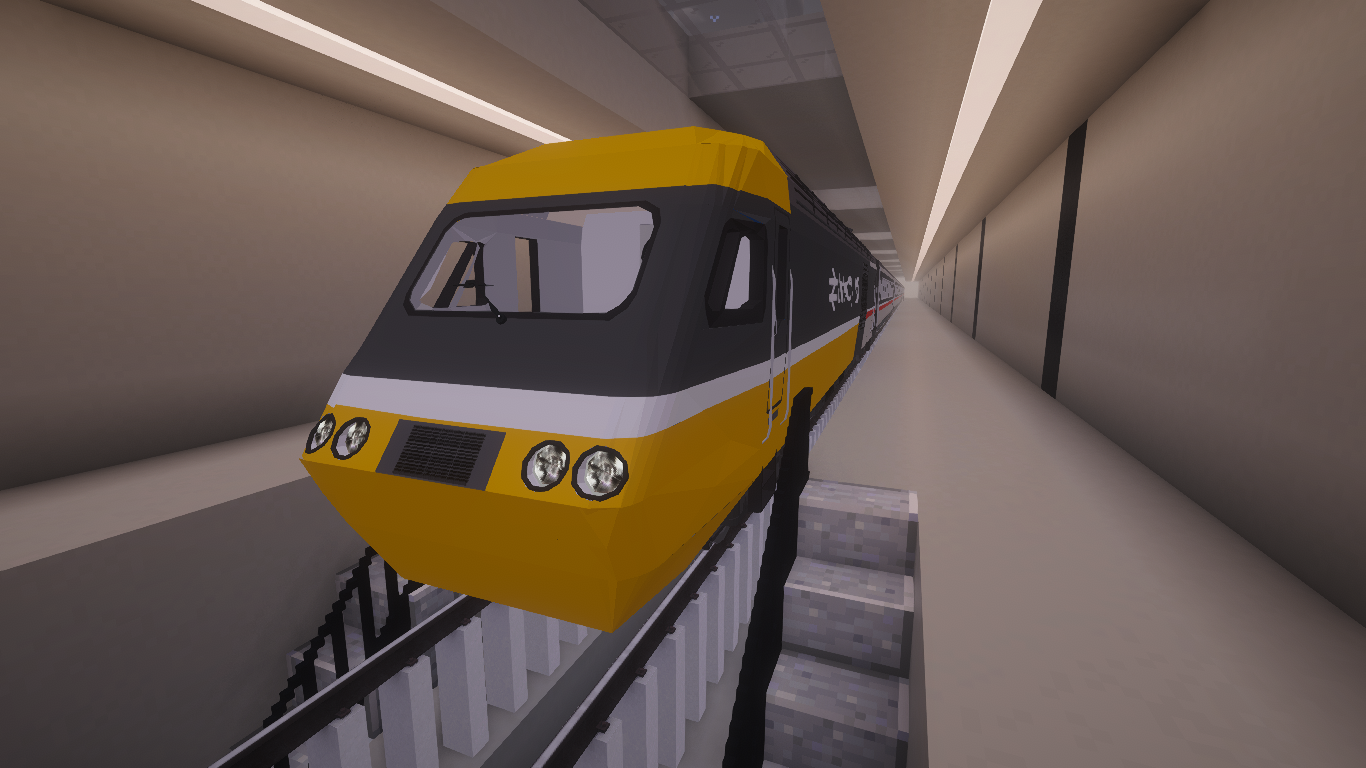
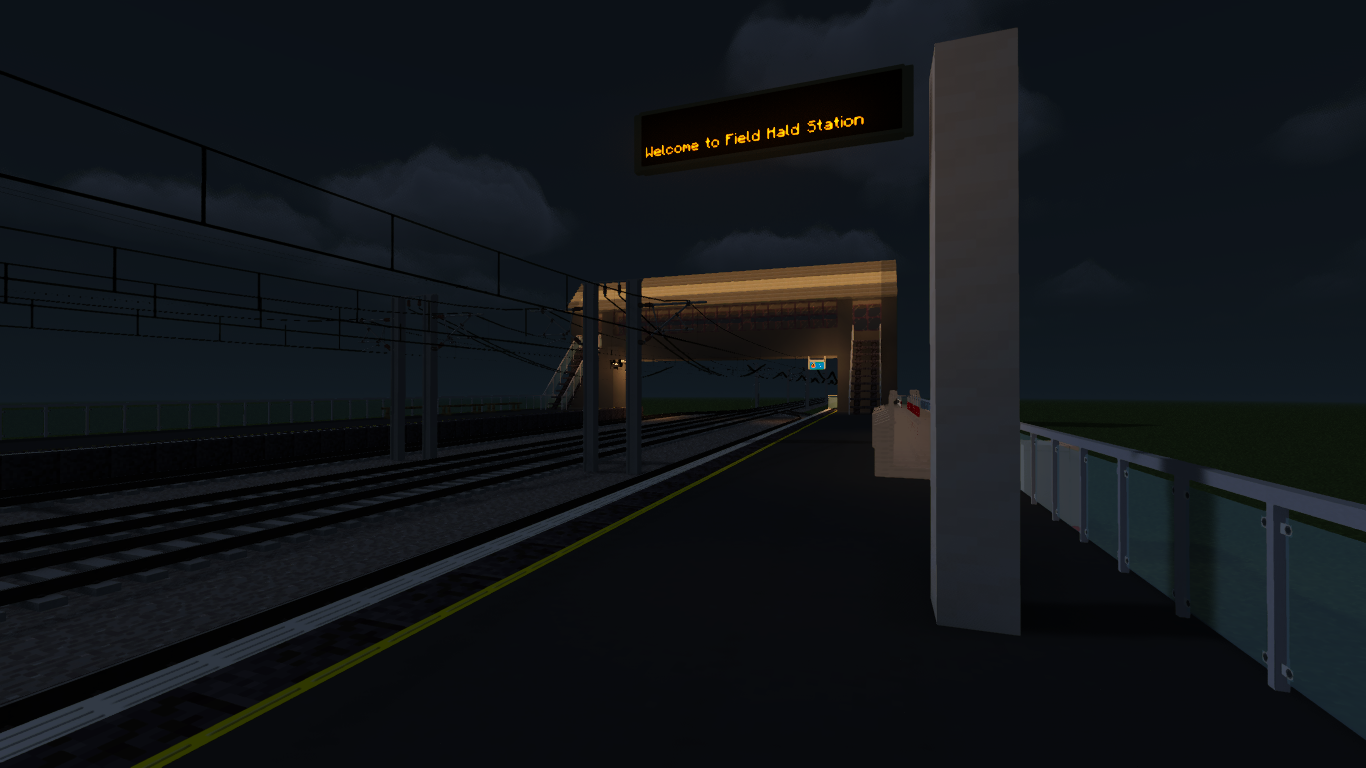
介绍
TransitScape: Super Lite
TransitScape: Super Lite is a standalone, lightweight Minecraft transit modpack designed for lower-end computers and players who want a simpler railway-building experience.
Built around Minecraft Transit Railway, Super Lite preserves the essential TransitScape experience while removing many heavier visual, audio, mapping, decorative, and resource-pack features. The result is a smaller, faster modpack focused on building railways, designing stations, creating routes, and developing cities with lower memory usage.
[!WARNING]
TransitScape: Super Lite is not compatible with the normal TransitScape pack.
It is a separate standalone modpack and must not be installed together with the Full or Lite versions of TransitScape. Super Lite is not an addon, expansion, update, or replacement file for an existing TransitScape installation.
Install it as a completely separate Minecraft instance.
🚆 Build Your Railway Network
Create and operate complete transportation systems, including:
- Metro and subway networks
- Regional and intercity railway lines
- Functional stations and platforms
- Custom routes and train services
- Railway signs and infrastructure
- Depots and operational facilities
- Roads, buildings, and surrounding city environments
Super Lite retains the main features needed to design detailed transit networks without the additional weight of the larger TransitScape editions.
⚡ Built for Lower-End Computers
TransitScape: Super Lite has been reduced and optimized to improve:
- Startup and loading times
- Memory usage
- Rendering performance
- Stability on lower-end hardware
- Performance in developed worlds
- Storage usage
The pack removes bundled resource packs and reduces many optional cosmetic, immersive, and visual systems.
This makes Super Lite suitable for players who want the core TransitScape railway-building experience but cannot comfortably run the Full or Lite editions.
🏙️ Essential Building Features
Although Super Lite is heavily reduced, it still provides the essential tools needed to construct:
- Stations and platforms
- Railway infrastructure
- Depots and maintenance facilities
- Roads and surrounding buildings
- Urban environments
- Large transit projects
Large-scale editing and schematic tools are also included to make planning and completing larger builds easier.
📦 A Separate TransitScape Project
TransitScape: Super Lite is distributed as its own project.
It does not require the normal TransitScape pack, and files from the different editions should not be mixed together.
For the best experience:
- Create a new Minecraft instance.
- Install TransitScape: Super Lite by itself.
- Do not copy mods or configuration files from the Full or Lite editions.
- Back up your worlds before moving them between different modpacks.
Worlds created using another TransitScape edition may contain missing blocks, items, entities, or features when opened in Super Lite.
🖥️ System Requirements
| Component | Minimum | Recommended |
| :——————- | :————————- | :———————————– |
| Allocated RAM | 3 GB | 4–6 GB |
| Total System RAM | 6 GB | 8 GB or more |
| Java | 64-bit Java 17 | Latest available Java 17 release |
| CPU | Modern dual-core processor | Modern quad-core processor or better |
| GPU | Integrated graphics | Entry-level dedicated GPU or better |
| Storage | SSD recommended | SSD with additional space for worlds |
[!IMPORTANT]
The 3 GB minimum refers to memory allocated to Minecraft, not your computer’s total installed memory.
Your operating system and background applications also require available memory. Do not allocate all of your computer’s RAM to Minecraft.
Actual performance will depend on:
- Render distance
- Simulation distance
- World size
- Station complexity
- Number of trains
- Number of loaded chunks
- Graphics settings
- Background applications
Lowering your render distance and closing unnecessary background applications may improve performance.
📦 Which Edition Should You Choose?
Super Lite
Choose Super Lite for the smallest installation, lowest memory usage, and best compatibility with lower-end computers.
Lite
Choose Lite for a balance between performance, building content, visual features, and customization.
Full
Choose the Full Version for the complete TransitScape experience, including additional visual enhancements, immersive features, mapping tools, decorations, and bundled resource packs.
[!NOTE]
Each edition is a separate modpack. They must not be installed together or combined within the same Minecraft instance.
🖥️ Server Use
Super Lite may also be suitable for smaller private servers that need a lighter base installation.
Server performance will depend on:
- The number of connected players
- World size
- Loaded chunks
- Train and route activity
- Server hardware
- View and simulation distances
For server setup assistance and available server files, join the official TransitScape Discord community.
💬 Support and Community
Join the TransitScape community for:
- Installation support
- Performance assistance
- Server setup help
- Bug reports
- Pack announcements and updates
- Tutorials and building advice
- Transit project showcases
- Community discussions
Discord:
https://discord.gg/H7rFCQpv58
🌍 Start Building
Build your railway, design your stations, operate your trains, and connect your world—even on lighter hardware.
A smaller pack. The essential transit experience.
包含的模组 67 个,另有 2 个其他文件
 [UPDATE]MTR France Addon
 Architectury API
 Balm
 BML's Transit Expansion (BTE)
 Cloth Config API
 Clumps
 Concurrent Chunk Management Engine (Fabric)
 Controlling
 Crash Assistant
 Decorative Blocks
 Default Options
 Diagonal Fences
 Diagonal Walls
 Diagonal Windows
 Dynamic FPS
 实体剔除
 Fabric API
 Fabric Language Kotlin
 FancyMenu
 FerriteCore
 Filters API
 Forge Config API Port
 FPS Reducer
 Geckolib
 ImmediatelyFast
 Indium
 Joban Client Mod
 Konkrete
 Litematica
 锂
 Macaw's Doors
 Macaw's Fences and Walls
 Macaw's Furniture
 Macaw's Holidays
 Macaw's Lights and Lamps
 Macaw's Paths and Pavings
 Macaw's Roofs
 Macaw's Stairs
 Macaw's Trapdoors
 Macaw's Windows
展开全部 67 个
 MAGIC MTR Addon
 MaLiLib
 Melody
 Memory Leak Fix
 Minecraft Transit Railway
 Mishang Urban Construction
 模组菜单
 ModernFix
 MTR London Underground Addon
 MTR London Underground Trains
 MTR Renfe Addon
 MTR Sign Addon
 MTR Traffic Addon
 Puzzles Lib
 Railroad Blocks
 ReFramed
 Russian Metro Addon
 Searchables
 钠
 Sodium Extra
 Station Decoration
 Tianjin Metro
 TrafficCraft
 VerdantVibes
 WorldEdit
 Xaero的小地图
 Xaero的世界地图
绿色边框的模组本站有收录,点进去看中文介绍;其余跳转到 Modrinth。
常见问题
Transit scape (Super Lite) 支持哪些 Minecraft 版本?
Transit scape (Super Lite) 基于 Minecraft Java 版 1.20.1,使用 Fabric 加载器。
Transit scape (Super Lite) 怎么安装?
点本页「前往下载」拿到整合包文件(Modrinth 的是 .mrpack,CurseForge 的是 .zip),在 PCL2 或 HMCL 启动器里选择「导入整合包」,启动器会自动装好 Minecraft、加载器和全部模组。这个整合包有 67 个模组,建议在启动器里给游戏分配 4–6 GB 内存。
Transit scape (Super Lite) 开服需要多大内存?
推荐服务器内存 12 GB。在线人数多、或者建了大量机器和区块加载器时,可以再加 2–4 GB。
怎么和朋友一起玩 Transit scape (Super Lite)?
点本页的「一键开服」,选好配置后会自动安装 Transit scape (Super Lite) 的服务端,几分钟就能开好。把服务器地址发给朋友,大家用同一个版本的整合包连进去就行。
Ghost Workshop 的其他作品
查看全部 →
Transit Scape
Include MTR addons that are compatible with each other.

Fabric Guard
A lightweight region managment mod inspired by WorldGuard.

Auto Downloader
Automatically downloads required files (mods, resource packs, shaders, saves) with a clean in-game prompt.

Meadow’s Delight
Meadow's Delight is a Forge modpack focused on expanding the agricultural and culinary experience through the Farmer's Delight ecosystem.
评论
登录后评论和评分