
截图
介绍
The Necessary
What does this modpack do ?
This modpack adds 50+ mods (20+ for 1.12.2) to optimize Minecraft and improve the HUD, recipe viewing, tooltips, and more, making Minecraft smoother, more convenient, and easier to manage.
Features (for Major versions)
Note : These features aren’t for Snapshot, Pre-release or Release Candidate versions of Minecraft. If you want to see features of them, go to Features (for Minor versions) section.
Core features
Optimization
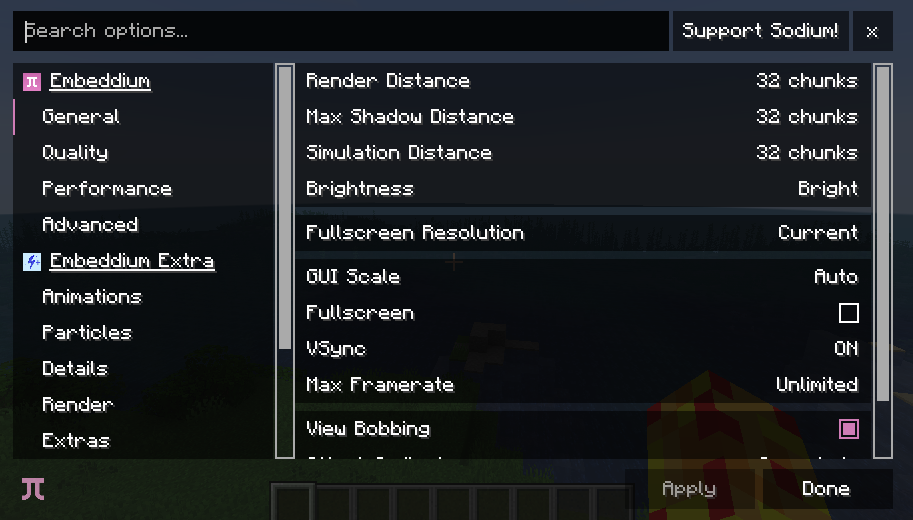
Render: Sodium (Fabric + Neoforge), Embeddium (Forge)
Mob AI: Lithium (Fabric + Neoforge), Radium (Forge)
Chunk Loading: C2ME (Fabric + Neoforge), C2MEF (Forge)
Culling: Entity Culling, More Culling
Reduce Memory Usage: FerriteCore
Block Entity Rendering (Fabric): BBE
Light Optimization: ScalableLux, Starlight
Worldgen Optimization: FastNoise
Optimize immediate mode rendering: ImmediatelyFast
Reduce resource usage whie game in background: Dynamic FPS
Fast language switching: Language Reload
Optimize Minecraft server: ServerCore
Decrease Datapack-loading time – 26.1+: quick pack
Optimize Structures Jigsaw and NBT pieces: Structure Layout Optimizer
Fix memory leaks (older): Memory Leak Fix
Misc Optimizations and Bug fixes: ModernFix/ModernFix-mVus, BadOptimizations, PacketFixer
HUD improvement
Hunger and Saturation viewing: AppleSkin
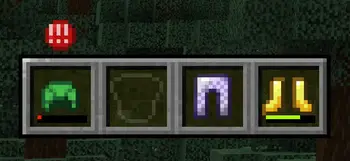
View armor durability: uku’s Armor HUD
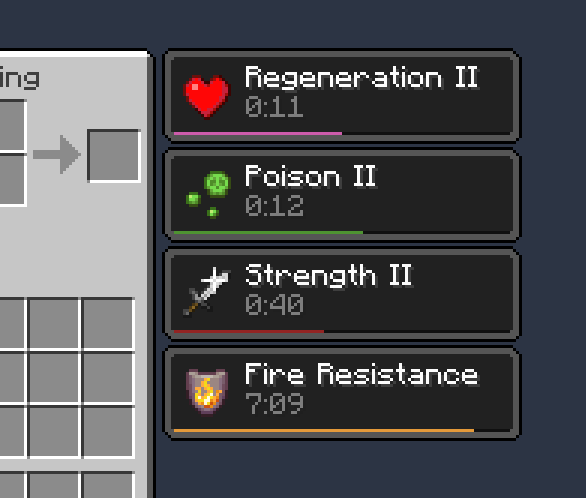
Effect timing: Status Effect Bar (Fabric), Effect Timer Plus (Neoforge + Forge)
Show Hotbar, Hunger Bar, etc. while riding mobs: Better Mount HUD (Fabric), Leave My Bar Alone (Neoforge + Forge)
Player appearance improvement
OptiFine Cape (Fabric): Capes
3D Skin: 3D Skin Layers
Tooltip improvement
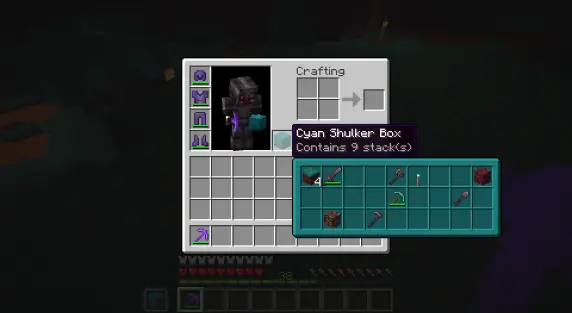
Shulker Box item preview: Shulker Box Tooltip
Item durability viewing: Durability Tooltip
Inventory Sorting
- Inventory Profiles Next: Inventory sorting
- Crafting Tweaks: Arrange items more easily while crafting
- Mouse Tweaks (Fabric + Neoforge): Arrange items with mouse clicks
Other features
Zoom: Zoomify (Fabric), Just Zoom (Neoforge), Zume (Forge)
Dynamic Lights: LambDynamicLights
Shader: Iris Shaders (Fabric + Neoforge), Oculus (Forge)
Fullbright: Gamma Utils (Fabric), Fullbright UB + Clear Lava, Water Resourcepacks (Neoforge + Forge)
LAN server (Fabric + Neoforge): e4mc
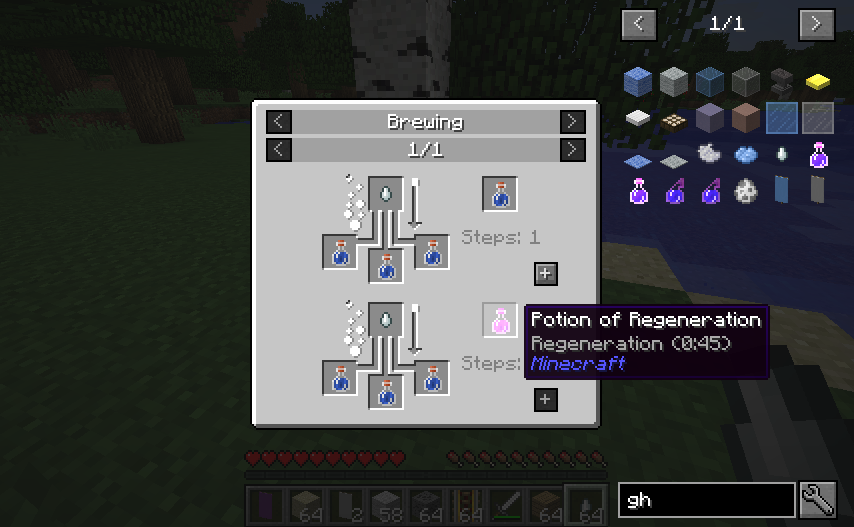
Recipe manager: JEI
Better visibility when on fire: Low on Fire (Resourcepack)
Sodium/Embeddium Support: Translations for Sodium (Resourcepack), Sodium Extra (Fabric + Neoforge) / Embeddium Extra (Forge), Reese’s Sodium Options (Fabric + Neoforge)
View items while on a boat: Boat Item View
Mod management/config: Mod Menu (Fabric), Forge Config Screens (Forge)
Download Resourcepacks in-game without using a web browser (Fabric + Forge): Resourcify

Quit to the main screen without waiting: fastquit
Remove outdated resourcepacks/datapacks warning: No Resource Pack Warnings
Disable Chat Reports: No Chat Reports
No (Re)loading screen: Remove Reloading Screen
Increase maximum length of chat history: More Chat History
Move Deleted Worlds to Trash: Delete Worlds To Trash
Play in Borderless Full Screen: Cubes Without Borders
Statistics Screen Improvement: Better Statistics Screen
Features (for Minor versions)
Minor versions here are the Snapshot, Pre-release and Release Candidate of Minecraft, the number of mod supporting minor versioners is small, so there will be not too much features.
Optimization
- C2ME: Chunk loading optimization
- Ksyxis: Disable spawn chunk loading to save FPS
Resource pack (skip the resource pack warings, most of them may run well)
- Fast Better Grass: Grass Decoration
- Low on Fire: Better view when on fire
- FullBright UB: Full Bright
Some versions will lack of mods in list above, and there will be some extra mods for some version, for full features of versions, go to the version of Modrinth to see mod lists.
Bugs and Issues
Report bugs and issues
Please report issues here: https://github.com/break08/The-Necessary/issues
Many versions may have bugs in one or more mods included in this modpack, and I do not have enough time to test every version thoroughly. Please report any issues so I can remove the problematic mod and replace it if possible.
Solve the issues by yourself
If there are bugs/issues and you can solve them yourself, choose some solutions:
- Remove the mods causing the issue
- Install its required dependencies mod (if required)
Note: Fabric loader will always open a window to report to you the issue when Minecraft crash (except when you install a mod like Crash Assistant), read them to know how to solve the problem.If you can’t read crash reports from logs/mod loaders/console, copy them and send to ChatGPT or other AI, they may be able to help you
Finally, open an issue in project site on GitHub.
Some Notices:
Overall
- The mods listed above are not all the mods in this modpack; they are only the core mods
- Some versions may lack some of the features above because they are too old, outdated, or too new to receive updates immediately
- Some features above may exist in a version, but the mods providing them may be different from the ones listed here
- The features above are for the latest or near-latest versions. Therefore, backported versions of the modpack may not include all of them
On Tlauncher
- Tlauncher Capes conflicts with some mods in this pack: Entity Culling, Capes, …
Image Attribution
Some images used in this modpack description are screenshots taken from the original pages or repositories of mods included in this modpack. These images remain the property of their respective authors unless otherwise stated. They are used here only to illustrate features of the included mods and to help explain the contents of the modpack.
包含的模组 13 个
 Clear Lava and Water
 Concurrent Chunk Management Engine (Fabric)
 Fabric API
 Fast Better Grass
 Fast Noise
 Fullbright UB
 Ksyxis
 Low On Fire
 模组菜单
 Reliable Recipe Viewer (RRV)
 Renice Shot
 Text Placeholder API
 ZConfig
绿色边框的模组本站有收录,点进去看中文介绍;其余跳转到 Modrinth。
常见问题
The Necessary 支持哪些 Minecraft 版本?
The Necessary 支持 Minecraft Java 版 1.12.2–26.2,共 24 个版本,可用的加载器:Fabric / Forge / NeoForge。下载时注意选择和你游戏版本一致的文件。
The Necessary 怎么安装?
点本页「前往下载」拿到整合包文件(Modrinth 的是 .mrpack,CurseForge 的是 .zip),在 PCL2 或 HMCL 启动器里选择「导入整合包」,启动器会自动装好 Minecraft、加载器和全部模组。这个整合包有 13 个模组,建议在启动器里给游戏分配 4–6 GB 内存。
The Necessary 开服需要多大内存?
推荐服务器内存 12 GB。在线人数多、或者建了大量机器和区块加载器时,可以再加 2–4 GB。
怎么和朋友一起玩 The Necessary?
点本页的「一键开服」,选好配置后会自动安装 The Necessary 的服务端,几分钟就能开好。把服务器地址发给朋友,大家用同一个版本的整合包连进去就行。
break08 的其他作品
查看全部 →
Red String
You can't be trapped by tripwire hook with string anymore

Useless Upgrade Template
Get Netherite Tools Without Netherite Upgrade Template

Lined Redstone
Replace the default redstone dust texture with a straight-line design
The Necessary
Optimize Minecraft, add utilities and tools to improve QoL
评论
登录后评论和评分