
介绍
This is a small, lightweight Fabric modpack based on vanilla Minecraft 1.26.2, made mainly for playing together with friends.
The goal is to keep the original vanilla feeling while adding a few quality-of-life mods, such as a world map, freecam, distant horizon and simple voice chat.
There are no major gameplay changes, no tech or magic progression, and no complex systems to learn. Just simple improvements that make exploration, building, and multiplayer more comfortable and fun.
Perfect for relaxed survival sessions where vanilla gameplay still comes first.
Download and have fun!
Modlist:
- AppleSkin: https://modrinth.com/mod/appleskin
- Cloth Config API: https://modrinth.com/mod/cloth-config
- Complementary Shaders – Reimagined: https://modrinth.com/shader/complementary-reimagined
- Cubes Without Borders: https://modrinth.com/mod/cubes-without-borders
- Distant Horizons: https://modrinth.com/mod/distanthorizons
- Fabric API: https://modrinth.com/mod/fabric-api
- Fabrishot: https://modrinth.com/mod/fabrishot
- Freecam: https://modrinth.com/mod/freecam
- Here ‘n’ There: https://modrinth.com/mod/herenthere
- Iris Shaders: https://modrinth.com/mod/iris
- Mod Menu: https://modrinth.com/mod/modmenu
- Simple Voice Chat: https://modrinth.com/mod/simple-voice-chat
- Sodium: https://modrinth.com/mod/sodium
- Text Placeholder API: https://modrinth.com/mod/placeholder-api
- Xaero’s World Map: https://modrinth.com/mod/xaeros-world-map
Advice!
Please keep in mind that Freecam is considered cheating on some servers. Always make sure it is allowed before using it.
If you want to use Freecam with block collision enabled (so you cannot look through blocks), it is recommended to adjust the settings accordingly.
How to configure Freecam collision
First, assign a key for the Freecam Config GUI:
Open the standard Key Bindings menu
Set a key for the Freecam configuration screen
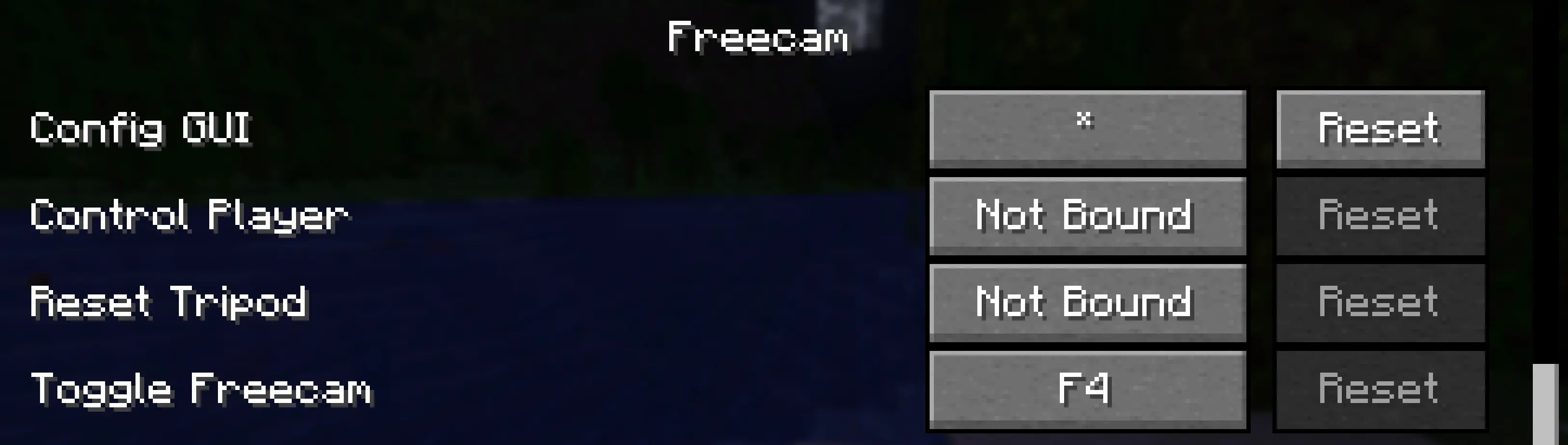
Once in-game, open the Config GUI using the assigned key and set:
Ignore All Collision → No
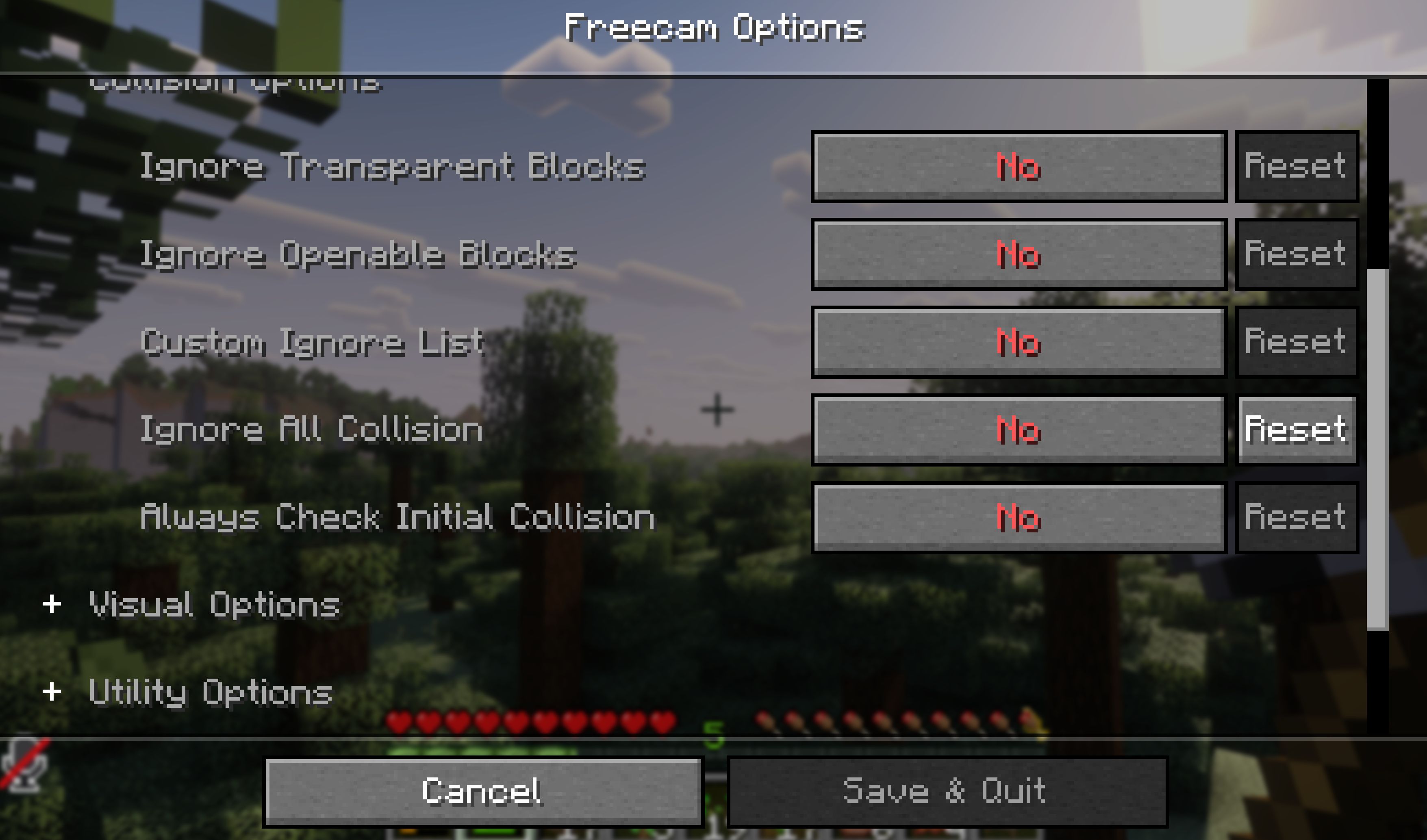
This will prevent the camera from passing through blocks.
If you want it more casual, more strict, or shorter, I can tweak it to match the tone of your modpack perfectly.
包含的模组 15 个
 苹果皮
 Cloth Config API
 Complementary Shaders - Reimagined
 Cubes Without Borders
 遥远的地平线
 Fabric API
 Fabrishot
 Freecam
 Here 'n' There
 Iris Shaders
 模组菜单
 Simple Voice Chat
 钠
 Text Placeholder API
 Xaero的世界地图
绿色边框的模组本站有收录,点进去看中文介绍;其余跳转到 Modrinth。
常见问题
StammCraft 支持哪些 Minecraft 版本?
StammCraft 基于 Minecraft Java 版 1.21.11,使用 Fabric 加载器。
StammCraft 怎么安装?
点本页「前往下载」拿到整合包文件(Modrinth 的是 .mrpack,CurseForge 的是 .zip),在 PCL2 或 HMCL 启动器里选择「导入整合包」,启动器会自动装好 Minecraft、加载器和全部模组。这个整合包有 15 个模组,建议在启动器里给游戏分配 4–6 GB 内存。
StammCraft 开服需要多大内存?
推荐服务器内存 12 GB。在线人数多、或者建了大量机器和区块加载器时,可以再加 2–4 GB。
怎么和朋友一起玩 StammCraft?
点本页的「一键开服」,选好配置后会自动安装 StammCraft 的服务端,几分钟就能开好。把服务器地址发给朋友,大家用同一个版本的整合包连进去就行。
评论
登录后评论和评分