
截图
介绍
⚙️ OPTI CREATE!
🛠️ Create Mod add-ons included:
- Create Aeronautics
- Create Jetpack
- Create More Automation
- Create More Conveyor
- Create More: Vertical Belts
- Create: Bits ‘n’ Bobs
- Create: Connected
- Create: Copper & Zinc
- Create: Diesel Generators
- Create Enchantable Machinery
- Create: Liquid Fuel
- Create: Ultimate Factory
- Create Better FPS
📈 Optimization Results (On Older PCs)
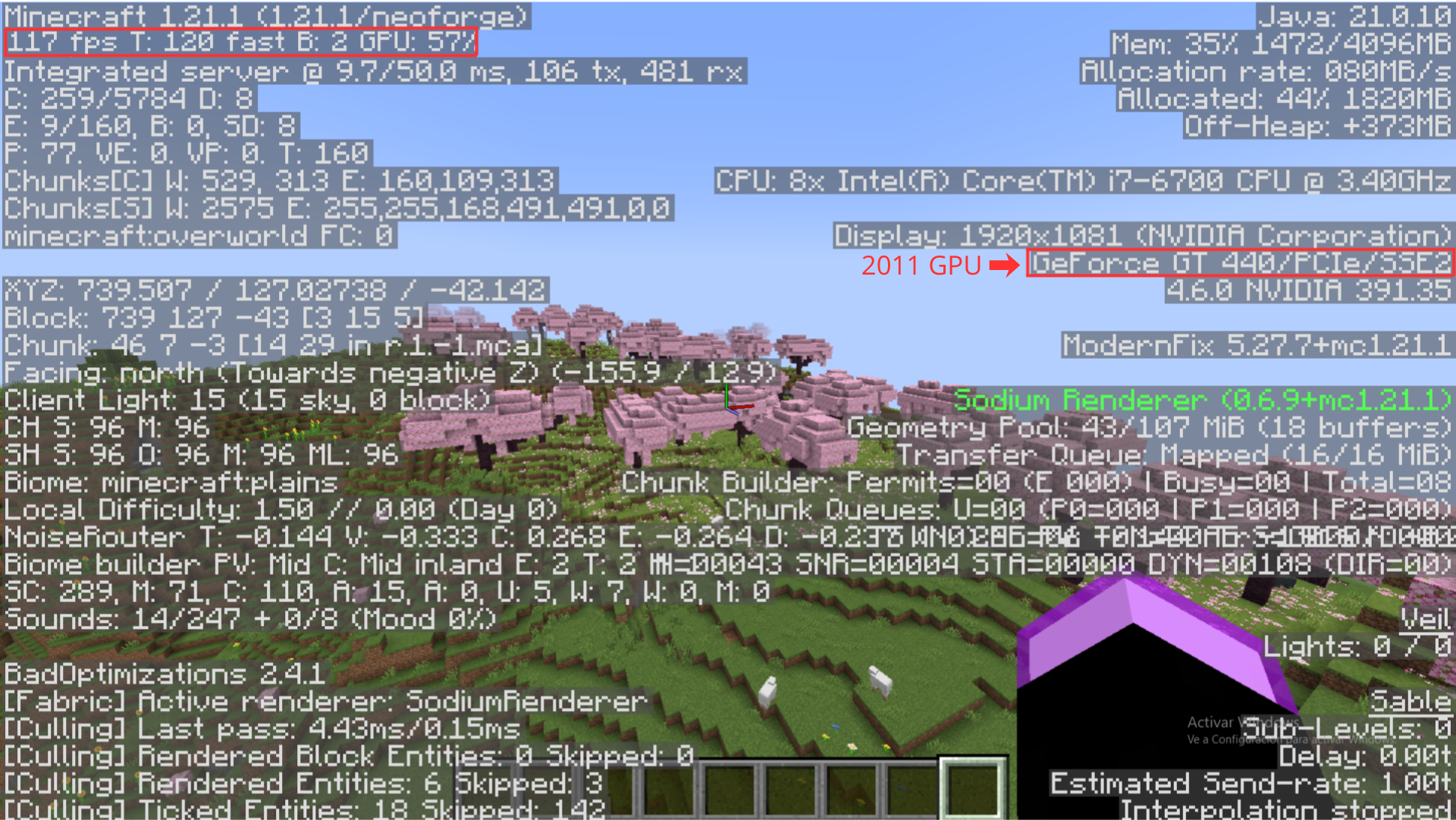
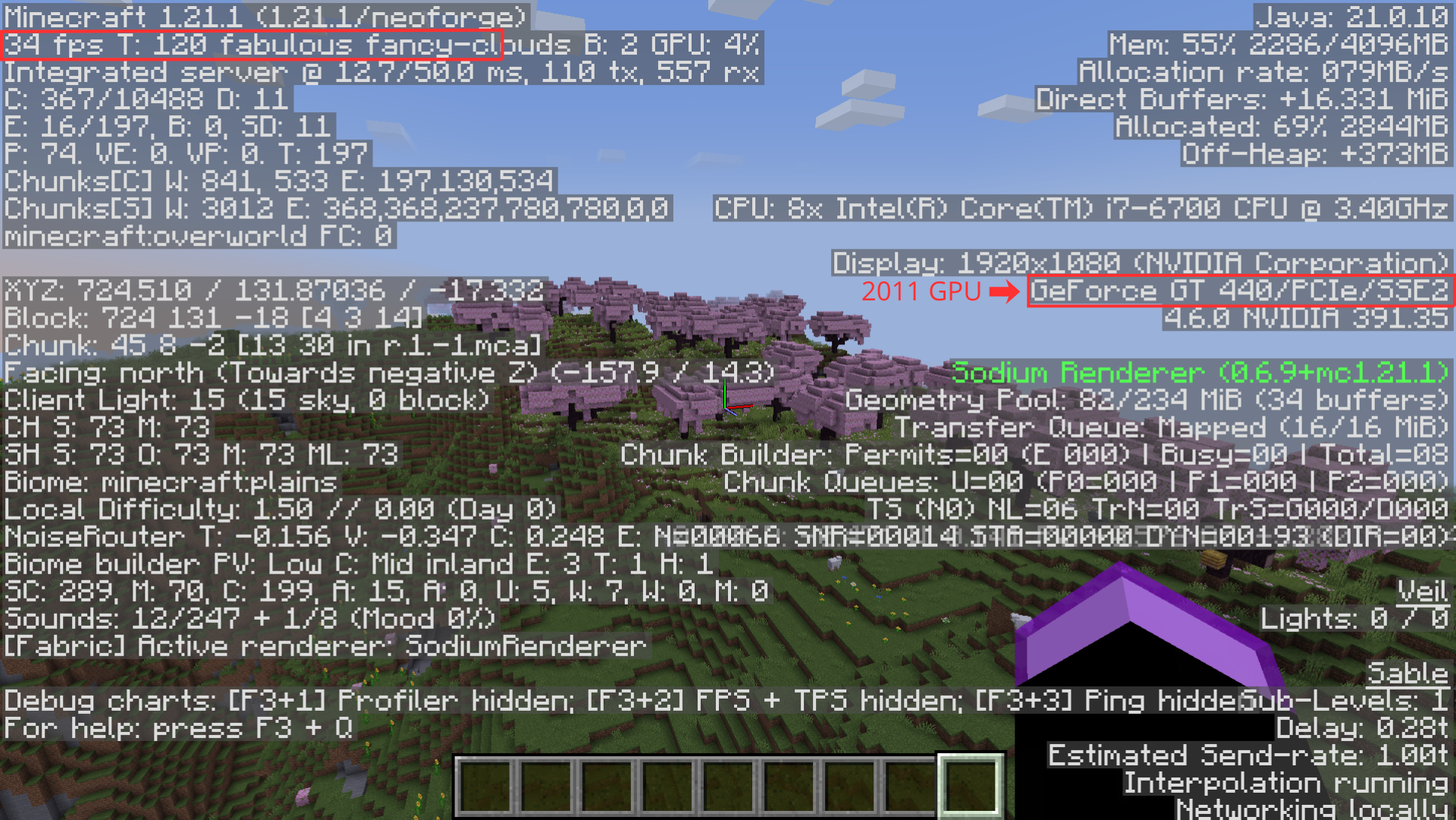
The results of the modpack optimization are incredible. Here you can see the actual comparison running on a 2011 graphics card:
❌ Before Optimization (Minecraft With Create and addons)
40-50 FPS (GPU: GT440)
🟢 After Optimization (Opti Create)
100-120 FPS (GPU: GT440)
⚠️ Important Notices
> 📌 Notice 1
This is the first version of the modpack; all positive feedback is welcome!
> 📌 Notice 2
If the arms don’t load when you start a world, press F11. That will fix the problem!
> 📌 Notice 3
Go to the Video Settings section, then Fps Reducer, and under Performance, change Chunks Update Threads to match your processor’s threads to improve performance.
包含的模组 52 个
 [EMF] Entity Model Features
 [ETF] Entity Texture Features
 Architectury API
BadOptimizations
 Carry On
 Carry On Extend
 Chunky
 Cloth Config API
 Crash Assistant
 机械动力
 Create Aeronautics
 Create Jetpack
 Create More Automation
 Create More Conveyor
 Create More: Vertical Belts
 Create: Bits 'n' Bobs
 Create: Connected
 Create: Copper & Zinc
 Create: Diesel Generators
 Create: Enchantable Machinery
 Create: Liquid Fuel
 Create: Ultimate Factory
 CreateBetterFps
 Cubes Without Borders
 Dynamic FPS
 Easy Villagers
 实体剔除
 FerriteCore
 FPS Reducer
 Fzzy Config
 ImmediatelyFast
 Iris Shaders
 JEI物品管理器
 Kotlin for Forge
 锂
 MidnightLib
 ModernFix
 鼠标微调
 Reese's Sodium Options
 RenderScale
展开全部 52 个





绿色边框的模组本站有收录,点进去看中文介绍;其余跳转到 Modrinth。
常见问题
Opti Create ModPack 支持哪些 Minecraft 版本?
Opti Create ModPack 基于 Minecraft Java 版 1.21.1,使用 NeoForge 加载器。
Opti Create ModPack 怎么安装?
点本页「前往下载」拿到整合包文件(Modrinth 的是 .mrpack,CurseForge 的是 .zip),在 PCL2 或 HMCL 启动器里选择「导入整合包」,启动器会自动装好 Minecraft、加载器和全部模组。这个整合包有 52 个模组,建议在启动器里给游戏分配 4–6 GB 内存。
Opti Create ModPack 开服需要多大内存?
推荐服务器内存 12 GB。在线人数多、或者建了大量机器和区块加载器时,可以再加 2–4 GB。
怎么和朋友一起玩 Opti Create ModPack?
点本页的「一键开服」,选好配置后会自动安装 Opti Create ModPack 的服务端,几分钟就能开好。把服务器地址发给朋友,大家用同一个版本的整合包连进去就行。
评论
登录后评论和评分