
more fps modpack
🚀 More FPS Modpack is a lightweight Minecraft optimization modpack designed to boost FPS, reduce lag, improve chunk loading, and provide a smoother gameplay experience. Perfect for low-end PCs and players who want maximum performance
截图


介绍
More FPS Modpack
More FPS Modpack is a performance-focused Minecraft modpack designed to make the game run as smoothly as possible on low-end and mid-range computers. It includes carefully selected optimization mods that improve FPS, reduce stuttering, speed up chunk loading, lower memory usage, and make world generation more efficient.
Whether you’re playing survival, PvP, or exploring large modded worlds, More FPS Modpack helps Minecraft feel faster and more responsive without changing the vanilla experience.
What This Modpack Does
- 🚀 Increases FPS significantly
- ⚡ Reduces lag spikes and stuttering
- 🌍 Improves chunk loading speed
- 💾 Lowers RAM usage
- 🔧 Optimizes rendering performance
- 🎮 Makes Minecraft smoother on low-end PCs
- 📦 Maintains a mostly vanilla gameplay experience
- 🔄 Improves loading times
🎮 Best Minecraft Settings for Low-End & Potato PCs
These settings are recommended for maximum FPS when using More FPS Modpack.
_Video Settings_
- Graphics: Fast
- Render Distance: 6-12 Chunks
- Simulation Distance: 4 Chunks
- Max Framerate: Unlimited
- V-Sync: OFF
- View Bobbing: OFF
- GUI Scale: Auto
- Brightness: 100%
- Attack Indicator: Crosshair
- Dynamic Lights: OFF or ON
- Dynamic FOV: OFF
- Quality Settings
- Mipmap Levels: 0
- Biome Blend: OFF (0x0)
- Entity Distance: 50%
- Entity Shadows: OFF
- Clouds: OFF
- Particles: Minimal
- Distortion Effects: 0%
- FOV Effects: 0%
Details Settings
- Sky: OFF
- Sun & Moon: OFF
- Fog: OFF
- Rain & Snow: OFF
- Stars: OFF
- Swamp Colors: OFF
- Alternate Blocks: OFF
- Performance Settings
- Chunk Updates: 1
- Smart Animations: ON
- Fast Render: ON (if available)
- Fast Math: ON
- Lazy Chunk Loading: ON (if available)
- Always Defer Chunk Updates: ON
Animations
- Water Animation: OFF
- Lava Animation: OFF
- Fire Animation: OFF
- Portal Animation: OFF
- Redstone Animation: OFF
- Explosion Animation: OFF
- Smoke Animation: OFF
- Terrain Animation: OFF
- Particle Animation: OFF
Resource Packs
- Use 16x or 8x texture packs.
- try to Avoid shaders on low-end PCs.
- Disable unnecessary resource packs.
- _Note:These settings are optimized for maximum FPS on most low-end PCs. Feel free to customize them according to your hardware and personal preferences to achieve the best balance between performance and visual quality._
包含的模组 19 个
 苹果皮
 Cloth Config API
 Clumps
 Continuity
 DarkZoom
 Dynamic FPS
 实体剔除
 Fabric API
 Fabric Language Kotlin
 Fast IP Ping
 FerriteCore
 ImmediatelyFast
 Iris Shaders
 LambDynamicLights - Dynamic Lights
 锂
 Reese's Sodium Options
 钠
 Sodium Extra
 spark
绿色边框的模组本站有收录,点进去看中文介绍;其余跳转到 Modrinth。
常见问题
more fps modpack 支持哪些 Minecraft 版本?
more fps modpack 支持 Minecraft Java 版 1.16.5–26.3,共 33 个版本,可用的加载器:Fabric。下载时注意选择和你游戏版本一致的文件。
more fps modpack 怎么安装?
点本页「前往下载」拿到整合包文件(Modrinth 的是 .mrpack,CurseForge 的是 .zip),在 PCL2 或 HMCL 启动器里选择「导入整合包」,启动器会自动装好 Minecraft、加载器和全部模组。这个整合包有 19 个模组,建议在启动器里给游戏分配 4–6 GB 内存。
more fps modpack 开服需要多大内存?
推荐服务器内存 12 GB。在线人数多、或者建了大量机器和区块加载器时,可以再加 2–4 GB。
怎么和朋友一起玩 more fps modpack?
点本页的「一键开服」,选好配置后会自动安装 more fps modpack 的服务端,几分钟就能开好。把服务器地址发给朋友,大家用同一个版本的整合包连进去就行。
ManojTheReaper 的其他作品
查看全部 →
Falling Tree (Treecapitator)
Chop down entire trees by breaking just one block! A simple, satisfying "treecapitator" mod that saves time and stops floating trees from ruining your world.

original skyblock by ManojTheReaper
Start on a tiny 6×6 floating island with a single tree and a chest. Survive, expand, and build your own world from almost nothing.

Dynamic Lights by ManojTheReaper
Bring Dynamic Lights to Vanilla Minecraft! Hold a torch, lantern, glowstone, or other light-emitting items to light up the world around you—no mods required.
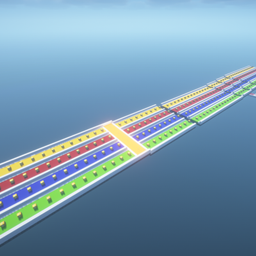
lucky block race by ManojTheReaper
🏁 A fun multiplayer Lucky Block Race map where players break Lucky Blocks, collect random rewards, survive surprises, and race to the finish line. Luck, skill, and strategy will decide who wins!
评论
登录后评论和评分