
Minecraft VR for bad laptops
This is a modpack that helps non-vr ready laptops/PCs to be able to run minecraft in VR.
介绍
Notice
I am no longer updating this modpack.
I left the minecraft community because of drama with the community, drama with my friends who are big the the minecraft space. And mojangs lack of updates/low qulity updates. I am more active in Roblox than minecraft and i also want to work on bigger projects. So yeah
Goodbye minecraft!
Welcome
You may want to run Minecraft in VR. You got the headset the software. But you computer does not have the power to run Steam VR. Or it does but it is very laggy.
If you said yes to those questions then you may want to use this modpack
Minecraft VR for bad laptops!
This Mod Pack helps laptops/PCs that are not VR ready be able to play Minecraft in VR using some very good optimization mods that is going to help your laptop/PC run better in VR!
How to setup
Pre-setup
You would need a few things.
- A launcher that can read
.mrpack(I recomend using Prism Launcher but any launcher works!) - And a copy of Steam VR
Setup
Setting up is easy as cake.
find this modpack in the modrinth laucher and install it really simple and the best way to install it.
A another way is to download the modpack file from this page and install it with the modrith laucher.
After that. open Steam VR and run Minecraft.
Then just toggle the VR button
That’s it!
told ya it’s easy as cake
How is it in game?
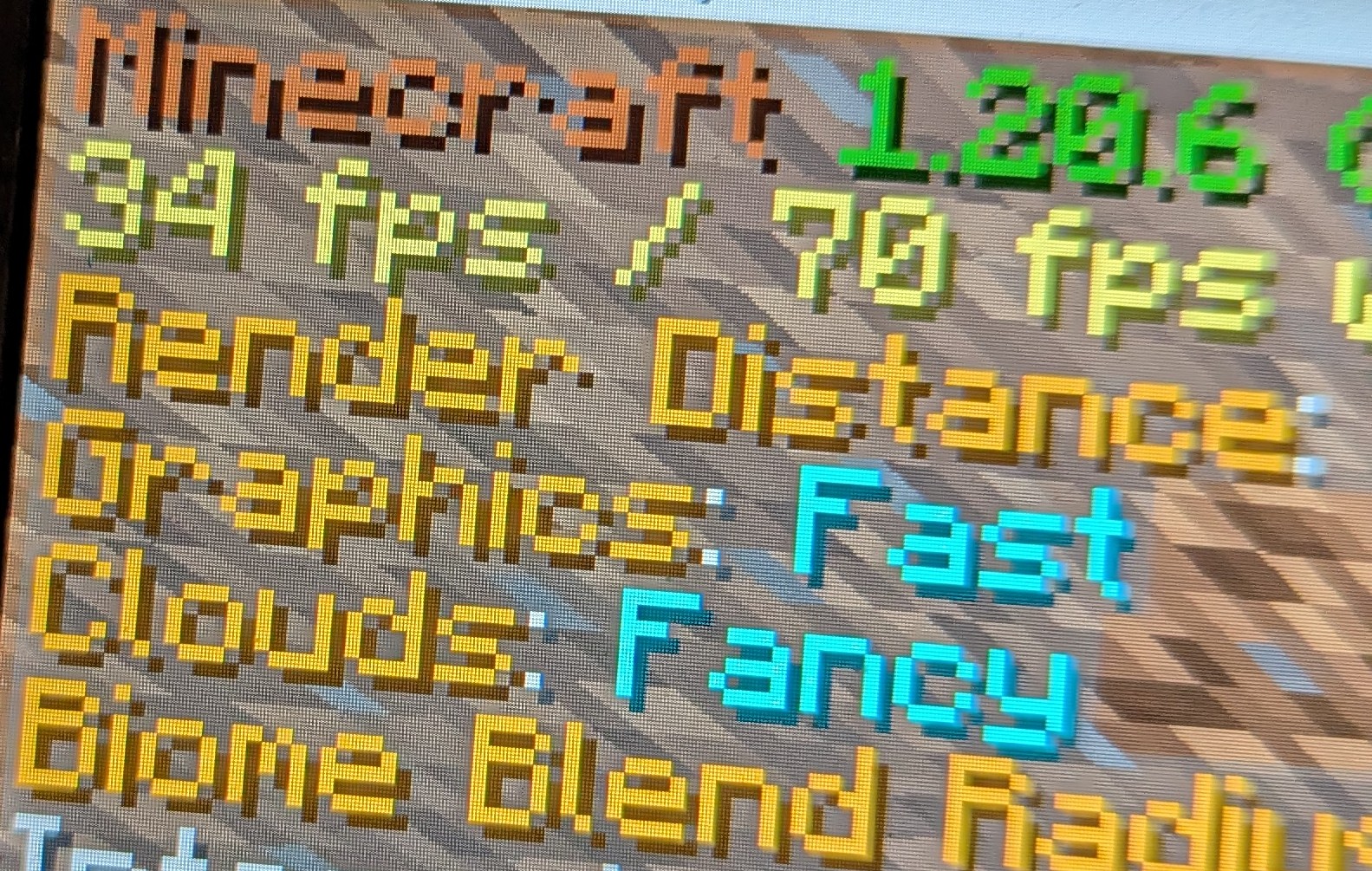
The modpack with the optimization mods and configs is able to get around 30 FPS in VR which is really good for a computer with only 12GB of RAM and a lack of VR support
Overall
This modpack is good if you are looking for a way to play Vivecraft on a non-VR ready or low end computer. There are a few things to note one is that the modpack is not perfect and some computer can’t run this at all like MacBooks or super super low end computer. And also you would to have to follow some setup from Vivecraft FAQ. FOR SERVER OWNER PLEASE READ THIS FOR VIVECRAFT SERVER STUFF. And Steam VR is needed for it to work it can be found here. Run Minecraft with Steam VR open (and headset on your head) and press on the VR button.
I also made it mult-loader so you can enjoy this modpack in your favitore loader and have your own mods in those said loaders :3
Credits
The icon for this modpack was made by Unfunnymii
Also thanks to the mods used in this modpack for letting me put them in here. It means a lot!
包含的模组 24 个
 Cloth Config API
 Continuity
 Dynamic FPS
 实体剔除
 Fabric API
 Fast IP Ping
 FerriteCore
 ImmediatelyFast
 Iris Shaders
 Krypton
 锂
 模组菜单
 More Chat History
 More Culling
 No Chat Reports
 Reese's Sodium Options
 Shulker Box Tooltip
 钠
 Sodium Extra
 Sound Physics Remastered
 spark
 Text Placeholder API
 Vivecraft
绿色边框的模组本站有收录,点进去看中文介绍;其余跳转到 Modrinth。
常见问题
Minecraft VR for bad laptops 支持哪些 Minecraft 版本?
Minecraft VR for bad laptops 支持 Minecraft Java 版 1.20.6–1.21.11,共 6 个版本,可用的加载器:Fabric / Forge / NeoForge / Quilt。下载时注意选择和你游戏版本一致的文件。
Minecraft VR for bad laptops 怎么安装?
点本页「前往下载」拿到整合包文件(Modrinth 的是 .mrpack,CurseForge 的是 .zip),在 PCL2 或 HMCL 启动器里选择「导入整合包」,启动器会自动装好 Minecraft、加载器和全部模组。这个整合包有 24 个模组,建议在启动器里给游戏分配 4–6 GB 内存。
Minecraft VR for bad laptops 开服需要多大内存?
推荐服务器内存 12 GB。在线人数多、或者建了大量机器和区块加载器时,可以再加 2–4 GB。
怎么和朋友一起玩 Minecraft VR for bad laptops?
点本页的「一键开服」,选好配置后会自动安装 Minecraft VR for bad laptops 的服务端,几分钟就能开好。把服务器地址发给朋友,大家用同一个版本的整合包连进去就行。


评论
登录后评论和评分