
Eclipse Client
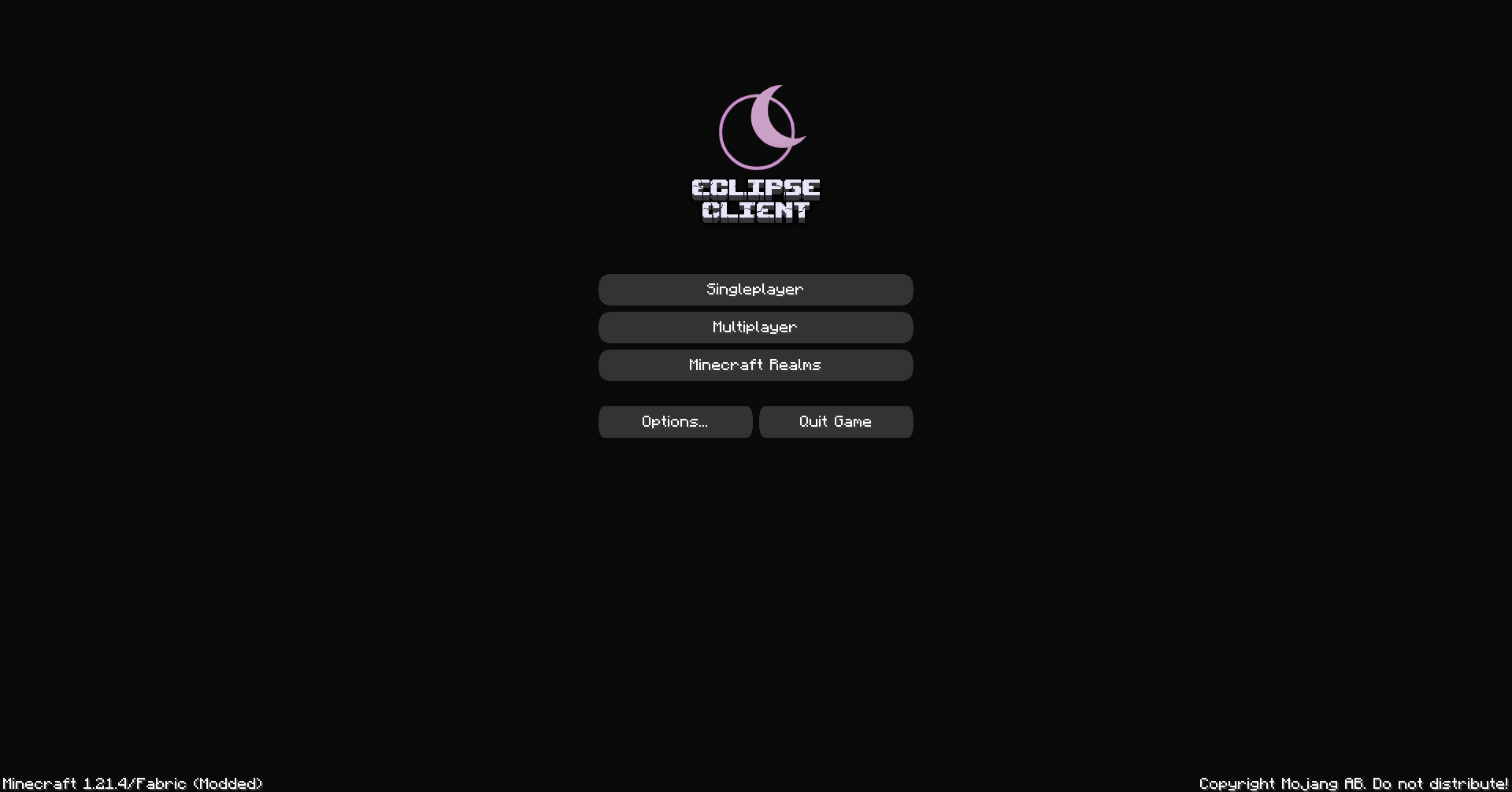
✨Eclipse Client✨—a sleek, performance-packed Minecraft client built on Fabric—boosts your game with style 🎨 and speed 🚀. Featuring a modern UI and unique tools like cross-version server support ⏪, it’s the ultimate upgrade for smoother, smarter gameplay
截图


介绍
✨Eclipse Client✨
The Ultimate Minecraft Performance Experience

Sleek, fast, and built for style.
What is Eclipse Client?
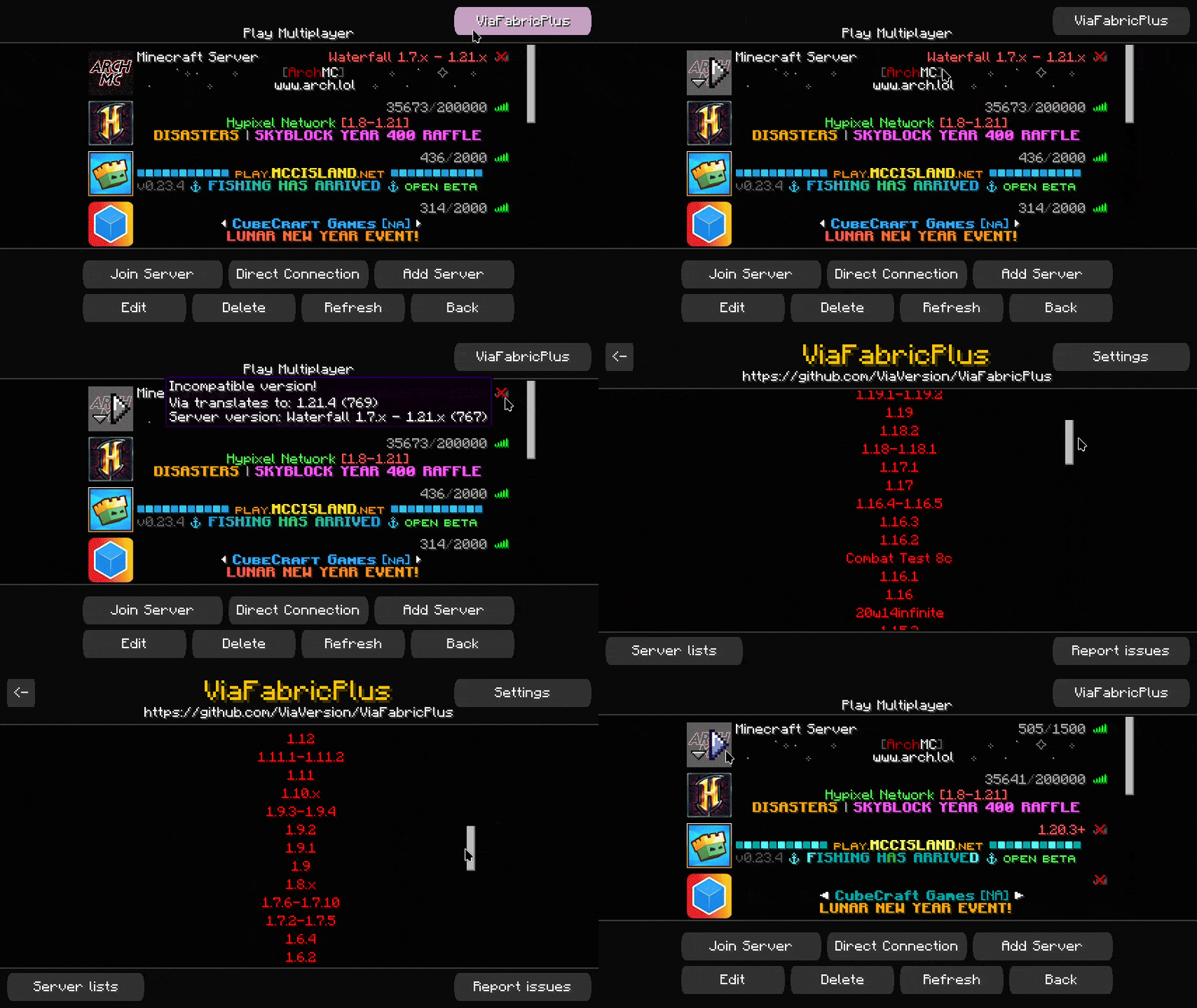
✨Eclipse Client✨—a sleek, performance-packed Minecraft client built on Fabric—boosts your game with style 🎨 and speed 🚀. Featuring a modern UI and unique tools like cross-version server support ⏪, it’s the ultimate upgrade for smoother, smarter gameplay 🌟.
Sleek UI: A modern, user-friendly interface designed for ease and elegance.
Cross-Version Support: Join servers running on older Minecraft versions seamlessly.
Why Choose Eclipse Client?
- Built on Fabric for lightweight, modular performance.
- Perfect for players who want style and functionality in one package.
- Regular updates and a growing list of features!
包含的模组 35 个
 Better Ping Display [Fabric]
 Cloth Config API
 Concurrent Chunk Management Engine (Fabric)
 Cull Leaves
 Enhanced Block Entities
 实体剔除
 Fabric API
 Fabric Language Kotlin
 FancyMenu
 FerriteCore
 Gamma Utils (Fullbright)
 Iris Shaders
 Konkrete
 锂
 Melody
 MidnightControls
 Model Gap Fix
 鼠标微调
 No Telemetry
 Noisium
 Not Enough Crashes
 Reese's Sodium Options
 Resourcify
 钠
 Sodium Extra
 Sodium Extras
 Sodium Options API
 Sodium Options Mod Compat
 Sodium Shadowy Path Blocks (SSPB)
 Status Effect Bars
 Text Placeholder API
 TxniLib
 ViaFabricPlus
 YetAnotherConfigLib (YACL)
 Zoomify (Zoom)
绿色边框的模组本站有收录,点进去看中文介绍;其余跳转到 Modrinth。
常见问题
Eclipse Client 支持哪些 Minecraft 版本?
Eclipse Client 基于 Minecraft Java 版 1.21.4,使用 Fabric 加载器。
Eclipse Client 怎么安装?
点本页「前往下载」拿到整合包文件(Modrinth 的是 .mrpack,CurseForge 的是 .zip),在 PCL2 或 HMCL 启动器里选择「导入整合包」,启动器会自动装好 Minecraft、加载器和全部模组。这个整合包有 35 个模组,建议在启动器里给游戏分配 4–6 GB 内存。
Eclipse Client 开服需要多大内存?
推荐服务器内存 12 GB。在线人数多、或者建了大量机器和区块加载器时,可以再加 2–4 GB。
怎么和朋友一起玩 Eclipse Client?
点本页的「一键开服」,选好配置后会自动安装 Eclipse Client 的服务端,几分钟就能开好。把服务器地址发给朋友,大家用同一个版本的整合包连进去就行。
My_Chito 的其他作品
查看全部 →
Optimized Adventure’s
Optimized Adventure's modpack offers an enhanced Minecraft experience with performance-boosting mods for smooth gameplay. Explore vast biomes and build intricate structures while enjoying a seamless survival adventure!
Optimized Adventure’s
Optimized Adventure's modpack offers an enhanced Minecraft experience with performance-boosting mods for smooth gameplay. Explore vast biomes and build intricate structures while enjoying a seamless survival adventure!
评论
登录后评论和评分