
XP Crystals
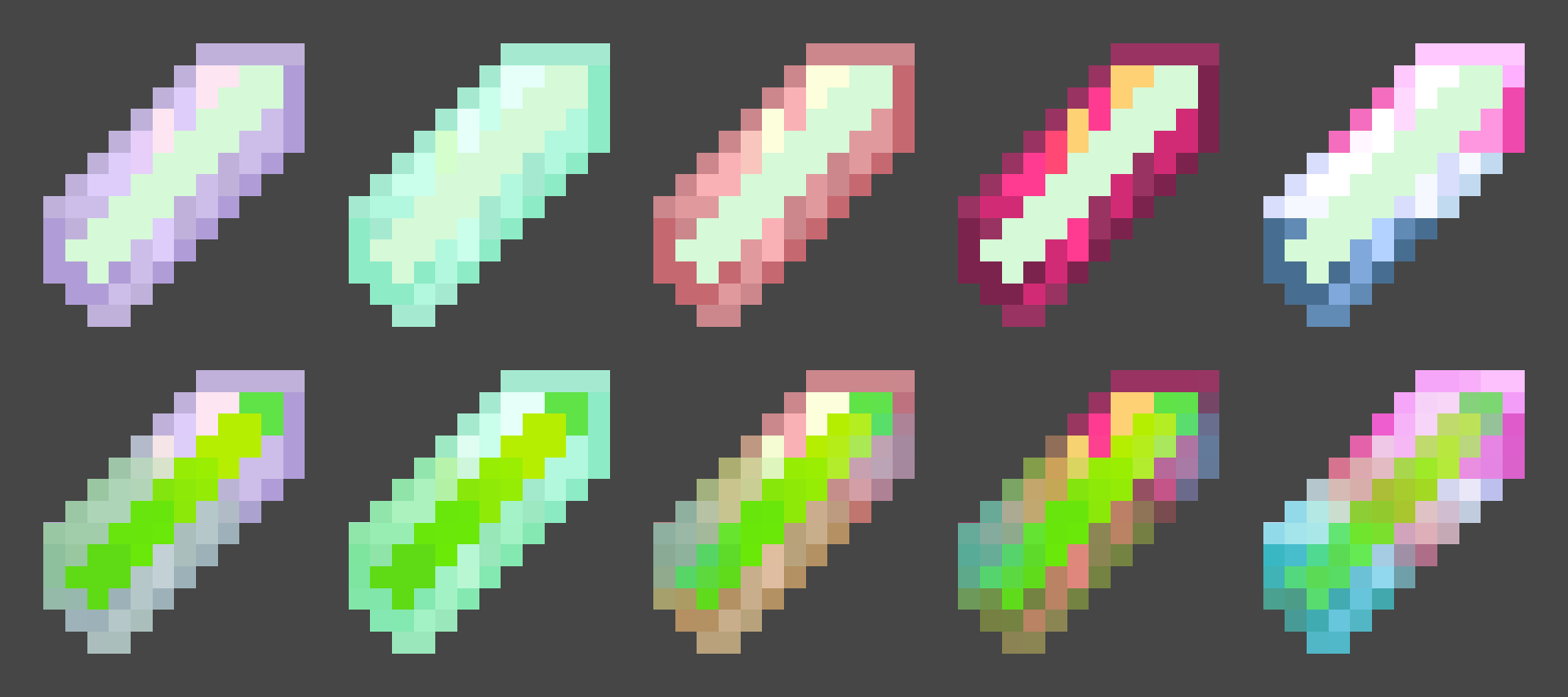
Store your XP in craftable crystals. Survival-friendly and tier-based: store 3, 10, 30, 50 levels—or infinite XP. Very Customizable
截图

介绍
XP Crystals
Ever wished you could bank your hardearned XP without the risk of dying and losing it all? With XP Crystals, you can store and retrieve your experience safely, using items that are fully compatible with survival gameplay.
_Available as mod or datapack._
Features
- Store XP in craftable crystals
- Crystals come in multiple tiers, each with a different capacity:
- Tier I: 3 levels
- Tier II: 10 levels
- Tier III: 30 levels
- Tier IV: 50 levels
- Tier V: Infinite XP storage
- Survival oriented, with balanced crafting recipes.
- Multiple Advancements
- Easy to use: right click to deposit or withdraw XP
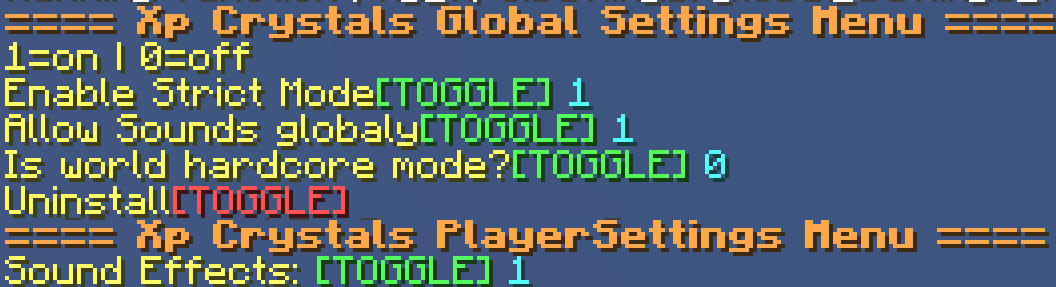
- Settings menu for both admins and normal players
- Serverside (resource pack required for clients)
Settings
admins may use /trigger xp_crystals.globalsettings
players may use /trigger xp_crystals.settings
Player Settings
Sound Effects [Turns on or off soundeffects per player]
Global Settings
- Strict Mode: Enables accurate XP point calculation instead of using XP levels only (Enabled by default)
- Toggle global sound effects on or off.
- Hardcore Mode: Automatically awards an achievement that can only be obtained by dying.
- Uninstall Function: Removes all data left over from the datapack/mod~~~~.
Multiplayer
This datapack/mod is almost completely server-side and requires very little client-side setup.
To ensure clients have the correct textures, the included resource pack must either:
- be added to the server’s resource pack, or
- be downloaded and installed separately by each player.
regardless if it is installed as a mod or datapack
Need Help? Want to offer feedback?
join the Discord
常见问题
XP Crystals 支持哪些 Minecraft 版本?
XP Crystals 支持 Minecraft Java 版 1.21–26.2,共 16 个版本,可用的加载器:Fabric / Forge / NeoForge / Quilt。下载时注意选择和你游戏版本一致的文件。
XP Crystals 怎么安装?
先用 PCL2 或 HMCL 启动器安装对应版本的 Fabric / Forge / NeoForge / Quilt,再把下载的 .jar 文件放进游戏目录的 mods 文件夹,重新启动游戏即可。开启了版本隔离的,mods 文件夹在 versions/版本名 下面。运行环境:客户端 / 服务端。
Phyton 的其他作品
查看全部 →
Night Vision Spyglass
Nightvision when looking through a spyglass! Configurable as an enchantment!
Night Vision Spyglass
Nightvision when looking through a spyglass! Configurable as an enchantment!

Phytons Hearts
Survival Friendly Items that Add or Remove Hearts and Health permanently! Fully configurable Settings!

Magic Mirrors Plus – Teleporting Mirrors
27 Magic Mirrors that can teleport you to different places! Inspired by Terraria's Magic Mirror
评论
登录后评论和评分