
Phytons Hearts
Survival Friendly Items that Add or Remove Hearts and Health permanently! Fully configurable Settings!
截图
介绍
Phytons Hearts
Ever wanted an item that could increase or decrease your hearts?
Great for custom survival experiences, hardcore challenges, or RPG-style progression.
Includes a few achievements.
Compatible with multiplayer!
Additions
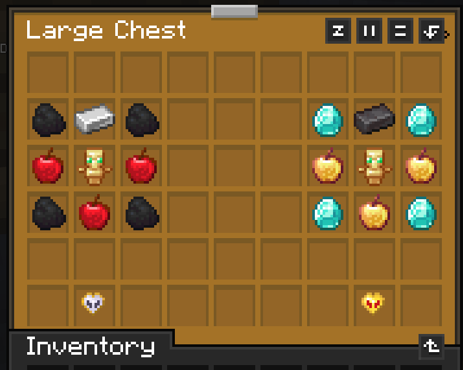
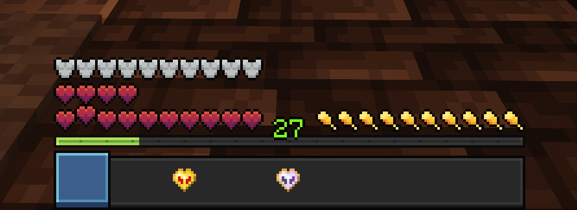
💖 Health Upgrade – Permanently increases your maximum hearts. If you exceed two full health bars (20 hearts), the extra hearts become temporary and will disappear one by one upon death.
🖤 Health Ripper – Permanently reduces your maximum hearts, allowing for unique challenge runs or strategic gameplay adjustments.
Consuming this will give you your heart back, which can be reconsumed to regain your health.
💀 Dying – will cause you to lose temporary hearts, but permanent hearts will not be removed.
The number of permanent hearts can be configured.
Functionality
Several other settings are included to manage health for players and to create as much customizability as possible
Settings
Functions
| Functions | Desciption|
|—-|:—|
|/function phytons_hearts:give_health_upgrade| Gives you a health upgrade |
|/function phytons_hearts:give_health_ripper | Gives you a health ripper |
|/function phytons_hearts:settings | Opens settings|
Settings
| Setting | Description |
|————————|:—————————————————————|
|Toggle Chat Messages | Enables or disables a chat message upon consuming an item |
|Toggle Particle effects | Enables or disables the sound effects |
|Item Multiplier | The ammount of health given/taken when consuming an item |
|Full Loss | If set, player will loose all non permanent hearts on death instead of one at a time
|Health Cap | Maximum health obtainable with the heart item
|Default Health |Set New Players Default Health value|
|Permacap | The ammount of health that stays permanently even on death|
|Uninstall | Removes all scoreboards etc, allowing for clean removal |
Installation
Datapack Installation: Drop the datapack into your world’s datapacks folder, add Resource pack and /reload
Mod Installation: drop Jar file in mods folder, once the world has loaded type /reload
On Servers For both Mod and datapack, make sure that every player has the required resource pack, this can be done using the server-resource pack in server.properties
Datapack drawbacks!
Due to limitations with datapacks, the items will not appear in the creative inventory list. As well as not having entries in mods such as JEI.
For mod users: This applies as well, since the mod version is just the repackaged datapack
These limitations should however in no way affect other gameplay 🙂
常见问题
Phytons Hearts 支持哪些 Minecraft 版本?
Phytons Hearts 支持 Minecraft Java 版 1.21–26.2,共 16 个版本,可用的加载器:Fabric / Forge / NeoForge / Quilt。下载时注意选择和你游戏版本一致的文件。
Phytons Hearts 怎么安装?
先用 PCL2 或 HMCL 启动器安装对应版本的 Fabric / Forge / NeoForge / Quilt,再把下载的 .jar 文件放进游戏目录的 mods 文件夹,重新启动游戏即可。开启了版本隔离的,mods 文件夹在 versions/版本名 下面。运行环境:客户端 / 服务端。
Phyton 的其他作品
查看全部 →
Night Vision Spyglass
Nightvision when looking through a spyglass! Configurable as an enchantment!
Night Vision Spyglass
Nightvision when looking through a spyglass! Configurable as an enchantment!

XP Crystals
Store your XP in craftable crystals. Survival-friendly and tier-based: store 3, 10, 30, 50 levels—or infinite XP. Very Customizable

Magic Mirrors Plus – Teleporting Mirrors
27 Magic Mirrors that can teleport you to different places! Inspired by Terraria's Magic Mirror
评论
登录后评论和评分