Where Did I Put It?
Hover an item, press a key, and the nearest container holding it lights up through walls. Remembers what's in every chest you open.
截图
介绍




✨ About
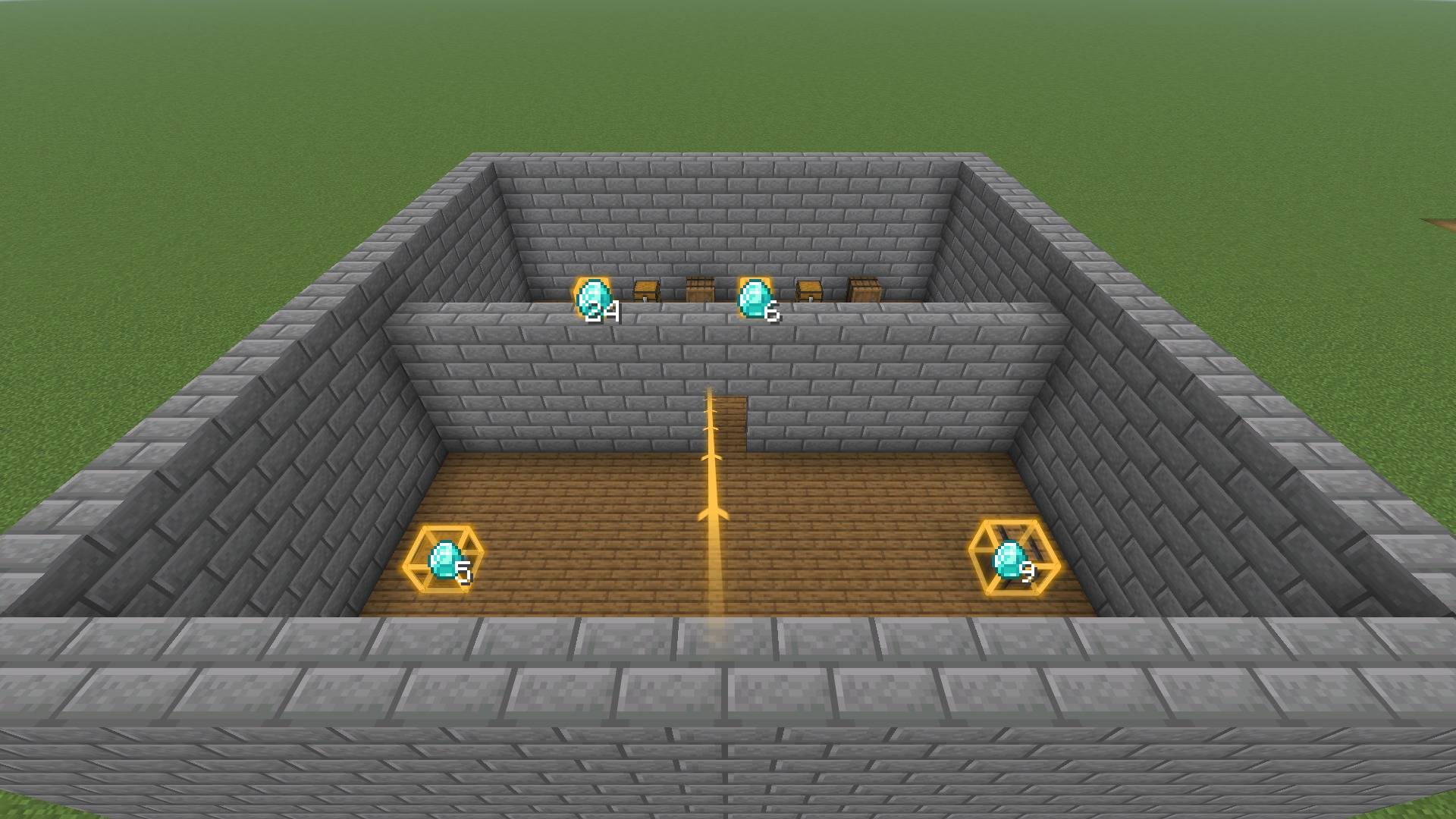
Hover an item, press a key, and the nearest container holding it lights up. Where Did I Put It? remembers what’s in every chest, barrel and shulker box you open, so the next time you need something you ask instead of opening twenty chests.
It works on any server, client side only. Install it on the server too and searches look in the real containers around you, even ones you never opened.
🔍 Find anything
- F on any item, in your inventory, a chest, or JEI or REI, points out the nearest container that has it. G points out all of them.
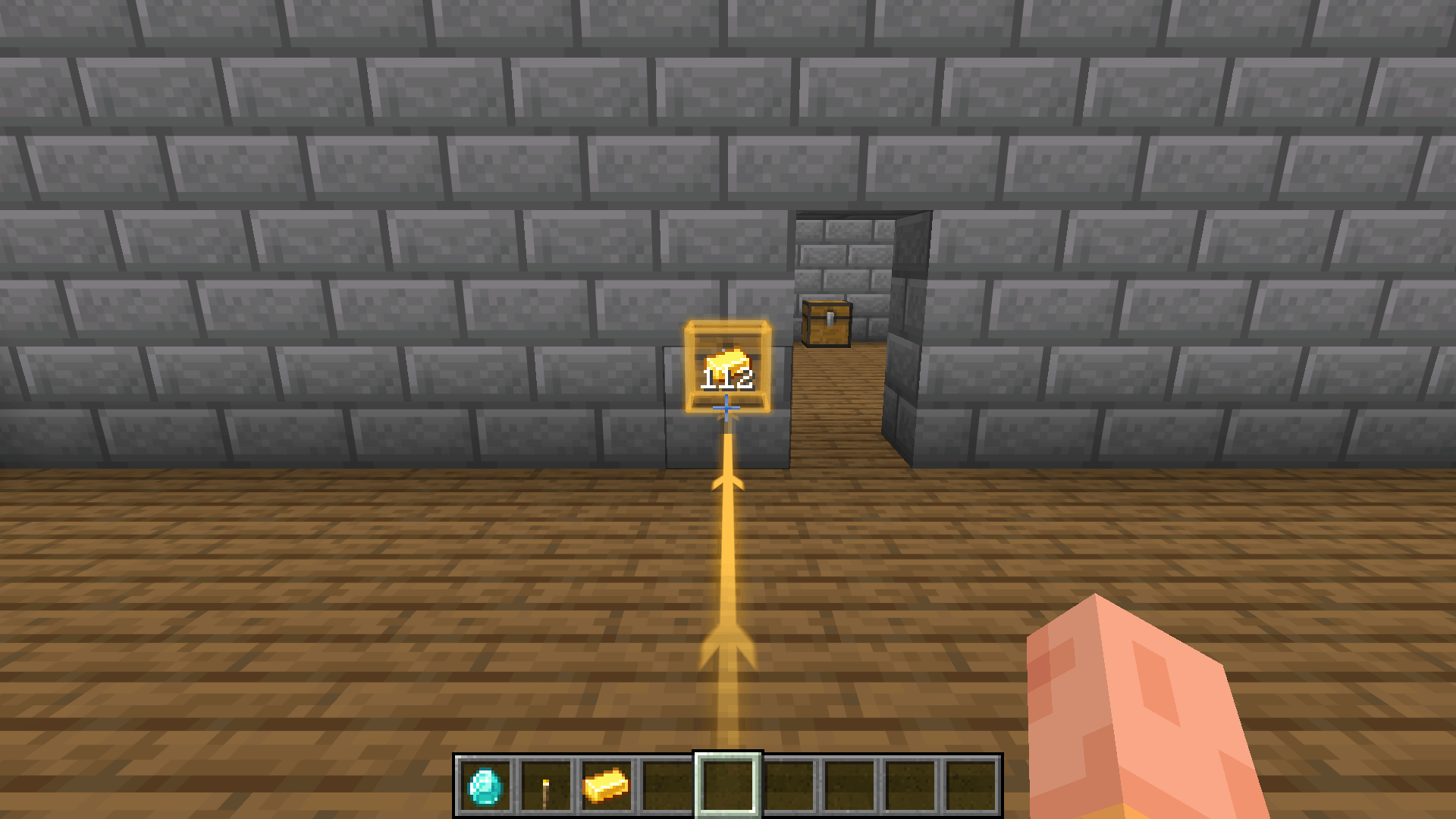
- The container glows through walls with a clean gold outline and a see-through ghost of itself, the item floats over it with how many are there, and an arrow points the way while it’s off screen.
- A glowing line runs from your feet straight to it, and a compass at the top of the screen keeps pointing until you open it.
🗂️ Search and browse
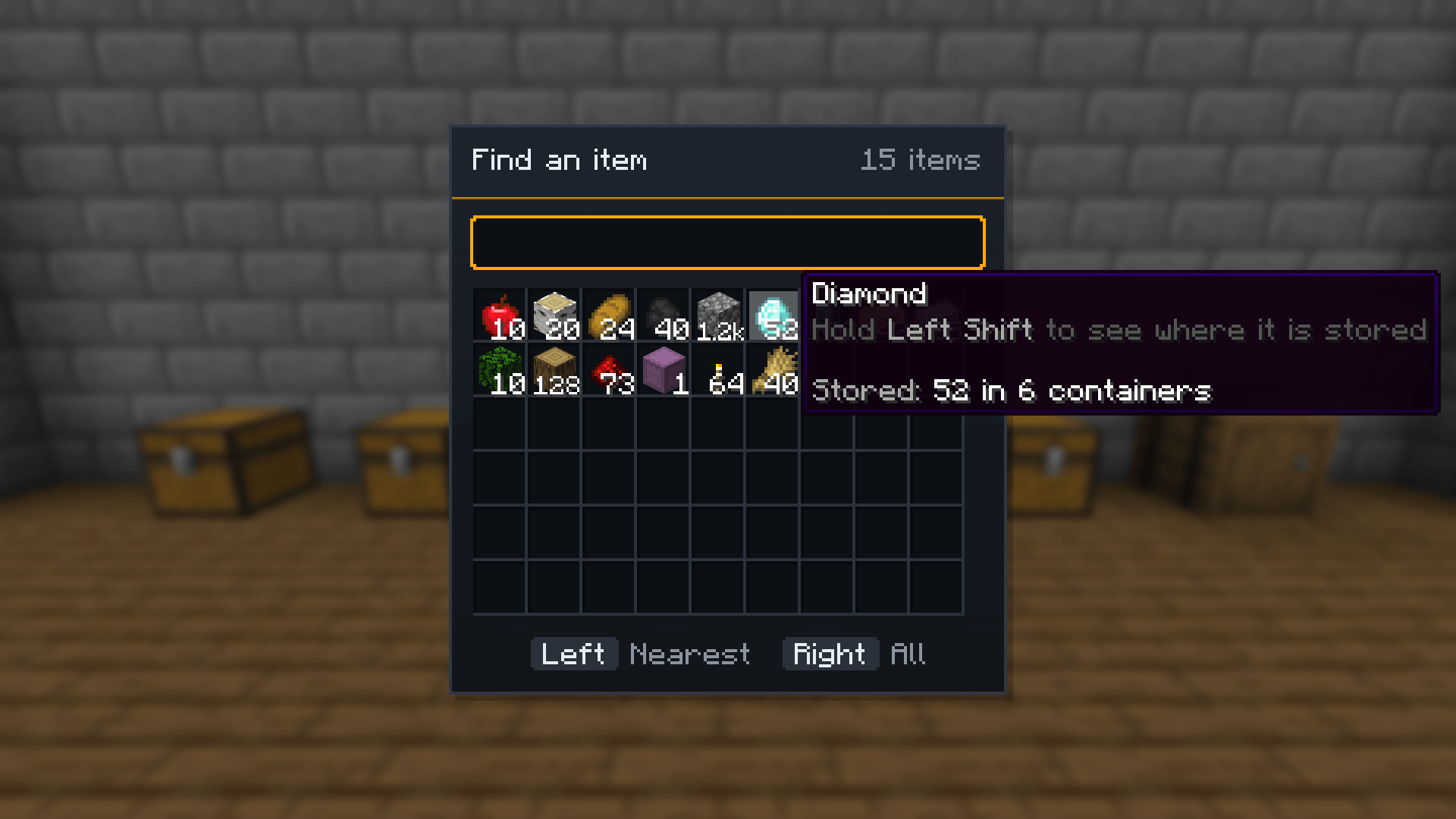
- Search screen (Y): every item you’ve stored, by name,
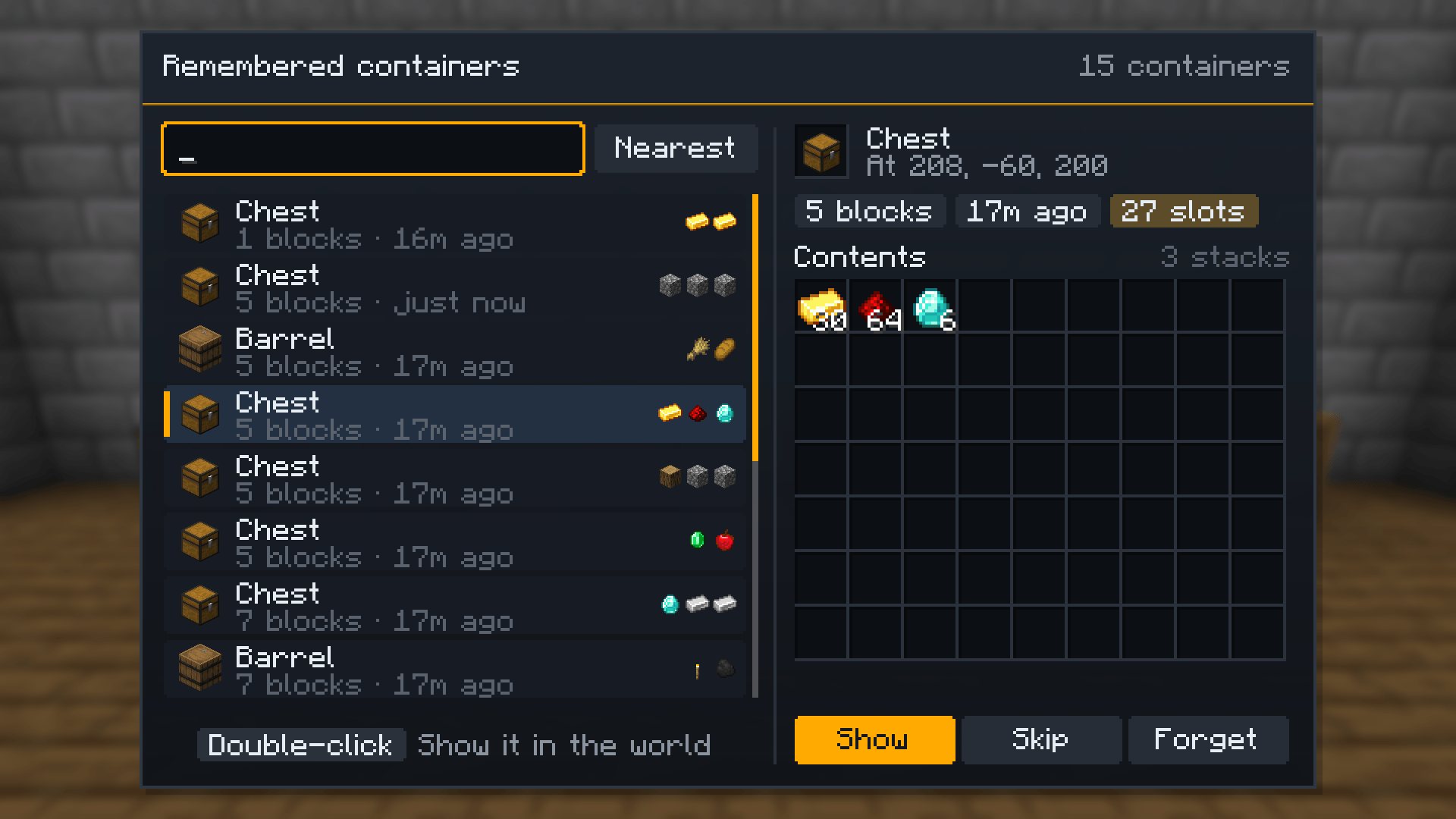
#tagor@mod. Click to find it. - Container browser (K): every remembered container nearest first, with what it held when you last looked. Show it, skip it in searches, or forget it.
- Tooltips: hold Shift on an item to see how many you’ve stored, the nearest place and where you last saw it.
🧠 More finding
Optional keys, unbound by default: find similar items (same enchantment or potion), find room for what you’re holding, find the ingredients a recipe is missing, and peek into a container from across the room.
🌐 Live search on servers
With the mod on the server, searches ask the server and look in the real containers round you. The server decides how far and how often, skips anything you couldn’t open (locked, protected, unlooted loot), and only ever says where an item is and how many, never what else a container holds. Teams can share what they’ve seen (off by default).
📦 Storage mods
Terminals of Applied Energistics 2, Refined Storage, Simple Storage Network and Tom’s Simple Storage are remembered with everything their network holds, and the find key works in their grids.
📦 Versions
| Minecraft | Loaders |
|---|---|
| 26.1 – 26.3 | Fabric, NeoForge |
| 1.21.1 | Fabric, NeoForge, Forge |
| 1.20.1 | Fabric, Forge |
Requires CoolCatLib (and Fabric API on Fabric). JEI, REI and the storage mods are optional.
📜 License
Where Did I Put It? is under the Mozilla Public License 2.0. Modpacks, videos and reviews are welcome.
常见问题
Where Did I Put It? 支持哪些 Minecraft 版本?
Where Did I Put It? 支持 Minecraft Java 版 1.20.1–26.3,共 7 个版本,可用的加载器:Fabric / Forge / NeoForge。下载时注意选择和你游戏版本一致的文件。
Where Did I Put It? 怎么安装?
先用 PCL2 或 HMCL 启动器安装对应版本的 Fabric / Forge / NeoForge,再把下载的 .jar 文件放进游戏目录的 mods 文件夹,重新启动游戏即可。开启了版本隔离的,mods 文件夹在 versions/版本名 下面。
ixDarkLorD 的其他作品
查看全部 →
CoolCatLib
一次编写,处处运行。事件、网络通信、注册表和配置一应俱全,还支持屏幕特效、自定义天空、过场动画和 GUI 组件——为你的模组打造喵不可言的完美基础。
FTB Ultimine Addition (Forge/NeoForge/Fabric)
满足特定条件后才能使用Ultimine!完成挑战即可解锁挖掘技能,让游戏体验更有趣。

Modpack Manager
允许整合包作者修改游戏界面。新增视觉效果!

Modpack Manager (Discontinued)
让整合包作者能够修改游戏界面,并加入全新的视觉效果!
评论
登录后评论和评分