
Void One Block
Start on one block above the void, with preserved biome identity, optional void dimensions, and companion-mod support.
介绍
Void One Block
A minimalist, mod-compatible one-block-void world type for Forge 1.16.5./1.20.1
Start with nothing but a single block beneath your feet — and everything else is up to you.
Download · Discord · Source code
What you can do
- Start on one block above the void.
- Preserve biome identity for compatible mods.
- Configure optional void Nether and End dimensions.
- Use optional companion mods for the starting block and progression.
Install, update, and check compatibility
Mod Compatibility
Void One Block is built for maximum compatibility — everything behaves as close to vanilla as possible, except there’s no terrain and no worldgen structures. Biomes, mobs, and other mods should work normally.
It has dedicated, optional compatibility support for two companion mods:
- Random Item Generator: Resurrected — turns your starting block into a mystery item source.
- OneBlock Reborn — adds full progression-style oneblock gameplay on top of the void world.
Both are entirely optional; Void One Block works fine on its own. If you have only one installed, it’s used normally. If you have both installed, OneBlock Reborn takes priority for owning and progressing the origin block, while Void One Block steps back from repairing it and falls back to minecraft:grass_block for the very first block instead of the Random Item Generator block — so the two mods never fight over the same spot.
Pack authors can disable either integration independently via config, without needing to remove the dependency:
randomItemGeneratorCompatibility = true
oneBlockRebornCompatibility = true
Getting Started
- Install the mod (and optionally Random Item Generator: Resurrected and/or OneBlock Reborn).
- Create a new world.
- Select the Void One Block world type.
- Fall into the void, land on your block, and start surviving.
_Built for Forge 1.16.5./1.20.1_
Play: controls, commands, and progression
What is this?
Void One Block adds a brand-new world type to Minecraft. Instead of generating normal terrain, it strips everything away and leaves you standing on exactly one block, floating in the void. From there, it’s your job to survive and expand — while biome identity still works exactly as it should, so modded biomes and biome-aware systems behave normally even though there’s no terrain to look at.
No mountains. No oceans. No forests. No structures to stumble into. Just you, one block, and whatever you build from there.
World features
🧱 True One-Block Start
The Overworld spawns you on a single platform block above an endless void. The block regenerates itself if it’s ever removed by outside means (but never overwrites anything you’ve placed — it only fills in plain air).
🌌 Void Nether & Void End
Take the challenge further — the Nether and the End can be voided too:
- Nether: stripped of terrain entirely — pure void.
- The End: islands are gone, but the exit fountain, obsidian spikes, and the full dragon fight and podium sequence are preserved exactly as they are in vanilla. Obsidian pillars now generate from Minecraft’s own vanilla spike table instead of a hand-built layout, and the fountain/podium spawns at the same Y-level as the End platform so it never gets cut off by the void. Vanilla itself remains fully in control of spawning, activating, and respawning the fountain and portal — Void One Block only makes sure it has solid ground to appear on.
Both are optional and configurable independently.
🧩 Biome-Compatible, Structure-Free
This void generator preserves original biome sources, so modded biomes (BYG, BOP, and similar) still assign their correct biome IDs to your world — useful for anything that keys off biome identity. Void chunks also report honest height information instead of faking a surface everywhere, so other mods that check “is there ground here?” behave correctly in the void rather than treating it like a normal flat world.
Structures are intentionally disabled across every void dimension: no strongholds, villages, fortresses, bastions, End Cities, or modded structure generation will occur. This only blocks worldgen structure starts — it does not block other mods from placing blocks or entities at runtime, so mods that spawn things like a pre-built house as an entity/event action still work normally; only mods that generate structures during chunk generation are excluded. The one-block challenge is meant to be self-contained rather than a structure hunt.
⚙️ Configurable Spawn Block
Choose exactly what you start on. By default, Void One Block pairs with Random Item Generator: Resurrected, spawning you on its mystery item block for an extra layer of unpredictability. Don’t have that mod installed, or the configured block isn’t valid? No problem — it automatically falls back to minecraft:grass_block so the world always generates safely.
spawnBlock = "random_item_generator_resurrected:item_block"🎁 Bonus Chest Support
Enabled the bonus chest at world creation? It’ll spawn right beside your starting block, using the standard vanilla loot table — one time only, and it won’t reappear once it’s been placed.
🌀 Safe End Gateways
End gateways get a small safety platform automatically, so stepping through one in a void End won’t strand you in empty space.
🧭 No Experimental Warnings
World generation settings are marked stable, so you won’t get the “This world uses experimental settings” pop-up when creating a Void One Block world.
Configure and customize
Configuration Options
| Option |Default |Description |
| ———- |——————————————– |———————————————————————————————————————————- |
| spawnBlock |random_item_generator_resurrected:item_block |The block placed beneath the player at Overworld spawn. Falls back to minecraft:grass_block if the configured block/mod isn’t present. |
| voidNether |true |Voids Nether terrain entirely. |
| voidEnd |true |Voids End terrain while preserving the fountain, obsidian spikes, and dragon fight. |
| manageSpawnBlock |true |Whether Void One Block places/repairs the spawn block itself. Automatically steps aside when OneBlock Reborn is installed and its compatibility toggle is enabled. |
| randomItemGeneratorCompatibility |true |Enables special handling for Random Item Generator: Resurrected. |
| oneBlockRebornCompatibility |true |Enables special handling for OneBlock Reborn, including yielding origin-block ownership to it. |
Structure generation is always disabled in every void dimension — this is no longer a configurable option.
Backups and recovery
Before updating or changing settings
Back up your world and configuration files before making changes. Keep a copy of the old instance until you have checked that the updated setup works.
Troubleshooting, logs, and technical details
Get help
Use Discord or the issue tracker. Include your Minecraft version, mod loader, project version, and steps to reproduce the problem.
About this mod
Author and links
I create and maintain Void One Block as Dnydd (formerly known as dklyntly).
GitHub source · My CurseForge projects
Read the full license and the terms included with your version before editing or redistributing files. Permissions granted with earlier releases remain in effect.
Support my work
If you enjoy my projects, you can support my work through Ko-fi or PayPal. Support is always optional.


常见问题
Void One Block 支持哪些 Minecraft 版本?
Void One Block 支持 Minecraft Java 版 1.16.5–1.21.11,共 18 个版本,可用的加载器:Forge / NeoForge。下载时注意选择和你游戏版本一致的文件。
Void One Block 怎么安装?
先用 PCL2 或 HMCL 启动器安装对应版本的 Forge / NeoForge,再把下载的 .jar 文件放进游戏目录的 mods 文件夹,重新启动游戏即可。开启了版本隔离的,mods 文件夹在 versions/版本名 下面。运行环境:客户端和服务端都要装。
Dnydd 的其他作品
查看全部 →
Modded Oneblock Skyblock
一个 Minecraft 1.16.5 的 OneBlock 空岛整合包,包含 700+ 模组、任务、自动化、魔法、维度以及 Boss 战。

Random Oneblock Skyblock
Survive on a single block that drops random items from 200+ mods, then build your island and choose your progression route.

Random Item Generator Resurrected
Break regenerating blocks for random items, entities, enchanted books, or chest loot, with filters for modded content.
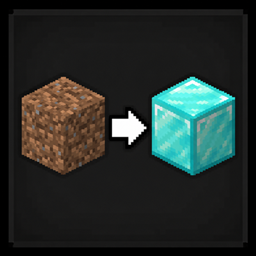
Randomized Block & Mob Drops
Shuffle block and mob drops, including modded loot, with saved world seeds, filters, and commands to find items.
评论
登录后评论和评分