Randomized Block & Mob Drops
Shuffle block and mob drops, including modded loot, with saved world seeds, filters, and commands to find items.
介绍
Randomized Block & Mob Drops
DOWNLOAD · DISCORD · SOURCE CODE
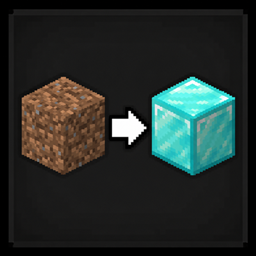
Randomized Block & Mob Drops changes what blocks and mobs drop, including compatible modded content. Each world saves its shuffle so the results stay consistent between sessions.
What you can do
- Every block and mob has its drops shuffled to something completely different
- Drops are consistent — the same block always drops the same thing in your world
- Each world gets its own randomization, saved so it never changes between sessions
- Works with modded blocks, mobs, and items automatically
- Only items that can naturally drop are in the shuffle pool — nothing becomes unobtainable
- If you add, remove, or update a mod, the datapack rebuilds automatically on next world load
Chaos Mode bypasses filters and can make some items unobtainable. Check the settings before enabling it.
Install, update, and check compatibility
Install the matching file
Choose the file for your Minecraft version and mod loader. Install its listed dependencies, then put the mod file in your instance’s mods folder.
Play: controls, commands, and progression
How It Works
Load a world. RBMD automatically:
- Scans all loot tables to find every naturally obtainable item
- Shuffles them using your world seed
- Writes a datapack and reloads — drops are active immediately
If you change your config or mod list, RBMD detects the change and rebuilds the datapack using the same seed on the next world load. No manual steps needed.
🔁 Want completely new drops? Run
/rbmdreshuffleat any time.
Commands
| Command | Description |
|---|---|
/rbmdhelp |
Show help in-game |
/rbmdreshuffle |
Re-randomize with a new seed |
/rbmdreshuffle <seed> |
Re-randomize with a specific seed |
/rbmdfind <item> |
What block or mob drops this item |
/rbmdmob <mob> |
What this mob drops now |
Both /rbmdfind and /rbmdmob support tab completion — start typing minecraft: or mymod: and it will suggest matching items and mobs.
Debug commands (OP only)
| Command | Description |
|---|---|
/rbmddebug |
Force rebuild the datapack if drops seem wrong |
/rbmdcheck |
Verify blacklists are working — shows pool size and flags issues |
/rbmddump |
Export every drop change to datapacks/rbmd_randomizer/rbmd_dump.txt |
💡 Use
/rbmddumpto review all changes and copy IDs straight into the blacklist config.
Notes
- Wrong tool = no drop — same as vanilla. A block that needs a pickaxe drops nothing without one.
- Same seed = same drops — two worlds sharing a seed will have identical randomization. Use
/rbmdreshuffleto override. - Each world is independent — worlds store their own seed and config hash in
datapacks/rbmd_randomizer/. Switching between worlds never affects each other. - Adding or removing mods — detected automatically. Drops will shift slightly since the pool size changes, but the same seed is reused so existing items stay as consistent as possible.
- Silk Touch — randomized by default. Set
randomize_silk_touch = falseif you want Silk Touch to always give the original block. - Mods with hardcoded drops — mobs that skip the loot table system are still covered by an event hook on every mob death.
- Debugging — all output tagged
[RBMD]inlatest.log. Use/rbmddumpto export a full human-readable list of every drop change.
Configure and customize
Config
File: config/rbmd-common.toml
Changes are detected automatically on next world load — no need to run /rbmdreshuffle unless you want new drops entirely.
| Option | Default | Description |
|---|---|---|
randomize_blocks |
true |
Randomize block drops |
randomize_mobs |
true |
Randomize mob drops |
randomize_silk_touch |
true |
Randomize Silk Touch drops |
item_blacklist |
(see below) | Items excluded from the pool entirely |
mob_blacklist |
(empty) | Mobs whose drops are never randomized |
mod_blacklist |
(empty) | Exclude all items and mobs from a mod by its mod ID |
chaos_mode |
false |
Skip all filters — see below |
reset_welcome_message |
false |
Show the welcome message again on next join |
Item blacklist defaults — excluded because they can’t be obtained naturally: bedrock, barrier, command_block, chain_command_block, repeating_command_block, structure_block, structure_void, jigsaw, light, debug_stick, knowledge_book, bundle. Remove any entry to put it back in the pool.
Blacklist format — use full registry IDs:
item_blacklist = ["minecraft:diamond", "mymod:special_item"]
mob_blacklist  = ["minecraft:zombie", "mymod:boss"]
mod_blacklist  = ["mymod", "anothermod"]
🔴 Chaos Mode
Setting chaos_mode = true skips everything — blacklists, spawn egg filter, and the natural drop filter. Every registered item enters the pool. A warning appears in chat when you join with chaos mode on.
⚠️ Some items may become unobtainable in chaos mode. Use at your own risk.
Backups and recovery
Before changing your setup
Back up your world and configuration files before updating the project or changing its settings. Keep the old instance until you have checked that the updated setup works.
Troubleshooting, logs, and technical details
Get help
For help or bug reports, use Discord. Include the project file, Minecraft version, mod loader, and the steps that caused the problem.
About this project
Author and links
I create and maintain Randomized Block & Mob Drops as Dnydd (formerly known as dklyntly).
Official CurseForge page · Discord · GitHub source
License and permissions
Read the full license and the terms included with your downloaded version; permissions granted to earlier versions remain in effect.
Support my work
If you enjoy my projects, you can support my work through Ko-fi or PayPal. Support is always optional.


常见问题
Randomized Block & Mob Drops 支持哪些 Minecraft 版本?
Randomized Block & Mob Drops 支持 Minecraft Java 版 1.20.1–1.21.1,共 2 个版本,可用的加载器:Forge / NeoForge。下载时注意选择和你游戏版本一致的文件。
Randomized Block & Mob Drops 怎么安装?
先用 PCL2 或 HMCL 启动器安装对应版本的 Forge / NeoForge,再把下载的 .jar 文件放进游戏目录的 mods 文件夹,重新启动游戏即可。开启了版本隔离的,mods 文件夹在 versions/版本名 下面。
Dnydd 的其他作品
查看全部 →
Modded Oneblock Skyblock
一个 Minecraft 1.16.5 的 OneBlock 空岛整合包,包含 700+ 模组、任务、自动化、魔法、维度以及 Boss 战。

Random Oneblock Skyblock
Survive on a single block that drops random items from 200+ mods, then build your island and choose your progression route.

Random Item Generator Resurrected
Break regenerating blocks for random items, entities, enchanted books, or chest loot, with filters for modded content.

Super Modded Random Oneblock Skyblock
A skyblock modpack with 250+ mods, randomized recipes, and random drops. Expand your island and adapt to what you find.
评论
登录后评论和评分