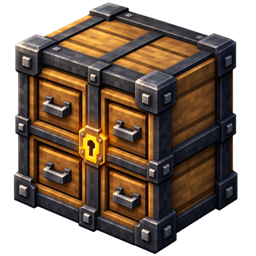
Vault Drawers
Port of Storage Drawers to Minecraft 26.2 / NeoForge 26.2.0.57. Interactive compartment storage blocks that display their contents, with capacity, void and speed upgrades, plus a controller network to manage entire storage walls from a single block.
介绍
🗃️ Vault Drawers
Interactive compartment storage for your workshops — a NeoForge port of Storage Drawers.



✨ Overview
|
Vault Drawers adds compartmentalised storage blocks that show their contents on the front face. Right-click to insert and extract, upgrade a drawer’s capacity or make it void overflow, and link hundreds of drawers to a Controller to build a single-access-point storage wall. JEI shows the recipes; Jade shows a drawer’s contents, upgrades, capacity and owner on hover.
A port of Storage Drawers — originally by Justin Aquadro (jaquadro), currently maintained by Texelsaur — adapted to NeoForge 26.2 by Stalking Dragons. The original code is MIT licensed. Not affiliated with or endorsed by the original authors.
| |
🎯 Features
📦 Storage Drawers
- Basic Drawers — 1, 2 and 4 compartment variants in all 11 wood types (Oak, Spruce, Birch, Jungle, Acacia, Dark Oak, Mangrove, Cherry, Bamboo, Crimson, Warped)
- Full & Half blocks — full-block height and slab height for compact builds
- Trim — decorative wood / metal trim to fill out a wall
⬆️ Upgrades
- Capacity Upgrade — raises the stack limit per slot (up to 64×)
- Void Upgrade — deletes excess items when full
- Speed Upgrade — faster insertion / extraction
- Upgrade slots — 1–4 depending on drawer tier
🎮 Controller System
- Controller — a central block linking a large network of drawers; insert / extract from the whole network at one block
- Controller Slave — extends the controller’s reach
- Redstone modes — disable, eject, round-robin, priority
🔧 Integration
- JEI — recipe viewing for upgrades, trim and controllers
- Jade — hover tooltips for contents, upgrades, capacity and owner
⚙️ Configuration
Drawer capacities, upgrade limits, controller range and the integration toggles are all configurable.
🧱 Mod Structure
|
| drawer blocks |The compartment blocks, their block entities and the item-handler capability. |
| upgrades |Capacity / void / speed upgrade items and their effects. |
| controller |The controller / slave network and its redstone behaviour. |
| client render |The front-face item render, the framed-drawer overlays and the models. |
| integration |JEI and Jade support. |
📋 Requirements
| Minecraft / NeoForge / Java |see Available Versions below |
| Dependencies |None. Optional integration with JEI and Jade. |
| Side |Client and Server |
📦 Available Versions
|
| 26.2 |26.2.0.57+ |21 |0.0.0-beta.9 |Beta |
26.2 is the only target. For Minecraft 1.21.1, use Texelsaur’s official Storage Drawers release instead — no separate 1.21.1 build of this port is planned.
🎮 How to Use
- Craft drawers from vanilla planks and a chest.
- Place a drawer — it faces you on placement.
- Right-click with an item to insert, or feed it with hoppers / pipes; right-click empty-handed to extract.
- Right-click a drawer with an upgrade item to apply it.
- For big storage: place a Controller, add Slaves for reach, and connect drawers around it.
🙏 Credits & License
Vault Drawers is a port of Storage Drawers — originally by Justin Aquadro (jaquadro), currently maintained by Texelsaur — adapted to NeoForge 26.2 by Stalking Dragons. Released under the MIT license, the same as the original, keeping jaquadro’s copyright notice — see the LICENSE file. Not affiliated with or endorsed by the original authors.
https://codex.skdragons.com/
Codex Stalking Dragons — Minecraft Modding
常见问题
Vault Drawers 支持哪些 Minecraft 版本?
Vault Drawers 支持 Minecraft Java 版 26.2,可用的加载器:NeoForge。下载时注意选择和你游戏版本一致的文件。
Vault Drawers 怎么安装?
先用 PCL2 或 HMCL 启动器安装对应版本的 NeoForge,再把下载的 .jar 文件放进游戏目录的 mods 文件夹,重新启动游戏即可。开启了版本隔离的,mods 文件夹在 versions/版本名 下面。
LlaGuiT0 的其他作品
查看全部 →
Armor Cosmetic
同时穿两套盔甲——一套管属性,一套管外观。

Teleport Animation
使用传送石碑或 Create: Kinetic Waypoints 传送时,加入电影感镜头转场。

EnchantVenture
探索、战斗、建造并不断成长,开启精心打造的 Minecraft 冒险之旅:沉浸式探索、循序渐进的成长路线、魔法、科技、性能优化、官方内容,以及精心打磨且贴近原版的体验。
Carry Mechanics
徒手拾取、搬运和放置方块与实体!这是一款轻量且可配置的模组,也是 Carry On 的后继作品。
评论
登录后评论和评分