介绍
👔 Armor Cosmetic
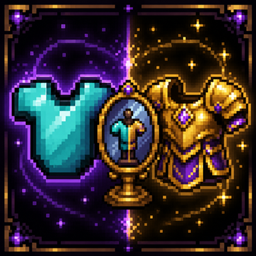
Wear two sets of armor — one for function, one for fashion.




✨ Overview
|
Armor Cosmetic lets you equip a separate cosmetic armor set that displays over your real armor, keeping your best protective gear equipped while showing off any look you want — the stats of your netherite, the appearance of your choice. A fork of CosmeticArmorReworked by zlainsama and dmillerw, ported to NeoForge and Fabric. Not affiliated with or endorsed by the original authors. |
|
🎯 Features
🛡️ Dual Armor System
Wear one armor set for protection stats, another purely for display. Your real armor stays equipped underneath.
🖥️ Cosmetic Inventory GUI
Open the cosmetic armor screen from your normal inventory with a single button click and manage all cosmetic slots in a familiar interface.
🔘 Per-Slot Toggles
Each cosmetic slot has an S/A toggle that hides your real armor for that slot — show off your cosmetic helmet while keeping your real chestplate visible.
🌐 Global Toggle
Disable all cosmetic rendering with one click — handy for PvP or when you want to see your actual armor.
⚰️ Corail Tombstone Compatible
With Tombstone installed your cosmetic gear isn’t lost on death — it stays in its cosmetic slots. (NeoForge only — Tombstone does not exist on Fabric.)
🌐 15 Languages
English, Spanish, German, French, Italian, Dutch, Swedish, Polish, Japanese, Portuguese, Russian, Chinese, Korean, Turkish, Czech.
⚙️ Fully Configurable
Button positions, sizes and visibility are customizable in the config file.
💻 Commands
/clearcosarmor— clear cosmetic armor from players/coshat— toggle cosmetic helmet visibility
🧱 Mod Structure
| Area | What it provides |
|---|---|
api |
Public surface for other mods: the cosmetic-inventory accessor, its slot definitions, and the events fired when cosmetic armor changes. |
impl/inventory |
The cosmetic-armor inventory itself: per-player storage, the S/A per-slot render flags and the global toggle state. |
impl/client/gui |
The cosmetic-armor screen opened from the inventory (slots, per-slot toggle buttons, the global toggle button) and the layer that renders cosmetic armor over the player. |
impl/network/payload |
Client↔server sync of the cosmetic inventory and toggle state. |
mixins |
The small vanilla patches needed to draw cosmetic armor and to open the screen from the inventory button. |
📋 Requirements
| Minecraft / Loader | see Available Versions below |
| Side | Client and Server (required on both) |
🎨 Resource Pack Compatibility (EMF / ETF)
Resource packs built on Entity Model Features (EMF) and Entity Texture Features (ETF), such as Fantasy 3D Armors, read the armor your character wears to pick their models. Armor Cosmetic makes them see your cosmetic armor instead of the real one, so the pack’s 3D armor also applies to the cosmetic slots. Slots hidden with the S toggle count as empty.
| Minecraft | NeoForge | Fabric | Forge |
|---|---|---|---|
| 26.3 / 26.2 / 26.1.2 | Supported | Supported | Not possible |
| 1.21.1 | Not implemented | Not implemented | Not implemented |
Why not on Forge? The integration patches what EMF and ETF read, so it only makes sense where those mods exist. EMF and ETF have no Forge release for Minecraft 26.1.2, 26.2 or 26.3 (their Forge builds stop at 1.21.x), and no equivalent mod exists for Forge on those versions. Without them there is nothing to be compatible with, so the integration could not be built there. If EMF/ETF ever reach Forge on these versions, it can be added.
📦 Available Versions
| Minecraft | Loader | Java | Latest build |
|---|---|---|---|
| 26.3 | NeoForge 26.3.0.99+ | 25 | 1.0.5 |
| 26.3 | Fabric Loader 0.19.5+ · Fabric API 0.161.0+ | 25 | 1.0.2 |
| 26.2 | NeoForge 26.2.0.57+ | 25 | 1.2.3 |
| 26.2 | Fabric Loader 0.19.5+ · Fabric API 0.161.0+ | 25 | 1.0.2 |
| 26.1.2 | NeoForge 26.1.2.78+ | 25 | 1.1.3 |
| 26.1.2 | Fabric Loader 0.19.5+ · Fabric API 0.155.3+ | 25 | 1.0.2 |
| 1.21.1 | NeoForge 21.1.259+ | 21 | 1.0.3 |
| 1.21.1 | Fabric Loader 0.19.5+ · Fabric API 0.116.17+ | 21 | 1.0.1 |
All Minecraft versions share this CurseForge project. Pick the file that matches your Minecraft version.
🎮 How to Use
- Install the mod on both client and server.
- Open your inventory and click the new cosmetic armor button.
- Place cosmetic armor pieces in the slots — they render over your real armor.
- Use the S/A toggle per slot to control what shows.
- Use the global toggle to disable cosmetic rendering entirely.
🙏 Credits & License
Armor Cosmetic is a fork of CosmeticArmorReworked by zlainsama and dmillerw, ported to NeoForge and Fabric by Stalking Dragons.
License: distributed under the Minecraft Mod Public License (MMPL) version 1.0.1, the same license as the upstream mod. Per the MMPL this fork stays under the MMPL and its full source is published as a -sources.jar alongside every release. The full licence text and attribution ship in the jar and the repository LICENSE file.
https://codex.skdragons.com/
Codex Stalking Dragons — Minecraft Modding
常见问题
Armor Cosmetic 支持哪些 Minecraft 版本?
Armor Cosmetic 支持 Minecraft Java 版 1.21.1–26.3,共 4 个版本,可用的加载器:Fabric / NeoForge。下载时注意选择和你游戏版本一致的文件。
Armor Cosmetic 怎么安装?
先用 PCL2 或 HMCL 启动器安装对应版本的 Fabric / NeoForge,再把下载的 .jar 文件放进游戏目录的 mods 文件夹,重新启动游戏即可。开启了版本隔离的,mods 文件夹在 versions/版本名 下面。
LlaGuiT0 的其他作品
查看全部 →
Teleport Animation
Cinematic camera transitions when teleporting with Waystones or Create: Kinetic Waypoints.

EnchantVenture
Explore, fight, build, and progress through a handcrafted Minecraft adventure featuring immersive exploration, structured progression, magic, technology, optimized performance, official content, and a polished vanilla-friendly experience.

SKD – Exploration
Enhance your adventure with improved exploration, new combat mechanics, better villager management, decorative aquariums, and important maintenance updates for an even smoother and more immersive experience.

SKD MineColonies
The pack includes a mix of mods to turn the gameplay of the main minecolonies mod into an interesting adventure setting.
评论
登录后评论和评分