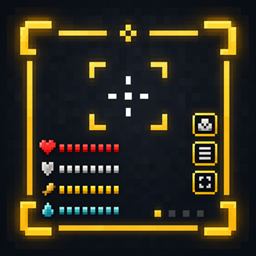
Utility Core HUD
A lightweight, fully customizable on-screen HUD system for Minecraft — drag, resize, and toggle status indicators (starting with armor durability) without touching a config file.
介绍
🎯 Utility Core HUD
A lightweight, fully customizable on-screen HUD system for Minecraft.



✨ Overview
Utility Core HUD adds a lightweight, fully customizable on-screen display system for Minecraft — a foundation for HUD elements you can toggle, drag, and resize without ever opening a config file. Every element is positioned interactively in-game and saved instantly.
What it covers today:
- Armor durability status — always-visible icons showing the condition of your equipped armor
- In-game guide book — a Vellumli-powered book explaining every feature, with a direct button to open the HUD menu
- Interactive positioning — drag, resize and reorient any HUD element with the mouse, no config editing required
🧩 Features
🛡️ Armor Durability Status
Shows an icon for each equipped armor piece, styled exactly like its inventory slot icon, including the damage overlay. Icons always sit flush against each other — if a piece is removed or fully repaired, the remaining icons close the gap instead of leaving an empty slot.
📖 In-Game Guide Book
A Vellumli-powered guide book explains every HUD element and setting. The book’s first page includes a button that opens the HUD configuration menu directly, no need to dig through menus.
🎯 Interactive Positioning
- Drag any HUD element anywhere on screen with the mouse
- Scroll the mouse wheel to switch between vertical and horizontal layout
- Use the on-screen
+/−buttons to resize it - A gold border marks the editable area while positioning is active
- Press
Enterto confirm and save, returning to the HUD menu
👁️ Show / Hide Control
Toggle each HUD element on or off at any time from the configuration menu, independent of the positioning tool.
⚙️ Fully Configurable
No config file editing needed — every HUD element is enabled, positioned, oriented and resized directly in-game through the interactive editor, and saved automatically to config/utility_core_hud/.
📋 Requirements
| Minecraft |26.2 |
| NeoForge |26.2.0.57 |
Side: Client only.
Required dependency:
- Vellumli (in-game guide book)
🎮 How to Use
- Open the in-game guide book (Vellumli).
- Press the menu button on the book’s first page.
- Choose Show or Never show for each HUD element.
- Press Edit position to enter interactive placement mode.
- Drag to move, scroll to switch orientation, use
+/−to resize. - Press
Enterto save and return to the menu, then Save / Close.
🙏 Credits
Developed by Stalking Dragons.

https://codex.skdragons.com/
Codex Stalking Dragons — Minecraft Modding
常见问题
Utility Core HUD 支持哪些 Minecraft 版本?
Utility Core HUD 支持 Minecraft Java 版 26.2,可用的加载器:NeoForge。下载时注意选择和你游戏版本一致的文件。
Utility Core HUD 怎么安装?
先用 PCL2 或 HMCL 启动器安装对应版本的 NeoForge,再把下载的 .jar 文件放进游戏目录的 mods 文件夹,重新启动游戏即可。开启了版本隔离的,mods 文件夹在 versions/版本名 下面。
LlaGuiT0 的其他作品
查看全部 →
Armor Cosmetic
同时穿两套盔甲——一套管属性,一套管外观。

Teleport Animation
Cinematic camera transitions when teleporting with Waystones or Create: Kinetic Waypoints.

EnchantVenture
Explore, fight, build, and progress through a handcrafted Minecraft adventure featuring immersive exploration, structured progression, magic, technology, optimized performance, official content, and a polished vanilla-friendly experience.

Carry Mechanics
Pick up, carry, and place blocks and entities with your bare hands! A lightweight, configurable successor to Carry On.
评论
登录后评论和评分