Ultimate Railway
Signals, semaphores, speed limits, level crossings, an overhead line and a driver's cab for Create trains, in the style of the German railway. Everything works with Create's own track, signals and trains.
截图
介绍
Ultimative Railway Mod adds the equipment of a real railway to Create: signal heads and semaphores, speed limits, level crossings, an overhead line with pantographs, and a driver’s cab with a key, a display and a control panel. It is made in the style of the German railway and works with Create’s own track, signals and trains.
Signals
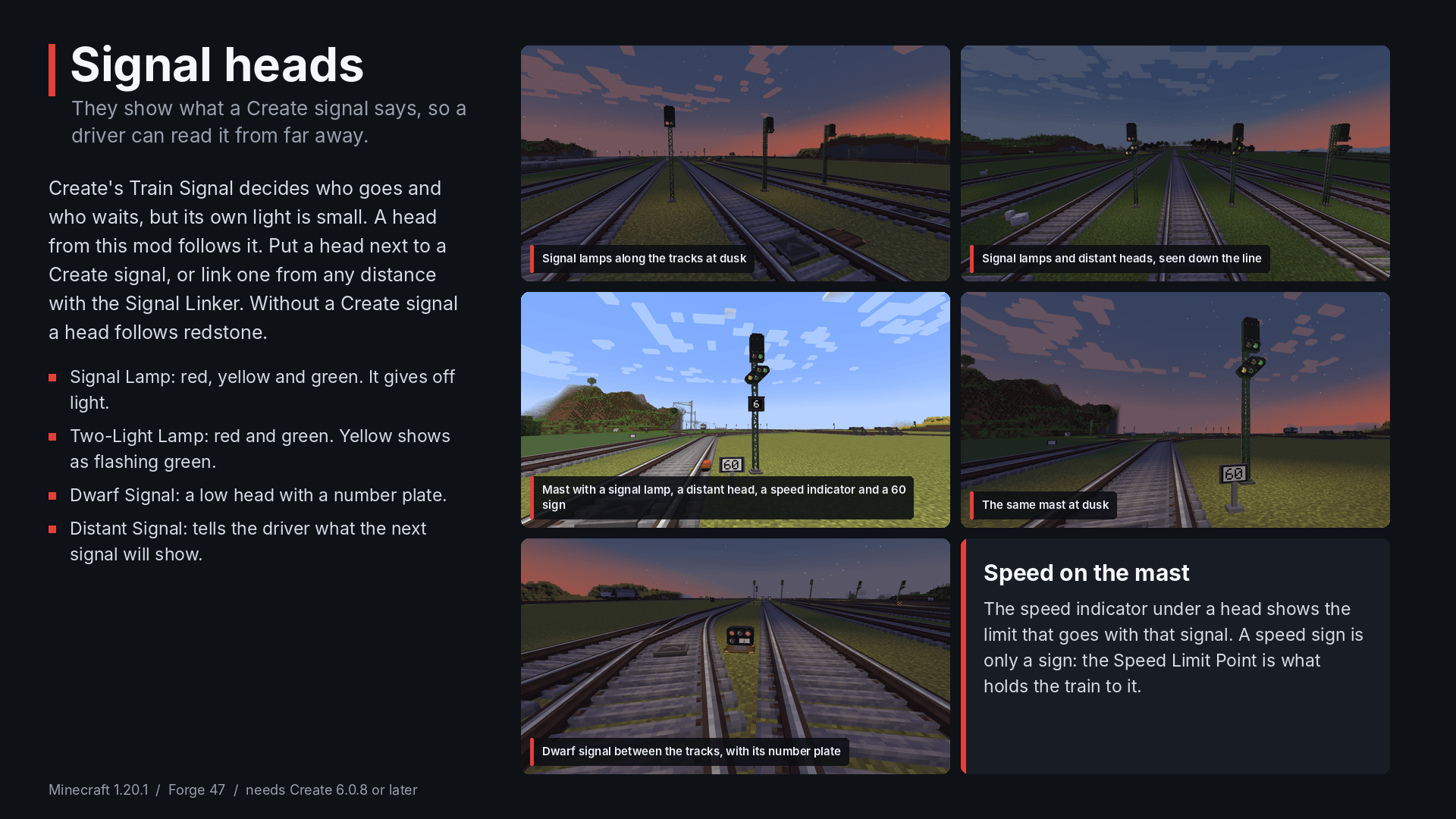
Create’s Train Signal decides who goes and who waits, but its own light is small. A signal head from this mod shows the same state in a way a driver can read from far away.
- Signal Lamp: red, yellow and green. It gives off light.
- Two-Light Signal Lamp: red and green. Yellow shows as flashing green.
- Dwarf Signal: a small ground signal with a number plate.
- Distant Signal: tells the driver what the next main signal will show.
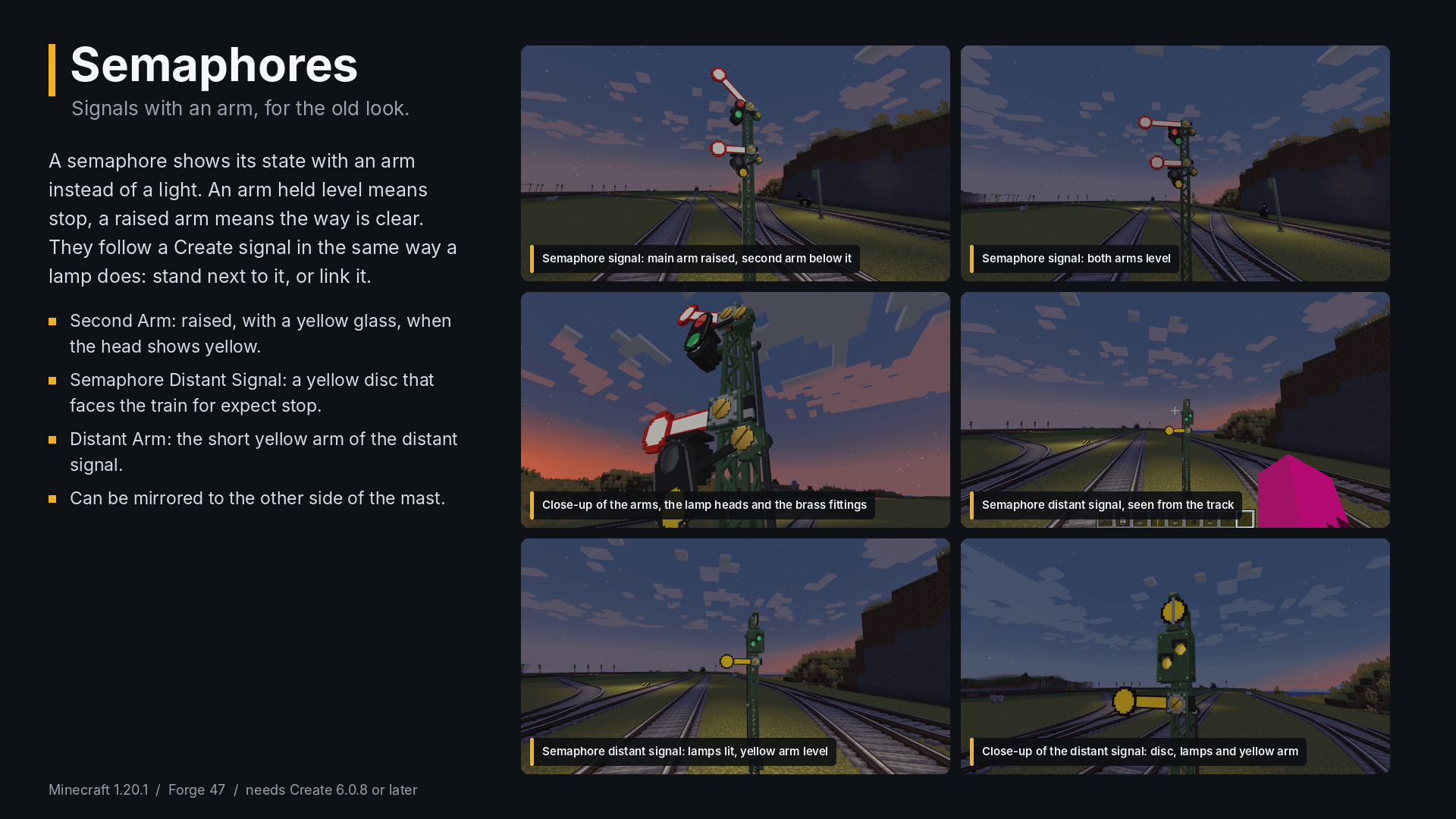
- Semaphores: arm signals with a second arm and a distant signal, for the old look.
- Speed Indicator: a number under a head, read from the track speed.
Put a head next to a Create Train Signal and it follows it. Or use the Signal Linker to link a head to any signal in the same dimension, however far away. Without a Create signal, a head follows redstone, which also makes it easy to test.
There are also masts, a climbing mast, a side-mount mast, gantries, a signal box, and signs for speed, distant markers, the whistle and level crossings.
Speed limits
The Speed Limit Point is a board on a post that you put beside the track. Place it looking along the track, then right-click it and write the limit in km/h. Create’s trains hold to it, and so does a train with a driver.
Level crossings
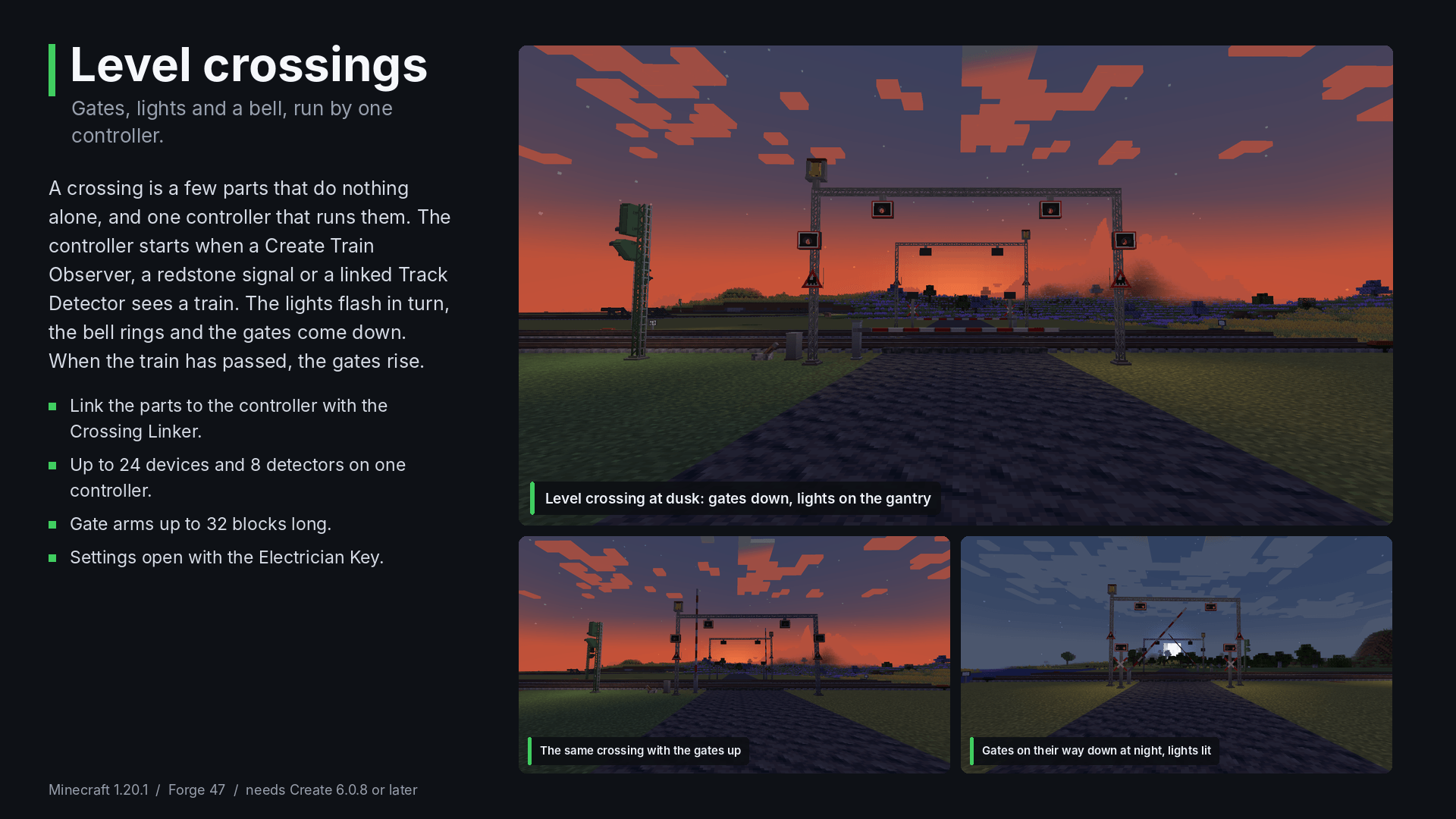
Gates, flashing lights, a bell and track detectors, all run by one Crossing Controller. Link the parts to the controller with the Crossing Linker. The controller starts the crossing when a Create Train Observer, a redstone signal or one of its detectors sees a train. The gates come down, the lights flash, the bell rings, and everything goes back when the train has passed.
Overhead line
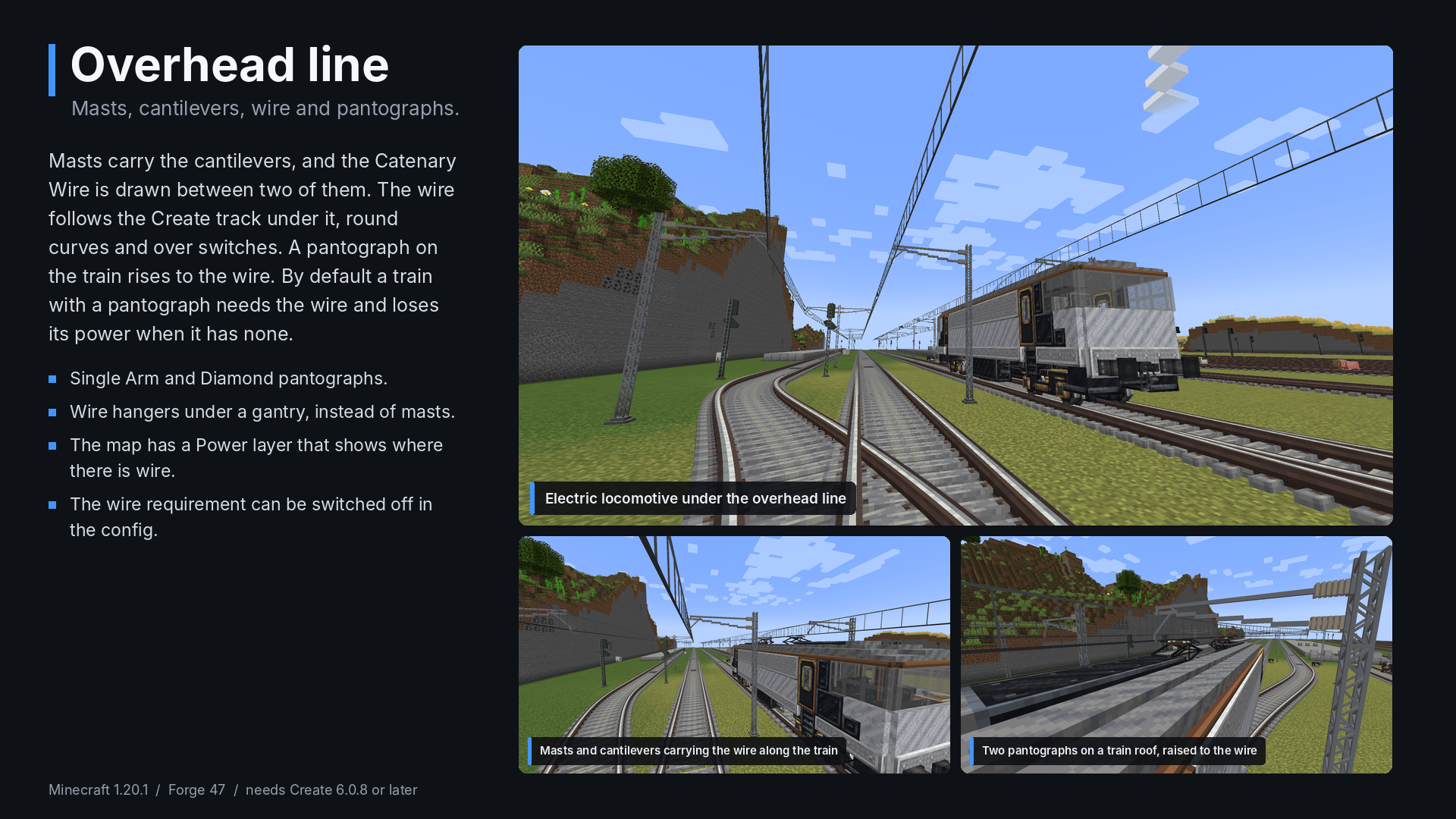
Build masts and cantilevers, then draw the wire between them with the Catenary Wire. The wire follows the Create track under it, round curves and over switches. A pantograph on the train rises to the wire. By default a train with a pantograph needs the wire: when it loses it, a red lamp blinks and after a few seconds the train loses its power. This can be switched off in the config.
The driver’s cab
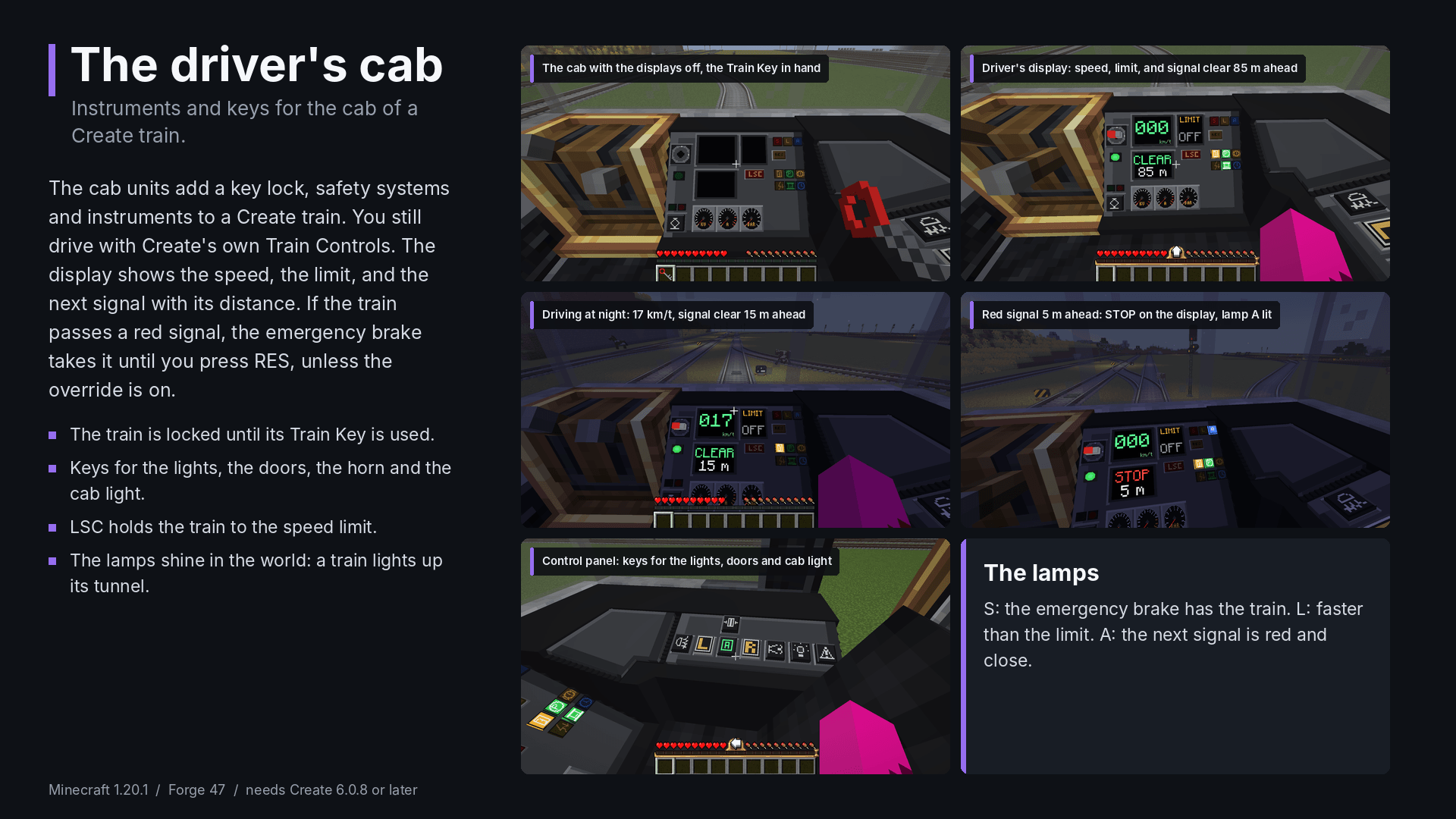
Cab units for the cab of a Create train: the Driver’s Display, the Control Panel, a Driver’s Desk, an L-shaped console corner, cab and train lights, and a Train Key. A train with a display is locked until you put its key in. The units add an emergency brake for red signals (with an override), a speed limit controller, door and light keys, and the S, L and A lamps. You still drive with Create’s own Train Controls.
常见问题
Ultimate Railway 支持哪些 Minecraft 版本?
Ultimate Railway 支持 Minecraft Java 版 1.20.1,可用的加载器:Forge。下载时注意选择和你游戏版本一致的文件。
Ultimate Railway 怎么安装?
先用 PCL2 或 HMCL 启动器安装对应版本的 Forge,再把下载的 .jar 文件放进游戏目录的 mods 文件夹,重新启动游戏即可。开启了版本隔离的,mods 文件夹在 versions/版本名 下面。
评论
登录后评论和评分