Ultimate Track Map
A track diagram of your Create railway, opened with M: tracks, stations, signals with their colours, level crossings and trains. Click for departure boards, train schedules and signal info.
截图
介绍
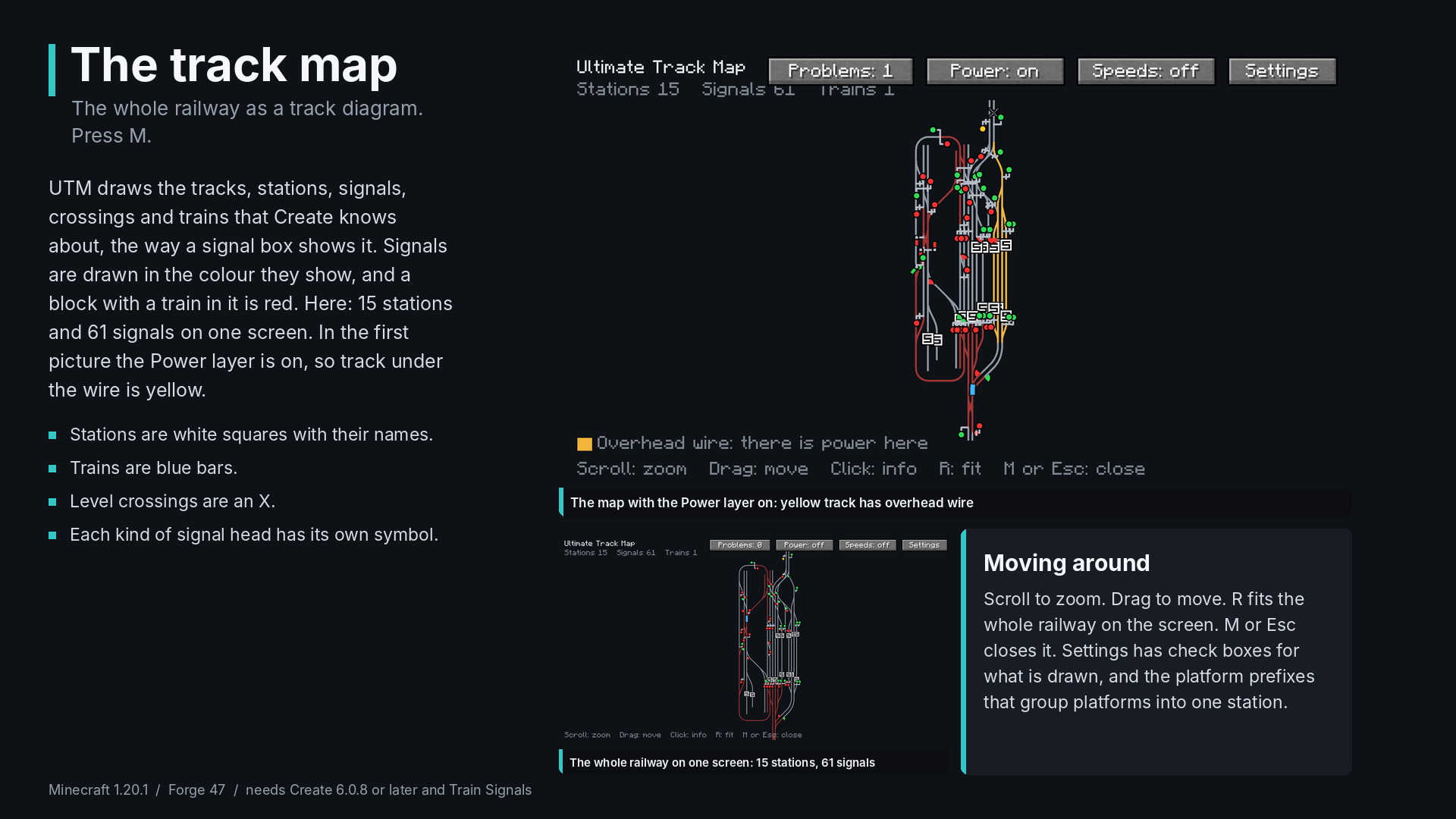
UTM, the Ultimate Track Map, draws your whole Create railway as a track diagram, the way a signal box shows it: tracks, stations, signals with their colours, level crossings and trains. Press M to open it.
What it shows
- Tracks in grey. A block with a train in it turns red.
- Stations as white squares with their names. The platforms of one station are drawn together.
- Signals in the colour they show now, with a different symbol for each kind of head: lamp, dwarf, distant, semaphore and semaphore distant. A short stem shows which way the signal governs.
- Trains as blue bars with their names.
- Level crossings as an X.
Click for details
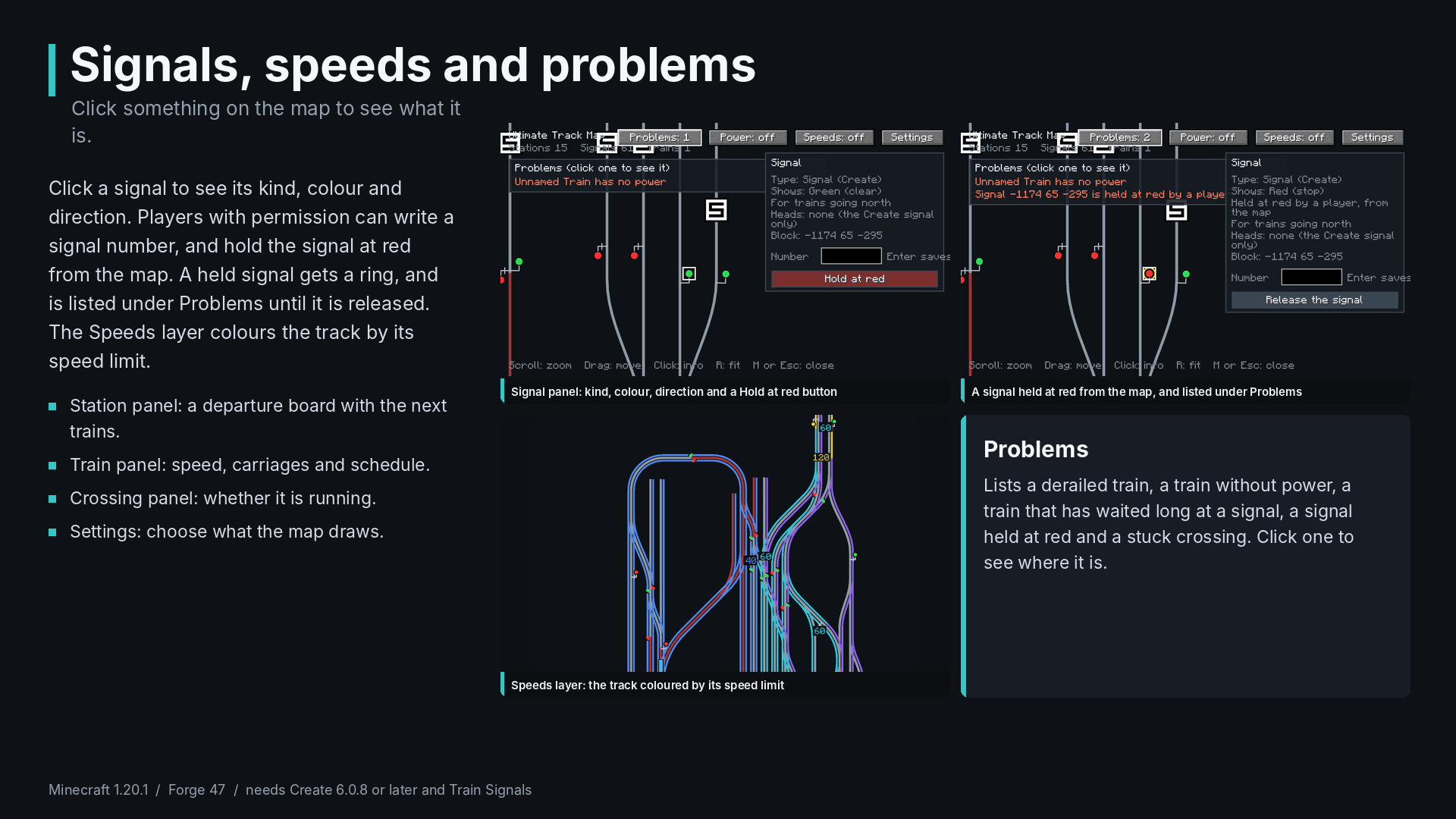
- Station: its name and platform, which train is there, and the next trains with where they go. It works as a departure board.
- Signal: its kind, colour, direction and number. Players with permission can write a signal number and hold a signal at red from the map.
- Crossing: whether it is running.
- Train: its name, speed, number of carriages and schedule.
Layers and the problem list
- Speeds colours the track by its speed limit.
- Power draws the overhead wire, so you can see where a train has power.
- Reserved route shows the blocks that trains have reserved ahead.
- Problems lists a derailed train, a train without power, a train that has waited long at a signal, a signal held at red and a stuck crossing. Click one to see where it is.
Controls
Scroll to zoom, drag to move, R to fit the whole railway on the screen, click for details, M or Esc to close. The key can be changed in the controls under UTM.
Station names: name the platforms of a station with a common first part, and set the platform prefixes in the settings (the default is Platform, PF).
Requirements
- Minecraft 1.20.1
- Forge 47.x
- Create 6.0.8 or later
- URM 0.1.0 or later
Good to know
- This is version 0.1.0. So far it has only been tested in single player. It may not work right on a server yet.
- The map draws the track that Create knows about. Build track first, then press M.
- Forge 1.20.1 only.
If something breaks, tell me what you did and attach the log, and I will look at it.
常见问题
Ultimate Track Map 支持哪些 Minecraft 版本?
Ultimate Track Map 支持 Minecraft Java 版 1.20.1,可用的加载器:Forge。下载时注意选择和你游戏版本一致的文件。
Ultimate Track Map 怎么安装?
先用 PCL2 或 HMCL 启动器安装对应版本的 Forge,再把下载的 .jar 文件放进游戏目录的 mods 文件夹,重新启动游戏即可。开启了版本隔离的,mods 文件夹在 versions/版本名 下面。
评论
登录后评论和评分