
截图

介绍
TutlaClient
TutlaClient is a fully featured Minecraft client featuring many utility keybinds, rendering utilities & pvp tools!
⚙️ Features & Usage
- ⚡ Easy to use
- 🌀 Amazing and Modern UI
- 🛠️ Many modules
🕹️ Features
🖲️ Modules
| ⚙️ Category | 💻 Module | 📖 Description |
|—————|——————|—————————————————–|
| ⚔️ PvP | LeaveThisGoBack! | Double click a slot to go back to the previous slot |
| Rendering | ClearWater | See in water |
| Rendering | FullBright | See in darkness |
| Rendering | NoFire | Disables fire from covering your screen |
| Rendering | NoHurtCam | Prevents shake when damaged |
| Rendering | NoPortalOverlay | Removes portal overlay |
| Rendering | NoPumpkinHead | Removes pumpkin head overlay |
| Rendering | NoViewBob | Prevents bob while walking |
🌀 Key Binds
Scroll to Tutla Client in controls menu to see it
| ⌨️ Keybind | 📖 Description |
|————————————————-|——————————-|
| Open Menu | Open TutlaClient menu |
| Leave | Leave a server with a keybind |
🛠️ Configuration
Configure via the in-game menu (Default key: k)
🚧 Coming Soon
- 🌀 Many utility keybinds
- 🛠️ Much more!
💬 Support, Tracking & More
- 💬 Join our Discord for sneak peeks & community support
- ⭐ Star us on GitHub
- 🌐 Visit our Website for updates
- 💙 Contribute by donating
Think we’re missing something? Contribute on GitHub
🧪 Other Tutla Studio Projects
- 🏃♂️️ Manhunt+ – #1 Manhunt Plugin
- ⚔️ PvP+ – A Comprehensive PvP Plugin for Paper servers
- 🛡️ LeaveBind! – Leave the server with a click of a button
- 🧾 Leave This, GoBack! – Pressing on a slot twice returns you back to the previous slot. Useful for attribute swapping / quick tool swapping / mace pvp
常见问题
Tutla Client 支持哪些 Minecraft 版本?
Tutla Client 支持 Minecraft Java 版 26.1–26.1.2,共 3 个版本,可用的加载器:Fabric。下载时注意选择和你游戏版本一致的文件。
Tutla Client 怎么安装?
先用 PCL2 或 HMCL 启动器安装对应版本的 Fabric,再把下载的 .jar 文件放进游戏目录的 mods 文件夹,重新启动游戏即可。开启了版本隔离的,mods 文件夹在 versions/版本名 下面。运行环境:仅客户端。
Tutla 的其他作品
查看全部 →
Leave This, GoBack!
Pressing on a slot twice returns you back to the previous slot. Useful for attribute swapping / quick tool swapping / mace pvp

Leave Bind
LeaveBind! Lets you leave a server with a keybind

Spoofer+
🎭 Mod to hide mods & spoof your F3 menu
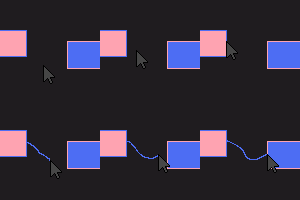
Tutla’s ClickCrystals Script Editor
Make, Edit and Create workflows using CCS Node Editor. Comes with an AI if your too lazy to make scripts!
评论
登录后评论和评分